Professional data recovery services
We can help you get your photos, videos and documents back, even if your device won't turn on. We work on hard drives, solid-state drives (SSDs), phones, memory cards, flash drives and laptops at our lab in Lincroft, New Jersey. You can bring your device to our New Jersey lab counter or mail it straight to us. If you're in the lower 48 states, we'll give you a free prepaid shipping label. You're welcome to ask for a free quote before you send anything. The hands-on diagnostic costs $100.
For now, turn the device off and leave it off. Using it can write over a file you want back or put more strain on a failing part, so skip recovery software and cancel any prompt to format it. If you're unsure what went wrong, start with the kind of device you have.
Data recovery services by device
Choose the device that holds your files to see how we'd go about getting them back and what the work can cost.
| Your device | What you might notice | How we get to your files |
|---|---|---|
| Hard drives and external hard drives Hard Drive Data RecoveryExternal Hard Drive Recovery | You dropped the drive, you hear clicks or beeps, or the drive won't spin or show up on your computer. | We fix or replace the part that failed so we can copy the drive. |
| SSDs, including NVMe drives SSD data recoveryNVMe drive recoverySamsung SSD recovery | The SSD disappears from your computer, shows the wrong size or stops working after a power problem. | SSDs have no moving parts. We work on the chip that runs the drive or the memory chips that hold your files. |
| iPhones iPhone Data Recovery | Your iPhone won't turn on, got wet, keeps restarting or has a broken screen. | We repair the main board, called the logic board, so we can start the phone, unlock it with your passcode and copy your files. |
| Samsung Galaxy and other Android phones Samsung Galaxy Data RecoveryCell Phone Data Recovery | Your phone keeps restarting, has no power or went dark after a spill. | We repair damaged parts or connections on the phone's main board. |
| iPads and iPods iPad Data RecoveryiPod Data Recovery | Your iPad or iPod gets stuck on the Apple logo, won't turn on or has been in water. | We work on the board inside your tablet or music player to get it running again. |
| SD cards and USB flash drives SD Card Data RecoveryUSB flash drive recoverySanDisk data recovery | Your computer no longer sees it, the plug is broken or you're asked to format it before you can use it. | We fix the connector or read your files straight from the chip that stores them. |
| Laptops and MacBooks Laptop Data RecoveryMacBook Data Recovery | Your laptop won't start, had something spilled on it or lost power after a surge. | If the drive is removable, we read it directly. On newer MacBooks, we repair the board so the security chip can unlock the built-in storage. |
| RAID drive sets and network storage boxes (NAS) RAID data recovery | Files disappear after a drive fails, a rebuild goes wrong or a storage area is deleted. | We recover files that were stored across several drives working together. |
Find your hard drive problem
If your drive clicks or beeps, start with the sound you heard. You'll also find help for a drive you dropped or one your computer no longer sees.
Find your drive by brand
Choose the name on your drive's label to see how we work on that family of drives.
If you want to use the device again
We offer repairs for computers, cell phones and game consoles as a separate service at our Lincroft counter.
- Since 2014One lab, in Lincroft, New Jersey
- 20,000+ ticketsacross all services since 2014
- 4.6 from 345Google reviews
- $100 diagnosticcredited toward a successful recovery
The people we help
Our customers include people from
-

-

-
 AT&T
-
 Marriott
-

-

-
 Tennessee Titans
-

-

-

-

-

-

-

What customers say about our data recovery services
We have a 4.6 rating from 345 Google reviews. Here are a few in our customers' own words, including one from the owner of a 15-year-old thumb drive and another from a family who wanted some of the earliest photos of their kids back.
We had this device for almost 10 years. It contained some of the earliest memories of our kids. … I saw an MD Repairs video and thought I'd give it a shot. Joe was great to work with, very responsive, and was able to restore pictures and videos from our family's early days.
You recovered data from my corrupted external hard drive that was crucial to a major project. In fact, three other companies … said it was impossible, that the drive was too far gone. But not for MDrepairs!
Great service! MDrepairs successfully retrieved my data from a 15 year old thumb drive that failed. I had previously sent the drive to another company which wasn't successful, but MDrepairs got my data back by going to the "chip-level recovery from the NAND". Time of repair was less than two weeks. Highly recommended
Could not be happier with their service. Super professional, kept in constant contact thru the process, and best of all, came thru with what they said they would do. The pics they recovered are literally priceless, from my deploymentd during GWOT. I never thought I'd seen em again. Can not recommend these guys enough. Thanks again.
I think this is the biggest miracle I've ever experienced in my life!! … MD Repairs is a godsend! Thorough, great communication and genuine care for their clients!!!
How much do data recovery services cost?
$100 diagnostic, credited toward a successful recovery.
The $100 diagnostic is non-refundable once diagnostics start, and donor drives or replacement parts you approve are non-refundable once ordered, even if recovery fails.
Recovery starts at $299 for a flash drive or SD card, $1,000 for a hard drive, SSD or iPhone, and $1,500 for an Android phone or laptop. Finding files on a working drive costs less than getting them off a drive that needs replacement parts. If your hard drive needs new heads, for example, recovery starts at $1,500.
You can ask for a free quote before you send your device. The diagnostic costs $100 for every device. Once we've diagnosed yours, we'll tell you exactly what recovery would cost, even if you don't see your device in the table.
- You approve the work and the parts
We start recovery when you approve the quote. If we need a replacement part or a donor drive for parts, we'll list each item and its price on an estimate for you to sign before we order. If we need another donor drive later, you'll get a new estimate to sign first.
- If no files come back
There's no recovery fee in that case. You pay $100 for the diagnostic, plus the cost of any parts you approved.
- See which files came back before you pay
Your report lists the files we recovered so you can see what you're paying for. We take credit cards, Apple Pay, PayPal and Afterpay. If you qualify, you can also pay over time with Affirm.
| Recovery service | Price |
|---|---|
| Flash Drive / SD Card | $299 - $1,750+ |
| Hard Drive - Firmware / Logical | $1,000 - $1,500 |
| Hard Drive - Head Swap | $1,500 - $3,000+ |
| Scratched / Contaminated Platters | $3,000 - $3,500+ |
| SSD / NVMe Recovery | $1,000 - $2,000+ |
| iPhone (3GS - 11) | $1,000 - $1,500 |
| iPhone (12 - 17 Series) | $2,000 |
| Samsung Galaxy / Android | $1,500 - $2,000 |
| MacBook / Laptop | $1,500 - $3,500+ |
| CPU Swap (Severe Cases) | $3,500 |
| RAID / Multi-Drive Arrays | Contact for Quote |
| Service option | Diagnostic starts | Extra cost |
|---|---|---|
| Standard diagnostic | Starts in about 4–6 weeks, then recovery time varies by case | No surcharge |
| Priority | Assessment starts within 5–7 days | +$250 |
| Urgent | Assessment starts within 1–2 days | +$500 |
| Emergency | Assessment starts same-day | +$1,000 |
For more detail on your quote, see our recovery prices by device and service terms.
What can data recovery bring back?
We may be able to recover individual files or whole folders, even from a device that won't turn on. What comes back depends on which parts still work, such as the disks in a hard drive or the chip that runs a phone. Our $100 diagnostic shows what's possible for your device and helps you decide if data recovery is worth it.
What we look for
- Files on a dead hard drive
When the motor fails, a hard drive can go quiet and disappear from your computer. We may still be able to read the disks inside where your photos are stored.
- Your original folders and file names
If we can copy the whole device, you can open the folder where you kept your pictures and find them there with their original names.
- Files lost after a deletion or format
We look for files that haven't been written over. Even when the folder names are gone, we can search for photos, documents and other files by type.
Three jobs we filmed and what came back
A blank screen can have more than one cause. We open the device at the bench to find out what failed, and we film the work even when only some of the files come back or none at all.
A power button repair saved photos from a coffee-damaged Samsung A03s
Coffee spilled on this customer's Samsung A03s and the screen went blank. We traced the trouble to a broken connection at the power button. Once we repaired it, the phone turned on and we copied the customer's pictures.
Four head replacements saved all but 28 MB on a failed WD hard drive
A customer kept a game project on a WD external hard drive that quit without warning. The heads, the tiny parts that read the disks, had failed. We found small scratches on the top disk and then a problem with the map the drive uses to locate its files.
We replaced the heads four times and got back all but 28 megabytes of the customer's files.
No photos came back from a phone that died overnight, even with replacement parts
This phone stopped responding on its owner's nightstand. We tried replacement parts, but it never turned back on and we recovered no photos. It took that hands-on diagnostic for Joe to conclude that the chip that runs the phone had failed.
How data recovery services work
Once we've diagnosed your device at the bench, we'll explain what failed and give you a price. If you decide to go ahead, we do the work and return the files we can recover.
What is data recovery?
Data recovery means getting back files you can no longer open. If you deleted a folder on a working drive, we can make a copy of the drive and search that copy for the missing files. That's called logical recovery.
With a physical failure, we have to repair a broken part or work around it before we can read your files. That extra work takes longer and costs more. The diagnostic tells us whether the problem is logical, physical or a bit of both.
Your recovery, step by step
-
Ask for a quote
Call or contact the lab online for a free quote. Tell us what you saw or heard, even if you're unsure which part failed.
-
Mail your device or drop it off
We cover shipping both ways in the contiguous US. Fill out our mail-in form to print your free prepaid UPS 2nd Day Air label right away. Put the packing slip from the form in the box and take the package to any UPS location. You can also bring your device to our Lincroft counter.
-
We diagnose your device
We do the $100 diagnostic at our bench. With standard service, the diagnostic usually starts 4 to 6 weeks after your device arrives. You can choose a rush option for an earlier start. We'll tell you what failed, how we'd try to recover your files and what the work would cost.
-
Decide whether to go ahead
Once you have the estimate, you can accept it or stop after the diagnostic. We wait for your approval before we start recovery.
-
We copy the files we can read
If a part has failed, we repair it or work around it so we can copy what's still readable. How long that takes depends on what we find.
-
Get your files back
When your files come back on a new drive, you can have us mail it to you or pick it up at the counter. Read more about how we return your files, including what to expect with a newer iPhone.
What to send with your device
With the device in front of us and a few details from you, we can find the problem sooner and give you a clearer answer about the files you want back.
- The whole device
If you're sending an external drive, leave it in its case and pack the cable that came with it.
- Your passcode or recovery key
Have your phone or tablet passcode ready. If your Windows PC or Mac uses built-in encryption to lock the drive, we'll need its recovery key, the code that unlocks your files.
- What happened and which files matter most
Tell us what happened to the device and what you've tried since. If you're sending it for one particular folder of pictures, let us know which one.
What to do when your device fails
These steps cost nothing and can protect the files still on your device, even before you know what went wrong.
What to do first
- Turn the device off
Set it aside and leave it off so it can't write over a missing file or put more wear on a failing part.
- Write down what you saw or heard
Include any fixes you've already tried. We'll ask about those details, and a note lets you tell us what happened without turning the device back on.
- Safe checks for a quiet hard drive
If your hard drive is already running quietly and steadily, our free hard drive tool walks you through the checks you can safely do.
What to avoid
- Restarting a noisy hard drive
Unplug a clicking hard drive and leave it off. Do the same if it beeps or grinds, because each restart can scratch the disks that hold your files.
- Charging or heating a wet phone
Keep a wet phone off the charger. Moisture can corrode the metal inside, and neither rice nor heat stops that from happening.
- Formatting a drive or card
If your computer asks you to format a drive or memory card, choose Cancel. Formatting prepares it for new files while the ones you want back may still be there.
- Running recovery software on the original drive
Installing a recovery program on the drive that held your files can write over the very files you want back. Running it on a failing drive can also cause more damage.
- Freezing a hard drive or swapping its board
Keep your hard drive out of the freezer and leave its circuit board attached so we can diagnose it with the original parts in place.
Where your files go after recovery
We make a copy of your recovered files that you can use at home. Our guide explains what you'll receive and how it gets to you.
- A new drive for your files
We put the files we recover on a new external drive or USB flash drive. You can have us mail it to you or pick it up at our counter.
- We keep a backup for two weeks
We keep a copy offline in case your new drive is lost or damaged in the mail. That gives you time to make your own backup, too. We delete our copy after two weeks, or sooner if you call, text or email us to ask.
- When we return iPhone files through iCloud
With Apple's Stolen Device Protection turned on, newer iPhones require your face or fingerprint before we can copy files to a computer or flash drive. Your passcode alone isn't enough, so if we get the phone running, we back it up to your own iCloud account. You can get your photos and files back by signing in to that account on another iPhone.
- Make your own backup the day the drive arrives
A drive can fail at any time, so back up your files as soon as yours arrives. The 3-2-1 backup rule shows you how to keep copies in three places. We delete our copy after two weeks. If the drive we gave you fails and you bring it back after that, getting those files back is a new recovery at full price.
- Who handles your device and files
Our engineers work on your device here in Lincroft. You can read how we handle devices at the lab and how we look after your information in our privacy policy.
Our data recovery lab in Lincroft, New Jersey
We've been here in Lincroft since 2014. Our engineers work together at one MDrepairs lab, so a device you mail to us reaches the same bench as one you bring to the counter. In the film about the phone that died overnight, you see our founder and lead technician, Joseph Montanti, at that bench.
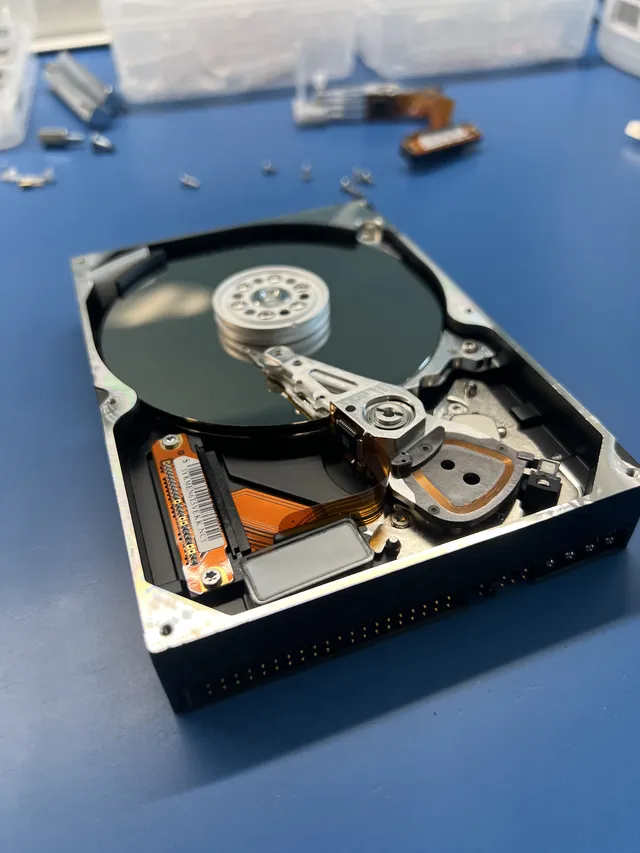
We open hard drives at a bench with filtered air and keep donor drives on hand for spare parts. We can also repair a drive's firmware, the software that runs the drive, when that's what's keeping us from reading your files.
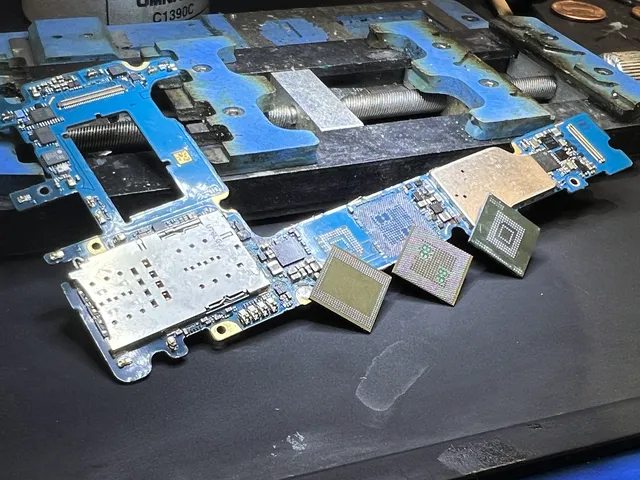
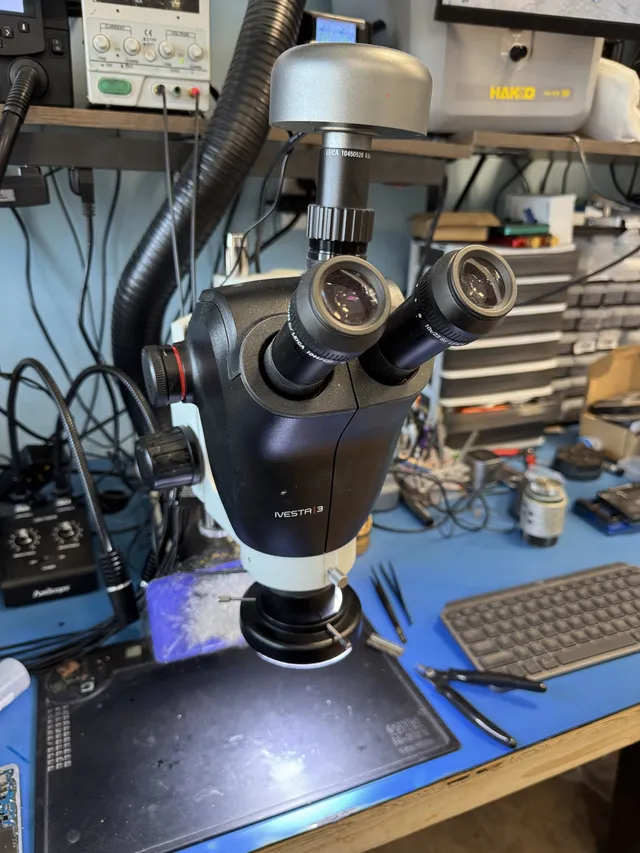
When a drive is failing, we copy what we can still read without putting extra strain on it. On circuit boards, we do a kind of repair called micro-soldering. We work under a microscope and use melted metal to repair tiny connections.
Your data recovery questions
How long does data recovery take?
How long recovery takes depends on what we find. With standard service, we usually start the diagnostic 4 to 6 weeks after your device arrives. If you need the diagnostic sooner, we start within 5 to 7 days with Priority, within 1 to 2 days with Urgent or the same day with Emergency.
Is data recovery worth it?
It depends on what the files mean to you. The $100 diagnostic gives you the price and tells you what's possible before you decide. Even part of a folder can be worth recovering if it holds the only photos you have of someone.
When is it too late to get files back from my dead device?
We can recover files from a dead device if the parts we need still work. Recovery stops when hard drive disks are too scratched to read, a phone’s processor or storage chip cracks, an SD card snaps through its memory chip, or an M-series MacBook’s main chip or memory chips fail permanently. Our $100 diagnostic shows what failed and what’s possible before you decide.
What if nothing can be recovered?
You owe $100 for the diagnostic, plus the cost of any parts you agreed to have us order.
Are data recovery services safe?
Yes. Our engineers handle your device and your files here in our Lincroft lab. We keep a backup of your recovered files offline for two weeks in case the new drive gets lost in the mail, then we delete it. Call, text or email if you'd like us to delete it sooner.
Can water-damaged devices be recovered?
Yes, a wet phone or drive can still hold readable files. Keep it switched off and leave it off the charger. The diagnostic shows us what the water damaged and what we can do for your kind of device.
Can deleted files be recovered?
Sometimes. A drive or memory card can still hold a deleted file until something new is saved in its place. Stop using the device so we can look for files that haven't been written over.
What kinds of files can you recover?
We look for the files you saved, including photos, videos and work documents. When we can copy the whole device, your files keep their names and folders. If the old folders are gone, we search by file type.
Do you recover data from RAID and NAS?
Yes. We quote recovery for the drives as a set, including drives that work together in a network storage box. See RAID and NAS recovery if a drive failed, a rebuild went wrong or an entire storage area was deleted.
Do you work with businesses and IT providers?
Yes, businesses and IT providers can send devices to our lab for recovery through our partnership program.
Where can I find data recovery services near me?
We offer nationwide data recovery by mail. You can send your device straight to our lab in Lincroft, New Jersey. Choose your state or city for mailing instructions.
In the contiguous US, your prepaid label is free and we cover shipping both ways. If you're near Lincroft, you're welcome to bring your device to our counter.
- Address
- 644 Newman Springs Road, Suite A, Lincroft, NJ 07738
- Hours
- Mon-Fri 10am to 6pm Eastern
- Phone
- (732) 933-7717
Northeast
Southeast
Midwest
Southwest
Data recovery guides from our bench
In these guides we explain why a hard drive clicks, what happens when you delete a folder and what it costs to recover files from different devices.
Hard drives
SSDs and RAID sets
Phones and computers
Memory cards and flash drives
Missing files, prices and backups
Tell us which files matter most
Call us or ask for a free quote online. Start with the last thing your device did and the files you'd most like to open again.