Failed WD external drive's project files recovered except for 28 MB
- Device
- Western Digital WD20SDRW external hard drive
- What happened
- Stopped working unexpectedly with game-project files on it
- What was wrong
- Failed heads, small top-platter scratches and later translator corruption
- Result
- Partly recovered. All data except 28 MB was recovered after four head replacements.
A customer's external hard drive stopped working unexpectedly with all of his game-project files on it. Joe heard the motor spin without unusual noises. He removed the circuit board and read its ROM, the firmware stored on that board. Using PC-3000, a recovery system, he removed an access restriction and wrote the firmware back so he could work with the drive's internal files.
Joe also changed the connection from USB to SATA. He removed four capacitors and a crystal, then wired the adapter's data, power and ground connections. Even after those changes, the drive did not initialize. A further attempt using a special startup mode and a program loaded into working memory also failed. Joe concluded that the heads could not read.
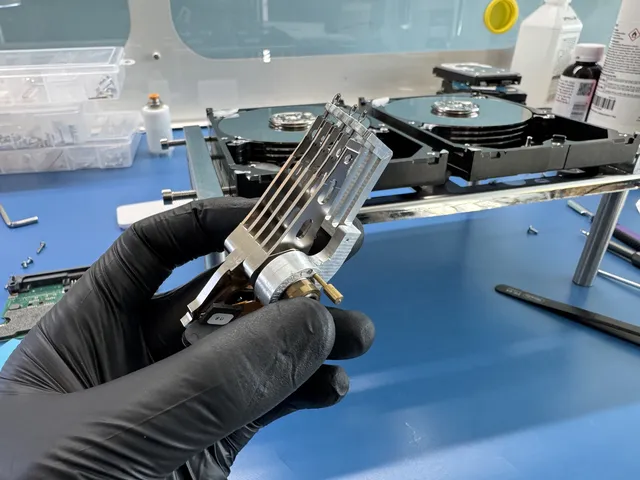
When he opened the drive for a head replacement, he found small scratches on the top platter. He installed compatible donor heads, and the drive then initialized. Reading its start-up files was extremely slow. Joe stopped the broader backup and saved the translator first. That file told the drive where its data was located.
After Joe saved the translator and changed firmware settings, the translator became corrupt. The sectors then appeared to contain zeros, even though the customer's files had been present. Joe loaded the saved translator into the drive's working memory. Checking the sectors again showed data, and Data Extractor displayed the files.
Joe imaged the drive, replacing its heads four times over the course of the work. The final recovery included all of the customer's data except 28 MB.
If yours is similar
This WD drive spun quietly despite failed heads, then needed its saved data map to read the files. Don't use the lack of clicking as a reason to retry copies; the diagnostic checks the heads and the internal files that locate your data.
Western Digital Data RecoveryThe people we help
Our customers include people from
-

-

-
 AT&T
-
 Marriott
-

-

-
 Tennessee Titans
-

-

-

-

-

-

-