Hard Drive Clicking? What It Means and What to Do
Our founder and lead technician, Joseph Montanti, handles cases personally.
A hard drive making a repeated clicking noise is usually struggling to read with its heads. The heads move back and try again, producing the familiar “click of death”; damaged heads, damaged platter surfaces, and unreadable firmware can all cause that cycle. Software cannot repair a broken head. An occasional soft click during normal reading, or a click as the drive shuts down, can be normal.
Repeated clicking calls for power off. Disconnect a clicking external drive, or shut down a computer with a clicking internal drive, and leave it off. Do not reconnect it to test a cable, run a scan, or hear the sound again if you need the files.
On this page
What moves inside a clicking hard drive
Your files are recorded magnetically on the platter surfaces. A motor turns the platters, and a separate actuator moves the read/write heads across them. The heads work extremely close to the recording surface without normally touching it. Their movement produces the light chatter you may hear when a healthy HDD opens files.
The drive also needs information that tells it where the heads are and how to operate its own hardware. During startup, it must read that information before it can serve your files to the computer. A damaged head can prevent the drive from completing startup even when the files themselves remain on the platters.
When a read fails, the drive may move the heads back and try again. That repeated movement produces the rhythmic clicking sound. Some drives keep spinning through the attempts; others click several times, spin down, then start the sequence again. The computer may show no drive at all because the disk never reaches a usable state.
This also explains a computer that freezes when the hard drive clicks. Windows or macOS is waiting for a read to finish. Opening a folder, loading an application, or starting the computer can stall while the drive retries. The delay comes from the failed reads, even though it may look like the whole computer has become slow.
Seagate distinguishes ordinary head movement and parking sounds from persistent hard clicking. A new repeated clunk accompanied by missing files, failed detection, or stalled access belongs in the failure category. The exact failed part requires an examination of the drive.
Heads, platters, and firmware can cause the same retry cycle
Damaged heads or a scratched recording surface
A head crash happens when a read/write head contacts the platter. A drop can damage both the head and the magnetic surface beneath it. The head may then fail to read even undamaged areas, while scratches affect the files stored in the damaged areas. That is why replacing a failed head can restore access to some files without repairing every file on the drive.
Continued operation matters because damaged heads or loose debris can damage more of the recording surface. The practical problem is mechanical contact: a drive that continues running with damaged parts can turn a reading problem into lost magnetic material.
The lab's Seagate ST5000LM000 recovery shows that distinction. Joe found mangled heads and a detached head slider stuck to a platter, removed it, inspected the surfaces, and installed donor heads. Firmware work and imaging then recovered the files.
Heads stuck against a platter
Stiction means the heads are stuck to the recording surface instead of sitting safely on their parking ramp. The motor struggles to turn the platters against that resistance. This can produce a beep or buzz as well as a click, so a drive that beeps without spinning belongs to a different mechanical situation from one that spins and repeatedly seeks.
Freeing the heads requires opening the drive under filtered airflow and checking what happened to the heads and surfaces. Simply getting the platters moving again does not finish the job. In the lab's recorded stuck-head recovery, scraping had left debris inside, and the work included cleaning and replacement heads before imaging.
Electronics and firmware faults
The circuit board supplies and controls the motor and head assembly. Firmware is the drive's operating software, with information needed to start and read the disk. Trouble in either can leave a drive unable to finish its startup reads. A sound that begins after a power incident therefore needs a different investigation from a sound that begins immediately after a fall.
External hard drive clicking: USB power and the enclosure
An external hard drive adds a USB connection, an enclosure, and sometimes a separate power adapter around the same sort of rotating disk used inside a computer. A portable model usually receives power through USB. A desktop enclosure normally has its own supply. Trouble along that power path can interrupt startup and make the drive repeatedly try to spin.
Seagate documents soft clicking from an underpowered mobile drive. That explains why the cable, hub, USB port, and power supply matter when diagnosing an external drive. It does not make another power-on a sensible test for a drive that has already begun clicking and holds your only copy.
With the drive disconnected, you can inspect its cable for damage and check that a separate adapter belongs to that enclosure. A loose connector or an unfamiliar replacement adapter is useful evidence of a power problem. The powered checks belong with the recovery work when the files are at stake.
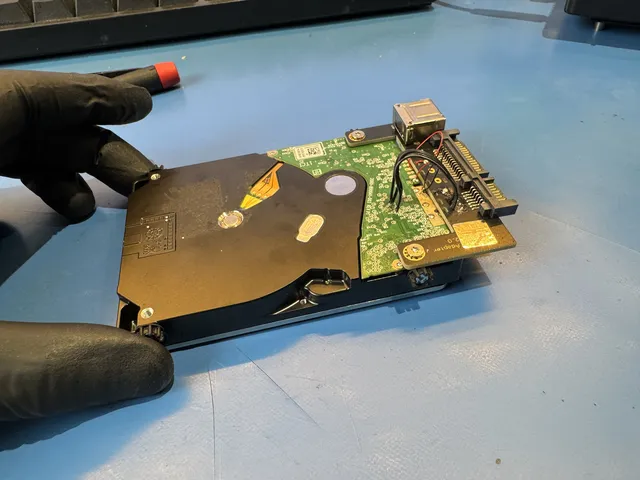
Removing the enclosure is also more complicated than it looks. Some portable drives have USB built into the drive's own board, and some models use hardware encryption. Keeping the original electronics with the disk preserves information that may be needed to read it. A replacement USB box is therefore not a universal clicking-drive fix.
A dropped 5 TB WD My Passport in the lab needed replacement heads, a soldered SATA connection, and work on its locked ROM before Joe could access the files in Data Extractor. The data was saved. That job illustrates why an external-drive recovery can involve both mechanical work and the original electronics.
Clicking patterns and the other sounds around them
The pattern helps separate normal activity from a drive that is repeatedly failing to start or read. Use what you already heard; a recording is not needed to decide to preserve a malfunctioning disk.
| Sound and behavior | What it usually means | Next step |
|---|---|---|
| Light, irregular chatter while files open normally | Heads moving during ordinary reads and writes | Keep a separate copy of the files; a change in behavior matters |
| Repeated hard clicks with failed detection or stalled folders | The drive is failing its startup or reading attempts | Leave it powered off for recovery |
| Spin up, several clicks, then spin down | Startup fails and the drive abandons or repeats the attempt | Have the heads, electronics, and firmware examined |
| Beeping or buzzing without normal rotation | A stalled motor, stuck heads, or inadequate external power | Preserve the drive and its original power equipment together |
| Grinding or scraping after an impact | Possible contact between internal moving parts and the platter surface | Arrange mechanical recovery before further operation |
Rapid clicking is not a reliable way to choose a head swap over another repair. A damaged chassis can also prevent the heads from moving correctly. The cause matters because new heads installed in a mechanically distorted drive may have the same movement problem as the old ones.
Repairing a clicking drive to recover its files
If the clicking drive belongs to a RAID array, do not force a rebuild before the failing member and the array condition have been assessed. Seagate advises preserving images of every member or a backup before rebuilding a troubled array.
Hard drive repair for recovery is done to obtain a readable copy. It is not a reason to return a damaged disk to everyday use. The stored files may survive a failure of the parts that read them, but recovery depends on the remaining recording surface and a working route to it.
Head and platter work at MDrepairs takes place in a laminar-flow work area. Where the heads have failed, the work can include installing compatible donor heads, restoring access to the drive's firmware, and imaging readable sectors to another drive. The image separates file recovery from the damaged original: work on folders and file structures can then use the copied data.
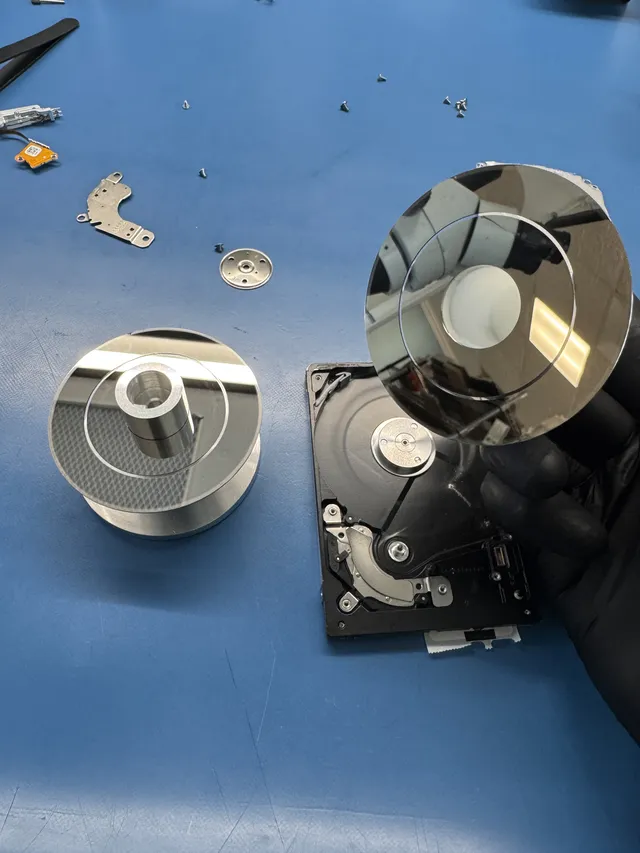
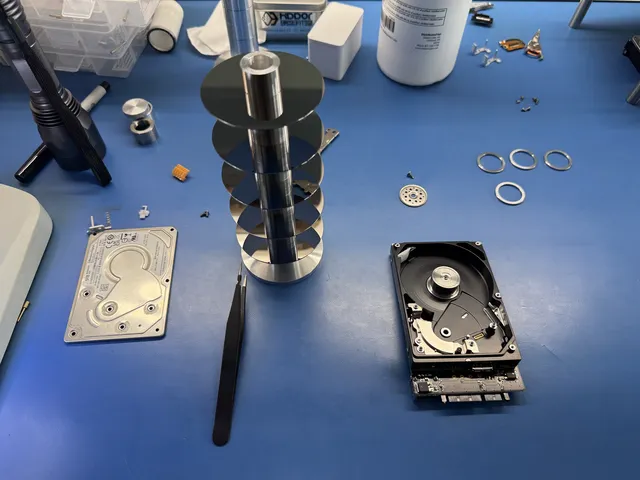
A platter transfer is a different operation from a head replacement. The original platters, which hold the data, move into a suitable donor chassis. That can address a problem with the original mechanical assembly, but it requires preserving the recording surfaces and their usable relationship to the heads.
In the WD10JMVW clicking-drive case, replacement heads still could not leave the parking ramp, and Joe suspected a bent head-stack mounting pin. He transferred the platters to a donor chassis and installed another head set, then imaged the disk in Data Extractor. Almost all files were recovered, with some areas left unreadable. Open the recovered files to check their contents; a folder listing can survive even when parts of a file cannot be read.
What the different repairs cost
| Failure type | Recovery price | Work involved |
|---|---|---|
| Firmware corruption without physical damage | $1,000 - $1,500 | Restoring firmware access and reading the disk |
| Head stiction | $1,500 - $3,000+ | Freeing and inspecting the heads and platter surfaces |
| Head failure | $1,500 - $3,000+ | Compatible donor heads followed by imaging |
| Motor failure requiring a platter transplant | $1,500 - $3,000+ | Moving original platters into a donor mechanical assembly |
| Severe platter damage | $2,250 - $3,500+ | Reading surviving areas; some files may remain incomplete |
The $100 diagnostic is credited toward a successful recovery, and you approve the estimate before recovery work begins. The data recovery pricing page gives the wider pricing structure. If a separate backup already contains everything you need, replacing the failed drive avoids paying to recover another copy.
Check the difference between a replacement warranty and a recovery service before returning the disk. Seagate's warranty FAQ explains that its ordinary warranty exchanges the product; data recovery has separate coverage. A replacement gives you working storage but does not contain the files from the failed disk. If those files are missing from your backup, settle the recovery route while you still have the original drive.
Why downloads and home fixes fail on damaged heads
Recovery software asks a drive to read sectors and then interprets what comes back. It can help with missing files or damaged file structures when the storage remains readable. It cannot straighten a head, remove a detached slider, or restore magnetic coating scraped off a platter.
A long scan keeps asking the damaged drive for more reads. Where the heads cannot read, the drive retries and the computer waits. That can put further stress on a failing mechanism without producing a usable copy. Seagate's data-loss guidance advises shutting down after abnormal mechanical sounds and cautions that recovery software uses the affected drive.
CHKDSK and Disk Utility First Aid serve a different purpose again: they repair file-system structures. Their place is after needed data has been copied or imaged onto healthy storage. A clicking disk needs its physical reading problem resolved before a file-system repair could help.
The freezer, tapping, and opening the lid are physical interventions without control over the fault. Cooling introduces a condensation risk as the drive warms; striking the case adds another impact; opening the sealed assembly exposes the surfaces to contamination. None supplies the replacement head or chassis that the recorded recoveries needed.
A circuit-board swap is also model-specific work. The original board can hold information needed by that particular disk, and the My Passport case above required work on its original ROM. Buying a board with a matching printed model number does not reproduce that repair.
The hard drive clicks but still works
If the sound was ordinary light head movement and the drive is already running with folders opening normally, copy the documents and photos you need to separate storage before running tests or changing anything. Begin with files you cannot replace. End the transfer if it stalls or the drive begins a repeated hard clicking cycle.
A drive that worked only after repeated reconnecting belongs in a different situation: intermittent access is part of the fault. Some reads can succeed while others fail, so reaching the desktop or seeing folder names is not a reason to keep cycling the power. Leave that disk off for hard drive data recovery, with the original enclosure and electronics intact.
Get help with data recovery
Bring your device to our Lincroft lab during opening hours, or mail it in.
How to mail your deviceThe $100 diagnostic is non-refundable once diagnostics start, and donor drives or replacement parts you approve are non-refundable once ordered, even if recovery fails.
More lab videos
Published by MDrepairs
MDrepairs is a data recovery and electronics repair lab in Lincroft, New Jersey. Our founder and lead technician Joseph Montanti films real cases for our YouTube channel, showing tools, repair steps and recovery outcomes.
Keep reading
- External Drive Says “The Parameter Is Incorrect”: Data-Safe Checks
- External Hard Drive Freezes File Explorer or the Computer: Safe Next Steps

- “The Semaphore Timeout Period Has Expired” During a Drive Copy