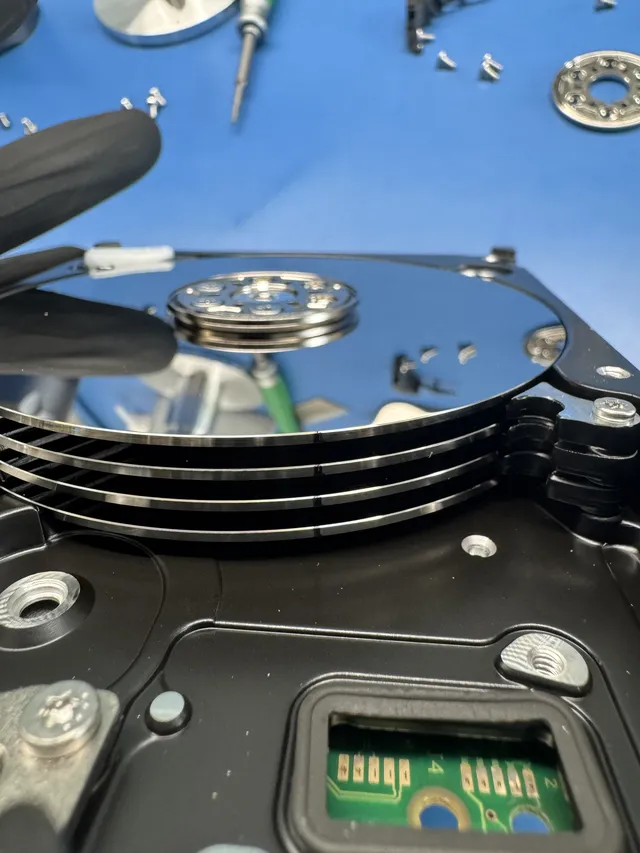
Maxtor data recovery
We can help you get photos and documents back from an old Maxtor, even if it won't spin or show up on your computer. Your files may still be on the disks inside, and sometimes a matching replacement part lets us read them again. For now, switch the drive off and leave it unplugged, even if you have a USB adapter you could try. Our hard drive first aid guide explains how to protect the files you want back.
If you're sending us your drive from anywhere in the contiguous US, you can print a free shipping label from our mail-in form. If you're nearby, you're welcome to bring it to our counter in Lincroft, New Jersey.
- Since 2014One lab, in Lincroft, New Jersey
- 20,000+ ticketsacross all services since 2014
- 4.6 from 345Google reviews
- $100 diagnosticcredited toward a successful recovery
The people we help
Our customers include people from
-

-

-
 AT&T
-
 Marriott
-

-

-
 Tennessee Titans
-

-

-

-

-

-

-

How do I identify my Maxtor drive?
Start with the name, model number and date on the label. Those details tell us whether you have one of Maxtor's own designs from before 2006 or a later drive that Seagate built under the Maxtor name.
| Drive family | What to look for | What's inside | How we start |
|---|---|---|---|
| Maxtor DiamondMax with the wide IDE plug | Desktop drives including the DiamondMax Plus 8, Plus 9 (such as model 6Y120L0) and DiamondMax 10 | A wide IDE plug with 40 pins, small caps called jumpers and a circuit board chip that may hold settings specific to your drive | We plug the drive directly into our equipment without an adapter. |
| DiamondMax 10 to 21 with SATA | The slimmer plug called SATA on desktop models 10, 11, 16, 17, 20 and 21 | The disks hold the instructions the drive needs to start. Models 20 and 21 can use either Maxtor or Seagate instructions. | We check which family your drive belongs to before changing any of those instructions. |
| DiamondMax 22 and 23 Seagate Data Recovery | A Maxtor label with a model number that starts with STM, such as STM3500320AS | A Seagate drive with Seagate startup software, from the same generation as the Barracuda 7200.11 and 7200.12 | We use Seagate repair methods because a repair meant for an older Maxtor could damage your drive. |
| OneTouch external drives External Hard Drive Data Recovery | A USB case with a backup button, labeled OneTouch, II, III, 4, 4 Plus or 4 Mini | There's a separate hard drive inside the case. On early models, we can read it without using the case's USB board. | Send it in its case with the cable and power supply. We'll take the drive out here. |
| Maxtor M3 Portable and D3 Station | A newer Maxtor external drive with a case built by Seagate | A Seagate drive and a board that connects it to your computer by USB | Send the drive and case together with the cable and any separate power supply. |
| MaXLine and Shared Storage RAID Data Recovery | MaXLine II, III and Pro business drives, or a Shared Storage, Shared Storage Plus or Shared Storage II network box | The files in a MaXLine set or a Shared Storage box can be spread across several drives. | Send every drive in the set. We'll give you one quote for the whole job. |
If yours is a Fireball or another model you don't see here, include the number from the label when you ask for a quote. An older Maxtor might say 6Y080L0 or 6B200M0. On a DiamondMax built by Seagate, look for a number beginning with STM, such as STM3320620AS.
You can also see Maxtor drives we've recovered for other customers.
Maxtor hard drive problems and what they mean
What you heard from the drive or saw on your screen can help us narrow down the problem. Go by what you remember and leave the drive off.
Why is my Maxtor hard drive clicking?
A failing head can click as it tries to find its place on the disk. The heads are the tiny parts that read your files. If you hear repeated clicks, switch the drive off because each attempt can scratch the surface.
Why won't my old Maxtor hard drive spin?
The heads can stick to the disks if the thin coating on the surface dries out after years in storage. Another possibility is a seized motor, which might hum or make no sound at all. We also check the drive's original circuit board, since some parts on older Maxtor boards can dry out with age.
Why doesn't my computer detect my Maxtor hard drive?
If your Maxtor has trouble reading the instructions it needs to start, your computer may miss the drive entirely or show the wrong size. On an older drive with the wide IDE plug, the connection or the position of a jumper cap can also keep it from showing up. Leave those caps where they are.
Why isn't my Maxtor external hard drive showing up?
On a OneTouch or M3 Portable, the trouble may be in the drive itself or in the board that connects it to USB. A tug on a OneTouch socket can damage that board. Our guide explains what to check on your computer first. If you send us the drive, leave it in its case.
Why is my Maxtor hard drive beeping?
A beep can mean a head is stuck or the motor is struggling to turn the disks. Switch the drive off and avoid tapping or shaking it. One customer's external drive started beeping after they unplugged it while it was reading. We recovered about 680 GB, including their photos and documents.
What should I do if I dropped my Maxtor hard drive?
Switch it off, even if it's still spinning. A fall can damage the heads and scratch the disks they read. On one customer's dropped drive, the surface that held the folder list was too scratched to read. We still recovered 228 GB and grouped the files by type.
What if I deleted files from my Maxtor or formatted the drive?
Your files may still be there after a deletion or a quick format. A full format that writes zeros over the disks erases what was there. Stop using the drive now, because even saving a new photo or installing a program can write over a file you want back.
Can you still read an old Maxtor hard drive?
We may be able to, even after it's spent years in a drawer. The condition of the disks matters most, and we check the motor and the heads as part of the diagnostic. If there's something on yours you want back, it's worth asking sooner, since the drive keeps aging in storage and matching parts get harder to find.
Before we power it up, we look for damage, corroded connections and jumper caps in the wrong place. We use steady power for that first spin. If the drive reads, we start copying slowly, beginning with its file list and the files you asked for. If it won't spin or show up, we open it at our clean bench.
One customer's Western Digital external drive stopped working after fifteen years of use. A weak head kept interrupting the copy, so we copied with the good heads first, then fitted replacements to read the rest. The owner got back over 800 GB of photos and videos.
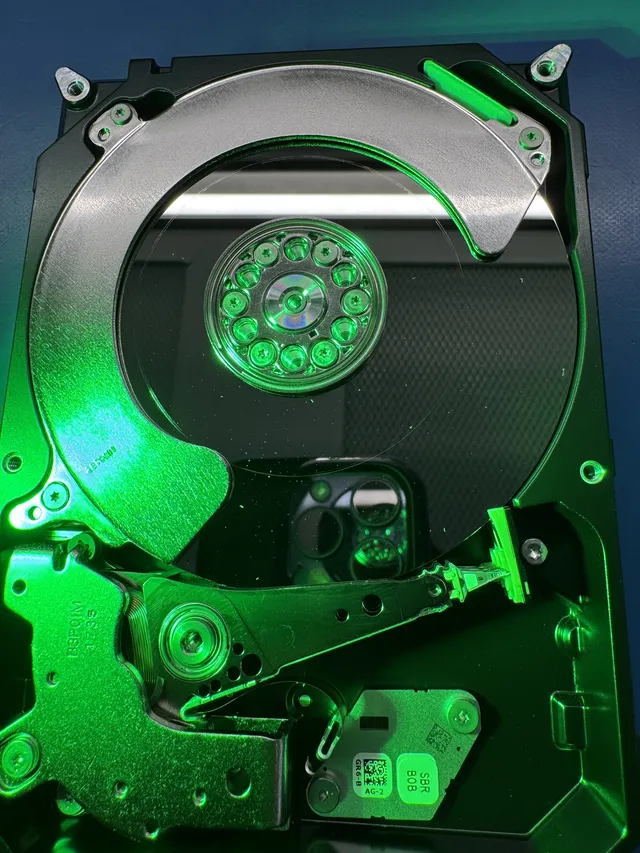
Data recovery for older Maxtor IDE hard drives
An IDE drive has a wide plug with 40 pins and a separate power plug with four pins. The small caps are called jumpers. Their position tells the computer how to find the drive, so leave them in place. The wide IDE plug won't fit the slimmer SATA socket on a modern computer.
A USB adapter may not give the drive steady power, and it won't help with a weak head or damaged startup instructions. We connect the drive directly to our equipment and can read older file systems such as FAT32 to find your files and folders. You can leave the old computer at home.
How do you get files off a damaged Maxtor hard drive?
We repair the drive just enough to make a copy, then look for your files on that copy. Our guide to hard drive recovery walks through the process.
Finding replacement heads for your Maxtor
Maxtor stopped building its own drives in 2006, so we look for another drive to supply the heads. We match the model family, the startup software version and the number of heads. A DiamondMax Plus 9, for instance, needs another Plus 9 with the same software version, right down to the letter. Heads from a DiamondMax 10 won't work in it.
Why we keep the original Maxtor circuit board
Keep the original circuit board with your drive, even if you can see a burn on it. On a Maxtor made before about 2004, a chip on that board may hold settings the factory chose for that particular drive.
A surge can burn the part that protects the board, the chip that runs the motor can fail, and parts that hold an electrical charge can dry out. Even a matching replacement board needs your drive's settings. We either move the original chip to the replacement or copy its settings across.
Repairing the software that starts your Maxtor
The software your drive uses to start up is called firmware. On Maxtors from the late 1990s, much of it is on a chip on the circuit board. The DiamondMax Plus 8, Plus 9 and later models store more of it on the disks, in a space set aside for the drive's own instructions and settings.
Damaged firmware can keep your Maxtor from spinning. Even if it spins, your computer may show the wrong size or miss the drive entirely. We identify the drive family before using our PC-3000 system to read and repair that area, since the wrong repair could overwrite your drive's own settings.
Recovering files from a scratched disk
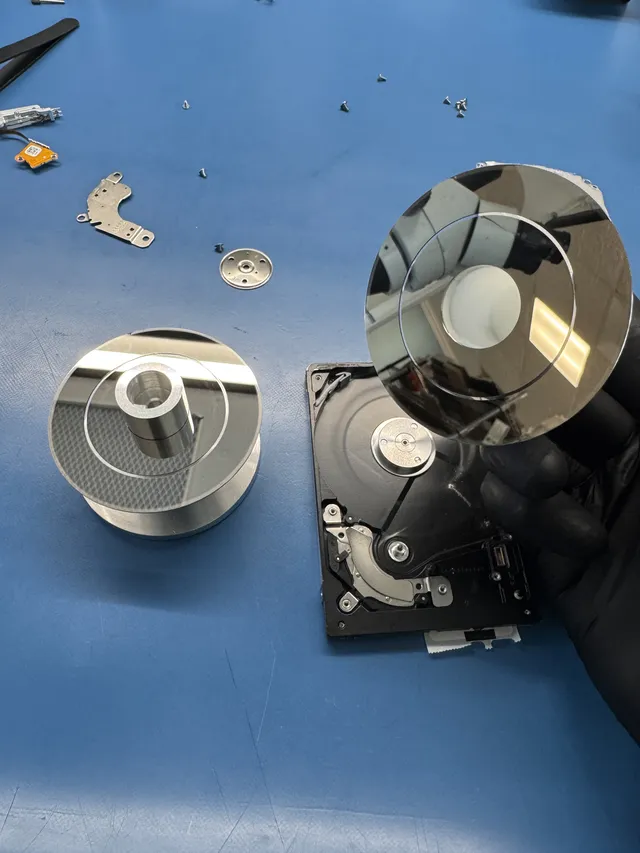
If a disk is scratched, we can sometimes read right up to the scratch from both directions. If a whole surface is unreadable, we can disable the head that reads it and adjust the drive's software so we can still copy from the other surfaces.
One customer's external drive fell while they were moving a laptop. We skipped the scratched top surface and read about 1.1 TB of the roughly 1.2 TB on the drive.
How much does Maxtor data recovery cost?
$100 diagnostic, credited toward a successful recovery.
The $100 diagnostic is non-refundable once diagnostics start, and donor drives or replacement parts you approve are non-refundable once ordered, even if recovery fails.
Recovery for a single Maxtor drive starts at $1,000. The price depends on what's failed and how much damage there is. After the $100 diagnostic, we'll explain what we found and give you a price so you can decide whether to go ahead.
Once we're done, you can browse your recovery report folder by folder to see which files we recovered and which may be partly or fully damaged, all before you pay.
- How the problem affects the price
Deleted files or a drive that shows the wrong size may call for software work. A stuck or clicking drive may need replacement heads. We price scratched disks separately and quote each MaXLine set or Shared Storage box as a whole.
- Payment options
You can pay by card or, if you qualify, pay over time with Affirm.
| Type of work | Recovery price |
|---|---|
| Hard Drive - Firmware / Logical | $1,000 - $1,500 |
| Hard Drive - Head Swap | $1,500 - $3,000+ |
| Scratched / Contaminated Platters | $3,000 - $3,500+ |
| RAID / Multi-Drive Arrays | Contact for Quote |
| Service option | When diagnostics start | Added cost |
|---|---|---|
| Standard diagnostic | Starts in about 4–6 weeks, then recovery time varies by case | No surcharge |
| Priority | Assessment starts within 5–7 days | +$250 |
| Urgent | Assessment starts within 1–2 days | +$500 |
| Emergency | Assessment starts same-day | +$1,000 |
You can compare data recovery prices by device or read more about what affects the cost of recovering a hard drive.
Maxtor drives we've recovered
Customers brought these drives to our counter in Lincroft or mailed them to us from California, Virginia and other states.
- Maxtor hard drive Dropped or physically damaged · Data recovered Mailed from Virginia 2026
- Maxtor hard drive, 160 GB Clicking or other noise · Data recovered Mailed from California 2026
- Maxtor hard drive Data recovered Mailed from California 2026
- Maxtor hard drive, 80 GB Stopped working or not detected · Data recovered Mailed from New York 2026
- Maxtor external hard drive Failed or corrupted · Data recovered Mailed from Massachusetts 2025
- Maxtor hard drive Data recovered At our lab's counter in Lincroft 2024
- Maxtor hard drive Clicking or other noise · Data recovered Mailed from California 2024
These cases come from our ticket system, BenchKey, the shop software we built and run our lab on, with names, contact details and addresses left out. How we publish cases
Which hard drive recovery service do I need?
Start with the name on your drive's label. If you'd rather look up the problem you're seeing, you can find a data recovery service by device or symptom.
Seagate and LaCie drives
Seagate owns both Maxtor and LaCie. A modern LaCie external has a Seagate drive inside, so we use the same recovery methods we'd use for a Maxtor built by Seagate.
Western Digital, Toshiba, Hitachi and HGST drives
Choose the name on your label to see how we recover files from that maker's drives.
Maxtor hard drive repair
For a Maxtor that's already failed, the point of a repair is to get your files back. We copy what we can read onto a new drive so you can retire the old one. We wouldn't rely on it for your next backup.
Questions about your Maxtor drive
Does Maxtor still exist?
Maxtor no longer makes its own drives. Seagate bought the company in 2006 and later built drives under the Maxtor name. We use Seagate recovery methods on those later models.
Do I need the original Maxtor software to open my files?
You don't need it for files you copied onto the drive yourself. Backups made with the OneTouch button use the backup program's own format, so you may need that program to open them. Let us know if the drive still works but your new computer won't open a backup.
Do you need the old computer my Maxtor came from?
No. We can connect the drive here even if you no longer have the computer. If your files are protected, we may ask for the password or recovery key to unlock them.
Should I take my Maxtor OneTouch out of its case?
Send it in its case with the cable and any separate power supply. If you've already taken it apart, include the case and any loose pieces when you pack the drive.
Guides for an old or failing hard drive
If you're trying to make sense of what happened to your drive, start with the guides on warning signs. The recovery guides explain how we look for files when a computer no longer sees the drive.
Recognizing a failing hard drive
Recovering files from a dead hard drive
If your Maxtor clicks, beeps or won't spin, leave it switched off and let us handle the next test.
What would you like back from your Maxtor?
When you ask for a Maxtor recovery quote, tell us which files you'd look for first if you could open the drive today. Even the name of a folder helps us know where to start. Here's how we return the files we recover.