Seagate Data Recovery: Failed Drives and Missing Files
Our founder and lead technician, Joseph Montanti, handles cases personally.
Seagate data recovery starts with the fault: deleted files on a readable disk need a different approach from a hard drive that clicks or will not spin. A logical recovery works with the data still on the disk; a physical failure may need repair before that data can be read. On an external drive, the cable, power supply and enclosure electronics are also part of the connection.
On this page
What your Seagate drive is doing
Keep a physically troubled drive off. A Seagate drive that clicks, beeps, grinds, was dropped or got wet should stay unplugged. Never open, shake, tap or freeze it.
Leave CHKDSK, First Aid, formatting and firmware updates until the data is safe. If the drive is already reading normally, save the folders you can still open to another disk before investigating the missing ones. Stop copying if a read hangs or the drive drops offline.
| Symptom | What it can mean | Next step |
|---|---|---|
| Persistent hard clicking, grinding or beeping | A mechanical or power problem | Disconnect and arrange hardware evaluation |
| Not detected, with no unusual sound or damage | Connection, power, enclosure or drive fault | Use the limited connection checks below |
| RAW, unallocated or a format prompt | The volume is unavailable; a locked One Touch with Hub can also appear unallocated | Unlock if applicable; preserve data before any format or repair |
| Files disappear or will not open | Deleted files, file-system damage or unreadable storage | Separate a stable deletion case from read errors |
| Copies stall or the drive disconnects repeatedly | An unstable reading or connection path | End repeated scans and seek controlled recovery |
| The computer freezes or becomes extremely slow when using the drive | The disk may be struggling to read | If the system responds, shut it down normally, then unplug the drive. Skip home cloning attempts. |
| Disk spins but reports 0 MB or the wrong size | Possible firmware fault | Stop here. An ordinary scan cannot address the full disk. |
Seagate distinguishes normal occasional head movement from persistent hard clicking and grinding in its drive-sound guidance. A hard disk normally makes some sound as it starts, seeks and parks its heads. A new repeating sound accompanied by lost access deserves a different response from the familiar soft clicks of a working disk.
An external Seagate drive that is not detected
For a drive with no impact, liquid exposure, abnormal noise or read instability, follow the connection portion of Seagate's USB troubleshooter. A portable drive receives power through its connection; a desktop external model may have a separate supply. Use the supply specified for that drive. If you cannot rule out physical damage, leave the drive off. If the drive stays missing, eject it if possible and unplug it. Skip repeated reconnections, driver installations and firmware updates.
- Check the cable connection and, where applicable, the external power connection. Try a known-working compatible data cable and port, then a second computer known to work with USB drives.
- Look for the device in Windows Disk Management or macOS Disk Utility under View > Show All Devices. Observe its capacity and volume state without accepting initialization, erase or repair prompts.
- A security-enabled One Touch with Hub of 12 TB or more may appear uninitialized and unallocated while locked. Ignore the initialization prompt, open Seagate Toolkit and enter your password.
Detection at the expected capacity is useful, but the quality of the reads matters too. A disk can identify itself correctly and still fail when asked for particular sectors. Repeating a scan that freezes in the same area adds more requests to the same troubled device.
A RAW volume is one the operating system cannot currently use as a recognized file system. Initializing or formatting gives it a new structure; it does not retrieve the old folders. Seagate directs users who need data from a persistent RAW or unallocated drive toward recovery.
Mechanical, firmware and electrical faults
Clicking or beeping hard drives
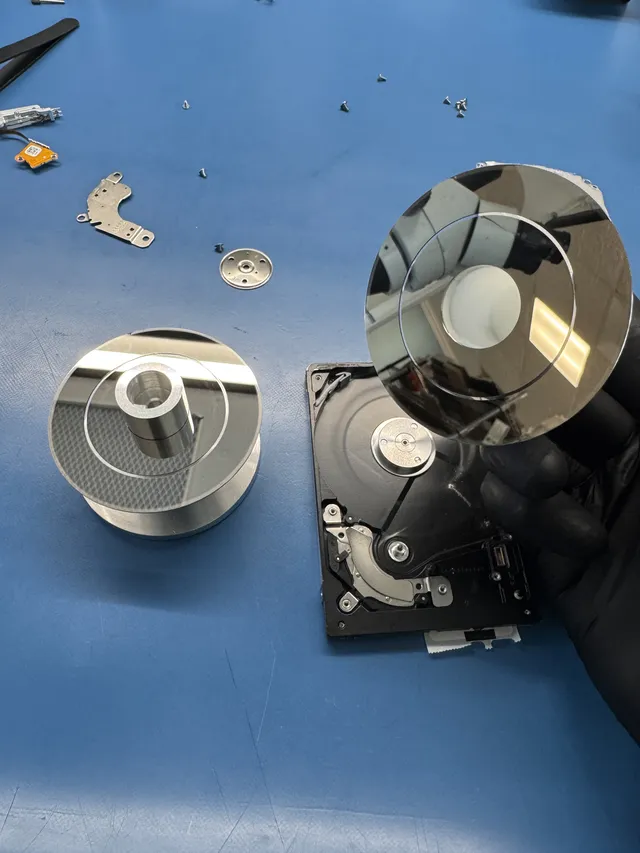
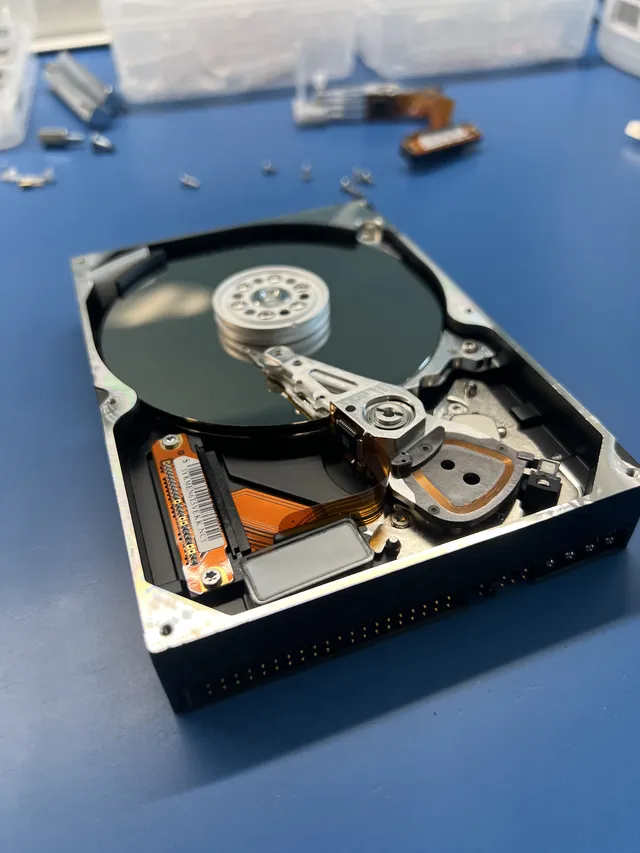
The heads read magnetic data from the spinning platter surfaces. Repeated hard clicking can occur when the drive cannot complete its positioning and reading sequence. Damage to a head or platter can prevent it from reading the information needed to operate. The exact internal fault needs inspection.
Beeping can accompany a drive that cannot get its platters turning. Stuck heads or a stalled motor are possible mechanical causes; Seagate also identifies insufficient power as a cause of intermittent beeping. A drop followed immediately by loss of access makes physical damage a particular concern.
Software sends read requests. It cannot free a stuck mechanism or replace a damaged head. For a failing disk, the aim of hardware work is to obtain readable data without spending its remaining access on repeated desktop scans. Our internal head and platter work takes place in a laminar-flow work area.
Firmware and the drive's own data map
Drive firmware manages startup, reading and communication. Some of the information it uses is specific to the drive, including the translation information that helps locate sectors. A fault there can leave a disk spinning but unavailable to normal file software. That work happens below the Windows or macOS file system.
Model-specific firmware issues need model-specific handling. Seagate publishes an update for selected Barracuda 7200.11 drives, including ST3500320AS and ST31000340AS. Its table also specifies the applicable firmware revisions. A family name is insufficient to select an update, and a drive already holding inaccessible files needs recovery considered before firmware is changed.
Power and circuit-board damage
A failed supply, connector or circuit board can keep a drive from starting. Repair depends on where the electrical fault is and whether the damage reaches other components. Keep the original board. Its separate ROM chip or controller can contain calibration data specific to the heads and platters. Repairing the original board keeps that information with the drive. A compatible donor needs the original data, as in ACE Lab's Seagate ROM example.
A dropped Backup Plus with damaged heads and firmware
In our recorded ST5000LM000 recovery, a dropped Seagate Backup Plus contained mangled heads and a detached head stuck to a platter. Joe removed the detached part, inspected the platter surfaces and fitted donor heads, then backed up the drive's service-area files before working through media-cache corruption. Loading the saved translator and media-cache information into memory restored access for imaging in Data Extractor, and the files were recovered.
An image is a separate copy of the readable sectors. It allows file-system work to continue on other storage after the original has supplied what it can. Unreadable areas remain a limitation of the copy; opening recovered files helps show which results are complete.
For Seagate hard drive recovery, the required work can include electronics, firmware, donor parts and controlled reading. The $100 diagnostic is credited toward a successful recovery, and you approve the estimate before recovery work starts. Standard recovery is estimated at 4–6 weeks and can vary with the case.
Deleted files and a formatted Seagate disk
Recovery software is appropriate to consider when the drive reads consistently and the loss came from deletion or file-system damage. Preserve an image first, scan that copy and save recovered files to a different drive. Installing software or writing its results onto the source can overwrite data that was still available.
A quick format and an overwrite have different effects. Microsoft's format documentation says its quick option deletes the old file table and root directory. That leaves a recovery question about the remaining contents; it is not a promise that every file survives. Subsequent writes and the exact formatting operation affect the result.
SSD behavior adds another factor: formatting can send a TRIM delete notification, also documented by Microsoft. Treating a formatted SSD as though it were a traditional hard disk can lead to false expectations. A Seagate SSD has no spinning heads, and its controller and flash storage require a different recovery approach from the HDD work described above.
When a tool produces files, open the documents and photos you need and test longer videos at several points. A recovered name or preview can be present even when part of the file is missing. Keep the original image until you have checked the result and saved another copy of the recovered files.
Check Rescue coverage before a warranty return
Seagate's Rescue Data Recovery Services and an ordinary drive replacement are separate options. Use the maker's Rescue plan lookup to check the serial number and current coverage. That can affect where you send a failed drive before authorizing independent recovery.
Seagate's return FAQ says needed recovery must be completed before requesting a warranty return. Returned drives go through its data-overwriting process.
If you send the drive for recovery, protect it from movement and static during transit. Seagate's packing guidance calls for an antistatic bag and protective cushioning in a box. Keep an external drive in its enclosure unless the receiving lab has asked for a different arrangement. MDrepairs accepts mail-in recovery at its Lincroft, New Jersey lab.
Get help with data recovery
Bring your device to our Lincroft lab during opening hours, or mail it in.
How to mail your deviceThe $100 diagnostic is non-refundable once diagnostics start, and donor drives or replacement parts you approve are non-refundable once ordered, even if recovery fails.
Published by MDrepairs
MDrepairs is a data recovery and electronics repair lab in Lincroft, New Jersey. Our founder and lead technician Joseph Montanti films real cases for our YouTube channel, showing tools, repair steps and recovery outcomes.
Keep reading
- External Drive Says “The Parameter Is Incorrect”: Data-Safe Checks
- External Hard Drive Freezes File Explorer or the Computer: Safe Next Steps

- “The Semaphore Timeout Period Has Expired” During a Drive Copy