Understanding SSD Data Recovery Cost: A Professional Lab's Guide
In this article
SSD recovery pricing depends on the failure and work needed to reach the requested data. At MDrepairs, SSD/NVMe recovery is typically $1,000 to $2,000+, with a firm quote after the $100 diagnostic. Board repairs, supported firmware work, and difficult reads can change the scope. A dead encrypted controller may be unrecoverable, rather than a more expensive chip-off job.
- Logical (deleted, formatted, RAW): $1,000-$1,500
- Firmware corruption (not detected, wrong size): quoted once we confirm the firmware fault.
- Electrical (dead, won't power on): the price depends on what work the board needs.
- Physical or NAND faults: quoted after diagnosis; results depend on surviving electronics and readable data. See SSD data recovery.
When an SSD fails, the cost to recover your data can range from $1,000 to $2,000+, depending on the failure and the size of the drive. Logical problems on a healthy drive can fall at the lower end, depending on its capacity. However, if the drive suffers from complex firmware, electrical, or physical damage requiring advanced lab intervention, the cost can exceed $2,000.
It's crucial to understand that the price reflects the engineering expertise, specialized tools, and time required to overcome the failure - not the amount of data being recovered.
Understanding the True Cost of SSD Data Recovery
After the initial shock of data loss, the first question is almost always, "How much will this cost?" Unlike a standard repair with a flat fee, SSD data recovery is a highly specialized service. The final cost is a direct reflection of the underlying problem. Think of it less like buying a product and more like hiring a specialist - the complexity of the procedure dictates the price.
The symptoms you observe - the drive isn't detected, it's operating extremely slowly, or it's completely dead - are just surface-level clues. A professional diagnostic is the only way to determine the root cause of the failure, which is what truly sets the recovery cost.
A Clear Breakdown of Potential Costs
To provide a realistic expectation of costs, we can categorize recovery scenarios by their complexity. Simpler issues require less intensive labor and fewer specialized tools, while severe failures demand advanced techniques that can only be performed in a professional data recovery lab.
Here’s a look at the common failure types and what they mean for the recovery process:
- Logical Failures: The drive's hardware is functional, but data is inaccessible due to issues like accidental deletion, reformatting, or file system corruption. These are typically the most straightforward and affordable recoveries.
- Firmware Failures: Every SSD has its own internal operating system, known as firmware. If this critical code becomes corrupted, the drive can become unresponsive or report an incorrect size. Repairing this requires specialized hardware that can communicate directly with the drive’s controller to repair the damaged firmware modules.
- Electrical Failures: A power surge or a failed electronic component can damage the SSD's printed circuit board (PCB). Recovery requires a skilled technician to diagnose the fault and perform micro-soldering under a microscope to replace damaged components.
- Physical failures: damage to power circuitry, the controller, or NAND may require board repair and controlled extraction. Modern encrypted SSDs do not have a routine chip-off fallback, and some physical faults prevent recovery entirely.
The following table breaks down the typical cost ranges associated with each failure type.
Estimated SSD Data recovery Cost by Failure Type
| Failure Type | Common Symptoms | Typical Cost Range (USD) |
|---|---|---|
| Logical Issues | Accidental file deletion, formatted drive, RAW partition, virus attack | $1,000 - $1,500 |
| Firmware Corruption | Drive not detected, shows wrong size, extremely slow, freezes system | $1,000 - $1,500 |
| Electrical Damage | SSD is completely dead, won't power on, burning smell | $1,000 - $2,000+ |
| Physical/NAND Damage | Drive not detected, physical damage (bent/broken), dead controller | $1,500 - $2,000+ |
The cost escalates with the technical complexity. A simple file recovery is fundamentally different from a physical recovery involving damaged NAND memory.
At MDRepairs, our process begins with a professional diagnostic evaluation. Our nationwide mail-in service allows our engineers to perform a complete assessment, after which we provide a firm, no-obligation quote. The $100 diagnostic is credited toward a successful recovery. Our one lab in Lincroft, New Jersey accepts mail-in devices nationwide.
Why SSDs Fail and How It Affects Your Price
Unlike a traditional hard disk drive (HDD) that might click or make grinding noises as it fails, a Solid-State Drive (SSD) often fails silently. With no moving parts, failures are rooted in the drive's complex electronics and firmware, making them invisible to the user. Understanding why your SSD failed is the single most important factor that determines the cost of data recovery.
Each failure type requires a distinct recovery strategy, utilizing different tools, lab time, and engineering expertise. A logical file system issue is a world away from a failed controller chip, and the price will reflect that difference.
Logical Corruption: The Digital Scramble
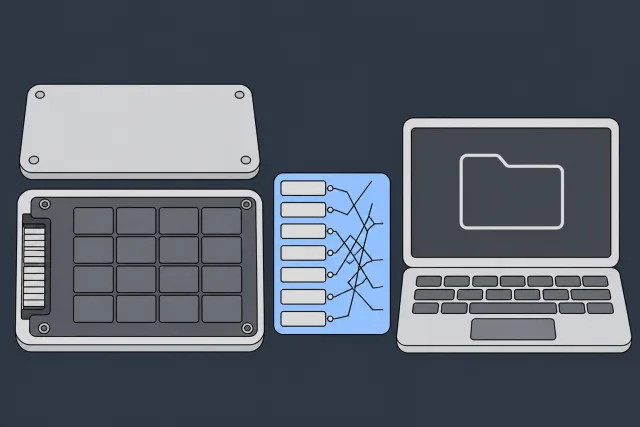
One issue is logical corruption. This can be compared to the table of contents in a book being erased or scrambled. All the pages - your data - are still intact, but the system that organizes them is damaged, leaving your computer unable to find anything.
 Illustration
Common causes include:
- Accidental file deletion or formatting.
- Malware or virus infection that corrupts the file system.
- An improper shutdown or power loss during a write operation.
In these cases, the drive's hardware is perfectly healthy. The recovery process involves specialized software tools that can bypass the damaged file system and reconstruct the data from its raw state. This is typically the fastest and most affordable professional recovery because it does not require physical intervention with the drive.
Firmware Corruption: When the Drive Forgets How to Work
Every SSD operates on its own internal software, called firmware. This critical code acts as the drive's brain, managing everything from data placement to communication with your computer. When the firmware becomes corrupted, the drive can effectively lose its identity.
Symptoms often include the drive not being detected by the computer, reporting an incorrect capacity (e.g., 0GB), or becoming extremely slow and unresponsive. These are not issues that consumer software can resolve.
For a supported controller and firmware combination, PC-3000 SSD may provide technological access and a virtual translator. This requires sufficiently functioning hardware and surviving data or service information; it is not a universal method for every SSD sold under a supported brand.
The image below illustrates how costs increase as a problem shifts from the logical level to the hardware and firmware level.
As you can see, the price escalates quickly when lab tools become necessary for firmware, electrical, or physical repairs, moving far beyond what simple logical issues require.
Electrical and Physical Damage: The Most Complex Scenarios
These are the most challenging - and therefore most expensive - recovery scenarios. They involve physical damage to the SSD's components, which generally falls into two categories: electrical failure and NAND chip degradation.
Electrical damage is often caused by a power surge or the failure of a small component on the circuit board. The drive will appear completely dead and will not power on. To resolve this, an electronics engineer must diagnose the faulty component under a microscope and perform precise micro-soldering to replace it. This is a skilled hardware repair associated with a moderate-to-high cost.
Physical NAND damage can leave sectors uncorrectable, while a failed controller can remove the required reading and encryption path. Removing the NAND does not solve controller encryption. We assess whether a usable route to the data remains before proposing recovery work.
The assessment separates three questions:
- Can the original power circuitry, PCB, and controller be stabilized or repaired without losing required device-specific information?
- Does the actual controller and firmware support a recovery mode or virtual-translator method?
- Which sectors or requested files can be read and validated, and where do NAND errors or encryption prevent access?
The complexity lies in obtaining and validating data without destructive drive reinitialization. A more expensive procedure cannot overcome an irretrievably lost encryption path. Our mail-in assessment identifies the available options before you approve recovery work.
The Key Factors That Determine Your Final Quote
Once our engineers diagnose the primary cause of failure, several other factors influence the final ssd data recovery cost. During a diagnostic, we assess the entire scope of the project. This is similar to a contractor inspecting a damaged building; the initial cause is the starting point, but the size and materials involved determine the full extent of the work.
Think of it like a mold removal cost calculator. The final price isn't just based on the presence of mold; it depends on the affected area, the severity, and the specific treatments required. Data recovery pricing is similar - the specific characteristics of your drive shape the quote.
Drive Capacity and Its Impact
A common question is whether the amount of stored data affects the price. Generally, it does not. However, the drive's total capacity is a major factor. A larger drive contains more NAND memory chips and represents a more complex system for our engineers to work with.
- Imaging Time: Creating a complete, bit-for-bit clone of the failing drive is the first critical step in any professional recovery. Imaging a 4TB SSD can take multiple days, tying up specialized hardware and an engineer's time, whereas a 256GB drive may only take a few hours.
- Reading complexity: capacity, unreadable regions, controller behavior, and the amount of accessible priority data affect extraction work. Capacity is not a proxy for a chip-off operation.
At every stage, a larger capacity drive demands more time, labor, and resources, which is reflected in the cost.
The Challenge of Encryption
An SSD's internal controller encryption is separate from operating-system volume encryption such as BitLocker or FileVault. These layers can coexist. A user who never set a disk password must not assume that the raw NAND contains plaintext.
For user-encrypted volumes, valid passwords or recovery keys are required after the encrypted sectors are obtained. Those credentials do not substitute for an SSD's missing internal controller encryption path.
The recovery becomes a two-stage process. First, we must repair the drive to access the encrypted data stream. Second, we use the provided credentials to decrypt that data into its original, usable format. This additional validation and decryption stage can influence the final cost.
Evolving Drive Technology: SATA vs. NVMe
Not all SSDs are created equal. The underlying technology dictates the recovery approach and directly impacts the price.
- SATA SSDs: These are the more traditional 2.5-inch drives. While still complex, the technology is mature, and recovery methods are more standardized.
- NVMe M.2 SSDs: These newer, compact drives connect directly to the motherboard via the PCIe interface. They are significantly faster due to more sophisticated firmware and complex data management algorithms. Their controllers are more advanced, and the data scrambling methods are often proprietary to the manufacturer.
Recovering data from an NVMe drive frequently requires more research and development time, as well as highly specialized tools and adapters, making them inherently more difficult and costly to work on than SATA drives.
Your Diagnostic Queue Options
The final major factor is your diagnostic queue option. We understand some situations are emergencies, whether for a business facing downtime or a student with a deadline. Our standard diagnostic wait is 4 to 6 weeks. Recovery time varies by case.
- Standard Service: Our most cost-effective option, where cases are processed in the order they are received.
- Rush Service: For an additional fee, your diagnostic start moves ahead in the queue. Priority starts within 5–7 days, Urgent within 1–2 days and Emergency the same day. Confirm availability with the lab.
This expedited service costs more for an earlier diagnostic start; it does not set a recovery completion date. To understand how these factors apply to your situation, a professional diagnostic is the essential next step.
DIY Software vs. Professional Lab Recovery
When an SSD fails, the first instinct for many is to download a data recovery program. While tempting, attempting a DIY recovery on a physically failing SSD can be a critical mistake, potentially turning a recoverable situation into permanent data loss.
The key difference is that consumer software is designed to run on fully functional hardware. It is intended for logical issues, such as accidentally deleting files. It is a tool for surface-level problems on a healthy drive.
If your SSD is slow, unrecognized, or throwing errors, you are likely facing a firmware or physical failure. Running software on a failing drive is like trying to drive a car with a damaged engine - you risk causing catastrophic failure.
The Real Dangers of DIY Software on a Failing SSD
When an SSD is physically or electronically unstable, every moment it is powered on introduces risk. Running an intensive software scan forces the fragile device to perform millions of read operations, pushing it closer to complete failure.
Here is what happens when you run software on a failing SSD:
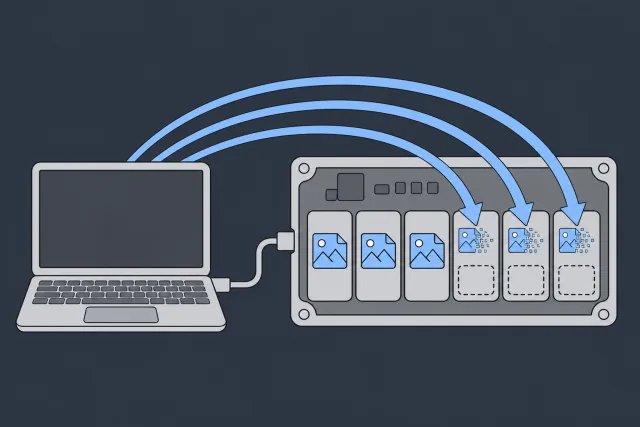
- Triggering Permanent Data Erasure: Modern SSDs use a command called TRIM to efficiently manage data by permanently erasing deleted blocks. When a failing drive is connected, the operating system may issue TRIM commands, causing the drive to permanently wipe the very data you are trying to recover.
- Causing Further Damage: An SSD with a faulty controller or degrading NAND memory is unstable. Forcing it to read data can cause the controller to fail completely or lead to further corruption of the memory chips.
- Overwriting Your Own Data: A common mistake is saving recovered files back onto the failing drive. This action overwrites the original data.
 Illustration
The most important rule in data recovery is to power down the device immediately upon suspecting a problem. Continued operation of a failing SSD, especially during a software scan, can cause further damage.
What a Professional Lab Offers That Software Can't
A professional data recovery lab like MDRepairs works on a different level. We use specialized hardware and engineering knowledge to safely work with failing drives. The higher SSD data recovery cost for professional services reflects the use of advanced tools and expertise.
When your drive arrives at our lab, we don't just run a program; we employ technology that consumer software cannot access.
Comparing SSD Recovery Methods
The choice between DIY software and a professional lab comes down to understanding the capabilities of each.
| Feature | DIY Software Recovery | Professional Lab Recovery |
|---|---|---|
| Best For | Accidental file deletion on a healthy, working drive. | Any failure: Physical, firmware, logical, or complex corruption. |
| Typical Cost | $0 - $150 for a software license. | $1,000 - $2,000+ depending on the complexity of the failure. |
| Main Tools | A downloadable software application. | Hardware imagers, firmware tools (PC-3000), donor parts. |
| Major Risks | Can trigger TRIM, cause further damage, and overwrite data. | Diagnostic and approved-parts charges may remain payable if recovery fails. |
DIY software is for logical problems on a drive your computer can still read. For any other type of failure, you risk permanent data loss for the cost of a software license.
How a Lab Bypasses Failure
At MDRepairs, our process is built on safety and precision, with capabilities that go far beyond any consumer software:
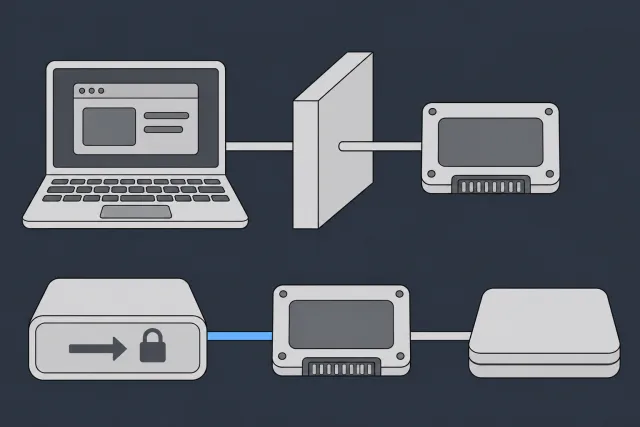
- Hardware-Level Imaging: Our first step is to connect your SSD to a hardware imager. This equipment reads the drive in a safe, read-only mode, bypassing the operating system entirely. It is designed to work with unstable media, carefully extracting data from damaged sectors without causing further stress.
- Supported firmware access: a compatible recovery utility may load a temporary loader and reconstruct translation for extraction. Clearing logs, formatting NAND, and restoring the drive to service are not substitutes for recovering its data.
- Original-board repair and controlled reading: repairable power or connection faults may permit access through the original electronics. A modern encrypted SSD cannot be recovered simply by removing the NAND; a cleanroom or higher price does not remove that limitation.
In short, while software communicates through your computer's operating system, our tools interface directly with the drive’s hardware. Customers nationwide can mail devices to our one lab in Lincroft, New Jersey. This hardware-first approach is the only safe method for handling anything more serious than an accidental file deletion.
 Illustration
Getting a Firm Quote and Starting Your Recovery
If you have determined that professional help is needed, the most critical next step is to power down the failed SSD immediately. Continued use, even just to "check one more time," risks turning a recoverable situation into permanent data loss.
The next step is to have the drive professionally evaluated. At MDRepairs, our nationwide mail-in service makes this process simple and secure from anywhere in the United States.
The Professional Evaluation Process
Once your SSD arrives at our lab, our engineers begin a comprehensive, hands-on analysis to identify the root cause of the failure. This involves diagnosing the problem at the hardware level to determine if it is a firmware issue, an electrical fault, or physical damage to the NAND flash.
This diagnostic is the most critical step, as it allows us to provide a firm and exact quote. You will know the precise SSD data recovery cost and the required procedures before approving recovery work.
Our diagnostic process includes:
- Safe Handling: Your SSD is handled in an ESD-safe environment from the moment it arrives to protect it from static discharge.
- For the exact controller and firmware combination, the lab checks whether a supported utility can provide technological access or virtual translation. PC-3000 SSD needs sufficiently functioning electronics and surviving information; ordinary imaging support does not establish advanced firmware recovery capability.
- Component Inspection: If an electrical issue is suspected, our engineers use microscopes to inspect the PCB for damaged components.
We provide a detailed diagnostic report and an exact price for the recovery. If you choose not to proceed, we will return your drive to you.
Understanding Our Diagnostic and Recovery Terms
The $100 diagnostic is credited toward a successful recovery. You approve the estimate before recovery work starts. New York clients mail devices to our Lincroft, New Jersey lab.
After approval, the lab carries out the diagnosed recovery work, such as original-board repair, supported firmware access, or controlled extraction. We explain any unreadable data and the result before arranging its return.
Answering Your Questions About SSD Recovery Costs
When an SSD fails, it's natural to have questions. Here are answers to some of the most common inquiries we receive about the SSD recovery process and its costs.
Is It Possible to Recover Data from a Dead SSD?
Sometimes. A dead SSD may have a repairable power or board fault, an unsupported firmware fault, damaged NAND, or an irreparable controller. These have very different outcomes.
Intact-looking memory is not proof that files are recoverable. The original encryption path, translation information, and actual NAND readability can all be necessary. A raw chip-off dump cannot replace them.
Why Is NVMe SSD Recovery More Expensive Than SATA?
NVMe drives are built for high performance, which means they are far more complex internally than older SATA drives. They use a faster PCIe interface, have more sophisticated firmware, and often employ complex, proprietary data scrambling and encryption methods.
NVMe recovery requires appropriate interface hardware and support for the actual controller and firmware. Some models allow advanced firmware access; others do not. Higher performance does not make chip-off more likely or turn unsupported recovery into a viable service.
Can I Get a Fixed Price for Recovery over the Phone?
No reputable data recovery laboratory can provide a firm quote without physically evaluating the drive. The final SSD data recovery cost is determined entirely by the specific internal failure, which cannot be diagnosed remotely.
We can offer a general price range based on the symptoms you describe, but an exact quote is only possible after our engineers have conducted a hands-on diagnostic. Be cautious of any company that offers a flat rate without a professional evaluation, as this is often a red flag.
Does the Amount of Data I Need Recovered Affect the Cost?
This is a common misconception, but the answer is almost always no. The price is based on the complexity of the repair required to access the data, not the number of gigabytes you need back.
The quote reflects the work needed to establish access, obtain the requested data, and validate it. Priority-file extraction may change the reading strategy, but even one small file can require substantial board or firmware work. Diagnosis establishes that scope.
If your SSD has failed, the safest thing you can do is get a professional evaluation. At MDRepairs, we offer nationwide mail-in diagnostics to pinpoint the exact cause of failure and provide a firm, no-obligation quote. Learn more about our process and start your case today at https://mdrepairs.com.
How MDrepairs can help
Real cases like this come through our New Jersey lab every week. If you are dealing with one now, start here.
- NVMe SSD Data Recovery Recovery from M.2 NVMe drives not detected in BIOS. Learn more
- Samsung SSD Data Recovery Recovery from Samsung 860/870 EVO and SATAFIRM S11 faults. Learn more
- Data Recovery Services Every device and failure type, recovered in our New Jersey lab. Learn more
- Hard Drive Data Recovery Mechanical, firmware and logical HDD recovery on every brand. Learn more