RAID data recovery services
We can recover files from the drives in your RAID array or network storage box (NAS), even if the box itself has failed. We make a copy of each drive and use those copies to put your files back together. A customer in Georgia kept their files on a RAID 1, a pair of drives that normally hold matching copies. When the array failed, they mailed us both drives and we got their files back.
Mark each drive with its slot number before you take it out. You can bring the whole set to our counter in Lincroft, New Jersey, or mail the drives together with a free shipping label if you're in the contiguous US. If the box offers to rebuild the array, hold off on the rebuild.
- Since 2014One lab, in Lincroft, New Jersey
- 20,000+ ticketsacross all services since 2014
- 4.6 from 345Google reviews
- $100 diagnosticcredited toward a successful recovery
The people we help
Our customers include people from
-

-

-
 AT&T
-
 Marriott
-

-

-
 Tennessee Titans
-

-

-

-

-

-

-

Should I rebuild a degraded RAID array?
If you don't have a current backup, hold off. A “degraded” warning means a drive has failed. The remaining drives are just as old, and a rebuild can keep them reading from end to end for hours or days.
What to do now
- Shut down if your files won't open
Leave the unit off to protect the files and settings still on the drives. While it's running, it can write over information we need.
- Label each drive by slot
Write the slot number on each drive while it's still in the box. That way we'll know the original order when we unpack them.
- Back up any files you can open
If you can still get into your folders, copy your files to a separate drive right away, before you replace a drive or start a rebuild.
- Call before trying a fix
Tell us what you remember seeing on the screen or hearing from the drives. You can leave everything off while we talk.
What to avoid
- Don't start or force a rebuild
If a second drive fails before the rebuild finishes, getting your files back takes more work and can cost more.
- Don't force the array back online
Leave out any old drive or drive from another set. Forcing the array online can overwrite the settings that tell us how the drives fit together.
- Keep the drives in their original slots
Leave them in place until you've labeled them. It's easy to lose track of the order if you pull them out to test them one at a time.
- Skip disk repair tools and recovery software
Repair commands such as CHKDSK and fsck can change how your files are organized, whether you run them on the array or on a single drive from it.
- Keep NAS drives out of Windows
If you've already connected a drive and Windows asks to “initialize” it, choose Cancel. Initializing the drive sets it up as a new disk and writes over settings the array needs.
- Don't reset the NAS
Leave its software in place and decline any “Repair” prompt. Reinstalling the software or accepting a repair can replace the settings we use to find your folders.
How does my RAID array or NAS store my files?
Some arrays keep matching copies on different drives. Others split each file across several drives, and some do both. Whatever the layout, send the whole set, including any drive the box says has failed.
| Your setup | How it stores your files | What can take it offline | What to send |
|---|---|---|---|
| RAID 0 | Splits each file across drives without keeping a spare copy | One failed drive | Every drive, including the failed one |
| RAID 1 | Keeps matching copies of your files on two drives | Both drives failing, copies that no longer match or a failed rebuild | Both drives in the pair |
| RAID 5 | Spreads files and one drive's worth of extra information, called parity, across the set so it can fill in for one failed drive | A second drive failure or a failed rebuild | Every drive, including any marked as failed |
| RAID 6 | Keeps two kinds of extra information so it can fill the gaps left by two failed drives | A third drive failure, damaged settings or a failed rebuild | The whole set |
| RAID 10 | Splits files across pairs of drives. Both drives in each pair hold the same pieces. | Two failed drives in the same pair, or failure of the controller that runs the array | All the drives, labeled by slot |
| NAS (Synology, QNAP, WD My Cloud) NAS Data Recovery | A small computer inside the box runs Linux and manages the drives | The box fails, loses its settings or can no longer open the storage the drives share | All the drives, removed from the box |
| Server (Dell PowerEdge, HP ProLiant) What to Do After a Server Crash: Data Recovery Checklist | The RAID controller records the layout on the drives in its own format | A failed controller or battery can leave the drives marked “not configured” | Just the drives. You can keep the server and its controller. |
If you're unsure which setup you have, tell us the model on the box. We work on Synology systems that use SHR or SHR-2, as well as Buffalo, NETGEAR and Drobo units. We also handle grouped arrays (RAID 50 or RAID 60), drives joined end to end (JBOD), storage managed by ZFS and SAS server drives.
To recover a virtual machine, we start with the array it was stored on. A virtual machine's drives are themselves files, called virtual disks. Once we put the array back together, we can recover those disks and open them to reach the files inside. We also check any database files we recover.
What happened to your RAID array or NAS?
Look for the message you saw or the symptom you remember. There's no need to turn the box back on to check the wording or listen to a drive again.
My NAS reset or is asking me to format the drives
If the NAS asks to format or initialize the drives, cancel the prompt and turn it off. A reset can change the settings that point to your files while leaving the files themselves in place. Even if you've already created a new array, we can look for the old layout to see what hasn't been written over.
One of my RAID drives is clicking or won't spin
We start with the drive that's having trouble. If a fall or a broken part has left it unable to read, we repair it long enough to make a copy. Scratches on the disks inside can leave gaps, but even a partial copy can help us recover files when we put the array back together.
Two drives failed in my RAID 5
Keep both failed drives with the set. RAID 5 can fill in for one missing drive, so when two fail, the remaining drives alone don't hold all the pieces. We copy whatever still reads on every drive, including the two that failed, and combine it with the extra information RAID 5 saved for rebuilding.
My RAID rebuild stopped partway
Keep the replacement drive and don't restart the rebuild. It may already hold usable pieces of your files.
We copy every drive and find the point where the rebuild stopped. We use what the array finished writing to the replacement drive. For the part it hadn't reached, we use the extra information the array saved for rebuilding.
My Synology says the volume crashed
Decline the repair prompt, even if every drive is listed as healthy. A crashed volume means your Synology can no longer open the storage those drives share. If your system uses SHR or SHR-2, we follow Synology's layout to put the pieces of each file back in order.
My QNAP sees the drives but my folders are gone
We can use the settings saved on the drives to put your folders back together, even without a working QNAP. The box keeps some of its settings on a memory chip. If that chip fails, the QNAP may still list healthy drives even though it no longer knows how to read them as a set.
My WD My Cloud no longer shows up
If your My Cloud has one drive slot, the hard drive inside holds your files. Windows can't read that drive on its own, but we can check it even if the box has failed.
If your My Cloud has more than one drive, send them all together. We need the set to put your folders back the way the box stored them.
My RAID controller failed or the drives are marked “foreign”
A failed controller card or a dead battery can make your server mark every drive “foreign” or “not configured” while your files are still intact. We can read the drives directly to put the array back together. Hold off on installing a replacement card, since it could set the drives up as new and erase the layout we need.
How we recover a RAID array
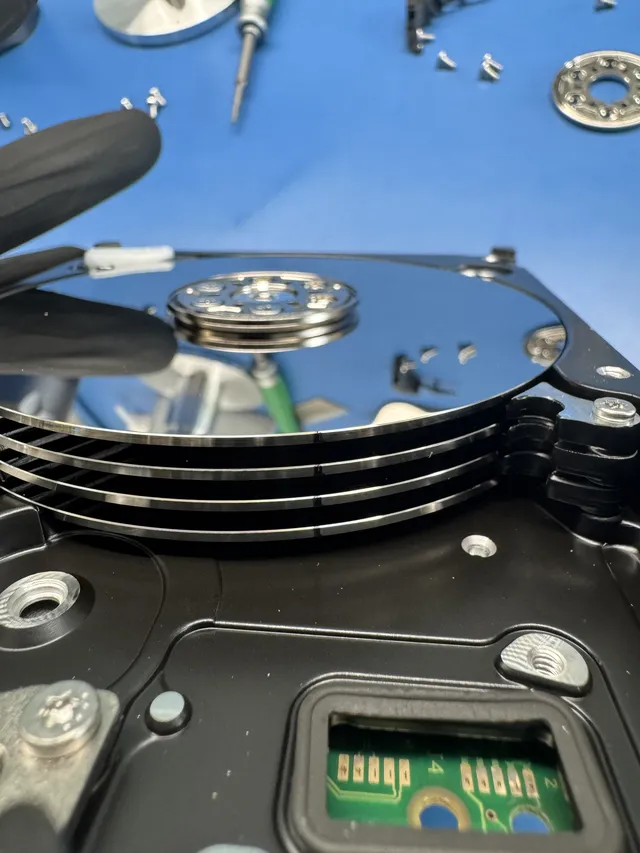
We make a separate copy of each drive on a healthy drive, repairing any that need work before we can read them. We use those copies to put the array back together.
Why does RAID recovery take extra work?
Before we can open your folders, we have to work out how the drives stored your files together. A single photo might start on one drive and continue on another. If we start in the wrong place or get the size of the pieces wrong, part of the picture can look fine while the rest is scrambled.
We look first for the layout saved on the drives. If those settings are missing or damaged, we work it out from the pieces of the files themselves.
From your first call to getting your files back
-
Ask for a quote
For a free quote, call us or use our quote form and tell us what kind of box or server the drives came from.
-
Bring or mail the drives
Once you've marked each drive with its slot number, bring the whole set to our Lincroft counter or mail the drives together.
-
Review the findings and price
During the $100 diagnostic, we check the condition of each drive. We'll explain what we think we can recover and give you a price so you can decide whether to go ahead.
-
We copy each drive
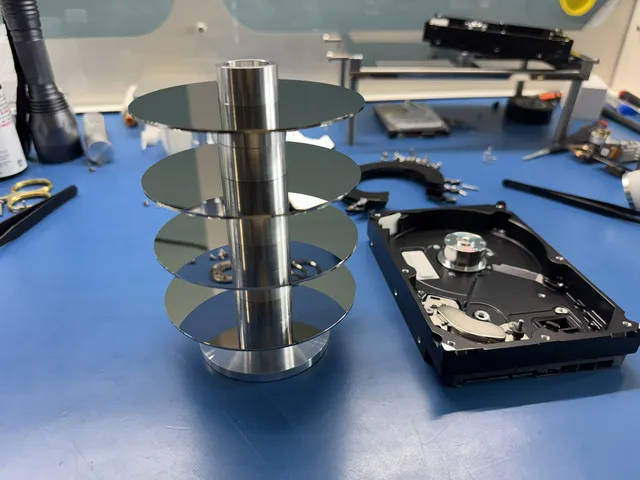
If the heads that read the disks are damaged, we can replace them first. Then we copy each drive section by section without writing to the original. For SAS server drives, we use a matching adapter.
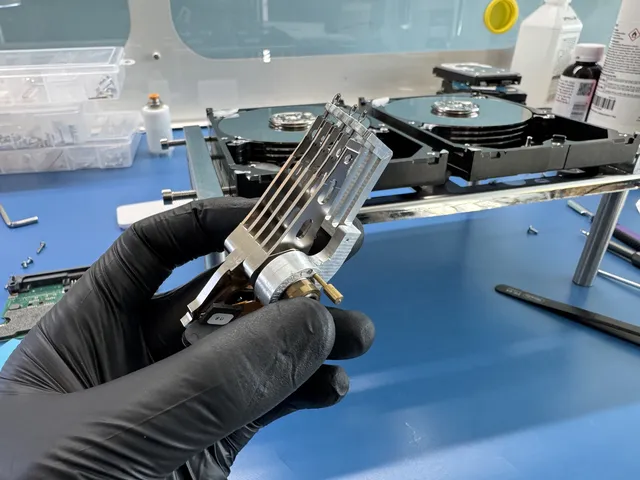
Two opened drives sit behind the head stack on our blue bench mat in Lincroft. -
We put the array back together
With the copies in their original order, we use the array's layout to read your folders. We can do this even if the original controller or NAS box no longer works.
-
Get your recovered files
Before you pay the recovery fee, we send you a report where you can open folders and see which files came back and which may be partly or fully damaged. We put your recovered files on a new drive for pickup or delivery.
What should I send for RAID recovery?
Send every drive in the set, labeled with its original slot number. Pieces of the same file can be on different drives, so knowing the order matters.
- Include the healthy drives
Even with a RAID 1 mirror, we need both drives. A spot that's unreadable on one may still be intact on the other.
- Send the drives on their own
You can keep the NAS box or server. The drives travel more safely on their own, and we can read them outside the unit.
- Label and pack each drive
Mark each drive with its slot number and put it in its own antistatic bag. Pack them together with the packing slip from the mail-in form.
- Tell us what happened
Include the make and model of the box or server, how many drives it held and, if you know it, the RAID level, such as RAID 5. Let us know what you saw or heard and anything you've already tried.
How much does RAID or NAS recovery cost?
$100 diagnostic, credited toward a successful recovery.
The $100 diagnostic is non-refundable once diagnostics start, and donor drives or replacement parts you approve are non-refundable once ordered, even if recovery fails.
We quote one recovery price for the whole set after the $100 diagnostic. It depends on how many drives you have, how they store your files together and what failed. If a drive needs a physical repair, that adds work before we can copy it.
- How the condition of the drives affects the price
In a mirror with two drives, one might read only in patches. In a larger array, we might need to replace the heads on two drives before we can copy either one.
- Ways to pay
We take cards, PayPal and Apple Pay. If you qualify, you can also pay over time with Affirm.
| Device | Recovery price |
|---|---|
| RAID Array Recovery | Contact for Quote |
| NAS Devices | Contact for Quote |
| Service option | When diagnostics start | Added cost |
|---|---|---|
| Standard diagnostic | Starts in about 4–6 weeks, then recovery time varies by case | No surcharge |
| Priority | Assessment starts within 5–7 days | +$250 |
| Urgent | Assessment starts within 1–2 days | +$500 |
| Emergency | Assessment starts same-day | +$1,000 |
You can find prices for other devices in our full data recovery price list.
How will I get my recovered files?
Your files come back on a new drive, so you can leave the old array off. We keep a copy offline at the lab for two weeks while you make your own backup.
- Choose mail or pickup
Your files can go on an external drive or a USB stick. We'll mail it to you or hand it to you at our Lincroft counter.
- Our copy during delivery
If the new drive gets lost in the mail or arrives damaged, we can use the copy here. We delete it two weeks after we mail your drive.
- Ask us to delete our copy sooner
Call, text or email us if you'd like us to delete the lab's copy early.
- Back up your files the day they arrive
Under the 3-2-1 backup rule, your whole array counts as just one of the three copies of your files. If you bring the new drive back for recovery after two weeks, we charge full price.
Is my device a RAID array?
If the drives worked together as a set, choose array recovery, even if they sat in one box on your desk. A single hard drive, USB stick or memory card has its own recovery service.
One hard drive on its own
For a drive you used on its own, choose hard drive recovery. You can also look up the brand on its label to see the kinds of repairs that drive might need, including when it's part of an array.
A desktop box with two drives
We quote recovery as an array when two drives in a desktop box work together. That includes the LaCie 2big, G-Technology G-RAID and WD My Book Duo. If your box holds just one drive, choose external hard drive recovery.
A USB stick or memory card
Choose flash recovery for a USB stick or camera card, even if it no longer shows up on your computer.
Questions about RAID and NAS recovery
How much of my RAID array can you recover?
It depends on what we can still read across the drives. Deep scratches on disks in more than one drive can leave gaps, and a file that's been completely written over is lost. That's why we don't publish a success rate. Once we've checked your drives, we can tell you what's possible for your array.
Can you recover files after ransomware hit my RAID array?
We can look for older versions if the ransomware locked your files without writing over the originals. Leave the array off and call us. Don't pay the ransom, run an unlocking tool, erase the drives or start a rebuild. Our ransomware recovery guide explains what may still be on the drives.
Do you work on Buffalo, Drobo and NETGEAR NAS boxes?
Yes. We use copies of the drives to put your folders back together. Buffalo TeraStation and LinkStation models run Linux and can show an E14 error while your files are still on the drives. We also work with Drobo's BeyondRAID layout and the X-RAID layout on a NETGEAR ReadyNAS.
RAID and NAS recovery guides
If a drive has failed, the guide for your RAID level explains what the other drives still hold. For a NAS, start with the name on the box.
RAID levels and NAS boxes
Costs and server recovery
Tell us about your RAID array or NAS
Tell us which box you have and what you remember seeing or hearing. If it asked you to format the drives, mention that when you call or request a quote. You can leave the drives off and in their original order.