Inside the lab follow MDrepairs on YouTube, TikTok & Instagram - visit our YouTube channel ↗

Data recovery services at our New Jersey lab

Recoveries filmed at our Lincroft bench

  • Read this case
  • Read this case
  • Read this case

We make and post these videos for 2M+ followers across YouTube, TikTok and Instagram combined.

You can bring your phone or drive to the counter at our only lab in Lincroft, New Jersey. If that's a long trip, you can mail it to us from anywhere in the state. We recover work files from hard drives, SSDs and flash drives, and family photos from phones and SD cards. A phone that won't turn on can still hold the pictures you're afraid you've lost.

  • Since 2014One lab, in Lincroft, New Jersey
  • 20,000+ ticketsacross all services since 2014
  • 4.6 from 345Google reviews
  • $100 diagnosticcredited toward a successful recovery

The people we help

Our customers include people from

Customer reviews of data recovery at MDrepairs

Our rating is 4.6 from 345 Google reviews. We've copied these reviews word for word so you can hear from the person whose phone spent a year in a creek.

Read our Google reviews

My grandma passed away on August 17th, 2025. … I thought I lost all her photos because my hard drive stopped working one day. But MDRepairs brought all my memories with her back.

Anar V, Google Review 2025

I brought a broken external hard drive in for repair, and had an excellent experience working with Joe. … Turned out, the drive was completely shot and required some surgery to recover the data. His work is masterful!

Sean Moran, Google Review 2025

These guys are legit- they saved the day when … other local places told me my iPhone was unfixable after a drop with internal damage. … MDrepairs in a store front where you can talk to the employees and they understand and appreciate your emergency.

J B, Google Review 2023

They are miracle workers! My phone was in a creek for a year and another lab failed to recover my data from it. I saw this company on TikTok do a micro soldering recovery … They recovered all 20 GB of data from my phone!

Hannah Connor, Google Review 2026

I walked into a lake with my iPhone 7 years ago. Destroyed it! I went to a number of local shops who said it was beyond repairable. … He was prompt, extremely responsive and was able to recover priceless photos and videos.

Frank Felice, Google Review 2024

Devices we see at our NJ data recovery lab

Your device goes to the same bench as the drives our business and IT partners send us. We start with a $100 diagnostic because you ought to know what we can do for your files before you agree to the work.

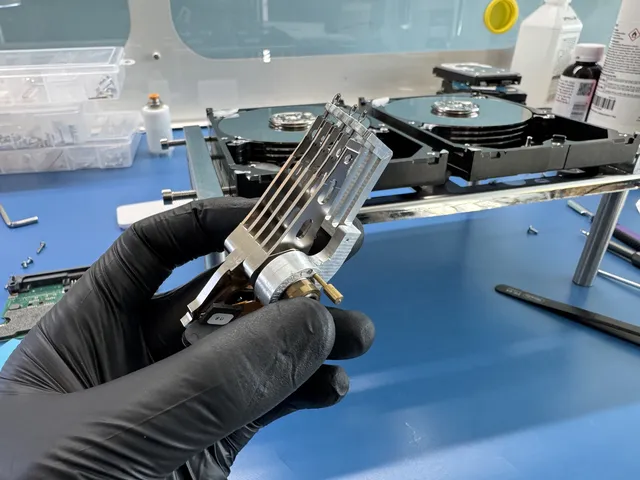
Black-gloved hand holding a hard drive head stack

Hard drive data recovery in New Jersey

If your hard drive clicks or you've dropped it, leave it unplugged. We work on drives even when the disks that hold your files are scratched. You don't have to plug yours back in just so we can hear the sound.

How hard drive recovery works

Clicking can mean the tiny arms that read the spinning disks are failing. If we find they've failed, we fit matching arms from another drive of the same model. We copy the good areas first, then go back for the harder spots.

If your disks are scratched, bring the drive in. We read the good part of the disk up to the scratch, then start on the other side and work back toward it. We stop just short each time because touching the scratch would ruin the tip of the replacement arm.

If scratches make a surface unreadable, we remove its arm and change the drive's software to run without it, reading only undamaged surfaces. We can only recover part of what's on a scratched drive, and even a few family photos or documents may be worth getting back.

Recovery prices by device and job
Hard Drive - Firmware / Logical$1,000 - $1,500
Hard Drive - Head Swap$1,500 - $3,000+
Scratched / Contaminated Platters$3,000 - $3,500+
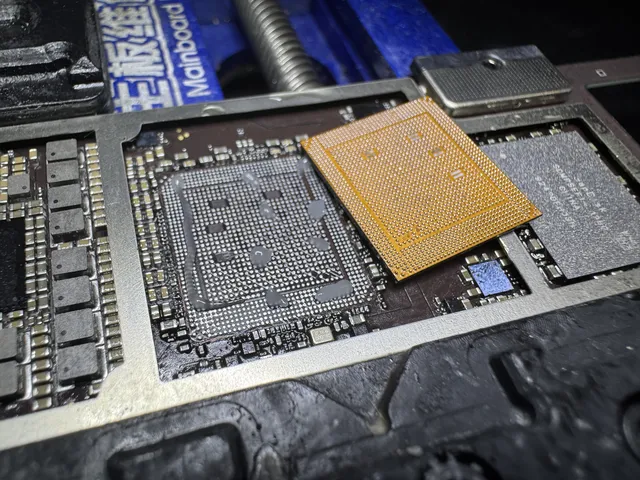
Orange interposer lying over a board's grid of pads

iPhone data recovery in New Jersey

We can check an iPhone that won't turn on. If it's the pictures you want, leave the phone as it is and skip the reset or restore. You can look up the iPhone models we work on before you come in.

iPhone data recovery, step by step

Your pictures can come back if we get your iPhone running again. We can't read them from the storage chip alone, so we find and replace the failed part under a microscope. If the board that holds the main chips is badly damaged, we can move them onto another board. We'll need your passcode to unlock the phone.

What happens next depends on your iPhone's Stolen Device Protection setting. You've been able to turn it on since iOS 17.3, and it's usually on in iOS 26.4 or later. With it on, a computer backup requires your Face ID or Touch ID, even with your passcode. So does copying files to a computer or flash drive.

That's why we back the phone up to your own iCloud once it starts. Sign in to iCloud on another iPhone and your pictures, videos and other files come back. With protection off, we make a full backup you can restore to another iPhone. We also sort your photos, messages and contacts into folders you can open.

Recovery prices by device and job
iPhone (3GS - 11)$1,000 - $1,500
iPhone (12 - 17 Series)$2,000
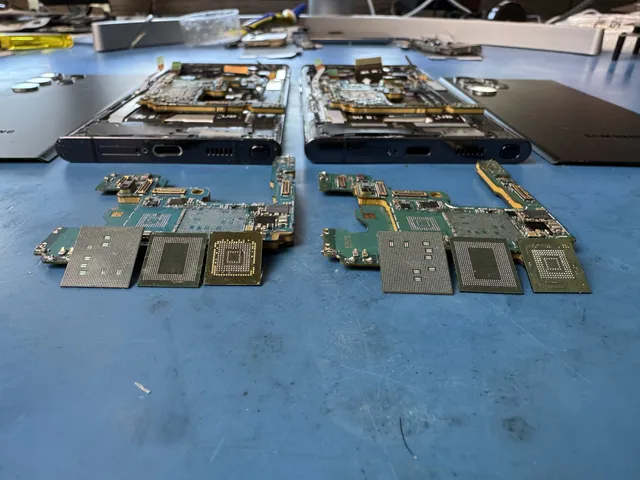
Two phone boards side by side with chips lifted off each

Cell phone data recovery

If your Samsung Galaxy got wet, take it off the charger. We've worked on a wet Galaxy that another shop had already cleaned, so if someone's tried to help with yours, tell us what they did.

How we recover Android files

If your Android won't start, repairing a damaged circuit can get us back to the lock screen. With your PIN, pattern or password, we can make a backup that adds your files to a new Android without erasing what's there. You also get your pictures and videos as files.

Recovery prices by device and job
Samsung Galaxy / Android$1,500 - $2,000
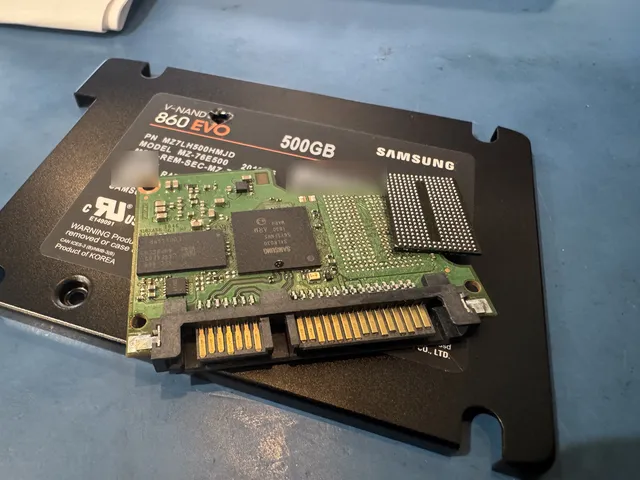
Samsung solid state drive board out of its housing, with a lifted memory chip

SSDs and NVMe drives

We work on solid-state drives, including the ones marked NVMe. If you've replaced an SSD that stopped showing up on your computer, hold on to the old drive. That's where we'll look for your files.

How we check your SSD

Your SSD can vanish from your computer or show the wrong size without a click. Stop using it because new files can overwrite old ones, and the drive can clear deleted files itself. We check what's still readable and copy it to a new drive.

Recovery prices by device and job
SSD / NVMe Recovery$1,000 - $2,000+
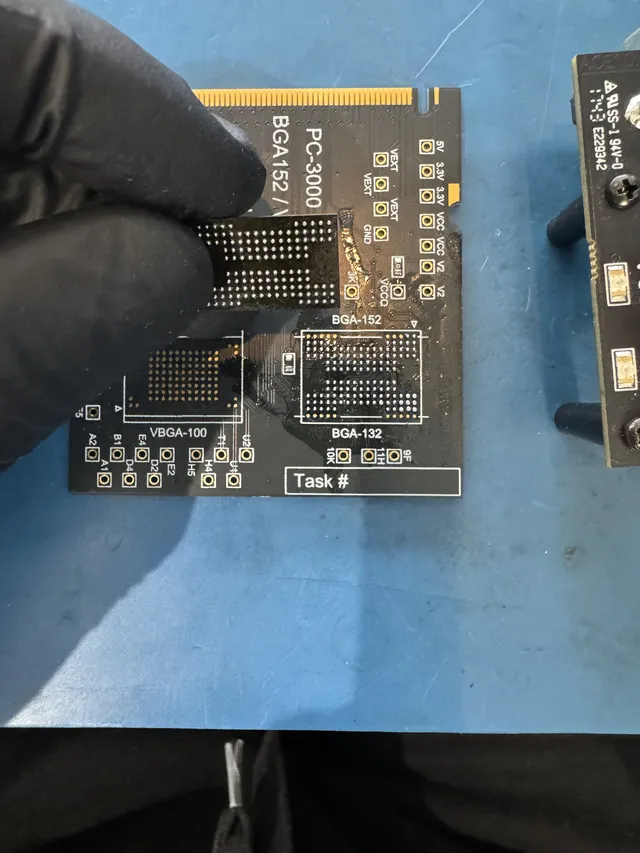
Gloved fingers holding a memory chip on a chip reader board

SD cards and USB flash drives

If your camera asks to format your SD card, say no. Formatting prepares the card for new pictures, and you want the ones you already took. Leave the card as it is so we can check it.

Reading SD cards and USB sticks

A card or USB stick that won't open can still hold your photos. If the chip that runs it has failed, we read straight from the chip holding your pictures. Set your card aside so new shots don't cover old ones. It comes back with any photos we recover.

Recovery prices by device and job
Flash Drive / SD Card$299 - $1,750+
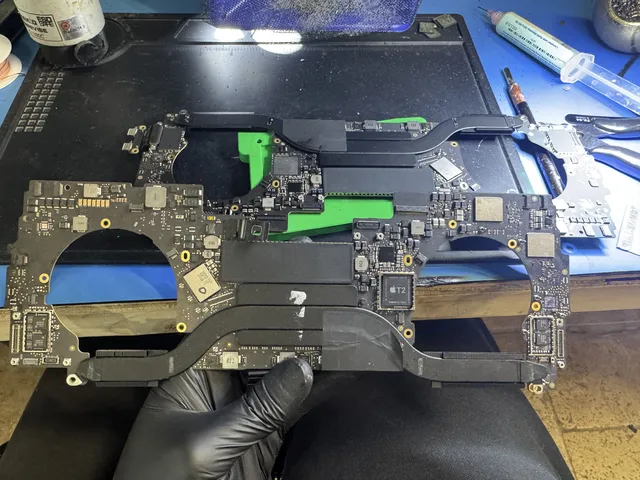
Gloved hand holding a whole MacBook logic board above the bench

Laptops and MacBooks

Bring us the laptop you saved your work on, even if it won't start. If you use a password to sign in, bring that too. We also look for files on iMac desktop computers.

Recovering laptop and MacBook files

If your laptop keeps restarting, we can check a removable drive separately. Most MacBooks made since 2016 have no drive to take out. Bring the whole MacBook because your files are on chips fixed to its main board. The $100 diagnostic tells you whether we can get that board running again.

Recovery prices by device and job
MacBook / Laptop$1,500 - $3,500+
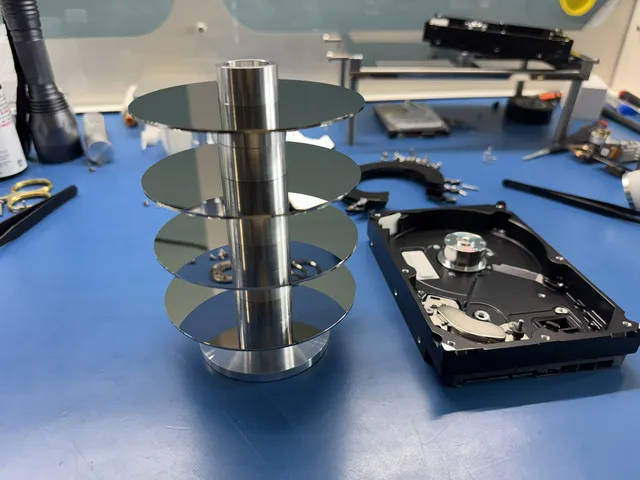
Four platters stacked on a metal alignment tool

RAID and NAS

If a drive in your RAID fails, leave the set as it is. Those drives work together, so skip any prompt to rebuild or initialize them. We also work on NAS boxes, the kind that let you share files over a network.

RAID recovery from drive copies

When your folders disappear, the files can still be on the drives. If you take drives out, mark each with its slot number first. We copy each drive, work out their order and put the files back together from those copies. You get a list to review.

Recovery prices by device and job
RAID / Multi-Drive ArraysContact for Quote
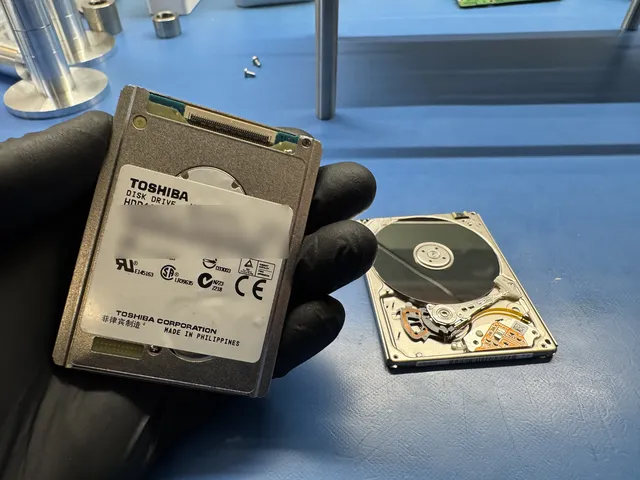
Gloved hand holding a small Toshiba hard drive

iPads and iPods

If the iPad or iPod that held your pictures is sitting in a drawer, that's the one to bring. You can check which iPad models we work on before you make the trip.

Recovering iPad photos and iPod playlists

Your photos can survive a shattered iPad screen. We can copy them once the iPad starts and unlocks with your passcode. Skip Restore on your computer because it erases the iPad. If your iPod won't connect, we can copy its playlists along with its songs.

Come to Lincroft or mail from anywhere in New Jersey

When you come to us for data recovery in NJ, you can put your drive in our hands and tell us what happened. Mail it if that saves you a trip. It goes to the same bench either way.

Stereo microscope at the bench with a keyboard to the right
Behind the microscope in our Lincroft lab are a power supply, soldering station and parts drawers.

Walk in at our Lincroft counter

Our counter is in Lincroft, a section of Middletown Township in northern Monmouth County. You can talk through what happened with the lab team led by Joseph Montanti, our founder and lead technician.

  1. Bring your device

    Bring along its cable or original drive case and any parts someone removed. Have your passcode or password handy if you use one.

  2. Visit the counter

    We're here Monday to Friday, 10am to 6pm Eastern. Tell us what happened and which files you came for.

  3. Consider the estimate

    After our $100 diagnostic, you get a price for the recovery. We start that work only if you say yes.

Address
644 Newman Springs Road, Suite A, Lincroft, NJ 07738
Hours
Mon-Fri 10am to 6pm Eastern
644 Newman Springs Road, Suite A, Lincroft, NJ 07738 Mon-Fri 10am to 6pm Eastern

Mail your device from anywhere in New Jersey

If you'd rather skip the drive from Newark, Edison or Cherry Hill, you can mail your device to our Lincroft lab. UPS 2nd Day Air shipping is free both ways.

  1. Open a ticket

    Fill out the mail-in form for your device. We'll send your ticket number by text or email.

  2. Get your shipping label

    The form lets you get your prepaid label and print the packing slip right away. The slip goes inside the box with your device.

  3. Cushion the device

    Pack about 2 inches of bubble wrap on every side so the device sits snugly in the box. Tape every seam closed.

  4. Hand it to UPS

    Take the box to any UPS location in New Jersey. We'll let you know by text or email when it reaches our lab.

What happens once we have your device

  1. We diagnose your device

    We diagnose your device for $100 to find out what it would take to reach your files. That diagnostic fee goes toward the price of a successful recovery.

  2. You decide

    We give you an estimate based on what we found. You get to think it over, and we start the recovery only if you approve it.

  3. We work on the recovery

    With your go-ahead, we work at the bench to read the files on your original device. Here's how we handle your device and data while they're with us.

  4. Get your recovered files

    You can pick up your recovered files on a new drive at our counter or have us mail it to you. We keep a copy offline for two weeks, then delete it.

Your files and your device after recovery

Our copy of your files

We keep an offline copy for two weeks in case your drive gets lost or damaged in the mail. We delete it then, or sooner if you ask.

Make your own backup

Make another copy the day your files arrive. After two weeks, our copy is gone. If the new drive fails later and you bring it back, it's a new job at full cost.

Your original device

If you mailed us a hard drive, SSD or SD card, your original comes back along with the drive holding your recovered files.

Getting your device to Lincroft from across New Jersey

Our only counter is in Lincroft on Newman Springs Road (Route 520). You can reach it from Exit 109 on the Garden State Parkway. If you're a long drive from Monmouth County, our mail-in service includes a free UPS 2nd Day Air label. We cover the trip back, too.

From North Jersey

From Newark, Jersey City or Paterson, you can mail your device or bring it to Lincroft. On the Garden State Parkway south, look for the “Local Exits” lanes after the Raritan Bridge. Take Exit 109 for Red Bank, then follow Route 520 west.

From the Shore

Coming from Lakewood, Toms River or Brick, take the Garden State Parkway north to Exit 109 for Red Bank. Turn left at the foot of the ramp onto Route 520 West. That's Newman Springs Road, and you'll find our counter at number 644.

Central and western New Jersey

From western New Jersey, take Route 33, then Route 537 east and Route 34 north toward Lincroft. If you're coming from New Brunswick or Edison on Route 18 south, take the Route 520 East exit. From Princeton or Trenton, mailing your device can spare you the drive.

South Jersey and the far Shore

From Atlantic City, Cherry Hill, Vineland or Wildwood, mailing your device saves the trip north on the Parkway to Exit 109. Find a drop-off near you on the UPS list of New Jersey locations. With UPS 2nd Day Air, your package should reach us by the end of the second business day.

Getting here by train

NJ Transit's North Jersey Coast Line stops at Red Bank and Middletown. If you're bringing your device by train, plan a ride for the last stretch to Lincroft. From Red Bank it's about 8 to 10 minutes by car. Middletown station has community shuttles, so check their routes if you plan to use one.

On Route 520 in Lincroft, look for 644 Newman Springs Road. If you're using Brookdale Community College as a landmark, its main campus is at number 765 on the same road.

How much does data recovery cost in New Jersey?

$100 diagnostic, credited toward a successful recovery.

The $100 diagnostic is non-refundable once diagnostics start, and donor drives or replacement parts you approve are non-refundable once ordered, even if recovery fails.

The price depends on what failed, so we diagnose your device for $100 and give you an estimate before you decide on recovery. We publish the whole price list because you ought to be able to talk it over at home before you put your drive in a box.

Where the $100 goes

That $100 pays for figuring out what failed and how we could reach your files. If the recovery succeeds, the money you've already paid goes toward your total data recovery cost.

Why identical drives get different estimates

One drive may need a fix to the software that runs it. Another just like it may need new arms to read the disks, which puts it in a different row on the price list.

How soon we can start

With Priority (+$250), we start diagnosing your device within 5 to 7 days. If you need us sooner, we start within 1 to 2 days with Urgent (+$500) or the same day with Emergency (+$1,000).

Recovery prices by device and job
Recovery jobPrice
Flash Drive / SD Card$299 - $1,750+
Hard Drive - Firmware / Logical$1,000 - $1,500
Hard Drive - Head Swap$1,500 - $3,000+
Scratched / Contaminated Platters$3,000 - $3,500+
SSD / NVMe Recovery$1,000 - $2,000+
iPhone (3GS - 11)$1,000 - $1,500
iPhone (12 - 17 Series)$2,000
Samsung Galaxy / Android$1,500 - $2,000
MacBook / Laptop$1,500 - $3,500+
CPU Swap (Severe Cases)$3,500
RAID / Multi-Drive ArraysContact for Quote
When we start diagnosing your device with standard or rush service
OptionTimingAdded cost
Standard diagnosticStarts in about 4–6 weeks, then recovery time varies by caseNo surcharge
PriorityAssessment starts within 5–7 days+$250
UrgentAssessment starts within 1–2 days+$500
EmergencyAssessment starts same-day+$1,000

Rush moves up the day we start diagnosing your device. How long the recovery itself takes still depends on what we find. You can read how we price data recovery and how financing through Affirm works if you qualify.

Files we've recovered at our New Jersey lab

A customer mailed us an external drive that looked empty. It still held files we could read. You can see what we found on that drive and on other devices people mailed from New Jersey or dropped off at our Lincroft counter. We've left out the customers' names. Pick your kind of device to find a case like yours.

Every file came back from a slow Samsung hard drive

2025 · Mailed from New Jersey

The owner's computer took a long time to recognize this Samsung external hard drive. Even when it finally showed up, none of the files would open. We found that two of the heads inside were struggling to read the disk.

Before changing the heads, we copied as much of the disk as the drive would let us read. With the replacements in place, we could get to the rest. We mailed everything back on a new portable solid-state drive, the kind that stores files on chips.

We read about 10 gigabytes from a badly scratched drive

2025 · Mailed from New Jersey

This external hard drive held files the owner had nowhere else. They could hear the drive clicking, but it no longer showed up on their computer.

The top disk had deep scratches, and the others had fine ones. It looked like the heads, the tiny parts that read the disks, had stuck to them. We cleaned the disks and put in heads from another drive. We switched one head off so the drive would skip the surface that was scratched too deeply to read. Then we went over the other damaged spots several times to copy what we could.

We got back about 10 gigabytes, and just over half of that data came through undamaged. We mailed a new drive with everything we recovered, including the files with damaged sections.

We got files and a full backup off a wet Galaxy

2026 · Mailed from New Jersey

Another shop had already cleaned this Samsung Galaxy after it got wet, but the phone still wouldn't turn on. The metal on its main board was badly eaten away. To reach the files, we moved the main chips from that board onto one from another phone.

That let us back up the whole Galaxy. We also copied out the individual files so the owner could have them separately. Both the backup and the files went back in the mail on one new drive.

Every file on this iPad came back after a battery change

2026 · Mailed from New Jersey

With the old battery in this iPad, we couldn't read the owner's files. Once we put in a new battery, we could get to everything they had on the tablet.

We copied all of it onto a new drive and sent it to the owner by mail.

We found about 700 gigabytes on a WD drive that looked empty

2026 · Mailed from New Jersey

To the owner, it looked like every file on this WD external hard drive was gone. Its storage space had been split up again, and when we checked, the drive's file list was empty. We couldn't rebuild that list, so we searched the whole drive for the files themselves.

We found about 700 gigabytes that way, and only a small fraction of the files were damaged. We mailed the recovered files on a new drive, without the original folder layout.

A Galaxy S23 Ultra owner went home with a full backup

2026 · Dropped off at our Lincroft counter

Liquid had reached the battery and the area where the charging cable plugs into this Samsung Galaxy. The battery swelled enough to tear the connector for the charging port right off the phone's main board.

We cleaned the boards and replaced the torn connector. That got the phone charging again, and it could stay on. A separate fault on the main board still kept us from copying the files. Once we fixed that connection too, the owner left the lab with a backup of everything on the phone.

Most files came back from a WD drive that still spun

2026 · Dropped off at our Lincroft counter

The disks were still spinning inside the owner's WD external hard drive. What kept it from showing up on the computer was damage to the software built into the drive itself.

We went through the drive from one end to the other, copying what we could read. Parts of it were in poor shape, but we got most of the files back. A few large files had pieces missing where we ran into sections the drive could no longer read.

The owner picked up a full iPhone backup and copies of their files

2025 · Dropped off at our Lincroft counter

The chip that controls the battery had failed in this iPhone. We replaced it and redid the metal joints that connect the parts on the phone's main board.

With those repairs done, we could make a backup of the whole iPhone and copy its files individually as well. The owner came back to the lab and picked up both.

Clicking external hard drive: about 500 GB recovered

2025 · Dropped off at our Lincroft counter

We could hear this external hard drive clicking. The heads that read the disk had failed. We replaced them with heads from another drive and made a full copy of the disk.

The owner picked up about 500 GB of data at the lab. That clicking is a reason to switch a drive off, since running it can make the files harder to get back.

iPhone with a cracked main board: full backup recovered

2023 · Dropped off at our Lincroft counter

The trouble with this iPhone was a crack in its main board. We took the processor and memory chip off that cracked board.

Moving those two chips over to a working board from another phone let us make a full backup for the owner.

WD hard drive froze: files sorted by type

2025 · Dropped off at our Lincroft counter

This WD hard drive started up quietly, then froze. We found bad sectors, spots on the drive that wouldn't read properly.

We made an image of the drive so we had a copy to scan for files. When the owner came to pick up the files, we had their original folders all back in place. They also got the files we'd found in the scan, grouped by type.

Cell phone kept restarting at the logo: full backup recovered

2025 · Dropped off at our Lincroft counter

A cell phone handed over at our Lincroft counter in 2025 kept restarting at the start-up logo. We found that it drew less current than it should while it was charging.

We installed a new battery and got the phone to power on again. The owner picked up a full backup of the phone at the lab.

Samsung Galaxy phone board fault: photos, videos and contacts saved

2023 · Dropped off at our Lincroft counter

The processor and memory had lost contact inside this Samsung Galaxy phone.

We reheated the solder under those two chips on the main board. We pressed them down to restore the connection and switched the phone on again. The owner picked up copies of their photos, videos and contacts at the lab.

Recent recoveries from New Jersey addresses

  • Intel portable SSD, 512 GB Stopped working or not detected · Data recovered 2026
  • Hitachi hard drive, 1 TB HDS721010CLA332 Data recovered 2026
  • WD Elements Data recovered 2026
  • Cell phone Will not turn on or charge · Data recovered 2026
  • Cell phone Water or liquid damage · Data recovered 2026
  • Cell phone Will not turn on or charge · Data recovered 2025
  • Samsung Galaxy phone Will not turn on or charge · Data recovered 2025
  • Cell phone Data recovered 2025
  • External hard drive Fire or power surge · Data recovered 2025
  • Samsung Galaxy S10 Plus Data recovered 2025
  • Hard drive Data recovered 2025
  • iPhone Dropped or physically damaged · Data recovered 2025
  • Samsung Galaxy S10 Stopped working or not detected · Data recovered 2025
  • iPhone 16 Data recovered 2025
  • External hard drive, 4 TB Data recovered 2025
  • iPhone Will not turn on or charge · Data recovered 2024
  • iPhone 8 Plus Data recovered 2024
  • Samsung Galaxy phone Dropped or physically damaged · Data recovered 2024

Recent recoveries handed over at our Lincroft counter

  • Nokia phone CPU Swap (Severe Cases) · Data recovered 2026
  • USB flash drive, 4 GB Data recovered 2026
  • WD hard drive WD4000BEVT Data recovered 2026
  • Samsung Galaxy phone Data recovered 2026
  • WD My Passport, 3 TB Data recovered 2026
  • Samsung Galaxy S22 Ultra Data recovered 2026
  • Laptop Data recovered 2026
  • SanDisk Ultra, 128 GB Data recovered 2026
  • Seagate hard drive, 1 TB Data recovered 2026
  • USB flash drive, 64 GB Data recovered 2026
  • Seagate Backup Plus, 1 TB Data recovered 2025
  • iPhone 6s Data recovered 2025
  • Hard drive Data recovered 2025
  • iPhone 14 Pro Data recovered 2025
  • Cell phone Data recovered 2025
  • Samsung Galaxy S10 Data recovered 2025
  • External hard drive, 1 TB Data recovered 2025
  • External hard drive Data recovered 2025
  • WD hard drive, 4 TB WD40NDZW Data recovered 2025
  • Seagate external hard drive ST1000LM024 Data recovered 2025
  • WD hard drive WD1200BEVS Data recovered 2025
  • WD external hard drive Data recovered 2025

These cases come from our ticket system, BenchKey, the shop software we built and run our lab on, with names, contact details and addresses left out. How we publish cases

Data recovery after New Jersey storms and power outages

Leave a flooded hard drive off, keep it away from heat and call us first. Water doesn't erase the files on a hard drive's disks, whether the drive got wet in an inland flood or in seawater at the Shore.

When you call our Lincroft lab at (732) 933-7717, tell us where the water came from. If your phone went into the ocean, it needs different care from a hard drive in a rain-flooded basement. If your computer stayed dry and went dark with the lights, tell us that.

Salt water at the Shore

If salt water reaches your phone, turn it off at once. Rinse only the outside with distilled or bottled water, then wrap it loosely. Skip the charger and the rice. If a hard drive went under in salt water, keep it in clean fresh water in a sealed bag so salt doesn't dry into crystals.

Flooded basements and river water

If your basement floods, stay clear of wet electronics and standing water, which can carry sewage. Once it's safe, photograph the drive for insurance before moving it, then keep it off and damp in a sealed bag.

Drives after a power cut

If you lose power, wait until any thunderstorms have passed and it's safe, then unplug dry electronics in case the power comes back with a surge. If flooding cuts power to a spinning drive, it can damage the heads that read its disks. A sudden cut can also make a solid-state drive look empty.

Summer thunderstorms and lightning

Before a storm arrives, unplug computers and drives at the wall. During the storm, leave plugs alone. Even a distant strike can send a surge past an ordinary surge protector. If your drive clicks or smells burnt afterward, switch it off and leave it off. Its board can burn while the files survive.

Before a New Jersey nor'easter

Charge your phone before a nor'easter reaches you. While you're gathering your important papers, put a backup of your computer files and pictures with them.

Water damage or a short on the circuit board can keep your phone or drive from turning on even when your files are still there. A wet phone mailed from New Jersey stopped turning on after its screen began to dim. We fixed a short on the board and got its data back.

A matching board let us read every file on a Maxtor hard drive handed over at our Lincroft counter. When you ask for a quote, tell us what happened to yours.

Data recovery for New Jersey students and workplaces

Start with the device where you saved your work. That might be the laptop with your term paper, the camera card from a shoot, or the drive where your office keeps its shared spreadsheets.

College papers and projects

Keep the USB stick with your paper for class, even if the stick won't open. On most MacBook models made since 2016, your files sit on chips fixed inside, so bring the whole laptop and your sign-in password. If you're at Brookdale, our Lincroft counter shares Newman Springs Road with the main campus.

Shared drives at work

If one of your office's shared drives fails, keep all the drives in their slots. When a RAID or NAS box asks to rebuild or initialize the set, decline. Label each drive with its slot before taking it out.

Photos on a camera card

Your camera card can hold a whole day's work. If your camera asks to format the SD card after a shoot, choose no and set it aside. It can still hold your pictures, and taking another shot could overwrite them.

Research files on office drives

Your research files might be on the computer at your desk or on an external drive. Leave a clicking external hard drive unplugged. If your office replaced an SSD that looked empty after a power cut, keep the old drive. It may have lost track of where your files are.

More recovery films from our workbench

We film at the bench so you can see what goes into getting someone's files back. We post the jobs where we couldn't reach the files, too. If it were our phone, we'd want to see that part of the work.

Watch more recoveries on YouTube

Data recovery in New Jersey, town by town

Our only lab and drop-off counter are in Lincroft, a short drive from nearby Monmouth County towns. Pick your town to see how to get here or how to mail your device if you're farther away.

Monmouth County towns within a short drive
Farther away in New Jersey, by mail
  • Bayonne

    Mailing your device saves a trip to Lincroft, about 20 miles away in a straight line.

  • Jersey City

    From Hudson County, mail yours to Lincroft, about 30 miles away in a straight line.

  • Paterson

    You can send your drive by mail from Passaic County and skip the trip to Lincroft.

  • Trenton

    From Mercer County, you can mail your device to our lab.

  • Upper Montclair

    The lab is about 40 miles away in a straight line, so mailing saves a trip.

Phone and computer repair at our counter

You can use the same mail-in service from Pennsylvania, Delaware, Connecticut, New York City or California. If you're sending a device from somewhere else, check all the areas we serve.

Questions about data recovery in New Jersey

How much does data recovery cost in New Jersey?

The diagnostic costs $100, and the recovery price depends on the work your device needs. The price list on this page shows what that can cost. After we diagnose yours, you get an estimate to approve. The diagnostic fee counts toward a successful recovery.

Is data recovery worth it?

You don't have to guess whether recovery is worth it. The $100 diagnostic tells you what's possible and what it would cost before you decide. The pictures on your phone can mean more to you than the phone ever did.

Where is your New Jersey data recovery lab, and can I walk in?

Yes, you can walk into our lab at 644 Newman Springs Road, Suite A, Lincroft, NJ 07738. That's in the Lincroft section of Middletown Township. Our counter is open Monday to Friday, 10am to 6pm Eastern.

What are your hours?

We're open Monday to Friday, 10am to 6pm Eastern.

Can I mail my device from anywhere in New Jersey?

Yes, you can mail it from anywhere in New Jersey with free UPS 2nd Day Air shipping both ways. Once you finish the mail-in form, you can get your prepaid label right away and print the packing slip to put in the box with your device.

How long does data recovery take?

With standard service (no rush fee), we usually start diagnosing your device 4 to 6 weeks after it arrives. If you need us sooner, we start the diagnostic within 5 to 7 days with Priority (+$250), within 1 to 2 days with Urgent (+$500), or the same day with Emergency (+$1,000). How much more time recovery takes depends on what we find.

Do you recover data from iPhones and Android phones?

Yes, we recover data from iPhones and Android phones, including the Samsung Galaxy. Keep the phone that holds the files you want, even if you've already replaced it.

What is your success rate?

We don't give a success rate. A lab average can't tell you what survived inside your device. That depends on your drive's disks or the chips that run your phone and store your files. One drive we worked on had badly scratched disks, and we could still read about 10 gigabytes from it. We'll check your device and explain what's possible before you decide.

Another shop already tried and failed. Can you still help?

Yes, you can bring or mail us the original device and tell us what the other shop tried. For now, don't try the device again yourself. If you need help recovering files from a hard drive that clicks, leave it unplugged until we can look at it.

What happens to my files after the recovery?

Your files come on a new external drive or USB flash drive. Pick it up at our counter or have it mailed. We keep an offline copy for two weeks in case yours gets lost or damaged in the mail, then delete it. Email, call or text to have it deleted sooner. Keep your files in three places.

How does data recovery work?

We diagnose your device for $100, then give you an estimate. Once you approve it, we get to work at the bench and copy any files we recover from your drive onto a new one.

Can you start an emergency data recovery diagnostic the same day?

With Emergency (+$1,000), we start diagnosing your device the same day. When you can get files back depends on what it takes to read them.

My hard drive keeps clicking. Should I try it again?

No, unplug it. Even hard drive recovery software has to use the same tiny arms that keep clicking as they try to read the disks.

My phone got wet. Should I turn it on or charge it?

No, leave it off and unplugged until we can check it. A customer brought a Galaxy S23 Ultra with liquid damage to our Lincroft counter and went home with a full backup.

Can you recover files from a locked phone?

We need your iPhone passcode or your Android PIN, pattern or password. If an iCloud account lock is blocking your iPhone, the passcode alone won't get us in.

What should I bring to the Lincroft counter?

Bring your device, its cable or original drive case, any parts someone took out, and any passcode or password it needs. An external drive's case has electronics of its own, so we test the drive inside separately.

Is it safe to mail a hard drive for data recovery?

Yes, if you cushion the drive so it can't shift inside the box. We use prepaid UPS 2nd Day Air both ways because it's reliable.

How should I pack a hard drive for shipping?

Use an anti-static bag for a bare drive, or a zip-top bag if that's what you have. Surround it with about 2 inches of bubble wrap on every side in a snug box and tape every seam.

How will I know my device made it to the lab?

You'll hear from us by email or text when we have your package at the lab. The message with your ticket number comes earlier, when you submit the form.

Where can I read customer reviews of MDrepairs?

You'll find them on the Google listing for our data recovery lab in Lincroft, NJ. A reviewer there writes about the hard drive that held their grandmother's photos.

Can I pay for data recovery over time?

Yes, financing through Affirm is available if you qualify.

Do you have a drop-off in Newark or Jersey City?

Our only drop-off counter is in Lincroft. From Newark or Jersey City, you can use our free UPS label to get your device there. To bring it yourself, take the Parkway south, use the “Local Exits” lanes after the Raritan Bridge and get off at 109 for Route 520 west.

Where can I bring a drive from Lakewood or Toms River?

Bring it to Lincroft by taking the Garden State Parkway north to Exit 109 for Red Bank. From the ramp, turn left onto Route 520 West and look for 644 Newman Springs Road. Our counter hours are 10am to 6pm Eastern, Monday to Friday.

Can I mail a drive from Princeton or Trenton instead of driving?

You can save the drive from Princeton or Trenton with our free UPS 2nd Day Air label. UPS should deliver your package by the end of the second business day. If you prefer to bring the device yourself, take Route 33, then Route 537 east and Route 34 north toward Lincroft.

When is your Middletown counter open?

Our Lincroft counter in Middletown Township is open Monday to Friday, 10am to 6pm Eastern. From Parkway Exit 109, head west to 644 Newman Springs Road and look for Suite A.

Can I take the train to your Lincroft counter?

You can bring your device as far as Red Bank or Middletown by train, then arrange the rest of the trip to Lincroft. Both stops are on NJ Transit's North Jersey Coast Line. From Red Bank it's about 8 to 10 minutes by car. Check the community shuttle routes if you're getting off in Middletown.

Can I dry a hard drive after my basement floods?

Keep a submerged hard drive damp and leave it off. After heavy rain, stay clear of wet electrical equipment and out of standing water. When it's safe to handle the drive, photograph the damage for insurance before you move it, then put it in a sealed bag with a damp cloth.

My phone fell in the ocean at the Jersey Shore. Now what?

Turn the phone off right away and leave it unplugged. Whether it fell in the surf or got wet in a coastal storm surge, seawater can leave salt that damages the board weeks later in damp air. Rinse only the outside with bottled or distilled water, wrap it loosely and resist pressing buttons to check it. Skip the rice.

My drive stopped working after a power outage. What now?

Leave the drive off and tell us when it stopped. An SSD that looks empty after the power cut may have lost track of where your files are. If a hard drive failed as power returned, a surge can burn its board while its files survive.

Should I unplug my computer during a thunderstorm?

If you already hear thunder, leave the plugs alone until the storm passes. Before the next storm, unplug your computer and its drives at the wall. Switching off a power strip leaves them connected, and even a strike some distance away can damage them.

How can I protect files before a New Jersey hurricane or nor'easter?

Keep a backup of your computer files with your important papers. New Jersey's hurricane checklist also includes family photos and pictures of your belongings. Keep those copies handy through winter, when nor'easters are common here. If one is forecast, charge your phone.

Our guides to what to try first

We wrote these guides to help you decide what to try at home. If your drive clicks, leave it unplugged. If your phone got wet, stop charging it. Talk to us before you try anything else with either one.

Tell us what you'd like back

If all you know is that the screen went dark, start there. It costs nothing to tell us what happened and ask for a quote. You can walk into our Lincroft lab or mail your device from anywhere in New Jersey.

Contact us

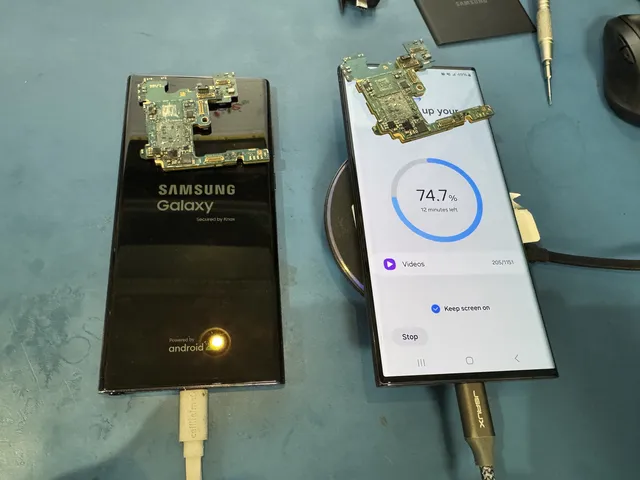
Two Samsung Galaxy phones with removed boards resting on top
On our Lincroft bench, the left screen shows the Samsung Galaxy logo; the right displays copying progress.