Inside the lab follow MDrepairs on YouTube, TikTok & Instagram - visit our YouTube channel ↗

Expert Data Recovery In Puerto Rico

Top Rated  ·  2M+ Followers  ·  Real New Jersey Lab

Expert Data Recovery Services in Puerto Rico

If you’ve lost files, you can mail your device from Puerto Rico to our lab in Lincroft, New Jersey. Our engineers work there to recover data from hard drives, SSDs, flash drives, cell phones and SD cards. They use tools from DeepSpar and ACE Lab and handle micro-soldering and flash recovery when needed.

Out of the area? You can send your device from Puerto Rico to our lab, and you'll arrange and pay for shipping.

Recoveries filmed at our bench
  • Read this case
  • Read this case
  • Read this case

We make and post these videos for 2M+ followers across YouTube, TikTok and Instagram combined.

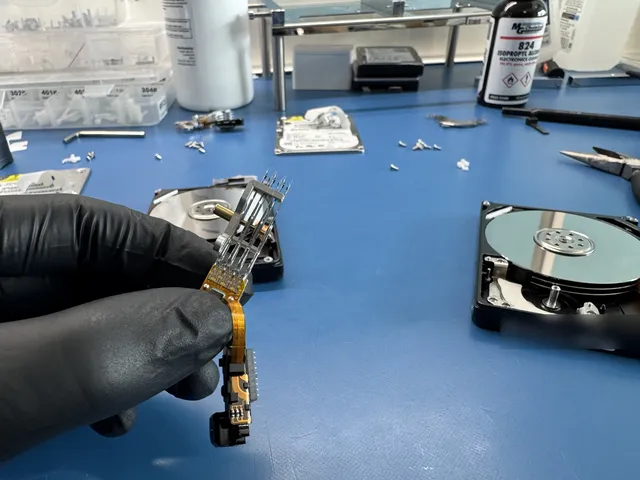
Hard drive head stack and ribbon cable held over a blue bench mat
We keep the heads lined up as we move the whole assembly from a donor drive. Each head needs to line up with the disk surface it reads.
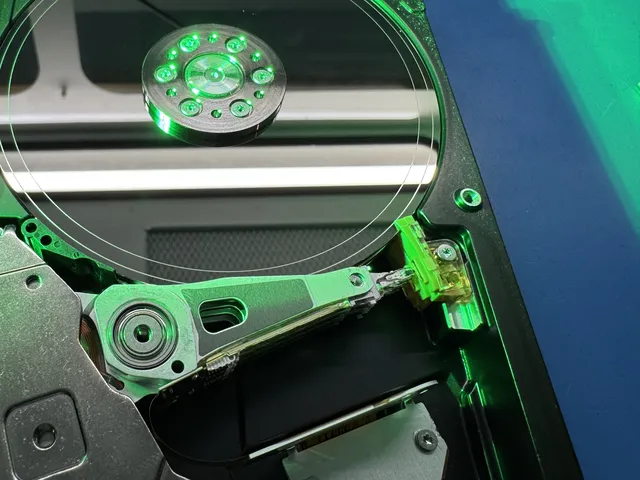
Hard drive head arm resting at its ramp off the platter
If the heads fail, we replace the assembly that parks on this ramp. Matching donor heads can give us access to the files again.
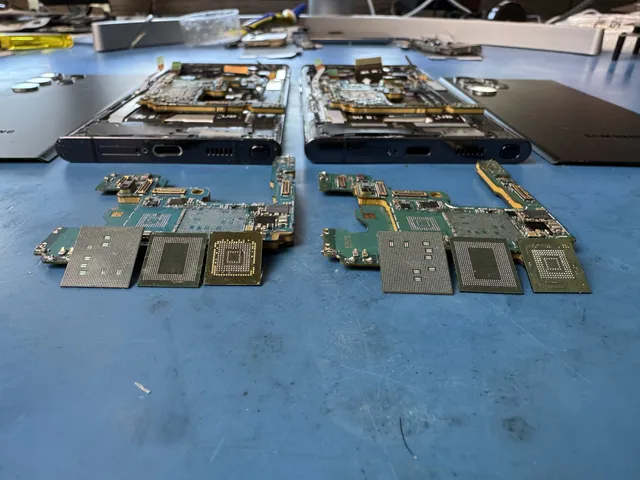
Two phone boards side by side with chips lifted off each
In a Galaxy chip swap, the original processor and memory go onto the donor board together. Once the phone starts, the owner's passcode lets us unlock it.
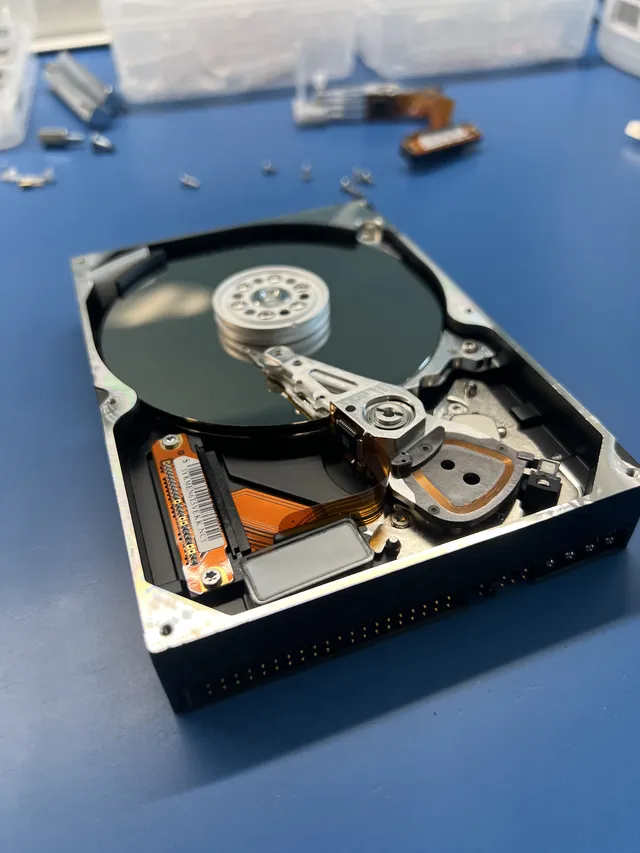
Opened hard drive with its platter, spindle and head arm visible
A desktop drive can stop reading even when its files are still on the disk. If the heads have failed, we can fit a matching set and try again.
Phone main board resting in a board holder
The holder keeps the phone board steady while we look for faults. Repairing the board can get the phone running so we can unlock it and copy its files.
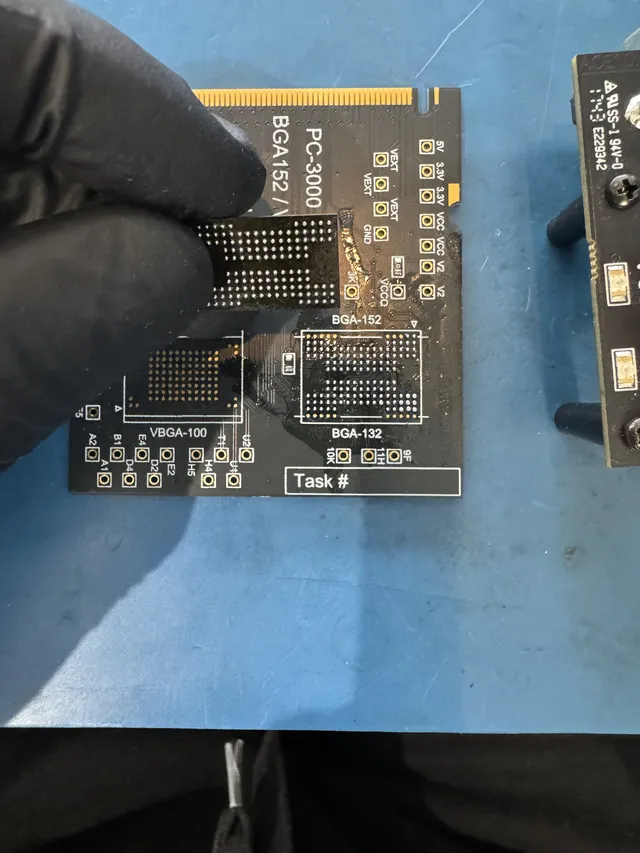
Gloved fingers holding a memory chip on a chip reader board
Reading the chip gives us the raw data from a flash drive or memory card. We use that data to piece the files back together.
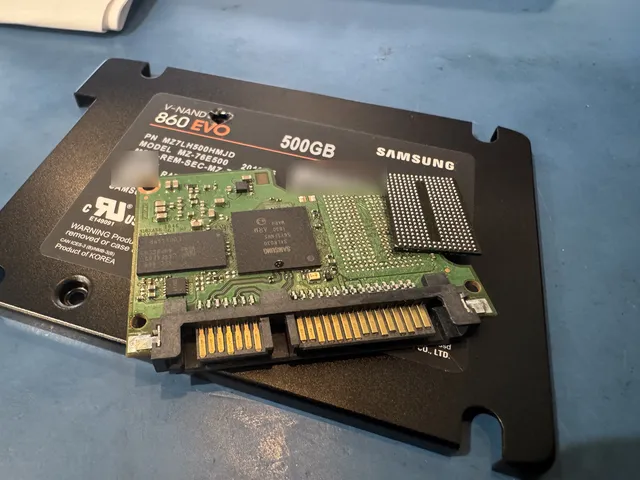
Samsung solid state drive board out of its housing, with a lifted memory chip
This Samsung SSD stores files in its memory chips. With a chip lifted, we can check the connections the drive uses to read it.
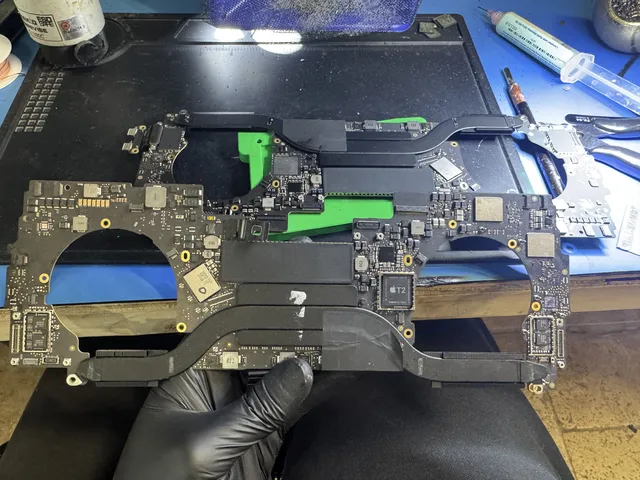
Gloved hand holding a whole MacBook logic board above the bench
Repairing the MacBook's logic board can let its security chip unlock the storage. Once it's unlocked, we can copy the files.
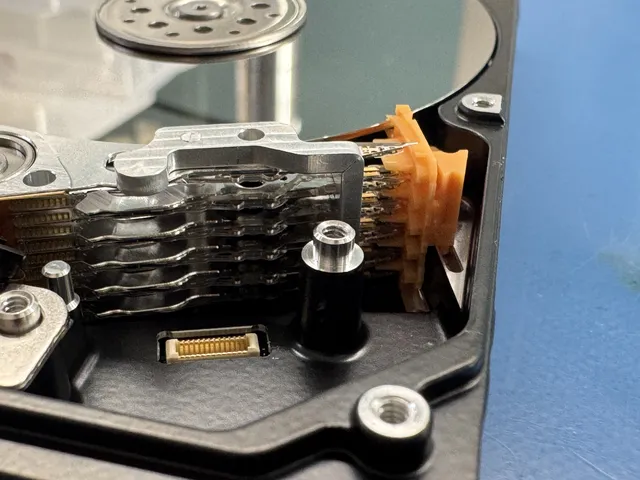
Stacked head arms reaching between the platters inside an opened hard drive
The files stay on these platters when we change the heads. We use the replacement heads to read as much as we can from each disk surface.
  • All recovery work stays in our Lincroft lab
  • Your device stays with our team
  • Your Data, Our Priority

What the diagnostic covers

We diagnose problems with hard drives, flash drives, SD cards and SSDs, then give you an estimate for recovering your files. We charge a $100 diagnostic fee for every device when it arrives at our lab and we open the package. That covers finding out what failed and preparing an estimate to recover your files. We start recovery only if you say yes. If we get files back for you, the $100 goes toward the recovery cost.

Devices we recover files from

  • USB flash drives
  • Cell phones
  • Tablets
  • Hard drives
  • Solid-state drives (SSDs)
  • Laptops
  • iPods
  • Flip phones
  • Cameras
  • microSD cards
Pricing

Data recovery prices

The standard wait to start the diagnostic is about 4 to 6 weeks after your device arrives. If you need us to start sooner, choose a rush option on the mail-in form.

With Priority, we start the diagnostic within 5 to 7 days for an extra $250. With Urgent, we start within 1 to 2 days for an extra $500. With Emergency, we start the same day for an extra $1,000.

ServicePrice
iPhone 6 and earlier models$1,000 - $1,500
iPhone 7, iPhone 8 and iPhone SE (2020)$1,500
iPhone X, XS Max and 11$1,500
iPhone 12, 13, 14, 15 and 16 series$2,000
Samsung Galaxy S1 through S6 and Note 1 through 5$1,500
Samsung Galaxy S7 through S10, Note 8 and Note 9$1,500 - $2,000
Samsung Galaxy S20 and Note 20 series or newer$2,000
CPU swap for iPhone or Samsung phones$3,500 If your cell phone’s motherboard is cracked/broken in half, or is liquid damaged beyond repair, we will need to transfer the CPU and storage to a new motherboard. This is highly skilled work and takes hours - we need to price this work accordingly.
Solid-state drive recovery for bad sectors or firmware problems$1,000 - $1,500
Solid-state drive recovery with a board swap$1,500 - $2,000+ (Price will depend on how many NANDs need to be transferred)
Basic flash drive or SD card recovery$299 - $1,500
Flash drive or SD card recovery with a breakout board$1,750 - $2,000
Hard drive recovery for damaged firmware or bad sectors$1,000 - $1,500
Hard drive recovery with a head swap$1,500 - $3,000+ (send us the model of the drive for an accurate quote)
Advanced hard drive recovery for scratched or contaminated platters$500 deposit for platter inspection and $1,750 - $3,000+ additional if successful.
Standard MacBook data recovery$1,500
MacBook recovery with a CPU or T2 chip swap$3,500+
See full pricing

Hard drive data recovery for Puerto Rico

If your hard drive has stopped working, you can mail it from home in San Juan, Bayamón, Ponce or anywhere else on the island directly to our lab in Lincroft, New Jersey. A drive that seems dead may still hold your files. One common cause of clicking is a failed read/write head. The heads read the platters, the disks that hold your data. We can replace damaged heads and use recovery equipment to copy what’s still readable. These are the hard drive problems we see most often. Bad sectors are worn spots that can make the drive slow down, freeze or eventually become unreadable. Firmware corruption can leave the drive unresponsive and keep your files from showing up. A damaged circuit board (PCB) can keep the drive from powering on. Crushed or crashed heads can make the drive click. We replace the head assembly to read the platters safely. When you send your drive, tell us which photos, documents or other files you need. Our team handles the drive from diagnosis through recovery and returns the files we can read.

Cell phone data recovery by mail

Our engineers recover files from smartphones and tablets at our lab in Lincroft, New Jersey. You can send yours from San Juan, Bayamón, Ponce, Caguas or anywhere else in Puerto Rico.

Phones and tablets mailed from Puerto Rico often have water damage from spills, heavy rain or pool accidents. We also see crushed phones, damage from drops, motherboard faults, electrical shorts, broken connectors and damaged charging ports. Some iPhones freeze on the Apple logo. An interrupted update or system crash can corrupt the software on an iPhone or Android phone and leave it restarting in a boot loop.

Flash floods hit the north especially hard when Hurricane Maria came ashore at Yabucoa on September 20, 2017. Hurricane Fiona struck near Punta Tocón on September 18, 2022, flooding much of the south and center and knocking out utilities across the island. If your phone got soaked, it can feel dry while there’s still moisture inside. Leave it off and don’t charge it.

Nearly all of Puerto Rico lost power on New Year’s Eve 2024, and the whole island lost power on April 16, 2025. When power comes back, a brief surge can damage your computer or drive. Unplug them while the power is out. If a drive has already stopped responding, don’t keep plugging it back in.

We repair the phone’s board to get it running long enough to copy your files. If it won’t power on, we may need to rebuild the tiny solder joints under the processor, a repair called CPU reballing. On some models we can remove the storage chip and read it directly, a method called chip-off recovery.

We work on iPads and nearly all modern smartphones, including iPhones, Samsung Galaxy phones and Google Pixel phones. The files we can recover include photos and videos, along with messages, contacts and data saved by your apps.

Cell phone CPU repair and data recovery

Modern iPhones and many Android phones running version 7.0 or later use the processor, or CPU, to unlock encrypted storage. On those phones, your photos and messages stay encrypted even if we remove the storage chip. That’s why a damaged CPU makes recovery more involved. Some phones use a small security chip on the motherboard called the logic EEPROM. It works with the CPU to retrieve the unique keys that unlock your files. If either chip is damaged, the phone can lose access to files that are still there. A drop or rough handling can tear loose the tiny pads that connect the CPU to the motherboard. The phone may stop turning on, leaving its storage out of reach. We repair those connections so the CPU can talk to the EEPROM again and unlock your files. This repair can take several hours, depending on how much damage we find. If you’re in San Juan, Ponce or elsewhere in Puerto Rico and your phone has CPU or motherboard damage, you can mail it to us in Lincroft, New Jersey.

SSD and NVMe data recovery

Hard drives store files on spinning disks. A solid-state drive (SSD), including an NVMe drive, stores them on NAND flash memory chips attached to a circuit board. Those chips are fast and generally reliable in everyday use, though the drive can still stop responding without warning. The fault may be in a worn NAND chip, in the firmware that runs the drive or on the circuit board itself. When the board is at fault, we can repair damaged components so the drive can read your files again. One fault we see often is a damaged translator, the map the drive uses to find your files. The drive may look empty or refuse to open even though the files are still there. We can load code into the drive’s memory to rebuild that map and read the files again. If the original board is too badly damaged to use, we may be able to move its NAND chips onto a working board and read the data there. You can send an SSD or NVMe drive from San Juan, Ponce, Mayagüez or anywhere else in Puerto Rico to our lab in Lincroft, New Jersey.

Flash drive and SD card data recovery

The family photos you took at Luquillo Beach may still be on your SD card even if it suddenly stops opening. The same goes for business documents on a flash drive. We recover files from both for people in San Juan, Ponce, Bayamón, Caguas and across Puerto Rico. Flash memory stores files differently from a hard drive, so we use tools built for reading data from chips. Our mail-in data recovery service covers both USB flash drives and SD cards. How we read flash memory An SD card can stop working because of damaged firmware, a failed controller or physical damage to the card itself. When the controller fails, we solder tiny connections to the memory chip so we can bypass the controller and read the raw data. Even when a USB flash drive won’t power on, we can remove its NAND memory chips and use a separate reader to copy the data they hold. Putting your files back together Flash storage spreads pieces of a file across a chip for speed and can encrypt them as well. Reading the chip gives us those pieces. We use recovery software to put them in order, correct errors and rebuild the original folders so you can open your photos, videos and documents again. If you’re in Guaynabo, Carolina, Mayagüez or elsewhere in Puerto Rico, you can mail your SD card or flash drive straight to our Lincroft lab.

Hard drive platter damage

A hard drive stores your files on disks called platters. A blow to the drive, contamination or a read head hitting a platter can damage the surface and keep the drive from reading your files. We work on drives with this kind of damage at our Lincroft lab. If your drive has been opened, debris may have settled on the platters. A head that touches the surface can leave a scratch. Even then, there may be areas on the same disk we can still read. We look at how far the damage goes, clean any contaminated platters and replace damaged heads. Then we copy the files we can read from the undamaged areas. If you suspect platter damage or someone has already opened the drive, leave it powered off. Use the quote form to tell us what happened and which photos, documents or business files you need back. We’ll give you the address for mailing the drive from Puerto Rico.

Recovery software on a failing hard drive

People in San Juan, Bayamón and Ponce often try recovery software they find online when a hard drive stops responding. If a sector is damaged, a program running on your PC may keep asking the drive to read that same spot. Those repeated attempts can strain the platters and cause permanent damage. At MDrepairs, we use external recovery hardware from ACE Lab and DeepSpar to keep a failing drive stable while we copy it. We can skip damaged sectors, save the data that’s readable, then go back to see what we can get from the rest. If your drive is clicking, freezing or showing other signs of failure, you can mail it from Puerto Rico to our New Jersey lab for this work. If you need files from a drive that’s struggling to read, set it aside and tell us what it was doing. We can diagnose the problem and give you a quote.

How mail-in data recovery works

From San Juan, Bayamón, Carolina or any other municipality in Puerto Rico, you can send your device directly to the engineers who will work on it in Lincroft, New Jersey.

Use the mail-in form to tell us what device you have and what happened to it. When you submit the form, your ticket opens and you get a packing slip to print and put in the box with your device.

You arrange and pay for shipping from Puerto Rico to our lab in Lincroft, and you cover the return trip too. We charge the $100 diagnostic fee when your device arrives and we open the box.

Your quote lists the recovery options, the full cost and how long we expect the work to take. We start recovery after you approve it.

The work might involve repairing a circuit board, replacing hard drive heads or reading data from NAND memory chips.

Before you pay for recovery, you can click through your recovery report folder by folder to see which files came back and which may be partly or fully damaged. We mail your recovered files to you on a new external drive or USB flash drive.

The standard wait for us to start the diagnostic is about 4 to 6 weeks. You can choose rush service on the mail-in form for an earlier start. After you approve the estimate, how long recovery takes depends on what we need to do to read your files.

How we work on failed hard drives

We work on all kinds of hard drives at our lab in Lincroft, New Jersey. If yours has stopped responding, our engineers can use tools like the PC-3000 from ACE Lab to copy what’s still readable. We handle drives with bad sectors or corrupted firmware. We also repair circuit boards and replace damaged heads, the parts that read the disks inside your drive.

Data recovery for damaged phones

A phone that’s been underwater or crushed may still hold your photos, videos, texts and contacts. If you’re in Puerto Rico, you can mail the phone straight to us at our lab in Lincroft, New Jersey. We look for the part on the phone’s main circuit board that’s keeping it from starting up or reading its storage. Repairing that part can get the phone running long enough for us to copy your files.

Phone CPU and storage chip swaps

Even if a phone’s motherboard is broken in half or badly damaged by liquid, its processor (CPU) and the flash storage chip that holds your files may still work. We can move those two chips together onto a working motherboard from another device. That gives us a way to unlock the original storage and copy the files. We use this kind of chip swap on phones and other electronic devices.

Repairing a phone’s processor

On a modern phone, the processor, or CPU, helps encrypt your files and holds keys that unlock them. Your photos can still be on the storage chip even when a damaged processor keeps the phone from reading them. A fall, water exposure or rough handling can damage the processor or break its tiny connections to the board. We diagnose the fault and repair the affected part so the phone can read its encrypted files again.

Recovering files from damaged platters

We clean contaminated platters before we try to read them. If a head crash has left part of a platter unreadable, we may still be able to copy some of your files from the undamaged areas.

When a solid-state drive stops responding

An SSD can hold your files across several NAND memory chips. A worn chip, damaged firmware or a fault on the circuit board can keep the drive from responding. We can repair damaged parts on the board or rebuild the translator, the part of the drive’s firmware that keeps track of where your files are.

When a flash drive or SD card fails

The controller is the part that helps your computer read a USB flash drive or SD card. If it fails, we can bypass it at our Lincroft lab and use our PC-3000 Flash reader to copy the raw data directly from the NAND memory chip. We also recover files from cards and USB drives after accidental deletion, formatting errors or physical damage.

Chip-off recovery for older Android phones

Many older Android phones stored files without encryption. If the motherboard is damaged, we can lift the flash storage chip off the board and read the files directly, even if the phone itself won’t start.

How we read a failing drive

Our recovery hardware lets us choose which parts of a failing drive to read first. We copy the areas that still respond, then go back to the damaged spots to see what else we can save.

Getting files back from an iPod

Can you get files off an iPod that’s stuck in a boot loop, shows a disabled message or asks you to connect it to the music app on a computer? Yes, the files may still be readable, even on an iPod that won’t turn on. You can mail yours from San Juan, Bayamón, Ponce or elsewhere in Puerto Rico. We work on every iPod touch model, including the first through sixth generations. Even if yours is locked or unresponsive, we may be able to read your photos, notes and messages without using the lock screen. We can work directly in the iPod’s recovery mode when a forgotten passcode or software damaged in a crash keeps you from reaching your files. If a hardware fault is keeping the iPod from starting, we can diagnose that too. Use the quote form to tell us what’s happening with your iPod and which music, photos or other files you’d like back.

MacBook data recovery by mail

On older MacBooks with a removable solid-state drive (SSD), we can take the drive out and read it in another computer. Newer models have the storage built into the motherboard. If that board fails, getting to your files may mean repairing it or transferring the parts we need to a replacement board. Some MacBooks come to us after a spill or a power surge. Others simply stop turning on. We diagnose the board to find the part that failed. Microsoldering lets us repair tiny connections on a badly damaged board. Once the MacBook can read its built-in storage again, we can copy your personal photos, work documents and business files. You can mail your MacBook directly to our lab in Lincroft, New Jersey, from San Juan, Bayamón, Ponce or anywhere else in Puerto Rico. If your MacBook is showing signs of storage failure, use the quote form to tell us what you’re seeing.

Sending your device from Puerto Rico

You’ll send your device to our lab in Lincroft, New Jersey. You arrange and pay for shipping from Puerto Rico and pay for the trip back, too.

Start with the mail-in form. Enter your contact details and return address, tell us which files you need, then agree to the terms and sign. Submitting the form opens your ticket. You’ll see your ticket number and get a packing slip to print.

Put the slip in the box with your device. If you don’t have a printer, write your ticket number, name and phone number on a sheet of paper and put that in the box instead.

If you use UPS Next Day Air, your package reaches us the next business day. With UPS 2nd Day Air, it gets here by the end of the second business day. UPS Guaranteed Ground takes three to seven working days.

Puerto Rico data recovery by mail

If your device has just failed, set it aside while we talk through what happened. Whether you’re in San Juan, Bayamón, Ponce or a nearby town, you can contact our Lincroft lab as soon as you notice the problem. Trying to use a failing device can make the damage worse. The $100 diagnostic covers finding out what failed and giving you an estimate. You can look it over and decide whether you want us to go ahead with recovery. When you’re ready to send your device, put the packing slip from your mail-in form in the box with it. Use the quote form to tell us what happened and which photos, videos, contacts or other files you need. You can ask us about your device before mailing it or request priority service on the mail-in form if time is tight.
Mail-In Your Device

Areas We Service in Puerto Rico

We provide data recovery for Puerto Rico through our mail-in program.

FAQ

Data Recovery Services FAQ - Puerto Rico

  • Do you have an office in Puerto Rico?
    No. Customers in San Juan, Bayamón, Ponce and the surrounding towns mail their devices to our lab in Lincroft, New Jersey. Our engineers do all the recovery work there.
  • How much does data recovery in Puerto Rico cost?
    The cost depends on the device, how badly it’s damaged and what it takes to read your files. From San Juan, Ponce, Bayamón or elsewhere in Puerto Rico, you can use our online quote form to tell us what happened and get an estimate for your device.
  • How do I know whether you can recover my files if I’m in Puerto Rico?
    We need to diagnose your device to tell you what looks recoverable. We look at the platters in a hard drive, the NAND memory in an SSD, or how the CPU, NAND storage and EEPROM security chip work together in a phone or tablet. You can mail yours from San Juan, Ponce, Mayagüez or elsewhere in Puerto Rico.
  • How quickly can my data be recovered in Puerto Rico?
    We usually start the diagnostic about 4 to 6 weeks after your device arrives. On the mail-in form, you can choose Priority ($250 extra) to start within 5 to 7 days, Urgent ($500 extra) to start within 1 to 2 days, or Emergency ($1,000 extra) to start the same day. After you approve the estimate, recovery time depends on how complicated your case is.
  • Can you recover deleted files if I send my device from Puerto Rico?
    Yes, deleted files can still be recovered if new data hasn’t overwritten them. We examine the storage to see which files are still there. If you’re sending a device from San Juan, Ponce, Mayagüez or a nearby town, you can ask us to look for specific work documents, family photos or videos.
  • How do you ensure my data stays private in Puerto Rico?
    We do all the work at our lab in Lincroft, New Jersey, and follow strict confidentiality procedures for every device. Whether yours comes from San Juan, Caguas, Bayamón or a nearby town, your photos, documents and messages stay private throughout recovery.
  • What kinds of files can I get back in Puerto Rico?
    We recover photos, family videos, documents, business records, emails and school projects. You can send us a hard drive, SSD, iPhone, Android phone, MacBook, iPod, SD card or USB flash drive from San Juan, Ponce, Mayagüez or a nearby town.
  • Is there a no-recovery, no-fee policy in Puerto Rico?
    If we can’t get any files back, there’s no recovery fee. The $100 diagnostic fee covers finding out what went wrong and preparing your estimate. We charge it when your device arrives and we open the package. If we recover your files, we credit that $100 toward your recovery fee.
  • Which devices can I send from Puerto Rico for data recovery?
    We work on hard drives, SSDs, USB flash drives, SD cards, iPhones, Android phones, MacBooks, iPads, iPods and other storage devices. You can mail personal or business devices from San Juan, Bayamón, Caguas, Ponce or nearby towns. We recover photos, videos, documents and other files after water damage, drops, software crashes or hardware failures.
  • How will I receive my recovered files in Puerto Rico?
    We copy your files to a new external drive or USB flash drive and mail it to the return address you gave us. We keep a copy of your files for two weeks after we mail your drive back.
  • How long will it take my phone or drive to get from Puerto Rico to your lab?
    Your device reaches us the next business day with UPS Next Day Air, by the end of the second business day with UPS 2nd Day Air, or in three to seven working days with UPS Guaranteed Ground.
  • My phone got wet in a flood. Should I plug it in to see if it works?
    Leave your phone off and don’t charge it. Moisture can stay inside even if the outside feels dry, so don’t keep trying to turn it on. Repairing the board may get your phone running long enough for us to copy your photos and messages.
  • My hard drive stopped working after the power came back. Should I try it again?
    Leave the drive unplugged. Power can come back with a brief surge that damages electronics. When you fill out the mail-in form, tell us what happened to the drive and which files you need.

The people we help

Our customers include people from

Related Services

More Data Recovery Services in Puerto Rico

MDrepairs offers professional data recovery for all device types. We serve Puerto Rico through our mail-in program.

Lost your data? We'll get it back.

$100 diagnostic, credited toward a successful recovery. If we can't get any files back, there's no recovery fee.
Call 732-933-7717

Devices recovered at our lab

These rows come from BenchKey, the ticket system we built for our own shop. Customer names, contact details and descriptions are left out.

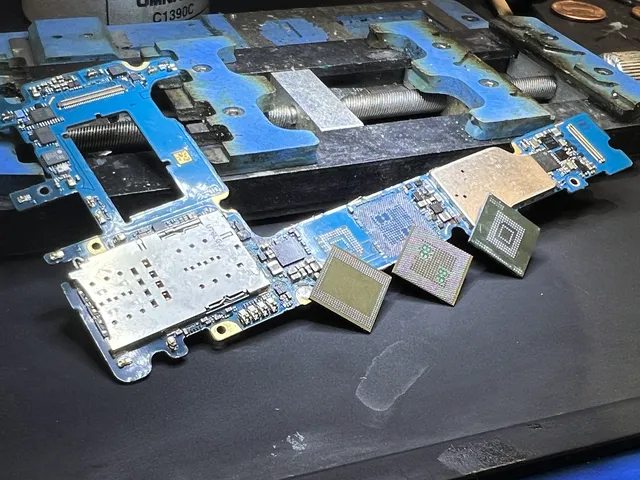
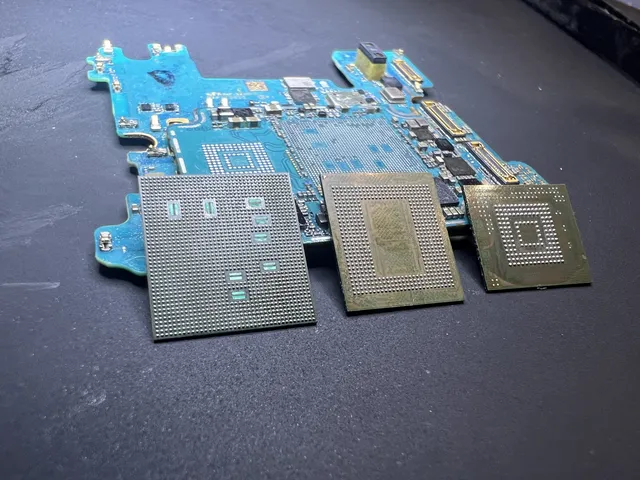
Phone logic board with three removed chips at our Lincroft lab
A phone logic board sits behind three removed chips, solder pads up, at our Lincroft lab.
4.6 · 345 Google reviews$100 diagnostic, credited toward a successful recovery
Start your mail-in recovery