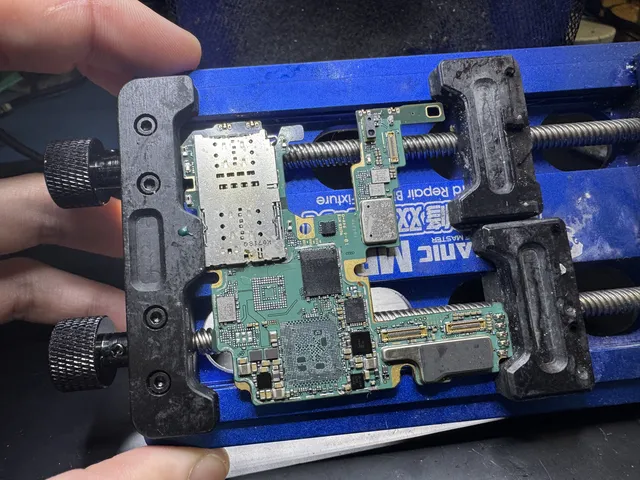
Phone Stuck in Boot Loop? How to Save Your Data Without Factory Reset
In this article
A boot loop doesn't erase your files. They stay on your phone's storage even when the phone can't finish starting up. Do not factory reset, which erases everything. Getting your files back without a reset depends on what's keeping the phone from starting.
- Stop turning your phone off and on, and don't accept any "reset to fix" prompt.
- Notice where your phone gets stuck (the logo, a spinning circle, or another restart) so you can tell us.
- To save your files, get help from our cell phone data recovery lab.
Your phone keeps restarting. It shows the logo, starts to load, then crashes and does it all over again. You're panicking because everything is on that phone. Photos, messages, contacts. The common advice is factory reset. Don't do that. A factory reset wipes everything. If your data matters, there are ways to get it back without destroying it. We recover data from phones stuck in boot loops at our lab. iPhones, Samsungs, Pixels, everything. A boot loop by itself doesn't wipe your files. The phone just can't get past the startup process. That's a fixable problem.
This guide covers exactly why boot loops happen on both iPhone and Android, what you can safely try at home, and when you need professional help to save your data.
What Causes a Phone Boot Loop?
A boot loop happens when your phone tries to start up, hits a problem it can't get past, crashes, and restarts automatically. Then it tries again. And again. It can loop like this for hours until the battery dies.
There are two categories: software and hardware. The fix depends entirely on which one you're dealing with.
Software Causes
Failed system update. This is a common cause. An iOS or Android update gets interrupted, maybe the battery died mid-install, maybe you lost Wi-Fi, maybe the download was corrupted. Now the operating system is half-old, half-new, and the phone can't figure out which version to boot.
Corrupted operating system. Sometimes the OS just breaks. Files get corrupted. System partitions develop errors. The phone can't load critical startup files, so it crashes and restarts. This happens more on older devices running newer software that pushes the hardware to its limits.
Bad app or malware. A rogue app that runs at startup can crash the entire system. On Android this is more common because of sideloaded apps and third-party app stores. On iPhone it's rarer, but jailbroken devices are vulnerable.
Storage completely full. When your phone has zero free space, the OS can't write temporary files it needs during boot. It crashes. Restarts. Can't write temp files again. Crashes again. This can trigger a boot loop on an iPhone.
Hardware Causes
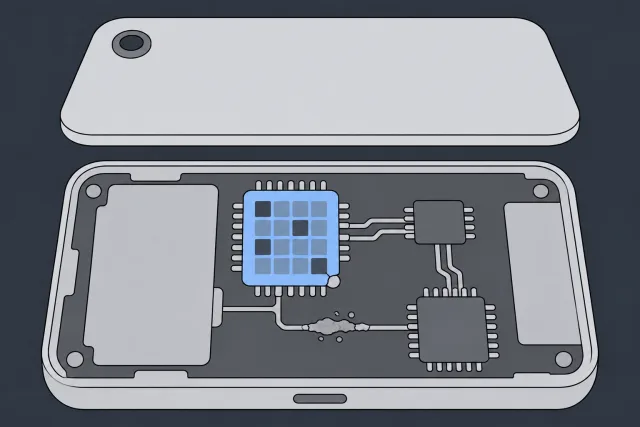
Failing NAND flash storage. The storage chip itself is degrading. More spots on the chip stop working. The phone can't read the files it needs to start if they're in one of those spots. This is more common on phones that are 3 or more years old or devices that have been heavily used.
 Illustration
CPU or power management failure. If the processor overheats, gets damaged, or the power management IC (the chip that regulates voltage to different components) is failing, the phone can crash repeatedly during the power-hungry boot process.
Water damage. Corrosion on the logic board can cause intermittent short circuits. The phone might boot partway, hit a corroded trace, short out, and restart. This can start weeks or months after the initial water exposure as corrosion slowly spreads.
Physical damage. A hard drop can crack solder joints or break tiny connections on the logic board. If the damage is severe enough, you may be dealing with a broken phone recovery situation rather than just a boot loop. The phone might work fine until it cools down or heats up, then connections shift and the boot process fails.
iPhone Boot Loop
iPhones are locked down tight. That's great for security. Terrible for recovery options when things go wrong. We cover iPhone data recovery in depth on our dedicated page, but here's the boot loop breakdown.
Common iPhone Boot Loop Causes
Failed iOS update. Apple pushes major iOS updates that sometimes don't play nice with older hardware. The update process gets stuck, the phone reboots, and now it's trapped in a loop because the OS is half-installed.
Jailbreak gone wrong. Jailbreaking modifies system files that Apple never intended to be touched. One bad tweak, one incompatible package, and the phone can't boot.
Storage full. If your iPhone has no free space left, it can get stuck starting up because it has nowhere to put the temporary files it needs.
Hardware failure. If the storage chip, the charging chip or the processor fails, your iPhone can get stuck before it's done starting up.
What Apple Will Tell You
Apple's fix uses Recovery Mode. Connect your iPhone to a computer and open Finder on a Mac or the Apple Devices app on a Windows PC. Try Update first. If that fails, the other option is Restore. It reinstalls iOS. Clean slate. Brand new software. Problem solved.
Except all your data is gone.
Choosing Restore wipes everything and installs a fresh copy of iOS. If you had an iCloud backup, you can restore from that. If you use iCloud Photos or Messages in iCloud, the photos or messages you've synced are already in iCloud, separate from your backup. For anything that only gets saved in a backup, the date matters, and if your last backup was months ago, everything since then is gone. And if your phone ends up locked out with "iPhone Unavailable" after too many failed passcode entries during the chaos, that's a whole separate problem.
Apple Stores won't attempt data recovery. It's not a service they offer. Their Genius Bar solution for a boot-looping iPhone is: restore it, or buy a new one.
What a Recovery Lab Can Do
We take a different approach. Instead of wiping the phone, we figure out why it's looping and try to fix the root cause while keeping your data intact.
If it's software, try Update first using the steps below. It keeps your data. If it's hardware, we find and fix the fault on the board so your phone can start and we can copy your files. We saved the texts from an iPhone damaged in a car crash by removing shorted parts near its memory chip.
On older phones without encryption, we can sometimes read the storage chip on its own.
Android Boot Loop
Android is more open than iOS. That openness gives you more tools to work with during a boot loop. It also means more ways to get into trouble.
Common Android Boot Loop Causes
Failed system update. Samsung, Google, OnePlus, Motorola. Every manufacturer pushes updates that can go sideways. Many newer Android phones update a second copy of the system. If the update fails or the new copy won't start, the phone goes back to the old one so you can still use it. Losing power in the middle of an update can still put your phone in a boot loop, especially on older phones.
Custom ROM or root gone wrong. Flashing a custom ROM (LineageOS, Pixel Experience, etc.) carries real risk. Wrong ROM for your model, incompatible kernel, corrupted flash. Any of these can brick the phone or put it in a loop. Rooting with Magisk is generally safer, but a bad module can still cause startup crashes.
Corrupted system partition. Android stores its OS files on a dedicated partition. If that partition gets corrupted, the boot loader can't find what it needs and the phone loops. This happens with storage degradation, power loss during writes, or bad app behavior on rooted devices.
Incompatible app. Some apps request permissions or modify system settings in ways that crash the boot process. This is especially common with automation apps, custom launchers, and anything that uses device administrator privileges.
Safe Mode: Your First Move
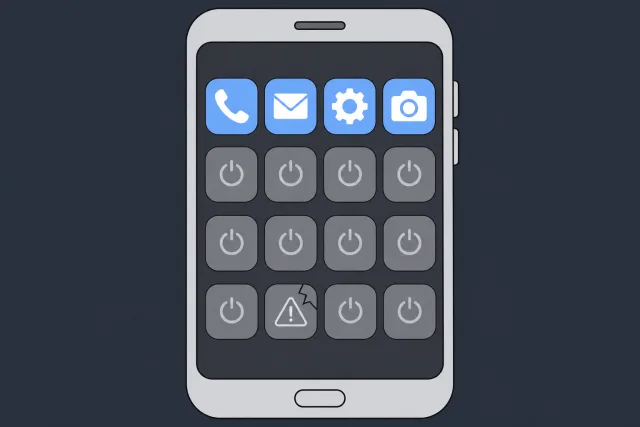
Before anything else, try booting into Safe Mode. Safe Mode starts Android with only the core system apps, disabling all third-party apps. If the boot loop is caused by a bad app, Safe Mode will bypass it.
 Illustration
Step 1: Power off the phone completely. On a Galaxy, press and hold the Side and Volume Down buttons together, then tap Power off. On other phones, use your phone maker's steps to turn it off. If your phone restarts before you can turn it off, skip to "When Home Fixes Won't Work" below.
Step 2: Press and hold the Power button to start the phone.
Step 3: As soon as you see the manufacturer logo (Samsung, Google, etc.), press and hold the Volume Down button.
Step 4: Keep holding Volume Down until the phone finishes booting. You should see "Safe Mode" in the bottom-left corner of the screen.
Step 5: If it boots successfully, immediately back up your data (photos, contacts, messages) to Google Drive or a computer. Then uninstall the last few apps you installed before the boot loop started.
The exact button combination varies by manufacturer. On Samsung phones, the method above works. For other phones, look up Safe Mode for your model on the phone maker's site, or start with Google's official safe mode instructions.
If Safe Mode works and the phone boots normally, your data is safe and the problem is a bad app. Back up everything immediately, then start removing recently installed apps one by one until the boot loop stops in normal mode.
If Safe Mode doesn't work, the problem is deeper. System-level software corruption or hardware failure.
What a Recovery Lab Can Do for Android
If your Android keeps restarting, what we can do depends on the model, where your files are stored and which parts still work.
First, we can take the storage chip off the board and read it. On phones that came with Android 10 or later, what's on the chip is locked. Your phone's own chips hold the key, and your PIN or pattern lets the phone use it.
Second, we got a customer's pictures back from a Google phone by moving its storage chip, processor and memory to a working board from the same model.
Third, many Android phones have removable storage (SD cards) where photos and videos might be saved. If the boot loop only affects the internal storage, you can read the SD card on another device unless you set it up as part of your phone's storage, which locks it to that phone.
Why Factory Reset Is the Wrong Answer
Every forum. Every subreddit. Every "tech support" YouTube video. The advice is always the same: factory reset. Wipe the phone and start fresh.
That advice makes sense if you don't care about your data. But you're reading this article, so you obviously do.
Here's why factory reset is the wrong move when your data matters.
It destroys all your data. A factory reset erases everything. Photos, videos, messages, contacts, app data, saved passwords, notes, health data. Gone. On modern phones with encryption, a factory reset doesn't just delete files. It destroys the encryption keys, making the data mathematically unrecoverable. There is no undo button.
It doesn't fix hardware problems. If your phone is boot-looping because of a failing NAND chip, a corroded power IC, or a cracked solder joint, a factory reset won't help. The phone will either fail to complete the reset (because the hardware can't write properly) or it will reset successfully and then boot-loop again within hours or days because the underlying hardware issue is still there.
It should be the absolute last resort. Factory reset is what you do after you've recovered your data, not before. Get your photos and messages off the phone first, then wipe it if you need to.
What a Data Recovery Lab Does Differently
The goal of a recovery lab is the opposite of a phone repair shop. A repair shop wants to make the phone work again. We want to make the data accessible. Sometimes those are the same thing. Often they're not.
Board-Level Diagnosis
We start by figuring out exactly why the phone is looping. Not guessing. Diagnosing. Thermal cameras show hot spots (short circuits). A multimeter checks voltage on every power rail. A microscope reveals cracked solder joints, corrosion, and damaged traces invisible to the naked eye.
This matters because the fix depends on the cause. A software boot loop gets a completely different treatment than a hardware one. Applying the wrong fix can make things worse.
NAND Extraction Without Wiping
On older phones without encryption, we can read your files right from the storage chip. The phone doesn't need to fully start up.
If your phone won't start, the pictures you want can still be on the chip. This Galaxy S6 shut off and sat in a drawer for ten years. Its owner wanted their childhood pictures, and several people had already tried to get them back. Joe replaced two power chips. The phone still wouldn't start. Its files weren't encrypted, so he took off the storage chip, wired it to a reader and opened the part that held the owner's files. He saved the pictures without getting the phone to start. Read the full Galaxy S6 case.
The critical point: the data is never wiped during this process. We're reading, not writing. Your files stay on the chip exactly as they were.
Chip-Off Recovery
Chip-off means we use heat to lift the storage chip off the board and put it in a reader. On an older phone without encryption, that can be enough to get your files back, like it was for the Galaxy S6 above.
On newer phones, a chip reader only gets locked data. When the original board is beyond repair, we move the phone's storage chip, processor and memory together to a working board. That's the CPU swap in the price table below, and it's how the Google phone's pictures came back.
Data Extracted Without Booting
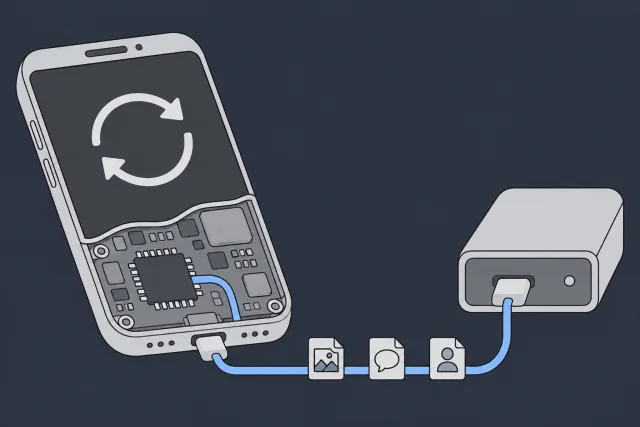
A boot loop means your phone can't finish starting up. Your files can still be there. We can work with the storage chip even if your phone won't start on its own. To get your files back, we need the parts that hold and unlock them to work, whether they're on your phone's board or a working one.
 Illustration
Think of it like a house with a jammed front door. You can't walk through the door. But a locksmith can come around the back, open a window, and carry everything out. The stuff inside the house was never in danger. The door was the problem.
Can You Fix a Boot Loop at Home?
Honest answer: sometimes. If it's a software-only issue, you might be able to fix it yourself without losing data. If it's hardware, you need a lab. Period.
Android: Safe Mode and Recovery Mode
We covered Safe Mode above. If that works, great. Back up your data and uninstall the problem app.
If Safe Mode doesn't work, you can try Android's stock Recovery Mode. This is different from a factory reset. Recovery Mode gives you a few options that might help without wiping data.
Step 1: Power off the phone completely. On a Galaxy, press and hold the Side and Volume Down buttons together, then tap Power off. On other phones, use your phone maker's steps to turn it off. If your phone restarts before you can turn it off, skip to "When Home Fixes Won't Work" below.
Step 2: A common way in is to hold Power + Volume Up together until you see the recovery menu. The buttons vary, so look up your model on your phone maker's site. On older Samsung phones with a Bixby button, hold Power + Volume Up + Bixby.
Step 3: Use Volume buttons to navigate and Power to select.
Step 4: Select "Wipe cache partition" if you see it. This clears temporary system files without touching your personal data. Newer phones may not have this option. If yours doesn't, skip this step. Never pick "Wipe data/factory reset".
Step 5: Select "Reboot system now" and see if the phone boots normally.
Whether clearing a cache helps depends on the cause of the boot loop. It's completely safe for your data. The phone clears its cache and rebuilds it on the next boot.
If wiping cache doesn't work, don't touch "Wipe data/factory reset" in that menu. That's the nuclear option and it's irreversible.
iPhone: Recovery Mode (With Caution)
Apple's Recovery Mode is more limited. You can try an "Update" instead of a "Restore" when it's connected to a computer.
Step 1: Connect your iPhone to a computer. On a Mac, open Finder. On a Windows PC, open the Apple Devices app.
Step 2: Put the iPhone in Recovery Mode. For iPhone 8 and later: press and quickly release Volume Up, press and quickly release Volume Down, then hold the Side button until you see the "Connect to computer" screen (a cable pointing to a computer icon). See Apple's recovery mode instructions for other models.
Step 3: Your computer will show two options: Update or Restore. Choose Update. This reinstalls iOS without erasing your data.
Step 4: Wait for the update to download and install. If the download takes more than 15 minutes, the iPhone may leave the "Connect to computer" screen. If it does, let the download finish, then do Step 2 again.
Step 5: If Update fails, you'll be given the Restore option. DO NOT select Restore unless you've accepted that your data will be erased.
The Update option does not resolve every software boot loop. When it works, all your data is preserved. When it doesn't work, the only Apple-supported option left is Restore, which wipes everything. That's when you bring it to a lab instead.
When Home Fixes Won't Work
Stop trying home fixes if any of these apply:
- The phone gets extremely hot during the boot loop
- You see distorted or garbled graphics on screen
- The boot loop started after water exposure or a drop
- The phone was working fine one day and boot-looping the next with no update or app install
- Safe Mode, cache wipe, and iOS Update all failed
- The phone smells burnt or shows visible damage to the charging port
These all point to hardware failure. No amount of button-pressing or software tricks will fix a damaged component. You need someone with a microscope, a soldering iron, and experience reading phone schematics.
Before you pay anyone, look for your photos from another phone or computer. For Android, sign in at photos.google.com. Any recent photos there are backed up to that account. If iCloud Photos was on, see your synced iPhone photos at iCloud.com. If they're all there, you may be set. If some are missing, we can help.
How Much Does Boot Loop Recovery Cost?
Without a CPU swap, iPhone recovery runs $1,000 to $2,000 depending on the model, and Android recovery runs $1,500 to $2,000. A CPU swap costs $3,500. The range is wide because the difficulty varies enormously depending on the device and the failure type. The diagnostic tells you which price fits your phone ($3,500 if a cracked board or heavy liquid damage means we have to move your chips to another board), and you'll see the estimate before we start recovery.
| Scenario | Typical Cost |
|---|---|
| The phone's software is stuck and the board is fine | No CPU swap. iPhone 3GS through 11, $1,000 - $1,500. iPhone 12 through 17, $2,000. Android, $1,500 - $2,000. |
| Board-level repair needed (component replacement) | The model price above if the CPU stays on its board. A CPU swap costs $3,500. |
| Boot loop diagnostic | $100 |
| iPhone needs its own board working to unlock the files | Without a CPU swap, use the iPhone price above for your model. Moving the original CPU to another board costs $3,500. |
| Water damage + boot loop (board cleaning + repair) | The same model prices apply without a CPU swap. With a CPU swap, $3,500. |
The $100 diagnostic is credited toward a successful recovery and is non-refundable once diagnostics start. Approved donor drives or replacement parts are non-refundable once ordered, even if recovery fails. You approve the estimate before recovery work starts. Check our pricing page for more details.
There can be years of memories on that phone. You can't re-take your kid's first birthday photos.
iPhone vs Android: Which Is Easier to Recover?
On either phone, what matters is whether the original processor and memory chip still work. The diagnostic helps us figure out why your phone keeps restarting.
What Can Make Android Easier
Your passcode helps. Once your phone's own chips are working, we can open your files with your PIN or pattern, or without one if you never set a lock.
A matching board can help. If the board is dead, we can move the storage chip, processor and memory together to a working board of the same model, like we did with the Google phone.
Standardized storage chips. Most Android phones use eMMC or UFS storage chips that follow industry-standard protocols. Our readers can read those chips directly, and on older phones without encryption, that can be enough to get your files back.
SD card fallback. Many Android phones have expandable storage. If your photos were saved on an SD card your computer can read on its own, you can copy them while the phone is off. Pull the card out and read it on a computer.
Why iPhone Is Harder
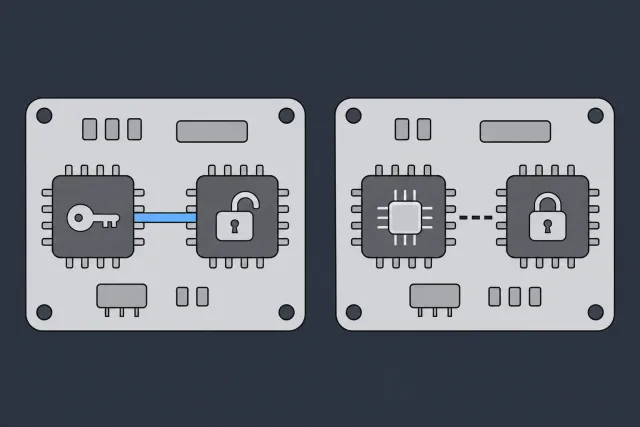
Secure Enclave. Starting with the iPhone 5s, Apple added a dedicated security processor that holds the encryption keys. Even if we remove the NAND chip and read every byte on it, we can't decrypt it without the Secure Enclave on the original logic board cooperating. The encryption is AES-256. Without the key, the data is a wall of random numbers.
No debug modes for consumers. An iPhone has no back door to reach your files when it won't start.
Tightly paired components. Apple pairs the NAND chip to the CPU. The chip can move to another board only with its processor. The encryption keys are unique to that specific CPU and NAND combination.
 Illustration
Bottom line: boot-looping Samsung Galaxy? We find out whether the phone can still unlock the files on its memory chip. Boot-looping iPhone with a hardware fault? We find and fix the fault keeping its own board from starting so the board can unlock your files. Get it to a specialist fast, before corrosion spreads or you accidentally wipe it.
Real Recovery in Action
If your phone shows its logo and then shuts off, your pictures can still be on it. The Google phone in this film did just that. Its owner mailed it in to save their pictures. Joe took out the storage chip and put it in a reader. The chip looked healthy and still held the files. They were locked to the phone's processor. He moved the storage chip, processor and memory onto a working board from the same model. The phone powered on with the customer's chips, and Joe saved the pictures. Read the full Google phone case.
Frequently Asked Questions
Can a boot loop fix itself?
Rarely. If the boot loop is caused by a temporary glitch (like a one-time software crash), the phone might eventually boot after several cycles. But if it keeps looping, try after try, it's not going to fix itself. The underlying problem, whether software corruption or hardware failure, will persist until it's addressed. Letting it loop for hours just drains the battery and generates heat that can make things worse.
Will I lose my data if I enter Recovery Mode?
Not if you're careful. On Android, "Wipe cache partition" in Recovery Mode does not delete personal data. It only removes temporary system files. On iPhone, choosing "Update" in Recovery Mode reinstalls iOS without erasing data. The danger zone is "Wipe data/factory reset" on Android and "Restore" on iPhone. Those will erase everything. Read the screen carefully before you select anything.
My phone boot loops after a water spill. What should I do?
Stop trying to use it. Seriously. Power it off and don't try to charge it. Water causes corrosion that creates short circuits, and pushing power through corroded pathways kills components permanently. We go deep on this in our water damaged phone recovery guide. Don't put it in rice (that's a myth and rice dust makes things worse). Pat the outside dry, put it in a sealed bag with silica gel packets if you have them, and get it to a recovery lab as quickly as possible. The longer it sits wet, the more the metal inside corrodes, so don't wait.
Can I recover data from a phone that's been boot-looping for weeks?
Yes. A boot loop doesn't erase your files, even if it's been going on for weeks. The concern with extended boot loops is battery drain and heat. If the phone has been running hot for days, that heat can accelerate component degradation. We saved the pictures from a Galaxy S6 that sat in a drawer for ten years.
Does a boot loop void my warranty?
A software boot loop doesn't void your warranty. If the boot loop is caused by a manufacturing defect or a failed official update, Apple and Samsung will typically service it under warranty. However, boot loops caused by jailbreaking, rooting, custom ROMs, physical damage, or water damage are not covered. Also, if you open the phone yourself or take it to a third-party repair shop, some manufacturers consider the warranty voided. Check your specific warranty terms.
Is boot loop recovery covered by insurance?
Phone insurance (AppleCare+, Samsung Care+, carrier insurance) typically covers device replacement, not data recovery. They'll give you a new or refurbished phone, but they won't recover data from the old one. Data recovery is a separate service. Some homeowner's or renter's insurance policies may cover data recovery under personal property protection, but that varies by policy. It's worth checking.
How long does boot loop data recovery take?
The standard wait is 4 to 6 weeks before we reach your device in line and start the diagnostic. If you need us sooner, we start the diagnostic within 5 to 7 days with Priority, within 1 to 2 days with Urgent, or the same day with Emergency. Recovery starts after you approve the estimate, and how long it takes depends on what your phone needs, whether that's a board repair or a chip move.
Can you recover WhatsApp messages and app data from a boot-looping phone?
Yes. WhatsApp messages and media can come back if they're in a readable backup or still accessible on the phone. For texts, call logs, notes and other app data, it depends on what the app saved and what the phone can still read. Your recovery report shows which files came back before you decide whether to pay.
When DIY stops being safe
A boot loop is the point where patience can work against you. If Safe Mode, a normal restart, and basic charging checks do not get the phone stable long enough to back up, repeated attempts can drain the battery, heat the board, or worsen storage faults. Be especially careful with repair apps, firmware flashes, bootloader unlocks, and factory reset prompts. Those fixes are meant to get your phone working again, and they can wipe the only copy of your photos in the process.
We offer cell phone data recovery for Android phones and iPhones that keep restarting, including phones with board damage, storage trouble, update failures or water damage. Our lab is in Lincroft, New Jersey. Fill out our mail-in form for a free UPS 2nd Day Air label (contiguous US). We cover the trip home, too. Call us for a free phone consult if you want to talk it over first.
Sources
- If you can't update or restore your iPhone or iPod touch (Apple Support)
- What does iCloud back up? (Apple Support)
- Set up and use iCloud Photos (Apple Support)
- If you see a liquid-detection alert on your iPhone (Apple Support)
- Power on your Galaxy phone or tablet in Safe mode (Samsung US)
- Find problem apps by rebooting to safe mode on Android (Android Help)
- Back up photos & videos (Google Photos Help)
- File-based encryption (Android Open Source Project)
- Adoptable storage (Android Open Source Project)
- A/B (seamless) system updates (Android Open Source Project)
How MDrepairs can help
- Samsung Galaxy Data Recovery Recovery from cracked, water-damaged and bricked Galaxy phones. Learn more
- Cell Phone Repair Screen and board phone repair for every brand, NJ local. Learn more
- Data Recovery Services Every device and failure type, recovered in our New Jersey lab. Learn more
- Hard Drive Data Recovery Mechanical, firmware and logical HDD recovery on every brand. Learn more