Deleted Videos on Android: Where to Find and Restore Them
Our founder and lead technician, Joseph Montanti, handles cases personally.
To recover deleted videos on Android, check the trash in the app that deleted them, then look for an existing cloud or shared copy. Google Photos, Samsung Gallery and Files by Google each provide a restore route for items still in their bins. If a video was permanently deleted from internal storage, a recovery app is not a dependable way to bring it back; a removable microSD card and a broken phone need different handling.
On this page
Find the deleted video in the right trash folder
Start with the app you were using when the video disappeared. A file deleted through My Files may be in its recycle bin even if you cannot find it in Gallery. On a Samsung phone with Google Photos installed, check both libraries and their bins.
- Google Photos: open Collections > Trash, touch and hold the video, then tap Restore. Google's current instructions give a 30-day trash period. Restore an available clip now rather than relying on an older retention figure.
- Samsung Gallery: open the menu, choose Recycle bin or Trash, select the video and restore it. Samsung gives items 30 days before permanent deletion; its restore instructions also cover My Files.
- Files by Google: open its menu and Trash, select the file, then choose Restore. Files stay there for 30 days. Items removed through the Junk files cleaning card skip Trash, according to Google's file-manager guidance.
A missing clip may also be archived or saved under a different Google account. Open Google Photos on another device with the account used for backup and search its library, Archive and Trash. Google's missing-photo guidance explains those checks. Play the video to confirm that the full recording is there.
Look for a copy saved outside the phone
Samsung's former Gallery sync with OneDrive ended on September 30, 2026. Previously synced photos and videos remain in OneDrive, so open the OneDrive app or website directly to retrieve them. Samsung's current instructions explain downloading those originals. Turning on a new backup today cannot upload a video that has already gone.
Check any computer where you copied the camera folder, and conversations where you sent the clip. A recipient may still have a playable copy. Shared videos can be smaller or lower quality than the camera original, but they may contain the moment you need.
Do not assume two gallery apps mean two independent backups: deletions can sync between them. Play the backed-up video before clearing space, then use Free up space in Google Photos to remove the local copy.
Can permanently deleted Android videos be restored?
Google Photos cannot restore an item after it has been permanently deleted from Trash. Google Takeout exports data still in the account; it does not recover content that has been erased. If no bin or saved copy contains the video, the remaining possibilities depend on where it was stored.
| Video location | What matters now | Recovery route |
|---|---|---|
| Phone's internal storage | Surviving data, encryption and available access | Existing copies are the practical first route after permanent deletion |
| Portable microSD card | Whether the recording remains readable and its pieces can be reconstructed | Image the card and scan the copy |
| Card adopted as internal storage | Encryption tied to the original Android device | Keep the phone and card together |
| Phone failed while the video was still present | Original storage and required security hardware still working | Repair access to the original files |
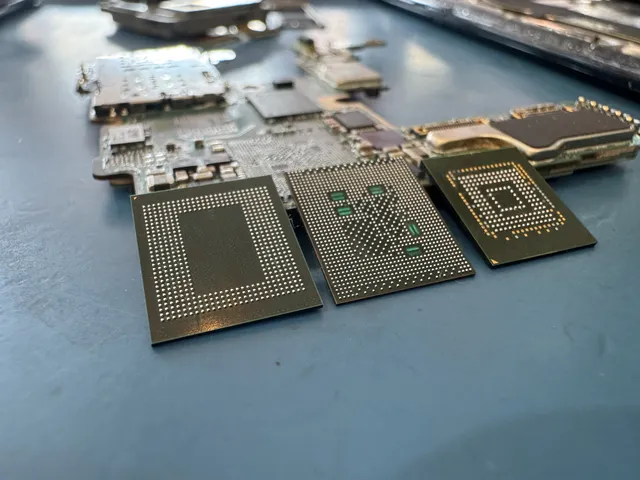
Modern Android uses file-based encryption. Private user files require the appropriate keys and unlock state. Reading a storage chip does not automatically produce playable videos, and installing an app does not give it unrestricted access to deleted encrypted storage.
A thumbnail in a recovery app is not the full recording. Look for a playable copy with the expected duration before paying for an export. Stop shooting new video on the phone while you look for the missing clip. Avoid rooting or unlocking the bootloader as a recovery experiment: Android's bootloader guidance explains that unlocking erases user data.
If the deleted video was on a microSD card
A card used as portable storage can be read through a computer's card reader. Set it aside before recording more footage, because new files can use space occupied by deleted video. Leave a cracked card disconnected; stop reading if it gets hot, drops out or reports read errors. Make a complete image of a stable, readable card, save that image on another drive and run recovery against the image.
PhotoRec is a free file-carving tool that can search a raw image for video and other file types. Save recovered files outside the original card. A video spread across several storage areas can come back incomplete when its file-system records are missing, so check playback throughout the recovered clip. If an important clip breaks up or ends early, set the card aside for recovery help instead of scanning it again.
A card formatted as internal, or “adopted,” storage is different. Android encrypts adopted storage for use with its original device. A computer asking to format that card is not offering a recovery step. Keep it with the phone; SD card recovery depends on the card's condition and its encryption arrangement.
When the phone broke with the videos still inside
A phone that died with its camera roll intact has an access problem rather than a deletion problem. Repairing the original hardware may allow it to boot and unlock again. If it already unlocks and the videos play, save those recordings elsewhere before further troubleshooting.
Stop when the hardware becomes unstable. If the phone heats up or keeps restarting during a transfer, power it down; a wet phone should stay off the charger.
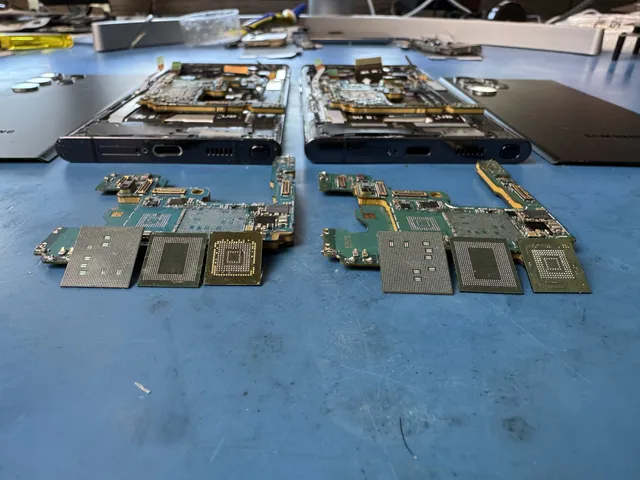
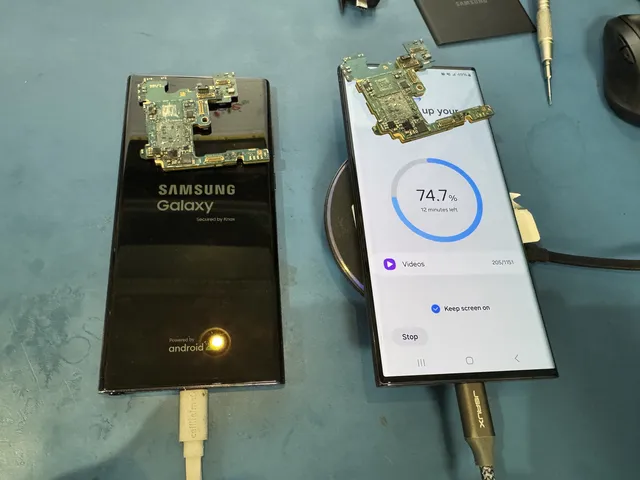
In the lab's Galaxy Z Flip 5 saltwater recovery, Joe found extensive motherboard corrosion and tested the original storage. He transferred the storage and processor with their associated original components to a donor board, and the phone powered on with its data accessible.
For a dead or water-damaged Galaxy, the Samsung recovery service addresses the original hardware and access path. A repair cannot recreate a video that has already been permanently erased from every available copy.
Get help with data recovery
Bring your device to our Lincroft lab during opening hours, or mail it in.
How to mail your deviceThe $100 diagnostic is non-refundable once diagnostics start, and donor drives or replacement parts you approve are non-refundable once ordered, even if recovery fails.
Published by MDrepairs
MDrepairs is a data recovery and electronics repair lab in Lincroft, New Jersey. Our founder and lead technician Joseph Montanti films real cases for our YouTube channel, showing tools, repair steps and recovery outcomes.
Keep reading
- Android “No Command” Screen: What It Means Before You Factory Reset
- Android Won't Turn On? How to Get Your Data Back

- Forgot Your Android Pattern Lock? Check Your Options Before a Reset