OnePlus Won't Turn On: How to Recover Your Data
In this article
If your OnePlus won't turn on, your data is almost always still safe on the UFS storage chip soldered to the logic board. If you remember your screen lock, recovery is realistic through a board-level repair or Qualcomm EDL mode. Do not factory reset, flash firmware, or run the MSM Download Tool, as those wipe your data.
- Hold Power, then Power + Volume Down for 15 seconds to force a restart.
- Charge 30 minutes on a known-good charger and inspect the USB-C port for lint.
- Do NOT factory reset, flash a ROM, or unlock the bootloader (each wipes data).
- If it still won't boot, use professional cell phone data recovery.
If your OnePlus 9, 10, 11, 12, 13, Nord, or Open won't turn on, your data is most likely still safe on the storage chip. OnePlus phones use UFS storage soldered to the logic board. The data sits in an encrypted partition, but unlike Samsung's Knox-tight architecture, OnePlus devices often allow recovery through Qualcomm's EDL (Emergency Download) mode or MediaTek's equivalent. If you remember your screen lock, recovery is realistic. If you don't, we need to talk honestly about what's possible.
What to do right now: don't factory reset, don't let anyone flash firmware in OEM Unlocking mode, and don't try the holding-buttons-for-30-seconds tricks you read on Reddit. Each of those can take a recoverable phone and push it toward permanent data loss. Call a lab before you commit to any move.
Why OnePlus Phones Die
We've seen enough dead OnePlus phones at the lab to spot patterns. They fall into a few clusters.
1. USB-C Port Failure
This is the single most common OnePlus failure. The port carries data, power, and the increasingly fast Warp Charge or SuperVOOC current. Heavy charging cycles wear down the port. Lint and pocket debris finish the job. Symptoms: won't charge, charges intermittently, recognized by computer one second and not the next. The data is fine. Port replacement plus extraction is straightforward.
2. PMIC or Charging IC Failure
OnePlus's fast-charging architecture puts more stress on the Power Management IC than a standard phone. The custom Warp Charge silicon on the board can fail. When it does, the phone won't power on at all, or it powers on for a few seconds before shutting down. Replacement chip plus board work brings these back.
3. Liquid Damage
OnePlus has been adding water resistance gradually. The OnePlus 11 has IP64, the 12 has IP65, the 13 has IP68. Older models had no rating at all. The official OnePlus support pages list IP ratings per model. Even rated phones suffer from corrosion over time when liquid sits inside. We see a lot of OnePlus phones where a small splash months ago has slowly corroded a key trace. Our water damage phone guide covers this in detail.
4. Bad OxygenOS or ColorOS Update
Some OnePlus models running newer OxygenOS or ColorOS builds have had brick events after specific updates. Symptoms: stuck on OnePlus logo, endless reboot, or fastboot mode that won't accept commands. Software recovery is usually possible via EDL mode if the bootloader is intact.
5. Battery Swell or Battery Connector Failure
Older OnePlus batteries (especially OnePlus 7 and earlier) sometimes swell, popping the screen out of the frame and disconnecting the battery connector. Newer batteries are more stable but still age. A failed battery connector reads as "phone won't turn on" even though everything else is fine.
6. Physical Drop Damage
A hard drop can crack the board, dislodge connectors, or break a chip's solder joints. The phone may turn on briefly and then die, or show no signs of life. Recovery depends on which components took the impact.
7. Boot Logic or eMMC Wear (Nord Series)
For modern encrypted phones and computers, recovery normally depends on restoring the original hardware sufficiently to unlock and extract the data. Removing storage does not bypass hardware-bound encryption. Supported older unencrypted devices are a separate case, and must be identified individually.
Which Chip Is in Your OnePlus
OnePlus has used both Qualcomm Snapdragon and MediaTek Dimensity chips across its lineup. The chip matters for recovery because EDL paths differ.
| Model | SoC | Storage |
|---|---|---|
| OnePlus 13 | Snapdragon 8 Elite | UFS 4.0 |
| OnePlus 12 | Snapdragon 8 Gen 3 | UFS 4.0 |
| OnePlus 11 | Snapdragon 8 Gen 2 | UFS 4.0 |
| OnePlus 10 Pro | Snapdragon 8 Gen 1 | UFS 3.1 |
| OnePlus 9 Pro | Snapdragon 888 | UFS 3.1 |
| OnePlus Open | Snapdragon 8 Gen 2 | UFS 4.0 |
| OnePlus Nord 3, 4 | MediaTek Dimensity | UFS 3.1 |
| OnePlus Nord N-series | MediaTek or Snapdragon | eMMC or UFS |
Snapdragon-based OnePlus models have a well-established EDL path that lab tools can leverage. MediaTek models use a different but similarly mature SP Flash Tool path. eMMC budget Nords are the trickiest because storage controller wear becomes a factor.
Is Your Data Still Safe?
Almost always, yes. Here's how to think about it.
| Your Situation | Recovery Outlook | Why |
|---|---|---|
| Phone won't turn on, you remember the lock | Very good | Board repair plus standard extraction |
| USB-C port damaged, otherwise OK | Excellent | Replace port, extract normally |
| Stuck on OnePlus logo / boot loop | Very good | EDL or fastboot recovery path |
| Water damage, no power | Good | Board cleaning, trace repair, extraction |
| Cracked screen, phone is alive | Excellent | Donor display swap, extract |
| Crushed or burned phone | Variable | Depends on storage chip survival |
| You don't remember the screen lock | Poor | Encryption tied to lock |
| Factory reset already done | Very poor | Keys regenerated, old data unreadable |
The encryption story on OnePlus is similar to Samsung. Modern OnePlus devices use Qualcomm or MediaTek hardware-backed keystore, with keys tied to your screen lock. Without the lock, encrypted data is mathematically locked.
EDL Mode: The OnePlus Lab Advantage
OnePlus phones (particularly the Snapdragon ones) have an advantage in lab recovery that some competitor brands don't. Qualcomm's EDL (Emergency Download) mode is a low-level boot state built into the chipset that allows a connected computer to talk directly to the phone's storage and bootloader. EDL is used legitimately by Qualcomm and OEMs to recover bricked phones during firmware development.
In the lab, EDL gives us another path when the phone won't boot normally. We can sometimes:
- Read partition tables to confirm the storage is intact
- Flash a stock OxygenOS or ColorOS firmware without wiping the user data partition
- Pull a raw image of the userdata partition for offline analysis
- Interact with the bootloader to bypass software-level boot failures
EDL is not magic. The encryption layer is still there. We can pull an encrypted disk image, but it's still encrypted until your screen lock authenticates and releases the keys. The advantage is that EDL works when normal Android won't boot, which expands the range of recoverable scenarios.
What NOT to Do Right Now
- Factory reset. Wipes encryption keys, makes old data unreadable.
- Flash a custom ROM or "rescue" firmware from Reddit. One wrong flash bricks the phone permanently.
- Run MSM Download Tool yourself. This is a OnePlus repair tool that will wipe userdata as part of its process.
- Send the phone to OnePlus warranty. They'll repair it by replacing the board, your data goes with the old board.
- Use a third-party fast charger that isn't Warp/SuperVOOC certified. Voltage spikes from cheap chargers have killed plenty of OnePlus boards.
- Put it in rice. Doesn't work, lets corrosion grow.
- Open it yourself unless you have proper tools. Adhesive, ribbon cables, and curved glass make these tricky.
Safe Things to Try First
These won't wipe data. Try them in order.
Some OnePlus models require a long-press to break out of a soft hang. Hold the power button alone for 15 seconds, then release. If nothing happens, move on.
This is the OnePlus force-restart combo. The phone should vibrate and the OnePlus logo should appear. If you reach the logo and it stays there, that's a boot loop and a separate issue.
Use a OnePlus Warp Charge or SuperVOOC adapter and the original cable if you can. Or any high-quality USB-C PD adapter (45W+). Leave for 30 minutes without touching. Then try Step 2 again.
Shine a flashlight in. Look for pocket lint or debris. Gently lift it out with a wooden toothpick or plastic SIM tool. Never metal.
Cheap aftermarket cables fail constantly. Swap to a known-good USB-C cable from another device. Try a different wall adapter.
With the phone off, hold Power and Volume Down together. If the OnePlus Recovery menu appears, the bootloader is intact. DO NOT select "Wipe data/factory reset." Highlight "Reboot system now" and press power.
If none of these works, the phone needs lab tools. That's where we come in.
Common OnePlus Failure Scenarios
Won't Turn On at All
No vibration, no logo, no screen flicker. Likely a PMIC, battery connector, or USB-C port issue. We bench-power the phone to isolate. Our broken phone recovery guide covers the general approach for any phone that won't power on.
Boots to OnePlus Logo and Reboots Forever
Software issue most of the time. We use EDL to extract userdata or flash a stock firmware without wiping data. The outcome depends on the fault and supported access method.
Stuck on Fastboot Screen
Fastboot is a low-level bootloader interface. If your phone is stuck there and unbootable, the system partition is likely corrupt. EDL or a careful fastboot flash of just the boot and system partitions (leaving userdata alone) usually fixes it.
Charges But Won't Power On
The charging IC works but the main SoC isn't booting. Often a PMIC issue or a bad eMMC/UFS controller. Lab diagnosis required.
Powers On, Black Screen
The phone is alive but the display isn't showing. Could be a display cable, a backlight driver, or in the worst case a damaged display controller. We swap a donor display and confirm.
Drops Connections With Computer Constantly
USB-C port issue. Each connection attempt drops the data line for a fraction of a second. Port replacement.
Phone Was Hot, Now Won't Turn On
Overheating events kill PMICs and sometimes other power chips. Heat from gaming, charging in direct sun, or a defective battery can all cook a board. Recovery is possible if the chips that died are replaceable.
Warp Charge and SuperVOOC PMIC Failures
OnePlus is known for fast charging. Warp Charge 30T, SuperVOOC 65, SUPERVOOC 100W on later models, and now 100W+ on the OnePlus 13. Fast charging is great for users. It's hard on the silicon.
The custom charging IC inside a OnePlus board handles much higher peak currents than a standard phone. To do that, OnePlus uses a different topology, sometimes with dual cell batteries split into two parallel halves and a custom controller chip managing the split. When that controller fails, the phone may not power on at all, may detect the charger but refuse to charge, or may charge for a few seconds and then disconnect.
From a recovery standpoint, charging IC failure is a board-level fix. We replace the failed component with a known-good donor part. Once the phone can take a stable voltage from a bench supply, we don't need the original charger circuit to work for extraction. The data partition is unaffected by these failures.
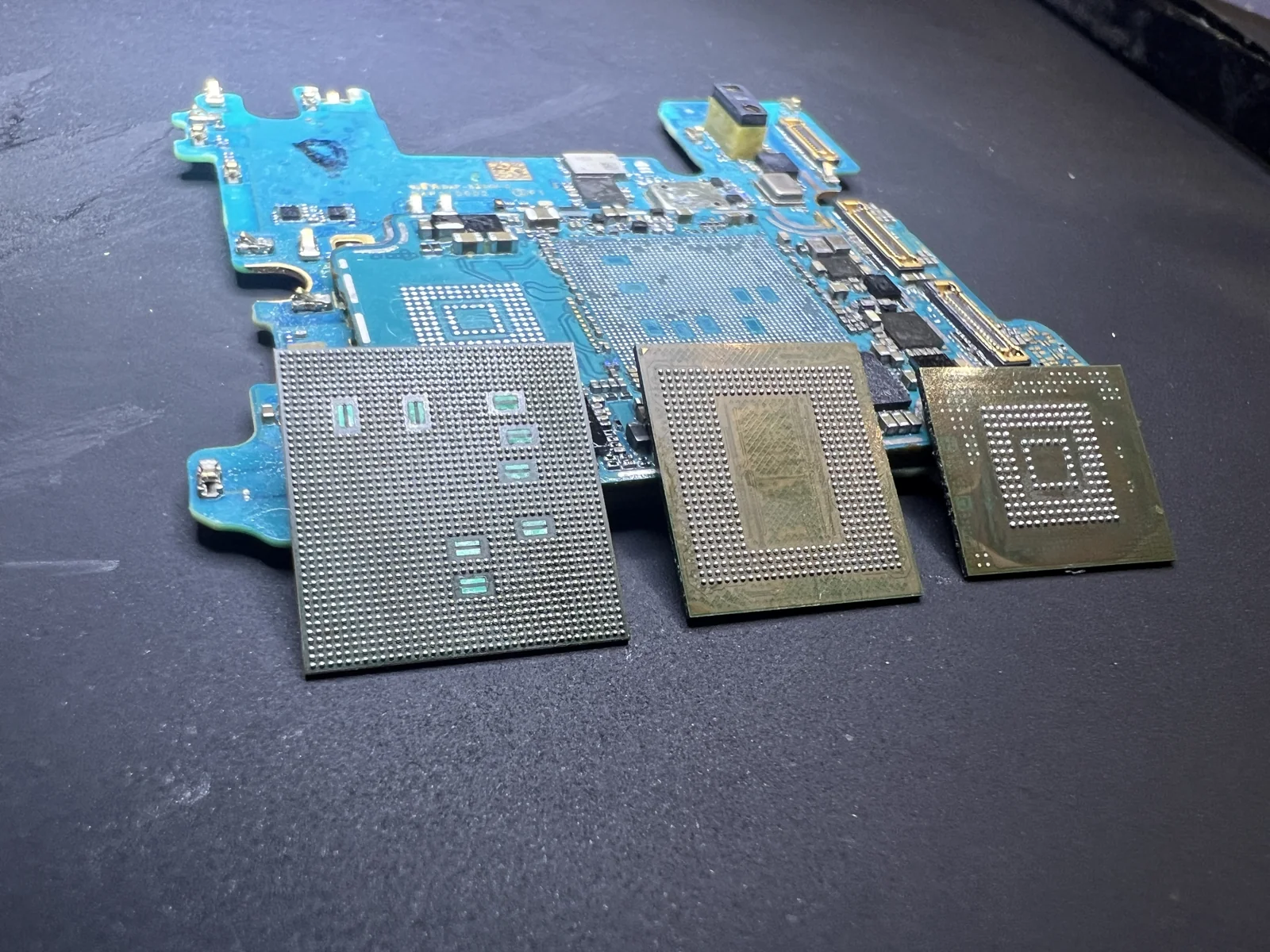 Phone circuit board and BGA packages at the MDrepairs lab.
Inside the Lab: How OnePlus Recovery Works
Step 1: Receiving and Documenting
Every phone arrives, gets photographed, and goes into a workbench slot with a tracking number. Diagnostic assessment follows the standard queue unless a rush option is selected; confirm availability. Rush windows cover assessment start and do not promise completed diagnosis or recovery.
Step 2: Power Behavior Test
We connect the phone to a bench power supply with current monitoring. The current curve at boot tells us exactly where the failure is. A healthy OnePlus draws X mA at one phase, Y at another, and stabilizes at Z. A wrong curve points at a specific component.
Step 3: EDL or Fastboot Attempt
If the phone responds to USB at all, we try EDL mode first. With Snapdragon-based OnePlus phones, EDL gives us a path to the storage even when the user interface is dead. We can verify the userdata partition is intact before any hardware repair.
Step 4: Targeted Board Repair
Once we know the failure point, we fix only what's needed. A failed PMIC gets hot-air replaced. A blown trace gets jumped. A bad USB-C port gets a fresh assembly. Microscope, fine-tip iron, and patience.
Step 5: Bring Up to Authentication
With the board working, we connect a display (donor or original), boot the phone to the lock screen, and prompt for your screen lock. Your lock unlocks the encryption keys.
Step 6: Extract and Verify
Data flows out through ADB or specialized forensic tools. Every file is verified against the source. Nothing leaves the lab until integrity is confirmed.
Step 7: Delivery
Recovered data ships on a fresh USB drive (sized to your data) with tracking, or via secure cloud transfer if you'd rather. Original phone returns too.
How Much Does OnePlus Data Recovery Cost?
| Scenario | Typical Range | Why |
|---|---|---|
| Software-only issue, no hardware repair | $1,500 to $2,000 | EDL extraction, tech time |
| USB-C port replacement + extraction | $1,500 to $2,000 | Replacement port, micro-soldering |
| Cracked screen, board still working | $1,500 to $2,000 | Donor display for authentication |
| PMIC or charging IC replacement | $1,500 to $2,000 | Hot-air rework, donor chip |
| Water damage, board cleaning + jumpers | $1,500 to $2,000 | Ultrasonic cleaning, trace repair |
| Severe board damage, multi-chip work | $3,500 | Most complex OnePlus cases |
The $100 diagnostic is credited toward a successful recovery and is non-refundable once diagnostics start. Approved donor drives or replacement parts are non-refundable once ordered, even if recovery fails. You approve the estimate before recovery work starts. Our full pricing covers structure across all devices.
OnePlus Models We Recover
| Model | Recovery Difficulty | Notes |
|---|---|---|
| OnePlus 13, 13R | Medium | Snapdragon 8 Elite, tighter EDL than older |
| OnePlus 12, 12R | Medium | Common in lab, predictable failures |
| OnePlus 11 | Medium | Snapdragon 8 Gen 2, mature toolchain |
| OnePlus 10, 10 Pro, 10T | Medium | Some PMIC failure patterns known |
| OnePlus 9, 9 Pro | Medium | Snapdragon 888 thermal issues common |
| OnePlus Open | Medium to Hard | Foldable, hinge careful opening |
| OnePlus Nord 3, 4, CE | Easy to Medium | MediaTek path, SP Flash Tool capable |
| OnePlus Nord N-series | Medium to Hard | Requires a viable original reading/encryption path; chip-off is not a general fallback |
| OnePlus 7, 7T, 7 Pro, 8 | Medium | Older, donor parts harder to find |
| OnePlus 6, 6T and earlier | Hard | Aging storage, fewer recovery tools |
What Data Comes Back After OnePlus Recovery
Once we authenticate the phone and extract the userdata partition, almost everything comes back. The phone's data is organized into app-specific folders that we unpack into standard file formats.
Photos and Videos
Everything in DCIM (your camera roll) including the live photos that capture a couple seconds of motion. All photos export as standard JPEG or HEIF (recent flagships shoot HEIF by default to save space). Videos export as MP4. EXIF data including dates, GPS, and camera settings is preserved.
SMS, RCS, and Messages
Native messaging gets exported as XML files we can convert into PDF for printing or import into your new phone. Group chats, attachments, and message timestamps are all preserved. RCS messages (Google's enhanced messaging) export the same way.
WhatsApp, Telegram, Signal, Messenger
Each of these apps stores messages in its own encrypted database. We pull the database files. For WhatsApp specifically, the local backup file (.db.crypt15 typically) can be imported into a fresh WhatsApp install if you have your Google backup or local backup key. Telegram and Signal are similar.
Contacts
All contacts export as vCard (.vcf) files compatible with any phone, Mac, Windows, or Google contacts. Phone numbers, emails, addresses, notes, photos, and ringtones are all preserved.
Call History
Full call log with timestamps and durations. Exports as CSV or vCard format.
Notes and App Documents
Native Notes app, Google Keep notes stored locally, Samsung Notes (if you used it on an older Samsung-to-OnePlus migration), and any documents stored in the device file system. PDFs, Word docs, anything in /Documents.
Voice Recordings
The default voice recorder files come as standard MP4 or M4A audio. Third-party recorder apps export their own database files which we can usually convert.
Calendar
Local calendar entries export as iCal (.ics) files importable into any calendar app.
App-Specific Data
Health and fitness data (heart rate, steps), workout history from fitness apps, notes from password managers (encrypted, you'll still need the master password), bookmarks and saved articles, drawing app files. Each comes as files we can identify from the app's bundle ID.
What we can't typically recover: items deleted long enough ago that Android cleaned them up, encrypted third-party app data without the app's own password, and any cloud-only files that were never synced down to the device. Our water damage recovery guide has more on the types of data that survive different damage scenarios.
Prevention
Turn On Google One Backup and Google Photos
OnePlus has ColorOS Cloud now (from the Oppo merger), but the most reliable Android backup is still Google. Settings > System > Backup, then turn on Google One. Photos > Library > Storage > Backup, then turn on Google Photos. Both should sync regularly.
Buy More Google Cloud Storage Than You Think You Need
The free 15GB Google tier fills up fast on a phone shooting 4K video. The 200GB plan is a couple dollars a month. Insurance against losing everything.
Don't Use Cheap Fast Chargers
Always use a OnePlus-branded Warp or SuperVOOC charger, or a high-quality USB-C PD charger from a reputable brand. Cheap fast chargers send unstable voltage that kills PMICs.
Update Carefully
OxygenOS major version updates have caused brick events on specific OnePlus models. Read forums for a week after an update is released before installing. Skip the open beta channel on your daily driver.
Keep at Least 5GB Free Space
Updates fail when storage is too full. Clean out old downloads and big media files quarterly. Settings > Storage shows what's eating space.
Get a Case With Port Protection
USB-C port failure is the #1 OnePlus death cause. A case with a port flap or a deep lip around the port adds years to the port's life. Our backup guide for dying phones applies to OnePlus too.
FAQ
Can you recover data from a OnePlus that won't power on?
Yes, in most cases. The data is on the storage chip, which is soldered to the logic board. As long as the chip is intact and you remember your screen lock, recovery is realistic. We use EDL or board-level repair to bring the phone up.
What's the EDL mode you keep mentioning?
Emergency Download mode is a Qualcomm chipset feature that allows low-level access to a phone's storage from a connected computer, even when normal boot fails. Labs use it to extract data or flash recovery firmware without wiping userdata.
Do I have to unlock my bootloader for you to recover the data?
No. In fact, please don't. Unlocking the bootloader on most OnePlus models triggers an automatic userdata wipe to protect against tampering. Leave the bootloader alone.
What if my OnePlus has been bricked by a custom ROM?
Recovery is sometimes possible. If the userdata partition was preserved during the failed flash, EDL can pull it. If the failed flash wiped data partition, recovery is much harder. Tell us the full story when you call.
My OnePlus Nord won't turn on. Is the Nord recovery different from a flagship?
Board-level recovery aims to preserve the original storage and its required security components while restoring a usable path to the files. A new logic board or raw NAND dump does not supply the original keys. The exact device, damage, and security state determine whether extraction is possible.
I lost my screen lock. Can you still recover?
Honestly, no. Modern OnePlus devices use hardware-backed encryption tied to your screen lock. Without it, the data is encrypted noise. We don't promise what we can't deliver.
How long does OnePlus data recovery take?
Estimated turnaround: 4–6 weeks; timing may vary by case. Rush surcharges move your device ahead of the standard diagnostic queue so assessment starts within the selected window: Priority 5–7 days (+$250), Urgent 1–2 days (+$500), or Emergency same-day (+$1,000). Confirm availability. These windows do not promise completed diagnosis or recovery. Our timeline guide has more.
Will OnePlus warranty repair save my data?
No. OnePlus warranty service replaces the logic board if it has failed. The original board with your data goes back to OnePlus. They do not recover or transfer data.
Can a local repair shop fix this?
Local shops do screen and battery replacements. Most don't do data recovery. If data matters, send to a real lab.
Do you ship to people outside New Jersey?
Yes. Our mail-in service covers the US with prepaid shipping labels and signed-for return.
What data can you recover from a OnePlus?
Photos, videos, contacts, messages (SMS, RCS, WhatsApp, Signal, Telegram), call history, notes, voice recordings, calendar, app documents, and anything else stored on the phone's data partition. We deliver as standard file formats compatible with any device.
MDrepairs is an independent data recovery lab. Not affiliated with OnePlus or Oppo. Mail-in service nationwide. We specialize in pulling data off devices that have failed, regardless of brand.
Recovering Data After A OnePlus Factory Reset Without Backup
Recovering data after a factory reset on a OnePlus phone without a backup is usually not possible in the way people hope. Modern OnePlus devices use file based encryption tied to the phone’s lock credentials and hardware backed keys. A factory reset does more than delete visible files. It removes the encryption keys needed to decode the old user data. Once those keys are destroyed, the remaining storage contents, if any remain, cannot be converted back into photos, messages, app data, or documents.
Some older devices with unencrypted, supported storage permit independent chip or ISP reads. Age alone does not establish that: model, software version, actual security configuration, and storage health matter. Modern encrypted devices require their original hardware/security path and appropriate unlock credentials; chip-off does not bypass those requirements.
There are a few situations worth separating. If the phone was reset but data had already synced to Google Photos, Google Drive, WhatsApp, OnePlus cloud services, Microsoft, Dropbox, or another app account, the recovery path is through those accounts, not the handset storage. If the reset did not actually complete, or the phone is stuck during boot before wiping user data, there may still be a recoverable device state. If the phone will not turn on and no reset was performed, board level recovery may still be possible as long as the original passcode is known.
For a dead OnePlus that has not been reset, the objective is to make the original phone boot far enough to accept the passcode and decrypt the user partition. That can involve power rail repair, charging circuit repair, display path work, CPU or memory related diagnosis, or temporary board repair. The phone is not treated like a simple USB drive because the data is locked to that device’s security environment.
If you are unsure whether a reset completed, stop trying random restore steps and write down exactly what happened on screen. Our phone data recovery work focuses on recovering data from the original encrypted device state, and we can tell you during a free phone consult whether a reset case still has a realistic path.
Frequently Asked Questions
Can OnePlus photos be recovered after a completed factory reset with no backup?
On modern OnePlus phones, usually no. A completed factory reset destroys the encryption keys for the old user profile. The storage may still contain remnants, but without the keys those remnants are not usable photos. Check Google Photos, cloud accounts, messaging app backups, and synced folders, because account based copies are the realistic recovery path.
What if my OnePlus will not turn on, but I did not factory reset it?
That is a very different case. If the original encrypted user data is still on the phone, recovery may be possible by repairing the device enough to boot and unlock with the correct passcode. The goal is not to bypass security. The goal is to restore the original phone environment long enough to decrypt and copy the data.
How MDrepairs can help
Real cases like this come through our New Jersey lab every week. If you are dealing with one now, start here.
- Samsung Galaxy Data Recovery Recovery from cracked, water-damaged and bricked Galaxy phones. Learn more
- Cell Phone Repair Screen and board phone repair for every brand, NJ local. Learn more
- Data Recovery Services Every device and failure type, recovered in our New Jersey lab. Learn more
- Hard Drive Data Recovery Mechanical, firmware and logical HDD recovery on every brand. Learn more