Trying to fix a Motorola boot loop? Recover your files before a reset
In this article
If your Motorola Edge, Razr, G-series, or any other Moto phone is stuck in a boot loop, your data is most likely safe on the storage chip. Motorola devices use UFS or eMMC storage soldered to the logic board. The data partition is encrypted on modern Motorolas with hardware-backed keys, but unlike Samsung's tight Knox setup, Motorola's fastboot mode is well-documented and accessible. We need the phone's original security hardware to work and the phone to accept your screen lock. If you don't remember the lock, we need to talk honestly about what's possible.
Don't factory reset. Don't run Motorola Rescue Tool or Lenovo Service Tool yourself. Don't flash anything from XDA or random forums. Each of those moves can take a recoverable phone and turn it into an expensive paperweight with no data. Call a recovery lab before you let anyone touch the phone.
Types of Motorola Boot Loops
Boot loop is a general term. The specifics matter for recovery. Here's what each pattern means.
Motorola Logo Then Reboot, Forever
You see the Motorola logo (the M with the circle), the screen goes black, the logo comes back, repeat indefinitely. This is the classic boot loop. Usually a software issue with system partitions.
Motorola Logo Then "No Command" Screen
The phone reaches the boot logo, then drops to a black screen with a red exclamation and "No command" text. This is the Android recovery partition loading because normal boot failed. Leave "Wipe data" alone if you need the files.
Stuck on "Hello UI" Setup Screen
Some Moto Edge models get stuck on the Hello UI welcome screen after an update. The phone appears to boot, but the setup wizard hangs. The data is still there, the system layer just won't let you reach the launcher.
Boots Then Crashes Apps Immediately
The phone reaches the home screen, then app after app crashes. Within minutes the phone reboots. This is a soft boot loop. Hardware is alive, the system layer is corrupt.
Stuck on Carrier Logo (Verizon, T-Mobile, etc.)
Some carrier-branded Motorolas show the carrier logo before the Motorola logo. If it hangs at the carrier logo, that's usually a bootloader-stage issue, often caused by failed carrier update.
No Logo at All, Just Black
The phone vibrates when powered on but the screen stays black. Could be display, could be a deeper system issue. Hardware diagnosis needed.
Common Causes on Moto Edge, Razr, G-Series
We see Motorola boot loops fall into a few clusters. Knowing the cause helps with the right recovery path.
1. Hello UI / MyUX Update Bugs
Motorola's Hello UI (now MyUX) skin has been historically buggy. Specific updates have caused mass boot loops on certain models. The Moto Edge 30/40/50 series and some G-series models have had documented bad updates between 2023 and 2026. Symptoms include endless reboot starting immediately after an OTA install. The data partition is usually fine, the system partition is what got hosed.
2. eMMC Failure (G-Series Budget Models)
Budget Motorola G models from the G4 through G9 era use eMMC storage instead of UFS. eMMC has a finite write endurance and fails after several years of heavy use. Symptoms: phone gets slower, then can't boot, then boots intermittently, then never boots. Recovery is harder when the storage itself is dying.
3. USB-C Port + Charging Issue
Same story as every modern Android. The USB-C port is the most-used physical component and it wears out. Lint, debris, fast-charging current all add up. Symptoms: charges intermittently, won't boot if battery low, recognized by computer one second and not the next. Port replacement plus extraction.
4. Failed Carrier Software Update
Carrier-branded Motorolas (especially Verizon, T-Mobile, US Cellular variants) sometimes brick after carrier-specific software updates. These updates touch partitions that vanilla Motorola updates don't. Motorola's official support has model-specific update notes but doesn't usually disclose brick rates. Recovery often requires fastboot intervention.
5. Water Damage
Modern Motorolas have IP52 to IP68 ratings depending on the model. The Razr 50 Ultra is IPX8. But even rated phones suffer from corrosion when liquid sits in the wrong spots. Water damage phone recovery has the playbook.
6. Battery Swell or Failure
Old Motorolas (especially Razr 2019/2020 and G-series from 2018-2020) often have batteries that swell with age. A swelling battery can pop the screen out of frame and disconnect the battery cable. Phone won't boot or boots briefly then dies.
7. Drop or Impact Damage
Hard drops can crack the board, dislodge connectors, or break solder joints on key components. The Razr foldable adds the complication of inner display and hinge fragility. Broken phone recovery covers the general approach.
Is Your Data Safe?
| Your Situation | Recovery Outlook | Why |
|---|---|---|
| Logo loop after Hello UI update, you know lock | Excellent | Fastboot recovery often works |
| Won't boot at all, fastboot still works | Very good | Partition flash without data wipe |
| Cracked screen, board alive | Excellent | Donor display swap, extract |
| Water damage, you know lock | Good | Board cleaning, repair, extract |
| eMMC failure on old G-series | Variable | Requires a viable original reading/encryption path; chip-off is not a general fallback |
| You don't know the lock | Variable | Modern Moto encrypted, older Moto sometimes not |
| Already factory reset | Very poor | Encryption keys regenerated |
Note the "Variable" row for unknown lock. Motorola's encryption story isn't as tight as Samsung Knox or Pixel Titan M2 on every model. Some budget G-series phones from 2018 and earlier didn't have user encryption enabled by default. Those have a path. Modern Motorolas (Edge, Razr, recent G) are encrypted by default and follow the same pattern lock = encryption key story as everyone else.
What NOT to Do Right Now
- Factory reset. Wipes encryption keys. Even data that was recoverable becomes unreadable.
- Run Motorola Rescue and Smart Assistant Tool yourself. Includes a step that wipes userdata as part of "factory restore."
- Run Lenovo Service Tool. Same concern, often used by repair techs to "fix" a phone, almost always wipes.
- Sideload XDA flash files. The wrong file for your specific model + carrier variant will brick the phone permanently.
- Send to Motorola for warranty repair. They'll replace the board and the data goes with the old one.
- Hold buttons for "30 seconds" tricks from random YouTube videos. Most of these are factory reset combos in disguise.
- Try to enable USB debugging by guessing menus. You can't enable it through a locked phone, and trying may trigger lockouts.
Motorola Fastboot Mode
Motorolas use Qualcomm Snapdragon chips for most flagships and a mix of Snapdragon and MediaTek for budget models. Both expose fastboot mode reliably. Fastboot is your best friend during a boot loop.
With the phone powered off, hold Power and Volume Down together. The Motorola fastboot screen should appear (usually black with text showing model, bootloader status, and a menu).
If you see the fastboot screen, the bootloader is intact. Do NOT select "Wipe Data," "Factory Reset," or "Recovery Mode > Wipe data." Just confirm the screen appears, then hold power to shut down.
Lab tools use fastboot to:
- Check the active slot (Motorola uses A/B slot partitioning on most modern models)
- Switch slots to roll back to the previous Android version
- Flash system, boot, or vendor partitions without touching userdata
- Read partition tables to confirm the data partition is intact
- Pull select partitions (sometimes including a raw image of userdata for offline analysis)
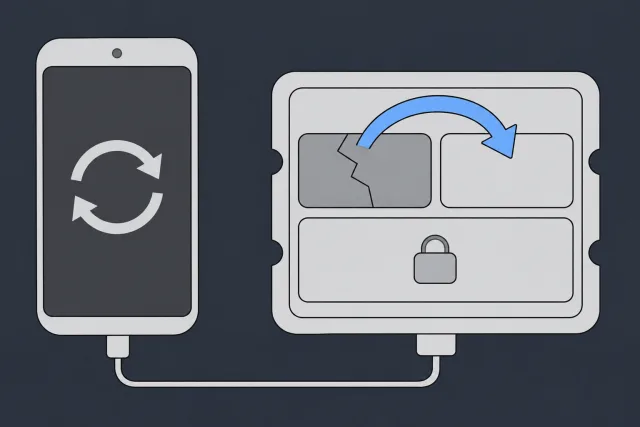
For most software-caused boot loops, the fix is simple: fastboot, slot switch, boot the previous version, extract the data. Owners can do this themselves with proper tools, but a mis-typed command wipes everything. Don't risk it.
 Illustration
The Motorola Rescue / Lenovo Service Tool Trap
This is the section that saves people's data. Motorola has a free utility called Rescue and Smart Assistant (RSA) that promises to "fix bricked phones" with one click. Lenovo owns Motorola, and Lenovo Service Tool is the broader version of the same idea.
Here's what these tools actually do:
- Detect your phone in fastboot or recovery mode
- Download a stock firmware image from Motorola's servers
- Flash the firmware to your phone
- Reboot the phone, which appears to "fix" the boot loop
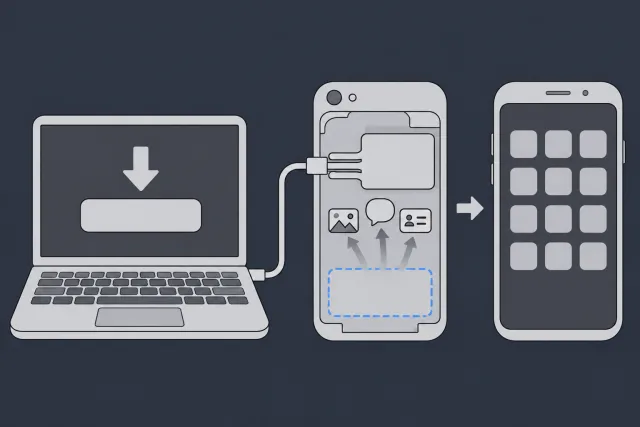
What they don't tell you up front: the firmware flash usually includes a userdata partition wipe as part of the "rescue" process. The phone boots successfully after, but it's empty. Your photos, messages, contacts are all gone.
 Illustration
The exception is the rare advanced user (or a recovery lab) who knows how to use fastboot manually with specific commands to flash only system partitions while skipping userdata. That's not what Rescue Tool does by default.
eMMC Failure on Budget G-Series
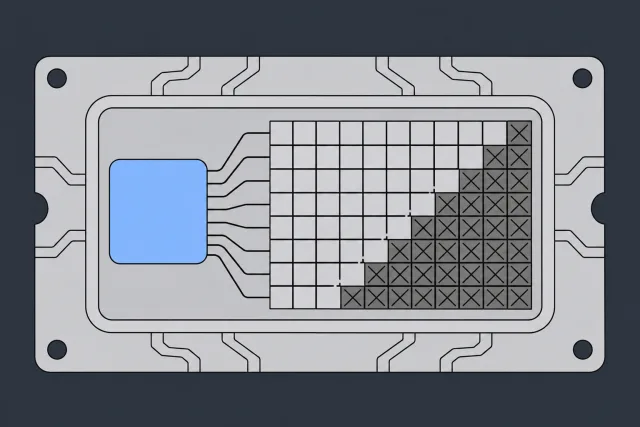
Motorola's budget G-series from roughly 2016-2020 used eMMC storage (specifically eMMC 5.0 and 5.1 chips). eMMC has a write endurance of about 3,000 program/erase cycles per cell. For a heavy user, that's reachable in 4-5 years of normal use.
When eMMC starts to fail:
- The phone gets slower (the controller marks bad blocks)
- App launches take longer
- The system occasionally hangs
- Boot fails intermittently, then constantly
- Eventually the chip's controller can't manage what's left
 Illustration
Recovery from an eMMC-failing phone is harder than a healthy phone with software issues. We have to either:
- Coax the dying controller to read the partition tables one last time (sometimes works with chilled cooling or specific power sequencing)
- An independent storage read is not an encryption bypass. The original processor/security hardware, required storage information, and valid unlock credentials may all be necessary. A compatible-board transfer preserving those dependencies is different from reading a removed chip by itself.
- Reconstruct file systems from raw NAND data when the controller is too dead to help
Board-level recovery aims to preserve the original storage and its required security components while restoring a usable path to the files. A new logic board or raw NAND dump does not supply the original keys. The exact device, damage, and security state determine whether extraction is possible.
Razr Foldable Specific Issues
Motorola Razr (the 2019 reboot, Razr 5G, Razr 40, Razr 50, Razr 50 Ultra) is a foldable with all the foldable complications. The boot loop specifics on Razr are unique enough to call out.
Cover Display Stays Black
The Razr's outer cover display sometimes goes black during a boot loop while the inner display still tries to boot. This is a cable issue between the boards, often hinge-related. We can inspect the cable inside the phone.
Inner Display Tear From Boot Loop Stress
Some boot loops include repeated screen flashing on the inner display. The flickering can accelerate wear on the flexible OLED. We've seen Razrs where the inner display developed a black line after several days of boot looping. The data is fine, the screen needs work.
Hinge-Adjacent Cable Strain
The Razr's hinge holds the cable that connects the upper and lower halves of the inner display. A boot loop with the phone open flexes that cable repeatedly through power cycles. We see cable damage occasionally as a side effect of long boot loops.
Razr-Specific Fastboot Quirks
Razr models sometimes refuse the standard Power + Volume Down fastboot combo on the first try. The trick: power off completely, wait 30 seconds, then hold Power + Volume Down + close the phone. The fold action sometimes triggers the right sensor sequence.
Safe Things to Try First
These steps don't risk your data. Run through them in order. If one works, you're done. If not, you've narrowed the problem.
A long power-only press can break a phone out of a soft hang. Hold the power button alone for 30 seconds. Release. Watch for any signs of life (vibration, screen flash, logo).
Plug into a quality USB-C PD adapter rated 18W or higher (TurboPower for newer Motorolas) with a known-good cable. Leave for 30 minutes without touching. A drained battery can mimic boot loop behavior.
After 30 minutes of charging, hold Power and Volume Down for 10 seconds. If the phone is going to break out of the loop, this is when it happens.
Shine a flashlight in. Pocket lint, debris, or a damaged pin can interrupt boot. Gently lift out anything you see with a wooden toothpick or plastic SIM ejector. Never metal.
With phone off, hold Power and Volume Down for 5 seconds. The fastboot screen should appear with text showing your model, status, and a small menu. Do NOT select "Wipe Data," "Factory Reset," "Recovery Mode > Wipe," or "Restart Bootloader." Just confirm the screen comes up, then hold power to shut down.
Cheap cables fail constantly and a charge-only cable won't pass data. Swap to a known-good cable rated for data + charging. Try a different wall adapter too.
If none of these worked, the phone needs lab tools. Don't keep trying random fixes from Reddit or YouTube. Each failed attempt is a chance to lose data permanently.
Inside the Lab: How Motorola Recovery Works
Step 1: Receive and Document
Phone arrives, gets photographed, gets a tracking number and workbench slot. Diagnostic starts depend on the queue; confirm rush availability with the lab.
Step 2: Power Profile
We bench-power the phone and watch current draw across the boot sequence. A healthy Motorola draws specific amounts at each phase. A bad curve points at a specific component.
Step 3: Fastboot Attempt
If the phone can reach fastboot, we explore from there. Slot switching, partition table inspection, selective re-flash of system partitions covers most software boot loops.
Step 4: Hardware Repair if Needed
If fastboot won't work, we diagnose to the component. PMIC, charging IC, USB-C port, eMMC controller, or a damaged trace. Repair under microscope with hot air or fine-tip iron.
Step 5: Authentication and Extraction
Phone reaches lock screen. You enter your lock. The phone unlocks encryption keys. We pull the userdata partition through ADB or specialized forensic tools. Verify every byte against the source.
Step 6: Delivery
Recovered data on USB drive or secure cloud transfer. Original phone returns either repaired or as-is depending on what you want.
Lab vs Motorola Authorized Shop
Motorola authorized repair shops follow Motorola's playbook. That playbook is built around fixing the phone, not preserving your data. A typical Motorola authorized repair for a boot loop:
- Run Rescue Tool. Flash factory firmware. Wipe userdata.
- If that doesn't work, replace the logic board. Old board goes back to Motorola.
- Either way, your data is gone.
A data recovery lab follows a different playbook. The phone is a vehicle for the data. We:
- Diagnose at the board level first
- Use fastboot tricks that preserve userdata
- Repair only the components that are blocking boot, leaving the data partition untouched
- Authenticate with your lock, extract data, return everything
If your only goal is getting your photos and contacts back, a data recovery lab is the only path that preserves them. If the phone matters but the data doesn't (because you have a cloud backup), an authorized shop is fine. Most people are in scenario one.
How Much Does Motorola Data Recovery Cost?
| Scenario | Typical Range | Why |
|---|---|---|
| Software-only boot loop, fastboot works | $1,500 to $2,000 | Slot switch or system partition flash plus extract |
| USB-C port replacement + extract | $1,500 to $2,000 | Port assembly and micro-soldering |
| Cracked screen, board OK | $1,500 to $2,000 | Donor display for authentication |
| PMIC or charging IC replacement | $1,500 to $2,000 | Hot-air rework, donor chip |
| Water damage cleaning + jumpers | $1,500 to $2,000 | Ultrasonic, trace repair, board work |
| Original-hardware recovery assessment | $3,500 | Requires a viable original reading/encryption path; chip-off is not a general fallback |
| Razr foldable opening + board work | $1,500 to $2,000 | Careful opening, hinge complications |
The $100 diagnostic is credited toward a successful recovery and is non-refundable once diagnostics start. Approved donor drives or replacement parts are non-refundable once ordered, even if recovery fails. You approve the estimate before recovery work starts. Full pricing here.
Models We Recover
| Model Family | Difficulty | Notes |
|---|---|---|
| Moto Edge 30, 40, 50, 50 Ultra | Medium | Snapdragon flagships, fastboot mature |
| Moto Razr 40, 50, 50 Ultra | Medium to Hard | Foldable, careful opening required |
| Moto Razr 2019, Razr 5G | Hard | Older foldable, parts harder to source |
| Moto G Power, G Stylus (2022-) | Medium | Snapdragon midrange, common in lab |
| Moto G 5G, G 100 | Medium | UFS storage |
| Moto G7, G8, G9 | Medium | Some eMMC variants, occasional storage wear |
| Moto G4, G5, G6 | Medium to Hard | Older eMMC, wear common |
| Older Droid/Nexus 6 series | Hard | Requires a viable original reading/encryption path; chip-off is not a general fallback |
Prevention
Turn On Google Photos and Google One Backup
Standard Android backup. Settings > System > Backup, turn on Google One. Photos > Library > Backup, turn on Photos. Both sync to Google's cloud. Our backup guide applies broadly across Android too.
Pay for Enough Google Storage
Free 15GB tier fills up fast. 200GB plan is $2.99/month. Cheap insurance.
Don't Install Carrier Updates Overnight
Carrier updates are a frequent cause of Motorola boot loops. Install during the day when you can monitor. If the update is making the phone hot or behaving strangely, pull the plug before it finishes.
Avoid the My UX Beta Program
Motorola has a beta channel for new MyUX features. Beta firmware causes more boot loops than stable. Stay on stable.
Keep Storage Below 90% Full
Updates need free space to stage. Phones near full storage have higher update failure rates.
Replace Aging Batteries
Motorolas from 2020 and earlier often have batteries that swell with age. A swollen battery can pop your screen out and stress connectors. Replace before the swelling gets visible.
Get a Case With Port Coverage
USB-C port wear is the #1 Moto death cause. A case with port protection extends port life by years.
FAQ
Can you recover data from a Motorola stuck in a boot loop?
With a software fault, we check whether the phone can boot and unlock again. Hardware-caused boot loops require board-level repair but the data is typically intact.
What's the difference between Motorola Rescue Tool and what you do?
Motorola Rescue Tool wipes data as part of "fixing" the phone. We use fastboot manually with specific commands that preserve userdata. Same general technology, very different outcomes for your data.
My Moto G says "No Command" with a robot icon. Is my data gone?
No, that's the Android recovery menu. Your data partition is intact. Do NOT select "Wipe data" if you see options. Just hold power to shut down and bring the phone to a lab.
Can a regular phone repair shop recover my Motorola data?
Most can't. Phone repair shops do screens and batteries. They don't do data recovery. Most will run Rescue Tool, wipe your data, and call it fixed. Our broken phone recovery guide has more on the distinction.
What if my Razr's hinge broke during the boot loop?
The hinge and the data are separate. Even with a broken hinge, the data is on the main board, which is in one half of the phone. We check whether we can get that board running long enough for you to unlock the phone.
How long does Motorola recovery take?
Our standard wait for diagnosis is 4 to 6 weeks, plus recovery time. Rush options move the phone ahead in the diagnostic queue; they don't set a recovery completion date. Confirm availability with the lab. Timeline details.
Will Motorola warranty preserve my data?
No. Motorola warranty fixes the phone by board swap. Your data goes with the old board.
What about old Moto Droid Razr models?
Some older devices with unencrypted, supported storage permit independent chip or ISP reads. Age alone does not establish that: model, software version, actual security configuration, and storage health matter. Modern encrypted devices require their original hardware/security path and appropriate unlock credentials; chip-off does not bypass those requirements.
Does mail-in work for Motorola?
Yes. Mail-in service covers the US, with prepaid shipping within the contiguous US and signed-for return.
What data can you recover from a Motorola?
Photos, videos, contacts, messages (SMS, RCS, WhatsApp, Signal, Telegram), call history, notes, voice recordings, calendar, app documents, and anything else on the data partition. Delivered as standard files.
Can you recover from a Motorola that won't even reach the boot logo?
Phones that won't reach the logo usually have hardware issues (PMIC, battery connector, USB-C port, or board damage). We diagnose at the board level and repair what's needed to bring the phone to a state where extraction is possible.
MDrepairs is an independent data recovery lab. Not affiliated with Motorola or Lenovo. Mail-in service nationwide. We specialize in recovering data from devices that have failed.
How MDrepairs can help
Real cases like this come through our New Jersey lab every week. If you are dealing with one now, start here.
- Cell Phone Data Recovery Board-level recovery from dead, water-damaged and locked phones. Learn more
- Samsung Galaxy Data Recovery Recovery from cracked, water-damaged and bricked Galaxy phones. Learn more
- Cell Phone Repair Screen and board phone repair for every brand, NJ local. Learn more
- Data Recovery Services Every device and failure type, recovered in our New Jersey lab. Learn more