iPhone Data Recovery in Bayamon, PR
from 345 Google reviews · 2M+ followers of our recovery videos · Mail-in recovery nationwide
- $100 flat diagnostic fee
Bayamón sits at the center of Puerto Rico's metropolitan sprawl, and its residents depend on their iPhones for everything from family group chats to running small businesses across the island.
About this service
When your device stops working, MDRepairs offers professional iPhone data recovery that reaches beyond anything available in Bayamón's local repair market. We recover photos, texts, contacts, and files from phones that won't turn on, suffered water exposure, or experienced catastrophic hardware failure.
Living in Bayamón means dealing with tropical humidity, frequent power fluctuations, and the occasional hurricane threat-all of which take a toll on electronic devices. Our mail-in recovery service connects you with a specialized mainland laboratory without leaving the island. Ship your broken iPhone, and we handle the rest.
Inside the iPhone data recovery lab serving Bayamon, PR
Joseph Montanti leads MDRepairs and has built a YouTube following of over 2 million subscribers by showing real iPhone data recoveries in full detail. Bayamón residents who've watched his channel know that when local shops say a phone is beyond help, that assessment reflects their limitations-not the phone's actual condition. Our publicly documented results build trust before you ever ship your device.
Watch how we recover files from a phone
Joseph Montanti, our founder, films what goes into mobile phone data recovery, from the moment a phone reaches our bench until we copy its files. You can watch our engineers work on a corroded Samsung Galaxy board or an iPhone that snapped in half. We share our recovery videos with 2M+ followers across YouTube, TikTok and Instagram.
- 4.6 Google rating
- 345 Google reviews
- 2M+ followers of our recovery videos
- $100 diagnostic, credited toward a successful recovery
The people we help
Our customers include people from
-

-

-
 AT&T
-
 Marriott
-

-

-
 Tennessee Titans
-

-

-

-

-

-

-

What Our Customers Say
-
They are miracle workers! My phone was in a creek for a year and another lab failed to recover my data from it. I saw this company on TikTok do a micro soldering recovery … They recovered all 20 GB of data from my phone!
-
MDRepairs was great! They recovered the Data on my phone after sending it to two other Recovery centers that said it would not be possible! They were straight forward on pricing and we're very honest. Would recommend!
-
After four years, my Android phone completely died. A local repair shop told me the motherboard was shot and my data was lost for good. … In the end, they successfully recovered all of my data!
-
I sent my phone to 2 other reputable phone recovery groups in Toronto Canada, only to get shut down advising it was unfixable due to the serious water damage. I sent my phone to you in an ugly box and made a prayer, you delivered and working like normal again!
-
My iPhone completely died out of nowhere - it wouldn’t turn on at all - neither Geek Squad or Apple could do anything. … I brought it here as a last resort, and they worked actual magic. They got into the motherboard, got the phone to turn on, and recovered everything in less than a week.
-
These guys are legit- they saved the day when … other local places told me my iPhone was unfixable after a drop with internal damage. … MDrepairs in a store front where you can talk to the employees and they understand and appreciate your emergency.
-
My phone fell in the ocean and had internal salt water damage that fried the battery and coroded parts of the internals. Another recovery company could not do a recovery, but MDrepairs did a circuit-level chip swap and recovered all my data.
-
I walked into a lake with my iPhone 7 years ago. Destroyed it! I went to a number of local shops who said it was beyond repairable. … He was prompt, extremely responsive and was able to recover priceless photos and videos.
-
I had an iPhone that I sent out to multiple businesses because I could not get into it. Got back responses like “device corrupted” and “unrepairable”. Gave it one last try with MDrepairs.., and success!
-
The phone was taken to a local shop who checked it out briefly and said the CPU had gotten hot and the solder melted. The also said that the data was unrecoverable. … I made my insurance deadline and got all of my data, I am one very happy camper.
What's happening with your phone?
Pick the closest match to see what might be wrong, what to avoid and how soon to act.
Keep it powered off
Your phone may still hold your photos
Your photos and messages are stored on a chip that can stay intact when the phone won't start. We work on your phone's own board to get it running long enough to copy those files. If you've already tried a repair, leave the phone as it is. Another attempt could damage the board.
Keep it powered off
Keep your wet phone off the charger
The storage chip can still hold your photos, but corrosion can spread across the board while the phone sits. Leave it off and unplugged. Put it in a bag as it is, without trying to dry it with rice or heat, and send it to us as soon as you can.
Act soon
A broken screen can leave your files intact
If your phone rings or vibrates while the screen stays dark, the display may be all that's keeping you from your files. We get to those files and make a copy. Once we've checked the copy, you can decide whether to have your phone repaired.
Stop using it for now
Don't factory reset your phone
A failed update or a problem reading storage can leave your phone stuck on the logo or restarting over and over. A factory reset would erase the files you want back. Leave the phone as it is so we can diagnose what's keeping it from starting.
How Much Does Cell Phone Data Recovery Cost?
We base the price on the make and model of your phone and how badly it's damaged. iPhone recovery takes extra time at the bench, as does moving a processor off a badly damaged board. On Android phones, chip-off means we remove the memory chip to read it. With JTAG or ISP, we reach the storage through connections on the board.
We start with a $100 diagnostic. After we examine your phone, we explain what we found and give you a recovery quote to approve. We credit the diagnostic fee toward a successful recovery.
Use the quote form to tell us which phone you have and what happened to it. Our guide explains what affects the cost of data recovery. You can also see price ranges for all our recovery services.
- Chip-Off / JTAG / ISP Recovery
- $1,500 - $2,000
- iPhone (3GS - 11 )
- $1,000 - $1,500
- iPhone ( 12 / 13 / 14 / 15 / 16 / 17 Series)
- $2,000
- Samsung Galaxy / Android
- $1,500 - $2,000
- CPU Swap (broken board / severe liquid)
- $3,500
If your phone's board is cracked, snapped or too badly damaged by liquid to repair, we move its original processor and storage chip together to a working donor board. Look for "CPU Swap (broken board / severe liquid)" in the table.
- Credit Cards
- PayPal
- Apple Pay
- Affirm Pay over time if you qualify
- Afterpay 4 interest-free split payments
We charge the diagnostic fee when your phone arrives. Once the recovery work is complete, we email you a report showing which files we got back. You can look through it before you pay for recovery.
What does iPhone data recovery cost in Bayamon, PR?
Our iPhone data recovery pricing is consistent regardless of location: iPhone 3GS through iPhone 11 is $1,000 to $1,500, iPhone 12 through 15 models cost $2,000, iPhone 16 and 17 are $2,000, and board transplant cases run $3,500. Every case includes a $100 diagnostic fee that applies toward the recovery charge if you choose to proceed.
If we can't get any files back, there's no recovery fee. If we can't recover your files, you owe nothing beyond the diagnostic fee. Full transparency on pricing means no hidden charges and no post-recovery surprises.
Get a Free QuoteWhat can we recover from your iPhone?
Your photos, messages and other files can still be on your iPhone if it breaks, gets wet or won't turn on. Once we can start your iPhone and unlock it with your passcode, we can copy every kind of data stored on it.
-
iPhone photo recovery
We can recover photos from a broken iPhone, even if it holds your family's only copies of pictures going back years. Our iPhone photo recovery covers your whole Camera Roll. We copy photos, Live Photos, videos, slow-motion clips and screenshots from every album, including hidden photos and anything still in Recently Deleted.
-
iPhone message recovery
If you need text messages from a broken iPhone, we can recover your full SMS and iMessage history. Whether it's a family group chat or a conversation you need for work, the messages come back in order, with their timestamps, shared photos, videos and other attachments.
-
iPhone WhatsApp recovery and other app data
We can recover whole WhatsApp conversations from a dead iPhone, including the photos, videos and other attachments you shared. We also recover what your other apps saved on the phone, including Telegram chats, Signal messages, Viber histories and documents. When we make an iTunes backup, it includes the data those apps stored on your iPhone.
-
Contacts and call history
We copy your full contact list with the details you saved for each person, including phone numbers, email and street addresses, notes and contact photos. Your call history includes incoming, outgoing and missed calls, with the time and duration recorded for each.
-
Notes and reminders
If Apple Notes holds the only copy of your meeting notes, research or ideas, we can recover the text along with your checklists, sketches, scanned documents, photos and tables. We also copy your Reminders, Voice Memos and any documents saved on your iPhone in the Files app.
-
Calendars, mail and more
A full iTunes backup captures nearly everything stored on your iPhone. Along with your calendar events, appointments and saved mail, it can include Safari bookmarks and browsing history, passwords saved in Keychain, Health app data and Wallet passes.
Getting your files back in Bayamon, PR
Our recovery captures everything stored on your iPhone's internal memory. Full-resolution photos and videos, including Recently Deleted items, come back intact. Text messages, iMessages, and group chats are recovered with timestamps and all attached media. We extract contacts, call history, voicemails, notes, reminders, calendar entries, and browser data from Safari.
WhatsApp recovery is especially important for Bayamón residents who rely on it for communicating with family and contacts across Latin America. We also recover Telegram, Signal, app-specific data, documents from Files, and health information. All recovered data is organized and delivered via our secure data return process.
What makes iPhone data recovery different?
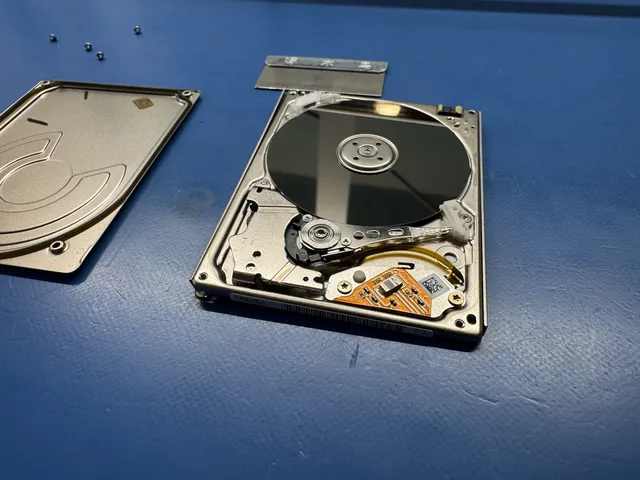
We can read a hard drive on its own. To copy photos and messages from your iPhone, we need its CPU and NAND chips to work together.
-
How your iPhone locks your files
Your iPhone encrypts every file with a key tied to its own processor. Reading the storage chip by itself leaves the files locked. If a board fault has stopped your iPhone from turning on, we work on that fault so the phone can start and accept your passcode.
-
Why the CPU and NAND stay together
Every iPhone has its own pair of chips. We need both the original CPU and NAND present and working to read your files. If either chip is cracked or destroyed, the files are permanently out of reach.
-
All your files unlock together
Until your iPhone starts and unlocks, every file stays locked. Once it does, we can copy everything together, including your photos, messages, notes, contacts and all the data your apps saved on the phone.
-
When the logic board needs repair
The logic board is the main circuit board inside your iPhone. We use thermal cameras, oscilloscopes and microscopes to find the part that failed. When a connection on the board is damaged, we use microsoldering to mend it so your iPhone can run long enough for us to make a backup.
How Long Does iPhone Data Recovery Take?
The standard wait is 4 to 6 weeks before we reach your device in line and start the diagnostic. Recovery takes additional time depending on what we find. If you need us sooner, we start the diagnostic within 5 to 7 days with Priority, within 1 to 2 days with Urgent, or the same day with Emergency. Rush service costs extra.
-
4–6 weeks
Standard
Included
We usually start the diagnostic in 4–6 weeks. Recovery time after that depends on your case.
-
5 - 7 days
Priority Rush
+$250
Diagnostic assessment starts within 5–7 days, ahead of the standard queue; confirm availability. Completion timing varies.
-
1 - 2 days
Urgent Rush
+$500
Diagnostic assessment starts within 1–2 days, ahead of the standard queue; confirm availability. Completion timing varies.
-
Same Day
Emergency
+$1,000
Diagnostic assessment starts same-day, ahead of the standard queue; confirm availability. Completion timing varies.
Rush windows cover the start of diagnostic assessment; confirm availability. They do not promise completed diagnosis or recovery. We usually start the diagnostic in 4–6 weeks. Recovery time after that depends on your case.
How iPhone data recovery works
-
Request a quote and mail your iPhone
Call or use our quote form. Take your securely packed iPhone to any UPS location.
-
We diagnose the logic board
Every recovery starts with the diagnostic. We open your iPhone and use thermal cameras, oscilloscopes and microscopes to examine individual parts on the board. We look for short circuits, trace any liquid damage and test whether the chips still work. What we find tells us how to approach the recovery. This is covered by the $100 diagnostic fee.
-
Review your recovery quote
After the diagnostic, we explain what failed, what we'd need to do and exactly what the recovery would cost. You decide whether to proceed - if you do, the diagnostic fee is applied toward the total cost.
-
Microsoldering and copying your files
We use motherboard repair to get your iPhone running long enough to unlock it with your passcode. On a badly damaged board, that may mean moving the CPU and NAND together to a donor board. If your iPhone allows a computer backup, we then make a full iTunes backup of your notes, contacts, messages, photos and app data.
-
Get your files back
We send proof of recovery before requesting payment. If you're receiving a computer backup, we can send it to you on an external drive. We keep an offline copy of the recovered files for two weeks, then delete our copy.
Mailing your iPhone from Bayamon, PR
Recovering data from Bayamón requires nothing more than a trip to the post office. Wrap your iPhone in padding, place it in a small box, and ship via USPS Priority Mail. We regularly receive devices from across the San Juan metro area, including Carolina, Guaynabo, Caguas, and Toa Baja. After your device arrives, we conduct a complete diagnostic and reach out with our assessment and pricing.
Once recovery is complete, your data ships back on an encrypted USB drive to your Bayamón address. The full mail-in process includes tracking notifications so you know exactly where your device is at all times.
What causes iPhone data loss?
Tell us what happened just before your iPhone stopped working. Knowing whether it got wet, took a fall or stopped during an update helps us decide where to start the diagnostic.
-
Water and other liquid damage
If your iPhone got wet, stop trying to charge it or turn it on and send it to us right away. Pool, lake, ocean, bath or toilet water can reach the motherboard in seconds, as can rain, spilled coffee or humidity. Corrosion starts immediately and spreads quickly under the CPU and NAND. Saltwater and sugary drinks do the most damage. Read our full guide on water damaged phone data recovery for what to do (and what not to do).
-
Drops, bends and crush damage
Even if the screen looks fine after a drop, parts inside can crack or come loose. We handle iPhone data recovery for bent and crushed phones, including ones dropped from balconies or run over by cars. An impact can crack the motherboard, break solder connections under the CPU or damage the NAND chip. Severe damage may call for a full CPU and NAND transplant to a donor board.
-
Battery and power failures
If the battery fails or swells, your iPhone can stop turning on while your files stay intact on the NAND chip. A failing battery can also deliver uneven voltage and damage the power management chip or the Tristar charging chip. If that happens, your iPhone may stay off even with a new battery. We use microsoldering to repair the damaged part.
-
Short circuits
Liquid, a faulty third-party charger or a part that wears out over time can cause a short circuit on the motherboard. The shorted part draws too much current, heats up and keeps your iPhone from starting. We use a thermal camera to find that part, then use microsoldering to remove or replace it.
-
Repair and long screw damage
A screw that's too long can pierce the board and cut connections near the CPU. This long screw damage is especially common on iPhone 7 and iPhone 8. Rough screen removal, torn flex cables, CPU pads torn during chip removal or overheating a chip during resoldering can make recovery harder and costlier. If anyone opened your phone or attempted an iPhone repair, tell us before the diagnostic.
-
Software and update failures
A failed iOS update, a failed restore or an iPhone boot loop can leave your iPhone stuck on the Apple logo or showing a black or blue screen. iTunes may show iPhone error 14, iPhone error 4013 or iPhone error 4014. Software alone rarely calls for motherboard repair, but an update can expose a failing NAND chip or weak solder joint. We diagnose the cause before recommending recovery.
Help for a damaged iPhone in Bayamon, PR
Bayamón iPhones contend with environmental pressures unique to island life. Puerto Rico's unstable power infrastructure can send voltage spikes through charging cables, frying sensitive components on the logic board. Constant humidity degrades internal seals and connectors gradually, causing failures that seem sudden but have been developing for months. Tropical rain catches people off guard daily, soaking pockets and purses.
Standard causes apply too: drops on hard surfaces at Bayamón shopping centers, failed software updates that leave phones stuck, and amateur repair attempts that cause more harm than good. Whatever killed your iPhone, request a free quote to find out if your data can be recovered before you write it off and buy a replacement.
Water-Damaged iPhone Recovery for Bayamon Residents
Bayamón's inland location doesn't spare it from Puerto Rico's intense rainfall and humidity. Afternoon deluges, flooding along the Bayamón River, and the relentless moisture that permeates everything on the island create constant risk for electronics. An iPhone caught in a sudden downpour while walking through Bayamón's commercial district can suffer the same internal damage as one dropped in a pool.
The island's humidity is a silent threat that many Bayamón residents underestimate. Even phones that never get directly wet can develop internal corrosion over years of exposure to ambient moisture levels above 80 percent. This slow degradation eventually causes component failures and data inaccessibility.
MDRepairs treats water-damaged iPhones with complete board disassembly, ultrasonic cleaning, and microscopic inspection. We identify every corroded connection and rebuild them through precision microsoldering, restoring the data pathways between your phone's processor and its storage chip.
Ship your water-damaged iPhone to our lab through our mail-in service as quickly as possible. Corrosion spreads continuously after liquid exposure-the rice-in-a-bag remedy is a myth that wastes precious time while damage worsens inside the sealed device.
We've recovered data from phones exposed to everything from coffee spills in Bayamón cafés to extended submersion during hurricane flooding. The NAND storage chip itself is well-protected and often survives conditions that destroy every other component on the board.
Bayamon iPhone Won't Turn On? We Recover the Data Inside
When your iPhone goes dark in Bayamón, the anxiety is immediate-especially if your photos, messages, and contacts weren't fully backed up to iCloud. A phone that won't turn on, shows no charging indicator, or sits on a blank screen isn't necessarily holding your data hostage forever. The storage chip inside operates independently of the phone's ability to boot.
MDRepairs specializes in diagnosing why iPhones die. Power management failures, short circuits caused by component degradation, and CPU connection issues are among the most frequent causes. Our technicians identify the failed element and repair it at the board level, restoring enough functionality to pull your entire data set from the NAND chip.
Bayamón residents often visit local shops first, understandably hoping for a quick fix. When those shops can't help-and they usually can't with truly dead logic boards-our lab is the next step. We work on devices that have already been examined by other technicians without any issue.
From phones that died during a charging session to devices that stopped working after Puerto Rico's power grid hiccuped during a storm, we handle every scenario. Your Bayamón address is no obstacle-our mail-in process serves the entire island with consistent quality and transparent communication throughout.
iPhone data recovery by model
Your iPhone model tells us which chips are inside, how the board is laid out and how we can reach the parts that need work. Those differences affect what it takes to get your files back.
- Early models
iPhone 3GS, 4 and 5 series
These are the earliest iPhones we work on. The iPhone 3GS introduced hardware encryption. Larger parts and simpler layouts make logic board repair easier, though finding a donor board can take time. Recovery pricing is $1,000 to $1,500 for these models.
- Middle generations
iPhone 6, 6s, 7, 8 and SE
The iPhone 6 brought larger boards and more complex power circuits. The iPhone 7 layout changed with a new Taptic Engine and no headphone jack. The CPU design on the iPhone 7 and 8 makes contact repairs delicate. The 2020 and 2022 SE models fit other generations' parts into smaller cases. $1,500 is a typical recovery price for these models. We base your estimate on what we find.
- Stacked boards
iPhone X, XS and 11 series
Starting with the iPhone X, Apple stacked the two layers of the logic board to make room for a larger battery and Face ID. We separate those layers to repair parts inside, then join them again. The A11 through A13 chips have more closely spaced connections. Both the processor and storage chip need to work before we can read your files. Recovery costs $1,500 for these models.
- Smaller parts
iPhone 12, 13, 14 and 15 series
These models also have stacked boards, with smaller parts packed closer together and a more complex system for managing heat. Liquid can spread faster through that tight space and damage several critical parts at once. Recovery costs $2,000 for these models.
- Newest models
iPhone 16 and 17 series
The chips in these models fit even closer together. To repair the board, we may need one of the newer donor boards. Due to the recency of these models and the higher cost of replacement parts, recovery pricing starts at $2,000. For a detailed assessment of your iPhone 16 or later, start with a quote request.
- Compact models
iPhone SE and Mini models
The smaller case doesn't make recovery harder. The iPhone 12 Mini and 13 Mini have their full-size counterparts' hardware. With the same key parts inside, we use the same recovery methods, and the price follows the generation of those parts.
If you're unsure which model you have, describe your iPhone's color, size and approximate year when you request a quote. During the diagnostic, we identify the exact model from the number on its logic board. Every iPhone from the 3GS onward uses hardware encryption, so we use microsoldering for this recovery work across all those models.
If your iPhone has died or got wet, leave it unplugged and get a free quote. Corrosion can keep spreading inside a wet phone.
Affirm financing, if eligibleWhy we move the CPU in iPhone NAND recovery
Even when the motherboard is beyond repair, we can still recover your files if the CPU and NAND flash chip are intact. The board itself might have spent days in saltwater, snapped in a hard impact or been damaged during an earlier repair.
As a last resort, we move both chips together to a working donor board. That keeps the encryption key with your files so we can start and unlock your iPhone. If your settings allow it, we then make a full iTunes backup. You can watch the work in many of our YouTube videos. CPU/NAND swap pricing is $3,500 flat due to the highly specialized labor involved.
iPhone CPU repair for damaged connections
Your iPhone's processor holds the key to the files on its storage chip. We need that processor working to unlock your photos, messages and other files.
The tiny contact pads underneath the CPU connect it to the board. A hard drop can break those connections, and lifting the chip during a repair can tear the pads away.
We repair damaged electrical paths directly on the CPU, often under a microscope. We solder tiny wires called micro-jumpers across the breaks to restore the connections. Depending on how many have torn, this can take several hours to a full day.
Data recovery when your iPhone shuts off on its own
If your iPhone freezes without warning or shuts off by itself, even overnight when you haven't touched it, the cause is often a short circuit on the motherboard. A dead battery or a software problem can cause similar symptoms.
A damaged power circuit may supply enough voltage to start your iPhone, then falter as the phone draws more power. You might see it turn on for a moment, shut down again and eventually stop turning on altogether.
We look at thermal images alongside the board's circuit diagrams to find the fault and restore steady power. Once your iPhone stays on long enough to unlock, we can copy your messages, contacts, photos, videos and app data.
Leave your iPhone unplugged. Repeated attempts to charge it or force it to restart can do more damage if there's a short. Let us diagnose the fault and recover your files.
What to do when your iPhone dies
If your iPhone has just stopped working, leave it off. What you do next can protect the parts we need to reach your photos and messages.
First steps
- Set your iPhone down. If it got wet, took a hard fall or suddenly stopped working, leave it alone. Each attempt to turn it back on can do more damage to the logic board.
- Keep it powered off. Leave the buttons alone and keep your iPhone off the charger and disconnected from your computer. Sending power through a wet or shorted board can permanently damage the CPU, the NAND or the circuits that control power.
- Keep your iPhone somewhere dry at room temperature. A hot car, direct sunlight or freezing temperatures can speed up corrosion or put more strain on solder joints that are already weak.
- Contact our lab through the iPhone quote form. The $100 we charge when your device arrives covers finding out what went wrong and putting together an estimate to get your files back.
- Write down what happened and when. It helps to know whether your iPhone fell into water, fell from a height or stopped working overnight. Those details tell us which parts to test first during the diagnostic.
What to avoid
- Skip the rice. Rice leaves moisture inside your iPhone and can get starch dust into its ports and connectors. Corrosion keeps spreading while you wait, so send the phone to us as soon as you can.
- Keep heat away from your iPhone. A hair dryer or heat gun can melt solder out of place, warp the logic board or push moisture deeper inside. Leave any work that needs heat to the lab, where we can control the temperature.
- Ask about your files before agreeing to a repair. A screen or battery replacement is a routine cell phone repair. Another repair attempt can damage the board we need for iPhone microsoldering, and replacing the phone leaves your files on the old one. If the files are what matter to you, contact our lab first.
- Leave your iPhone closed. A YouTube tutorial for iPhone repair may show you how to fix damage to the outside. Working on the board takes different tools and training. Opening the phone yourself can tear flex cables, scratch the board, damage CPU pads or strip screws, making it harder to reach your files.
- Send a wet iPhone promptly. Corrosion spreads each day the damage goes untreated. Sometimes we hear from an owner months later, when corrosion has already reached the CPU or NAND. Those are the two chips we need intact to recover your files.
Contacting our lab from Bayamon, PR
If your iPhone just died in Bayamón, don't keep trying to turn it on or charge it with different cables-this can make things worse. Leave the phone powered off, don't attempt to open it, and call 732-933-7717 to speak with our team. We'll explain exactly how to package your device for safe shipping from Puerto Rico to our mainland lab, giving your data the strongest shot at recovery.
What does iPhone data recovery depend on?
Most board faults affect the parts around your iPhone's processor and storage chip. Motherboard repair can help when power circuits or charging parts fail or when connections corrode. To reach your files, we need the chips themselves to work. A car running over the phone or damage during chip removal can crack or shatter either one. Days in saltwater can eat through a chip's casing.
If the CPU or NAND is destroyed, we explain why the files are lost and return your iPhone. If we can't get any files back, there's no recovery fee. Before you pay that fee, you see a report showing which files we recovered. The $100 diagnostic is non-refundable once diagnostics start, and donor drives or replacement parts you approve are non-refundable once ordered, even if recovery fails.
Why does an encrypted iPhone need a recovery lab?
Only the original CPU holds the key to the files on your iPhone's NAND chip. If the chip is removed and read on its own, the files stay encrypted. They stay locked even if the chip is moved to another phone's board, because that phone's processor has a different key. That's why iPhone data recovery software needs your iPhone to turn on and unlock before it can read your files.
We use logic board repair to get your iPhone running. If the board is beyond repair, moving the CPU and NAND together keeps the pair intact on a donor board. Once iOS starts, we unlock your iPhone with your passcode, even on models that use Face ID. If your settings allow a computer backup, we make a standard iTunes backup.
Photos and messages have the same protection as every other file. If your iPhone won't turn on, we work on getting it to start and unlock so we can copy what you need.
Tools we use in our iPhone data recovery lab
All our iPhone data recovery work takes place at one lab. We use specialized iPhone repair tools to trace a fault down to an individual part and repair the tiny connections your iPhone needs before we can copy your files.
-
Thermal cameras
A short circuit or a failing part can heat up. A thermal camera shows us exactly where that heat is coming from on the logic board.
-
Oscilloscopes and multimeters
We follow the power through the board and measure its electrical signals to find the part that has stopped working.
-
High-powered microscopes
Under a microscope, we can inspect the tiny contact pads, electrical paths and solder joints around the CPU, then solder a fine wire across a broken connection.
-
Rework stations
We set the temperature precisely to melt the solder that holds a chip in place. That lets us lift the chip, renew the tiny solder balls underneath it and fit it back on the board, or replace it if needed.
-
iPhone NAND recovery tools
These tools let us work with your iPhone's encrypted NAND storage. With the original processor working and your phone unlocked, we can read your files and make a backup.
-
Programmable power supplies
We control how much power goes into your damaged iPhone so we can start it safely without causing another short circuit.
$100 diagnostic, credited toward a successful recovery. If we can't get any files back, there's no recovery fee.
Affirm financing, if eligibleHow to choose an iPhone data recovery service in Bayamon, PR
Bayamón's rapid suburban growth has brought a wave of electronics repair shops, but none offer the chip-level data recovery capabilities that MDRepairs provides. Recovering data from a dead iPhone requires microsoldering expertise, specialized diagnostic tools, and years of experience working under a microscope on components smaller than a grain of sand.
Our lab diagnoses the exact failure point on your iPhone's logic board-whether it's a blown charging IC, a corroded CPU connection, or degraded NAND flash memory. This precision avoids unnecessary work and targets the specific repair needed to access your stored data.
Bayamón residents benefit from our mail-in process, which uses the standard USPS domestic system. No customs paperwork, no international shipping headaches. Drop your padded package at the Bayamón post office and it's on its way to expert hands.
The work we do is visible and verifiable. Joseph Montanti's YouTube channel has hundreds of recovery videos. You can watch our team work on water-damaged phones and failed logic boards.
When your data matters-family photos spanning years, business records for your Bayamón enterprise, or vital communications you can't recreate-settling for a local shop that lacks the right tools isn't worth the risk. Trust the lab that has proven its capabilities on camera for millions of viewers.
Why Recovery Software Won't Save Your Dead iPhone in Bayamon
Bayamón residents searching online for iPhone data recovery solutions will encounter dozens of software tools promising to retrieve lost data. Programs marketed under names like Dr.Fone, PhoneRescue, and UltData appear in Spanish and English search results alike, offering one-click recovery for a fraction of professional service costs. There's a critical catch: they only work when your phone works.
Data recovery software communicates with your iPhone through a USB connection that requires the phone to be powered on and recognized by your computer. If your iPhone is dead, stuck in DFU mode, or suffering from a hardware failure that prevents booting, no software application on earth can reach the data inside. The storage chip is physically disconnected from any external interface.
Some Bayamón residents try hardware repairs at home, following tutorial videos and ordering replacement parts. iPhone logic board repair demands tools most people don't own-microscopes capable of high magnification, soldering irons with micron-level tips, hot air stations calibrated for lead-free BGA work, and the training to use them without destroying adjacent components.
Devices that come to us after DIY attempts are still usually recoverable, but the risk of permanent damage increases with each amateur intervention. Lifting a pad or damaging a trace near the NAND chip can turn a routine recovery into a complex transplant case.
Protect your data by avoiding experimentation. Ship your device to professionals who recover iPhones every day, and give your files the best possible chance of coming home intact.
How Stolen Device Protection changes your backup
If your newer iPhone has Apple's Stolen Device Protection turned on, we can still make a backup.
We back up to your own iCloud account instead of a computer or flash drive. When you sign in to iCloud on another iPhone, your photos and videos come back.
If you're unsure whether the setting is on, we'll find out during the diagnostic and talk you through how you'll get your files.
iPhone data recovery for businesses of all sizes in Bayamon, PR
Bayamón has grown into a major commercial hub within the San Juan metro area, with industrial parks, retail centers, and a growing base of service-sector businesses. Professionals here manage client relationships, financial records, and operational data on their iPhones-often without comprehensive cloud backup systems in place.
MDRepairs provides data recovery services. Whether you're a contractor managing project timelines, a healthcare provider with patient communications, or a shop owner tracking inventory through mobile apps, we treat your business data with the seriousness it deserves.
Our recovery process generates documentation suitable for legal and compliance purposes.
Bayamón's manufacturing and distribution companies face particular vulnerability-logistics coordination, supplier communications, and delivery confirmations often live exclusively on a manager's personal iPhone. Losing that device means losing operational continuity.
For organizations in Bayamón that regularly handle sensitive data on mobile devices, our partnership program offers priority service queuing and volume pricing that reflects the ongoing relationship.
How does iPhone data recovery compare?
At MDRepairs, we use some of the same board repair skills for iPhone data recovery that we use for other phones and tablets. How we reach your files depends on the device.
-
iPhone and Android recovery
Modern Android phones, including Samsung Galaxy phones, encrypt all their storage, but the method varies by manufacturer. On some models we can remove the NAND chip, read it and decrypt the files. Others need to start and unlock for a backup, like your iPhone. We use the same motherboard repair and microsoldering skills for both. Read about our cell phone data recovery work for Android.
-
iPhone and iPad recovery
iPad data recovery starts the same way as iPhone recovery. The files use the same kind of encryption, so we get the iPad running, unlock it and make a backup. Its larger logic board gives us more room around the parts we repair. An iPad is also more vulnerable to damage from bending because of its larger glass surface and thinner case.
-
iPhone data recovery or iPhone repair?
iPhone repair gets your phone ready for everyday use again with a replacement screen, battery or camera. For recovery, we use some of the same microsoldering techniques to repair the motherboard just enough to start your phone once and make a backup. If all you need is a screen or battery, our repair service is quicker and costs less.
-
Can Apple recover data from a dead iPhone?
Apple doesn't offer an iPhone data recovery service, and AppleCare doesn't cover recovery. For a dead or water damaged iPhone, the Apple Store or Genius Bar may try a force restart or DFU restore, then suggest replacing the phone. A replacement leaves your files on the original board. We work on that board using motherboard repair, microsoldering and chip-level data extraction.
-
Mail-in or local iPhone recovery?
We take mail-ins nationwide and do motherboard repair and microsoldering at our New Jersey lab.
Recovery options for your devices in Bayamon, PR
Electronics repair kiosks in Bayamón's shopping centers handle screens, batteries, and charging ports-none perform the board-level microsoldering needed for data recovery from dead iPhones. The Apple Store in nearby Plaza Las Americas offers device replacement but zero data extraction capability. MDRepairs provides the specialized recovery that fills this gap. Get a free quote before accepting that your data is gone.
How you'll get your iPhone data back
Once your iPhone is running and we've made a full backup, we email you proof of recovery. You'll usually see a screenshot or file list with photo counts, message threads and app data. You confirm we recovered your files before you pay the recovery fee.
We send your computer backup on an external drive. See where to find your files. For a larger backup, we can send you a USB drive.
With an iTunes backup, you can restore your files to a new iPhone using iTunes or Finder. Your photos, messages, contacts, apps and settings transfer together. To pick out individual files without restoring the phone, open the backup in iMazing or iExplorer. If you're switching to Android, follow our guide to transferring data to a new phone.
We keep an offline copy of your recovered files for two weeks, then delete our copy.
Ready to get your iPhone data back in Bayamon, PR?
iPhone Data Recovery Near Bayamon
You can mail your device to our lab from any of the cities below.
See all the cities we serve in Puerto Rico or visit our iphone data recovery page.
iPhone Data Recovery FAQ - Bayamon, PR
What does iPhone data recovery cost for Bayamón customers?
Pricing is model-based: iPhone 3GS through 11 is $1,000 to $1,500, iPhone 12 through 15 are $2,000, iPhone 16 and 17 cost $2,000. Board transplants run $3,500. The $100 diagnostic fee is applied as a credit toward recovery when you approve the work.
What's the turnaround time when shipping from Bayamón?
Standard tests start about 4–6 weeks after arrival. Ask about rush processing for time-critical data when you contact us.
How do I ship my iPhone from Puerto Rico for recovery?
Wrap your iPhone in padding, place it in a small box, and ship via USPS Priority Mail from any Bayamón post office. No customs forms needed-Puerto Rico uses the domestic USPS system. We confirm receipt immediately upon arrival.
Can you get data off a completely dead iPhone?
That's our specialty. Dead iPhones make up the majority of our caseload. The NAND chip retains all data even when the phone can't turn on. Our technicians repair the board-level failure to access and extract everything stored on the chip.
Will my photos survive if my iPhone won't boot?
Your photos are stored on the NAND flash memory chip, which holds data independently of the phone's ability to start. We recover the full photo and video library at original quality including Recently Deleted items.
Can you recover an iPhone damaged by Puerto Rico's humidity or storms?
We ultrasonically clean corrosion from the logic board, repair damaged connections with microsoldering, and access the storage chip to extract your data.
Do I owe a recovery fee if you can't get my files back?
You only pay the recovery fee if we successfully extract your target data. The $100 diagnostic covers our evaluation regardless of outcome. Before any chargeable work begins, you receive a full report of what we found and can recover.
What file types do you recover from iPhones?
We pull everything the NAND chip contains: photos, videos, messages, iMessages, contacts, call logs, voicemails, notes, calendars, Safari data, WhatsApp, Telegram, documents, health records, and more. The extraction is comprehensive.
Are deleted text messages recoverable?
Sometimes. Deleted texts remain in storage until overwritten. If your phone died before that space was reused, those messages may still be intact on the NAND chip. We check for deleted content as part of every recovery.
Can you recover my WhatsApp messages from a broken iPhone?
Yes-WhatsApp is the primary messaging platform in Puerto Rico and all its data lives locally on the iPhone. Our NAND extraction captures the complete WhatsApp database including conversations, photos, voice messages, and shared documents.
What iPhone models can you work on?
All of them-from the earliest models through the iPhone 17. Each generation has distinct board layouts, and our technicians train on current and legacy hardware alike. No matter how old or new your device is, we can work on it.
Is data recovery different from getting my iPhone repaired?
Fundamentally different. Repair makes the phone work again as a device. Recovery extracts your files from a phone that may never function again. Our focus is exclusively on getting your data off the device.
Will Apple recover data from my dead iPhone?
No. Apple doesn't offer data recovery at any location. If your phone is dead and your data isn't in iCloud, Apple's only option is a new phone with empty storage. That's where our service becomes essential.
What should I do immediately if my iPhone gets wet?
Power it off immediately. Don't charge it or press buttons. Avoid the rice trick-it's ineffective. Dry the exterior and contact us to arrange shipping. Speed matters enormously with water damage in Puerto Rico's warm, humid conditions.
Why don't Bayamón repair shops offer data recovery?
Data recovery requires entirely different equipment and training than device repair-professional microsoldering stations, BGA rework systems, high-magnification microscopes, and years of specialized training. The investment puts this capability beyond most local businesses.
How should I pack my iPhone for mailing from Bayamón?
Bubble wrap around the phone, placed in a small rigid box with padding. No chargers or accessories needed. Ship via USPS Priority Mail with tracking. Domestic rates apply from Puerto Rico, making shipping straightforward and affordable.
What if a local shop already opened my iPhone?
That's fine-we work on previously opened devices regularly. Let us know what was done so our team can account for it. Prior attempts sometimes add complexity but rarely make recovery impossible.
Do you offer payment options for the recovery fee?
We accept all major credit and debit cards for remote payment. The diagnostic is collected first, recovery fees only upon success. Contact us to discuss your situation if cost is a concern.
My iPhone keeps restarting with the Apple logo-can you help?
Boot loops indicate either software corruption or failing hardware. Either way, your data is still on the storage chip. We diagnose the cause and extract data through board repair or direct chip access-both approaches work.
Does a cracked screen mean my data is lost?
Not at all. A cracked screen is a display problem, not a storage problem. Data recovery becomes necessary only when the impact also caused internal damage that prevents the phone from turning on.
What's a board transplant and why is it more expensive?
A board transplant moves your NAND chip and CPU to a functioning donor board. It's required when the original board is irreparably damaged. The procedure demands extreme precision and a compatible donor board, which is why it costs $3,500.
Do you work on iPads and Android phones too?
iPads share similar architecture with iPhones so we handle those routinely. Android varies by manufacturer-some are feasible, others aren't. Reach out with your device details for an honest assessment.
How do I decide if professional recovery is the right choice?
Ask yourself what the data is worth. Family photos, business contacts, WhatsApp conversations-these often far exceed the recovery cost in value. Our diagnostic gives you concrete information to decide with facts, not guesswork.
How do you return my recovered data?
All files go onto an encrypted USB drive shipped to your Bayamón address via USPS Priority Mail with tracking. We keep a backup for 30 days, then permanently delete everything from our systems.
What privacy protections do you have for my personal data?
We delete our offline copy of your recovered files after two weeks, or sooner if you ask. We don't browse personal content-recovery tools extract raw data.
No question matches that - it's probably faster to just ask us: (732) 933-7717 or .
More Data Recovery Services in Puerto Rico
You can mail any of these devices to us from Puerto Rico. Choose your device to see how we work on it.
Tell us which files you need back
$100 diagnostic, credited toward a successful recovery. If we can't get any files back, there's no recovery fee.