iPhone Data Recovery in San Francisco, CA
345 Google Reviews · 2M+ Followers · Nationwide Service
- $100 Flat Diagnostic
- Free Shipping (contiguous US)
San Francisco's tech workers, entrepreneurs, artists, and families store critical pieces of their lives on iPhones - from startup code screenshots and venture capital contacts to fog-draped photos of the Golden Gate Bridge and years of memories across the city's neighborhoods.
About this recovery service
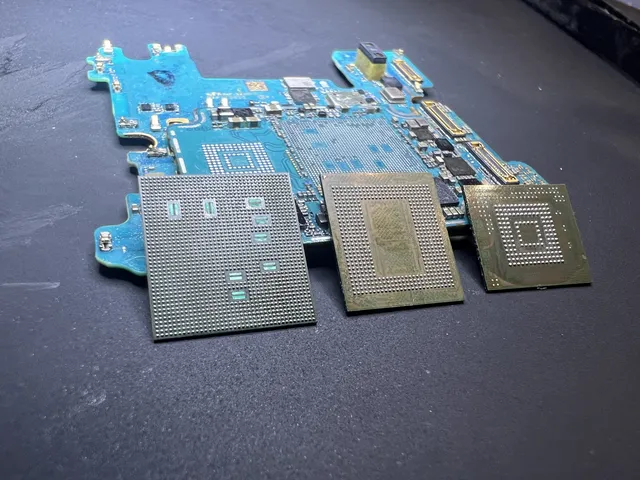
MDRepairs delivers professional iPhone data recovery through microsoldering and NAND-level chip work that extracts data from devices no one else can fix.
Our secure mail-in program brings San Francisco's dead and damaged iPhones to our dedicated lab with prepaid shipping. From the Mission to the Marina, SoMa to the Sunset, we recover every recoverable file. No data, no charge.
Recoveries filmed at our bench
Professional iPhone Data Recovery Lab Backed By 2M+ Followers Serving San Francisco, CA
Joseph Montanti built MDRepairs' reputation through radical transparency, documenting iPhone data recovery cases for over 2 million YouTube subscribers. San Francisco's startup culture values proof over promises, and our channel provides exactly that - real recoveries, real techniques, real results you can watch before committing your device to our lab.
Real Phone Recoveries, Filmed Start to Finish
MDrepairs doesn't just talk about mobile data recovery - we show it. Our lead technician Joseph Montanti films real phone recoveries from the moment a device hits the bench through final data extraction. From corroded Samsung Galaxy boards to iPhones snapped in half, over 2 million followers watch us bring phones back from the dead on YouTube, TikTok, and Instagram.
- 4.6 Google rating
- from 345 Google reviews
- 2M+ Followers watching real recoveries
- $100 diagnostic, credited toward a successful recovery.
The people we help
Our customers include people from
-

-

-
 AT&T
-
 Marriott
-

-

-
 Tennessee Titans
-

-

-

-

-

-

-

What Our Customers Say
-
They are miracle workers! My phone was in a creek for a year and another lab failed to recover my data from it. I saw this company on TikTok do a micro soldering recovery … They recovered all 20 GB of data from my phone!
-
MDRepairs was great! They recovered the Data on my phone after sending it to two other Recovery centers that said it would not be possible! They were straight forward on pricing and we're very honest. Would recommend!
-
After four years, my Android phone completely died. A local repair shop told me the motherboard was shot and my data was lost for good. … In the end, they successfully recovered all of my data!
-
I sent my phone to 2 other reputable phone recovery groups in Toronto Canada, only to get shut down advising it was unfixable due to the serious water damage. I sent my phone to you in an ugly box and made a prayer, you delivered and working like normal again!
-
My iPhone completely died out of nowhere - it wouldn’t turn on at all - neither Geek Squad or Apple could do anything. … I brought it here as a last resort, and they worked actual magic. They got into the motherboard, got the phone to turn on, and recovered everything in less than a week.
-
These guys are legit- they saved the day when … other local places told me my iPhone was unfixable after a drop with internal damage. … MDrepairs in a store front where you can talk to the employees and they understand and appreciate your emergency.
-
My phone fell in the ocean and had internal salt water damage that fried the battery and coroded parts of the internals. Another recovery company could not do a recovery, but MDrepairs did a circuit-level chip swap and recovered all my data.
-
I walked into a lake with my iPhone 7 years ago. Destroyed it! I went to a number of local shops who said it was beyond repairable. … He was prompt, extremely responsive and was able to recover priceless photos and videos.
-
I had an iPhone that I sent out to multiple businesses because I could not get into it. Got back responses like “device corrupted” and “unrepairable”. Gave it one last try with MDrepairs.., and success!
-
The phone was taken to a local shop who checked it out briefly and said the CPU had gotten hot and the solder melted. The also said that the data was unrecoverable. … I made my insurance deadline and got all of my data, I am one very happy camper.
What's happening with your phone?
Pick your device. You'll see what might be wrong, what to avoid, and whether it's urgent.
Mechanical - power it OFF now
Dead phone, alive data - it lives on one chip.
Your photos and messages live in a storage chip that usually survives whatever killed the phone. Board-level repair brings the phone up long enough to pull everything. Skip the rice, skip the third repair attempt - each one risks the board.
Mechanical - power it OFF now
Corrosion is the clock. Keep it OFF.
Water does not destroy the data - the corrosion that spreads while the phone sits does. Do not charge it, do not "wait and try tomorrow." Off, bagged, shipped: that is how water-damaged phones come back with every photo.
Logical - act calmly, act soon
Screen is the cheap part. Access is what matters.
If the phone still vibrates or rings, the data is fine behind a dead display. We restore access, pull a verified copy of everything, and you decide if the phone itself is worth fixing afterward.
Serious - stop using it
Usually software or storage - both recoverable.
A phone stuck on the logo is often a storage fault or a failed update, not a dead board. Do not factory reset it - that is the one step that genuinely erases everything. Diagnostic first, reset never.
How Much Does Cell Phone Data Recovery Cost?
Cell phone data recovery pricing depends on the device brand, model, and how badly it's damaged. iPhone recovery and processor swaps on severely damaged boards take more time and specialized work. Chip-off, JTAG, and ISP are ways to access the storage on Android phones.
Every case begins with a $100 diagnostic evaluation that tells us exactly what's wrong and what it'll cost to fix. If you move forward, that fee is applied toward the total recovery price.
For a detailed cost breakdown, read our guide on how much data recovery costs. Fill out the Get a Quote form for a personalized estimate based on your phone and damage type. For a full breakdown of all our recovery services and pricing tiers, visit our data recovery pricing page.
- Chip-Off / JTAG / ISP Recovery
- $1,500 - $2,000
- iPhone (3GS - 11 )
- $1,000 - $1,500
- iPhone ( 12 / 13 / 14 / 15 / 16 / 17 Series)
- $2,000
- Samsung Galaxy / Android
- $1,500 - $2,000
- CPU Swap (broken board / severe liquid)
- $3,500
CPU swaps are required when the motherboard is cracked, snapped, or liquid damaged beyond standard repair. The CPU and storage chip are transplanted to a working donor board.
- Credit Cards
- PayPal
- Apple Pay
- Affirm Pay over time if you qualify
- Afterpay 4 interest-free split payments
We charge the diagnostic fee when your device arrives. You pay for recovery after the work is complete. Before you pay for recovery, you can look through your report to see which files we got back. We email it to you.
iPhone Data Recovery Pricing in San Francisco, CA
iPhone data recovery pricing: iPhone 3GS through 11 - $1,000 to $1,500. iPhone 12 through 15 - $2,000. iPhone 16 and 17 - $2,000. NAND transplant cases - $3,500. A $100 diagnostic fee is collected upon arrival and credited toward the recovery cost if you move forward.
No data, no charge. If we cannot recover your target files, you pay only the diagnostic fee. Transparent pricing with no hidden costs.
Get a Free QuoteTypes of Data We Recover From iPhones
We recover every type of data stored on your iPhone - whether you need to recover data from a broken iPhone, a water damaged device, or a phone that simply won't turn on.
-
iPhone Photo Recovery
Need to recover photos from a broken iPhone? We extract your entire Camera Roll - photos, Live Photos, videos, slow-motion clips, and screenshots - from every album including Recently Deleted and hidden folders. For many families, years of irreplaceable memories live exclusively on their iPhone, and iPhone photo recovery is the most common reason clients contact us.
-
iPhone Message Recovery
Recover text messages from a broken iPhone - complete SMS and iMessage history, including conversations, group chats, shared media, and attachments. Whether it's sentimental conversations or critical business communications, we recover the full thread history with timestamps intact.
-
iPhone WhatsApp Recovery & App Data
We recover WhatsApp messages from dead iPhones and all other installed apps, including full conversations with media attachments, Telegram chats, Signal messages, Viber histories, and app-specific documents. Any data stored locally on the device is included in the iTunes backup we create during recovery.
-
Contacts & Call Logs
Your complete contact list with all associated details - phone numbers, email addresses, physical addresses, notes, and contact photos. We also recover your full call history, including incoming, outgoing, and missed calls with timestamps and durations.
-
Notes & Reminders
All Apple Notes content, including text notes, checklists, sketches, scanned documents, embedded photos, and table data. We also recover Reminders, Voice Memos, and any locally saved documents from the Files app. Many professionals rely on Notes for meeting records, research, and ideas that exist nowhere else.
-
Calendars, Mail & More
Calendar events and appointments, Safari bookmarks and browsing history, saved passwords from Keychain, Health app data, Wallet passes, and all other locally stored information. When we create a full iTunes backup, it captures virtually everything on the device - giving you a complete snapshot of your iPhone's data.
In San Francisco, CA
We recover every file type from iPhones: photos, videos, texts, iMessages, WhatsApp conversations, Signal messages, contacts, call logs, voicemail, notes, voice memos, health data, app documents, and Safari data. San Francisco clients frequently need recovery of professional networking contacts, startup-related documents, and creative portfolios that exist nowhere else.
Your recovered files arrive organized on an encrypted drive. Visit our recovered data page to see exactly what is included with every recovery and how we structure your returned data for easy browsing.
Why iPhone Data Recovery Is Different From Other Devices
An iPhone is not a hard drive. Hardware encryption and a paired CPU and NAND mean the only path to your data is board-level repair - here is what that involves.
-
Full-Disk Encryption
Your iPhone encrypts your files using keys tied to its processor. Reading the storage chip by itself leaves your files encrypted. We need the iPhone to power on and unlock to read them. If a board fault is keeping the phone from turning on, that's where we do the repair work.
-
CPU + NAND Pairing
The CPU and NAND flash chip are uniquely paired on every iPhone. Your data cannot be accessed unless both components are present and functional. If either chip is cracked or destroyed, the data is permanently unrecoverable.
-
No Partial Recovery
iPhone recovery is all-or-nothing. Once the device boots and unlocks, we recover everything - photos, messages, notes, contacts, and all app data. There's no such thing as a partial extraction with iPhones.
-
Logic Board Repair Required
If the fault is on your iPhone's logic board, we diagnose the components and use microsoldering when needed. We use thermal cameras, oscilloscopes, and microscopes to locate faults, repair damaged traces, and restore the phone to a bootable state long enough to create a backup.
How Long Does iPhone Data Recovery Take?
The standard wait is 4 to 6 weeks before we reach your device in line and start the diagnostic. Recovery takes additional time depending on what we find. If you need us sooner, we start the diagnostic within 5 to 7 days with Priority, within 1 to 2 days with Urgent, or the same day with Emergency. Rush service costs extra.
-
4–6 weeks
Standard
Included
We usually start the diagnostic in 4–6 weeks. Recovery time after that depends on your case.
-
5 - 7 days
Priority Rush
+$250
Diagnostic assessment starts within 5–7 days, ahead of the standard queue; confirm availability. Completion timing varies.
-
1 - 2 days
Urgent Rush
+$500
Diagnostic assessment starts within 1–2 days, ahead of the standard queue; confirm availability. Completion timing varies.
-
Same Day
Emergency
+$1,000
Diagnostic assessment starts same-day, ahead of the standard queue; confirm availability. Completion timing varies.
Rush windows cover the start of diagnostic assessment; confirm availability. They do not promise completed diagnosis or recovery. We usually start the diagnostic in 4–6 weeks. Recovery time after that depends on your case. Mail-in ships with a free prepaid label (contiguous US) and typically reaches our lab in 2-3 business days.
How iPhone Data Recovery Works
-
Submit a Quote & Ship Your iPhone
Fill out our quote form or call us. We cover the UPS label and the trip home in the lower 48, except islands. Get your label on the mail-in form. Package your iPhone securely and drop it off at any UPS location. We use UPS 2nd Day Air both ways. On each trip, you can expect delivery by the end of the second business day after UPS gets your box. Weekends and holidays don't count.
-
Logic Board Diagnostics
Our technicians disassemble your iPhone and perform component-level diagnostics using thermal cameras, oscilloscopes, and microscopes. We test for short circuits, assess liquid damage, evaluate chip integrity, and determine the best recovery approach. This is covered by the $100 diagnostic fee.
-
Recovery Quote & Approval
After diagnostics, we provide a detailed assessment and exact recovery quote. You decide whether to proceed - if you do, the diagnostic fee is applied toward the total cost. No surprises, no hidden fees.
-
Microsoldering & Data Extraction
We perform motherboard repair to get your iPhone to power on and reach a usable state. Once the device boots and is unlocked, we create a full iTunes backup containing your notes, contacts, messages, photos, and app data. For severely damaged boards, we may transplant the CPU and NAND to a donor board.
-
Data Delivered
We send proof of recovery before requesting payment. Your recovered data is delivered via our secure data delivery portal or shipped on an external drive. We keep an offline copy for two weeks, then delete it.
In San Francisco, CA
Ship your iPhone from San Francisco, Oakland, Berkeley, Daly City, or anywhere in the Bay Area using our prepaid shipping program. Packages from SF typically arrive at our lab in two business days. We diagnose the device, share our findings and pricing, and only move forward after you approve the recovery plan.
Your recovered data ships back on an encrypted external drive by UPS. The entire process happens remotely with full communication at every step.
Common Causes of iPhone Data Loss
Understanding what happened to your iPhone helps us plan the most effective recovery approach.
-
Liquid & Water Damage
Whether your iPhone fell in a pool, toilet, ocean, lake, or bathtub - or was exposed to rain, spilled coffee, or humidity - liquid can reach the motherboard within seconds. Corrosion begins immediately and spreads quickly - especially under the CPU and NAND where your data lives. Saltwater and sugary liquids cause the most aggressive damage. The single best thing you can do is stop trying to charge or power on the phone and send it to our lab immediately. Read our full guide on water damaged phone data recovery for what to do (and what not to do).
-
Physical Impact, Drops & Crush Damage
A dropped iPhone can crack the motherboard, shatter microscopic solder connections under the CPU, or physically damage the NAND storage chip. Even if the screen looks fine, internal components can be jarred loose or fractured. We handle dropped iPhone data recovery from every scenario - phones dropped from balconies, iPhones run over by cars, bent iPhones, and devices with severe crush damage. In extreme cases, we perform a full CPU and NAND transplant to a donor board.
-
Battery & Power Failure
A failing or swollen battery can cause an iPhone to stop powering on entirely, but the data remains intact on the NAND chip. In some cases, a degraded battery can cause voltage irregularities that damage the power management IC or Tristar charging chip, preventing the phone from booting even with a new battery. These are component-level faults that require microsoldering to repair.
-
Short Circuits
Electrical shorts on the motherboard can be caused by liquid exposure, faulty third-party chargers, or component degradation over time. A shorted component draws excessive current, generating heat and preventing the iPhone from booting. We use thermal cameras to locate the short and then perform precision microsoldering to remove or replace the faulty component.
-
Failed Repairs & Long Screw Damage
One of the most heartbreaking scenarios we see is iPhones that were perfectly recoverable before a repair shop made things worse. Improperly removing the screen, tearing flex cables, damaging CPU pads during chip removal, applying too much heat during a reball attempt, or long screw damage (where a screw that's too long punctures the motherboard and severs traces near the CPU) - all of these can turn a straightforward recovery into a complex and expensive one. Long screw damage is particularly common on iPhone 7 and iPhone 8 models. If your iPhone was previously repaired or opened by another shop, let us know so we can factor that into our diagnostic approach.
-
Software & Update Failures
A botched iOS update, failed restore, or iPhone boot loop can render a device unusable. Common symptoms include an iPhone stuck on the Apple logo, iPhone black screen, iPhone blue screen, or iTunes displaying iPhone error 14, iPhone error 4013, or iPhone error 4014. While software issues alone don't typically require motherboard repair, many of these failures are symptoms of an underlying hardware problem - like a failing NAND chip or marginal solder joint that gives out during a firmware update. We diagnose the root cause before recommending a recovery path.
In San Francisco, CA
iPhones in San Francisco commonly fail from moisture exposure due to the city's fog and rain, drops onto sidewalks and BART station platforms, battery wear from years of intensive use, and software corruption from botched iOS updates. The hilly terrain means phones also slide off surfaces and sustain impact damage more frequently than in flat cities.
Whatever caused your iPhone to stop working, our lab has the equipment and expertise to evaluate the damage. Get a free quote to describe your situation and receive professional guidance on next steps.
Water-Damaged iPhone Recovery for San Francisco Residents
San Francisco's famous fog, sudden rain showers, proximity to the Bay, and active waterfront culture put iPhones at constant risk of liquid exposure. Whether your phone fell off a ferry near Alcatraz, got soaked walking through the Tenderloin in a downpour, or slipped into a drink at a Mission bar, water damage starts corroding logic board components within hours.
The moment liquid enters the phone, electrochemical reactions begin dissolving solder joints and damaging integrated circuits. The phone may even appear to work initially, then fail days later as corrosion spreads. Powering off immediately is critical.
Our lab begins every water damage case with full disassembly and ultrasonic cleaning of the logic board. We then inspect every component at high magnification, replacing corroded ICs and rebuilding damaged traces through micro-jumper wires and precision soldering.
We have recovered data from iPhones dropped into the Bay near Fisherman's Wharf, soaked by burst pipes in Victorian-era apartments, and submerged in hot tubs across the city. The corrosion patterns differ, but our systematic process handles them all.
Use our mail-in service to ship your water-damaged iPhone quickly. Time is the enemy with liquid damage, and every day of delay reduces recovery prospects. Our guarantee protects you - no data recovered, no charge.
San Francisco iPhone Won't Turn On? We Recover the Data Inside
In a city where your iPhone doubles as your office, your portfolio, your social network, and your family album, a dead device is more than an inconvenience. It is a potential loss of startup pitch decks, investor contacts built over years at conference after conference, and every photo from your life in the Bay Area.
Dead iPhones have specific hardware causes: blown power management circuits, cracked solder joints beneath the CPU, failed tristar or hydra charging ICs, or NAND storage corruption. These are physical failures that require physical repair - not software troubleshooting, not Apple Store appointments, not restarts.
Our technicians locate the failed component through schematic-guided diagnosis, thermal imaging, and electrical probing. We repair the fault to boot the device long enough to extract all data. When the board is beyond repair, we perform a NAND transplant to a donor board.
San Francisco residents ship dead iPhones to our lab through our mail-in program. You receive updates throughout the process and your recovered data is returned on an encrypted drive. The device is protected by insurance from pickup through delivery.
iPhone Data Recovery by Model
Each iPhone generation presents unique recovery challenges based on its internal architecture, chip design, and board layout.
- Legacy
iPhone 3GS / 4 / 5 Series
The earliest iPhones we recover data from. The iPhone 3GS was the first model to introduce hardware encryption, and the iPhone 4 introduced the A4 chip with full-disk encryption. These older devices have simpler board layouts and larger components, making logic board repair somewhat more straightforward. However, sourcing donor boards for these vintage models can be challenging, which impacts turnaround time. Recovery pricing is $1,000 to $1,500 for these models. Despite their age, we regularly recover precious family photos and messages from these devices - data that often spans back over a decade.
- Mid-Range
iPhone 6 / 6s / 7 / 8 / SE
The iPhone 6 era introduced larger logic boards with more complex power management systems, while the iPhone 7 removed the headphone jack and introduced a new Taptic Engine - changes that altered the internal layout significantly. The iPhone 7 and 8 series use more advanced packaging for the CPU, making pad repair more delicate. SE models (2020, 2022) share internals with other generations but in a compact form factor. $1,500 is a typical recovery price for these models. We give you an estimate based on what we found.
- Modern
iPhone X / XS / 11 Series
The iPhone X marked a major design shift with a stacked logic board - two PCB layers sandwiched together to make room for the larger battery and Face ID components. This stacked design means component-level repair requires separating and re-bonding the two halves, adding complexity to every recovery. The A11 through A13 chips in these models use more advanced packaging with finer pitch connections. We need the processor and storage chip to work before we can get to your files. Recovery costs $1,500 for these models.
- Current
iPhone 12 / 13 / 14 / 15 Series
These iPhone models continue the stacked board design with smaller components. These newer models feature more advanced thermal management and more tightly integrated components, which means liquid damage can spread faster and affect more critical areas simultaneously. Recovery costs $2,000 for these models.
- Latest
iPhone 16 / 17 Series
The newest iPhone generations push component density and chip integration even further. Board repairs on these models can require newer donor boards from our inventory. Due to the recency of these models and the higher cost of replacement parts, recovery pricing starts at $2,000. If your iPhone 16 or later needs data recovery, request a quote for a detailed assessment.
- Special
iPhone SE & Mini Models
The iPhone SE line reuses internals from flagship models in a smaller chassis - the SE (2020) shares the iPhone 8's logic board, while the SE (2022) is based on the iPhone 13 platform. iPhone Mini models (12 Mini, 13 Mini) pack full flagship hardware into a compact form factor. Recovery procedures for SE and Mini models follow the same approach as their full-size counterparts, with pricing based on the internal generation rather than the external design. The compact size of these devices doesn't affect recovery difficulty since the critical components are the same.
Not sure which iPhone model you have? Our technicians identify the exact model during diagnostics using the internal model number on the logic board. When you submit a quote request, just describe the phone as best you can (color, size, approximate year) and we'll handle the rest. Every iPhone model from the 3GS onward uses hardware encryption, which is why microsoldering is always required to access your data - regardless of the model.
Dead or liquid-damaged iPhone? Do not charge it - get a free quote before corrosion spreads.
Affirm financing, if eligibleiPhone NAND Recovery: CPU & Chip Swap Explained
In some cases, an iPhone's motherboard is too damaged to repair - submerged in saltwater for days, physically snapped from severe impact, or wrecked by a botched repair at another shop. Even when the board itself is beyond saving, we can still recover your data as long as the CPU and NAND flash chip are intact.
We transplant both chips together to a working donor motherboard, preserving their encrypted pairing. This lets us boot the phone, unlock it, and create a full iTunes backup. This advanced technique is featured in many of our YouTube videos and serves as our last-resort method when standard board repair fails. CPU/NAND swap pricing is $3,500 flat due to the highly specialized labor involved.
iPhone CPU Repair & Trace Restoration
We need your iPhone's processor to work before we can get to your files. Your iPhone uses that processor to unlock the files on its storage chip.
In some cases, the CPU can become damaged from a hard drop or a failed repair attempt - such as when a technician removes the chip without proper technique, ripping or damaging the microscopic pads underneath. This breaks essential connections between the CPU and the board.
MDRepairs specializes in delicate CPU repair. We restore damaged traces directly on the chip, often under a microscope, using micro-jumpers and precision soldering. These jobs can take several hours to a full day depending on the number of torn connections. This level of component-level repair is rarely offered by most shops - but it's exactly what's needed when you're trying to recover irreplaceable data from a severely damaged iPhone.
iPhone Randomly Shutting Off - Data Recovery
If your iPhone shuts off on its own, freezes randomly, or powers down overnight while sitting idle, you're not alone. This issue is often caused by a short circuit on the motherboard - not just a dead battery or software bug.
When an iPhone powers off on its own - especially after sitting idle - it's often because the power management system is compromised or a voltage line fails under load. The phone might turn on briefly, then shut down again, and eventually stop booting entirely.
We use advanced diagnostics like thermal imaging and board schematics to pinpoint the fault and restore stability to the board. Once the phone can start and unlock, we can copy your messages, contacts, photos, videos, and app data.
Tip: Avoid repeated charging or force restarts. Let our lab handle the diagnostics and recovery professionally - repeated power attempts on a shorted board can cause additional damage.
What to Do When Your iPhone Dies
The actions you take immediately after your iPhone stops working can make or break a successful recovery.
Do This
- Stop using it immediately. If your iPhone got wet, fell hard, or stopped working suddenly - set it down and leave it alone. Every additional attempt to power it on risks causing more damage to the logic board.
- Keep it powered off. Do not plug it into a charger, connect it to a computer, or press any buttons. Charging a liquid-damaged or shorted board can cause irreversible damage to the CPU, NAND, or power management circuitry.
- Store it in a dry, room-temperature environment. Avoid leaving your iPhone in a hot car, direct sunlight, or freezing temperatures. Extreme temperatures can accelerate corrosion or cause thermal stress on already-compromised solder joints.
- Contact a professional lab. Submit a quote request for your iPhone. We cover the UPS label and the trip home in the lower 48, except islands. Get your label on the mail-in form. The $100 we charge when your device arrives covers finding out what went wrong and putting together an estimate to get your files back.
- Document what happened. Write down exactly what happened and when - dropped in water, fell from a height, stopped working overnight, etc. This information helps our technicians plan their diagnostic approach and prioritize the most likely failure points.
Don't Do This
- Don't put it in rice. This is the most common myth in phone repair. Rice does not remove moisture from inside an iPhone. It can introduce starch dust into ports and connectors, and it gives people false hope while corrosion continues spreading internally. Rice delays professional treatment - which is the one thing that actually matters.
- Don't use a hair dryer or heat gun. Applying heat to a damaged iPhone can reflow solder joints in unintended ways, warp the logic board, or cause moisture to migrate deeper into the device. Leave thermal work to professionals with proper equipment.
- Don't take it to a phone repair shop. Most cell phone repair shops specialize in screen replacements and battery swaps - not iPhone microsoldering. Many shops will attempt basic repairs that can make your data unrecoverable, or they'll simply tell you nothing can be done and suggest you buy a new phone.
- Don't attempt DIY repair. YouTube tutorials for iPhone repair are designed for cosmetic fixes, not data recovery. Opening an iPhone and attempting board-level work without proper tools and training almost always results in additional damage - torn flex cables, scratched boards, damaged CPU pads, and stripped screws.
- Don't wait weeks or months. If your iPhone has liquid damage, corrosion spreads every day it sits untreated. The longer you wait, the more damage occurs to critical components. Some customers contact us months after a water incident and by then the corrosion has reached the CPU or NAND, making recovery impossible.
In San Francisco, CA
Power off the iPhone immediately and do not attempt to charge it, restore it, or connect it to a computer. Contact MDRepairs at 732-933-7717 to describe your situation and generate a free prepaid UPS label on the mail-in form (contiguous US). Quick action is especially important for water damage cases. The sooner we have the device, the better the outcome.
What iPhone Data Recovery Depends On
We need the processor and memory chips in your iPhone to work before we can get to your files. The fault may be in the power circuitry, charging components, or corroded traces on the board. Our motherboard repair process addresses those faults.
Cases where recovery is not possible: if the CPU or NAND is physically cracked, shattered, or corroded through the chip packaging. This can result from extreme impact (phone crushed by a vehicle), prolonged saltwater submersion, or botched repair attempts where chips were improperly removed. We explain the assessment and return your device if recovery isn't viable. If we can't get any files back, there's no recovery fee. Before you pay that fee, you see a report showing which files we recovered. The $100 diagnostic is non-refundable once diagnostics start, and donor drives or replacement parts you approve are non-refundable once ordered, even if recovery fails.
iPhone Encryption: Why You Can't Recover Data Without Professional Help
As explained above, iPhones use hardware-level encryption that permanently binds the CPU and NAND. But the practical implications of this go further than most people realize. You cannot desolder the NAND chip, read it with an external reader, and decrypt the contents - the decryption key doesn't exist outside the CPU silicon. You cannot swap the NAND to a different phone's board - the processor on that board has a different key. And no iPhone data recovery software can bypass hardware encryption on a phone that won't power on.
When a board fault keeps your iPhone from powering on, logic board repair is part of the recovery work. We fix whatever is preventing the phone from powering on, boot into iOS, authenticate with the passcode or Face ID, and create a standard iTunes backup while the phone is alive and unlocked. If the original board is too damaged, we transplant the CPU and NAND together to a donor - preserving their cryptographic bond.
The iPhone's encryption protects every file type. To get to photos or messages, we need the phone to start and unlock first. Our lab works on iPhones that won't power on.
iPhone Data Recovery Lab - Tools & Equipment
iPhone data recovery is among the most complex work in the data recovery industry. Our Lincroft, NJ lab is equipped with specialized tools purpose-built for component-level iPhone repair and data extraction.
-
Thermal Imaging Cameras
Detect short circuits and failing components by visualizing heat signatures on the logic board.
-
Oscilloscopes & Multimeters
Board-level electrical testing to trace power rails, verify signal integrity, and identify component failures.
-
High-Powered Microscopes
Precision inspection of microscopic pads, traces, and solder joints for CPU repair and micro-jumper work.
-
Rework Stations
Chip-level reflow, reballing, and component removal/replacement with precise temperature control.
-
iPhone NAND Recovery Tools
Specialized tools to interface with encrypted NAND storage for iPhone NAND recovery, data extraction, and backup creation.
-
Programmable Power Supplies
Controlled power delivery to boot damaged iPhones safely without triggering additional short circuits.
We cover the UPS label and the trip home in the lower 48, except islands. $100 diagnostic, credited toward a successful recovery. If we can't get any files back, there's no recovery fee.
Affirm financing, if eligibleChoosing the Right iPhone Data Recovery Service in San Francisco, CA
San Francisco has a repair shop culture born from its tech ecosystem, but fixing screens and swapping batteries is fundamentally different from recovering data off a dead logic board. Data recovery requires microsoldering under magnification, NAND chip programming equipment, and deep knowledge of iPhone board schematics that no storefront operation maintains.
MDRepairs is a dedicated data recovery lab, not a repair shop that added recovery as a side service. Our entire operation is built around extracting data from devices that will not turn on, will not charge, or have suffered catastrophic liquid or physical damage.
Ship your iPhone from San Francisco through our mail-in service and it reaches our New Jersey lab in about two days. We provide detailed diagnostics, clear pricing, and proceed only after your approval.
See our work in action on YouTube. Every video shows a real case with real results. In a city that values authenticity and technical excellence, this transparency matters.
Your iPhone holds contacts that took years of networking to build, photos that document your San Francisco chapter, and documents that drive your professional life. A specialist lab is the only appropriate choice for recovering that data when the hardware fails.
Why Recovery Software Won't Save Your Dead iPhone in San Francisco
San Francisco residents are among the most tech-literate in the world, and many will exhaust every software option before considering a hardware lab. The reality is straightforward: recovery software needs a functioning iPhone connected to a computer. If the phone is dead, there is no connection, no file system access, and no path for software to reach the data.
Programs marketed as iPhone data recovery tools are actually scanning your computer's local backup files, not the dead phone. If you have an iTunes or Finder backup, you can access it yourself without buying software. The phone's NAND chip contains encrypted data that requires physical hardware intervention to read.
Opening the phone without professional equipment carries real risk. San Francisco's maker culture encourages hands-on problem solving, but iPhone logic boards have components smaller than a grain of sand. One slip with an uncontrolled heat source can burn through trace lines or dislodge critical components.
The professional path costs $100 for a diagnostic. We identify the problem, explain the solution, and quote the recovery before any work begins. For data that represents years of your personal and professional life in San Francisco, that diagnostic fee is a minor investment.
Ship your dead iPhone to our lab and let specialized equipment and trained hands do the work. Software was never going to solve a hardware problem.
iPhones With Stolen Device Protection Enabled
If your iPhone has Stolen Device Protection (SDP) enabled, it can affect how we make your backup.
An iCloud backup is one option for your recovered files. You can use your iCloud account to access that backup.
If you're unsure whether SDP is enabled on your device, don't worry - we'll identify this during diagnostics and walk you through the process.
Business & Enterprise iPhone Data Recovery in San Francisco, CA
San Francisco businesses - from two-person startups in co-working spaces to established tech firms South of Market - run on iPhones. When a device containing client databases, deal pipelines, project files, or executive communications fails, the data loss can ripple across the entire organization.
MDRepairs provides business-priority iPhone data recovery for SF companies that need fast, secure extraction of critical files from failed devices. We understand the pace and stakes of doing business in San Francisco and tailor our communication and turnaround accordingly.
Security is central to our process. Every device is handled in a controlled environment, and recovered data is encrypted at every stage. We work with startups navigating pre-IPO sensitivity, law firms with privileged communications, and healthcare companies bound by compliance requirements.
IT departments, repair shops, and MSPs in the Bay Area can join our partnership program for priority service, volume pricing, and dedicated support that fits enterprise workflows.
When a business iPhone dies in San Francisco, the data inside is a company asset. Protect it by contacting a recovery specialist before authorizing any repair or replacement that could wipe the storage.
iPhone Data Recovery vs. Other Devices
How iPhone data recovery compares to other device types we service at MDRepairs.
-
iPhone vs. Android Recovery
Android devices like Samsung Galaxy phones use a different encryption architecture. While modern Android phones also use full-disk encryption, the implementation varies by manufacturer. Some Android devices allow chip-off NAND reading with decryption, while others require a boot-and-backup approach similar to iPhones. The motherboard repair and microsoldering skills transfer directly. If you have an Android device that needs recovery, visit our cell phone data recovery page for details.
-
iPhone vs. iPad Recovery
iPad data recovery uses the same encryption architecture and boot-and-backup approach as iPhone recovery. The primary difference is physical: iPads have larger logic boards with more accessible components, which can simplify certain repairs. However, iPads are more susceptible to flex-related damage due to their larger glass surfaces and thinner chassis. If you need data from a damaged iPad, the same techniques we use for iPhones apply.
-
iPhone Data Recovery vs. iPhone Repair
These are two distinct services. iPhone repair makes the phone usable again - replacing screens, batteries, and cameras. Data recovery has a completely different goal: we repair the motherboard just enough to boot the device one time and extract a backup. The microsoldering techniques overlap, but the end goal is different. If your phone just needs a screen or battery, our repair service is faster and less expensive.
-
Can Apple Recover Data from a Dead iPhone?
No. Apple does not offer any iPhone data recovery service. Apple data recovery simply does not exist - if you bring a dead or water damaged iPhone to the Apple Store or Genius Bar, they will attempt basic troubleshooting - force restart, DFU restore - and if those don't work, they'll recommend purchasing a replacement. Apple does not perform motherboard repair, microsoldering, or chip-level data extraction. AppleCare does not cover data recovery. Their service model is to swap the entire device, which means your data stays on the old motherboard and goes in the bin. This does not mean your data is unrecoverable - it means Apple doesn't have the tools or business model to recover it. A specialized lab like MDRepairs can.
-
Mail-In vs. Local iPhone Recovery
If your iPhone needs motherboard repair or microsoldering, we do that work in our lab. Our nationwide mail-in program connects you directly to the lab doing the work. You can mail your phone from Alabama, New Jersey, or anywhere else in the country. We cover the UPS label and the trip home in the lower 48, except islands. Get your label on the mail-in form. We use UPS 2nd Day Air both ways. On each trip, you can expect delivery by the end of the second business day after UPS gets your box. Weekends and holidays don't count.
In San Francisco, CA
Apple's Union Square flagship does not recover data from dead iPhones. Repair shops in the Mission, SoMa, and the Haight handle screens and batteries but lack the NAND extraction and microsoldering capabilities needed for board-level data recovery. MDRepairs is a purpose-built recovery lab for exactly this work. Request a free quote.
After Recovery: How You Receive Your iPhone Data
Once we boot your iPhone and create a full backup, we email you proof of recovery - typically a screenshot or file listing showing photo counts, message threads, and app data. Payment is only collected after you've confirmed the recovery was successful.
Your data is then delivered through our secure data delivery portal or shipped on a USB drive for larger backups.
With the iTunes backup file in hand, you can restore it to a new iPhone using iTunes or Finder, transferring all your photos, messages, contacts, apps, and settings. You can also browse the backup using tools like iMazing or iExplorer to extract individual files without restoring. Switching to Android? Check our data transfer guide.
We keep an offline copy of your files for two weeks, then delete it.
Ready to Recover Your iPhone Data in San Francisco, CA?
$100 diagnostic, credited toward a successful recovery. If we can't get any files back, there's no recovery fee. Call us directly at 732-933-7717 or get started online. We cover the UPS label and the trip home in the lower 48, except islands.
iPhone Data Recovery Near San Francisco
We serve these cities through our secure mail-in program. We cover the UPS label and the trip home in the lower 48, except islands.
Looking for iphone data recovery elsewhere in California? View all iphone data recovery cities in California, or visit our main iphone data recovery page.
iPhone Data Recovery FAQ - San Francisco, CA
How much does iPhone data recovery cost from San Francisco?
$1,000 to $1,500 for iPhone 3GS through 11, $2,000 for iPhone 12 through 15, $2,000 for iPhone 16 and 17, and $3,500 for NAND transplant cases. The $100 diagnostic fee is credited toward recovery if you proceed.
What is the turnaround time from San Francisco?
Shipping takes about two days. Diagnostics run one to three business days. Total time from shipping to receiving your recovered data is typically four to five weeks. Rush service is available for urgent cases.
How do I ship my iPhone from San Francisco?
Submit a quote request and you generate a free prepaid UPS label on the mail-in form (contiguous US). Package the iPhone with padding, apply the label, and drop it at any UPS location. We receive devices from stores across SF, the East Bay, and the Peninsula regularly.
Can you recover data from a completely dead iPhone?
Yes. Dead iPhones are what we do. We find the hardware fault, repair or bypass it, and extract your data. For severely damaged boards, we transplant the NAND chip to a donor board. Success rates for dead iPhone recovery are high.
Will my photos be recovered from a dead iPhone?
Photos are recovered in the vast majority of cases. We extract the full Camera Roll at original resolution. San Francisco clients frequently recover years of city life documented solely on their iPhone.
Can you fix a water-damaged iPhone and recover data?
We repair water damage specifically to extract data, not to return a working phone. The board is cleaned, corroded parts replaced, and data pulled. Ship the device as soon as possible after exposure for best results.
What exactly is the no-data-no-charge guarantee?
If we cannot recover the data you identified as critical - whether that is photos, texts, contacts, or other files - you pay nothing beyond the $100 diagnostic fee. We agree on success criteria before starting work.
What file types do you recover?
Everything stored on the device: photos, videos, texts, iMessages, WhatsApp, Signal, contacts, voicemail, notes, voice memos, Safari data, health data, and documents from all apps. If it lived on the NAND chip, we capture it.
Can you get back deleted text messages?
Deleted texts sometimes persist in NAND storage blocks that have not been overwritten. If the phone was not factory reset, there is a chance deleted messages are still present. We extract everything available but cannot guarantee specifically deleted content.
Do you extract WhatsApp data?
Yes. WhatsApp's local database on the iPhone is captured during our extraction. This includes all messages, shared photos, videos, documents, and voice notes. SF residents with international contacts frequently prioritize WhatsApp recovery.
Which iPhone models do you work with?
Every model ever released, from the original iPhone through the iPhone 17 series. Each model has unique board layouts and encryption schemes. We maintain current tools and schematics for all generations.
Is data recovery the same as getting my phone repaired?
No. Repair makes the phone work again. Recovery extracts your data from a broken phone. We repair only what is necessary to access the NAND storage. The phone may not function afterward because the data is our sole objective.
Can the Apple Store at Union Square help with data recovery?
Apple does not provide data recovery services. They will check iCloud, try a software restore, or offer a trade-in. For a dead iPhone without a backup, Apple has no solution. Our lab was built for exactly these situations.
Should I dry my wet iPhone with rice?
No. Rice does not halt corrosion already forming on board components. The days spent waiting with the phone in rice allow corrosion to spread and reduce recovery chances. Turn off the phone and send it to a lab immediately.
Can a repair shop in the Mission District recover my data?
Repair shops handle parts-level work like screens and batteries. Data recovery from a dead iPhone requires NAND chip manipulation, microsoldering, and iOS filesystem expertise. These are fundamentally different specialties requiring different equipment.
How should I pack my iPhone for shipping?
Cushion the phone in bubble wrap, place in a small box, and apply our prepaid label. Do not include accessories. Water-damaged phones should be bagged in plastic first. Drop at any SF UPS location.
Another shop tried to fix it and failed. Can you still recover data?
Yes. We regularly handle devices that other technicians have worked on. Previous attempts can cause additional board damage, but we factor that into our diagnosis. Tell us everything that was done so we can plan effectively.
How do I pay for the recovery?
We accept credit cards, debit cards, and PayPal. The diagnostic fee is charged on arrival. Recovery payment is collected only after success, before shipping your data drive. No charge if recovery fails.
My iPhone is stuck restarting. Can you get the data?
Yes. Restart loops and boot failures usually result from NAND corruption. We extract data by reading the storage directly rather than waiting for a successful boot. Do not attempt an iTunes restore, which could erase your data.
The screen is shattered but maybe the phone works?
If you hear notifications or feel vibrations, the phone may be functional beneath the broken display. A screen replacement could restore access without recovery services. If the phone is completely unresponsive, board damage is likely and recovery is the path forward.
What does a NAND transplant involve?
The NAND storage chip is desoldered from your dead board and transferred to a compatible donor board. This allows us to boot the system and decrypt your data. It is the most advanced technique we offer and is used when board repair is not viable.
Can you recover data from iPads or Android phones?
Yes. We handle iPads, Samsung Galaxy, Google Pixel, and other mobile devices. Each platform requires different tools and techniques, but our lab covers the full range. Contact us with your device details.
How do I decide if recovery is worth the money?
Think about what cannot be replaced. If the device holds your only copies of personal memories, critical business data, or professional work built over years, recovery is typically worth the investment. If everything is backed up, you may not need us.
What do I get after recovery is complete?
An encrypted external drive containing your recovered files, shipped by UPS to your SF address. We include a file manifest and keep a backup for 30 days before permanent deletion.
How do you ensure my data stays private?
One technician per case. Encrypted storage throughout. No browsing, copying, or sharing of personal files. Full deletion after 30 days. Our privacy practices reflect the sensitivity expected by SF tech professionals and executives.
No question matches that - it's probably faster to just ask us: (732) 933-7717 or .
More Data Recovery Services in California
MDrepairs offers professional data recovery for all device types. We serve California through our secure mail-in program with free shipping both ways (contiguous US).
Lost your data? We'll get it back.
$100 diagnostic, credited toward a successful recovery. If we can't get any files back, there's no recovery fee. We cover the UPS label and the trip home in the lower 48, except islands.