Broken Screen? 6 Ways to Get Data Off Your Phone
Our founder and lead technician, Joseph Montanti, handles cases personally.
To transfer data from an Android phone with a broken screen, you need to unlock it and approve the transfer. If the picture is visible but touch is dead, a compatible USB mouse can supply the missing control. If the display is black, a supported external monitor or a replacement screen can give you a way to see those prompts.
Check what still works: sound or vibration, a visible picture, and touch.
Check for more than broken glass. A wet, swollen, badly bent or unusually hot phone needs inspection before connecting accessories or power. Keep reset and erase options unused while its local files are the only copy.
On this page
1. Use an existing backup or synced copy
Open Google Photos or iCloud.com in a browser. Check recent pictures and download the ones you need. A synced photo library and a whole-device backup are different things; inspect the contents and backup date before relying on either.
To transfer data to a new phone, sign in with the original account during setup and select its available device backup. Android backup restoration brings back supported settings and app data, while Apple's backup-restoration steps cover iCloud and computer backups on a replacement iPhone. Apps can have their own transfer or sign-in requirements.
2. Copy to a computer if you can unlock
If the phone restarts, heats up unusually, loses its connection or stops sending files, disconnect it, switch it off and have the fault checked.
A computer you previously used is worth trying, but saved trust does not guarantee access with an unusable screen. On iPhone, a passcode or renewed Trust prompt may still be required, as Apple explains. Once authorized, import photos or make a backup with Finder or Apple Devices.
On Android, connect a data-capable cable, unlock the phone, open the USB notification and select File Transfer. Copy DCIM for camera photos, followed by Downloads and other folders you need. Google's transfer instructions require that screen interaction. An Android phone is not automatically a readable USB drive because it has connected to that computer before.
3. Use a mouse when touch has failed
On a compatible Galaxy, connect a USB mouse through an OTG adapter. OTG lets the phone use a USB accessory. With a visible picture, you can click the lock-screen controls and enter the PIN, then operate the backup or transfer app. Samsung documents this in its broken-screen access instructions.
For a new Galaxy, wireless Smart Switch leaves the old phone's USB port available for the mouse. With Smart Switch installed on both phones and enough battery for the transfer:
- Open Smart Switch on both devices.
- On the old phone, choose Send data, then Wireless.
- On the new Galaxy, choose Receive data, Galaxy/Android, then Wireless.
- Approve Allow on the old phone. On the new one, select the content and start Transfer.
These are Samsung's wireless-transfer steps. They also answer the no-PC route once you have restored control of the old screen. A basic USB adapter can cost under $20; Anker's adapter range includes examples. Confirm the connector and accessory support for your phone before buying.
4. Connect a supported external display
Some Galaxy phones can send video to a TV or monitor through a USB-C-to-HDMI adapter. A multiport adapter can also connect a mouse or keyboard. Select the correct HDMI input on the display, then use the phone's lock screen and transfer controls there. Samsung's instructions above explicitly limit this to phones with HDMI output; a USB-C socket by itself does not establish support.
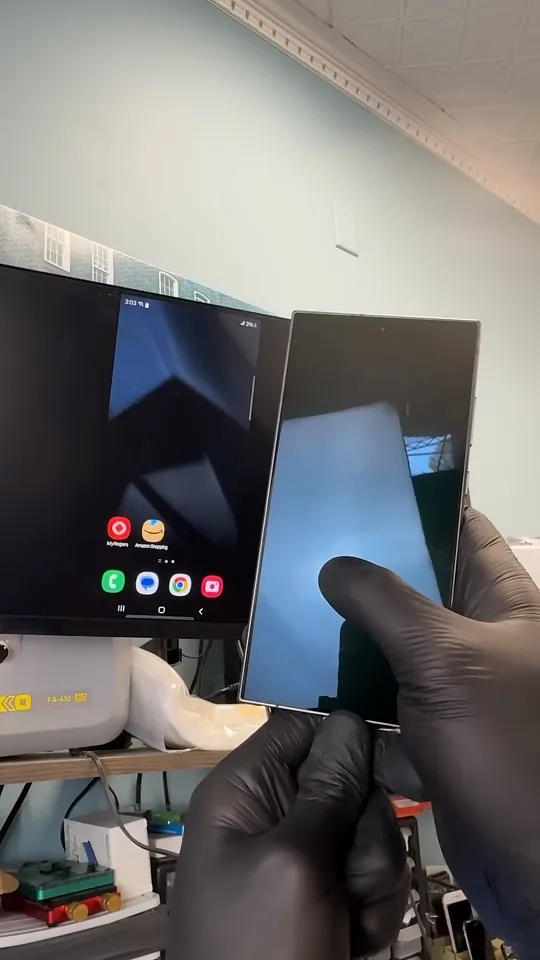
In this Galaxy S24 Ultra repair, electrical damage from a USB-killer device had shorted a chip. Joe replaced it, then used HDMI to reach the home screen and pictures while the built-in display remained blank. That phone needed its power fault repaired before the external screen became useful.
| Access method | iPhone | Android |
|---|---|---|
| Computer transfer | Unlock and any requested Trust approval | Unlock and USB File Transfer selection |
| Mouse | AssistiveTouch must be enabled and the device connected | USB-host/accessory support required; Samsung documents compatible Galaxy use |
| External picture | Mirroring requires the relevant controls and authorization | Wired display output must be supported by the exact model |
An iPhone mouse uses Settings > Accessibility > Touch > AssistiveTouch, described in Apple's pointer-device instructions. If it was never enabled and you cannot operate Settings, plugging in a mouse does not complete that setup. AirPlay mirroring also needs onscreen controls and may request a code.
5. Restore the screen long enough to copy
A compatible working display gives you back the picture and touch controls needed to unlock and transfer. A repair provider can check whether the fault is confined to the screen and whether a temporary connection is suitable for that model. Keep the original motherboard and storage in the phone.
A replacement-display message on an iPhone does not itself prevent using it. The part still needs to work correctly: Apple documents touch and compatibility problems with some replacement displays. Ask for the backup or transfer before any reset.
Some model-specific screen-only repairs cost less than $100; Samsung lists examples including the Galaxy S23 FE on its screen-repair pricing page. The model and any damage beyond the display determine the available repair.
6. Repair a failed touch or power circuit
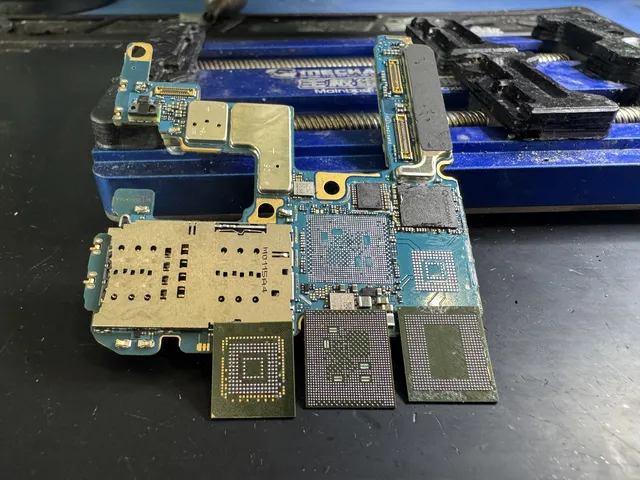
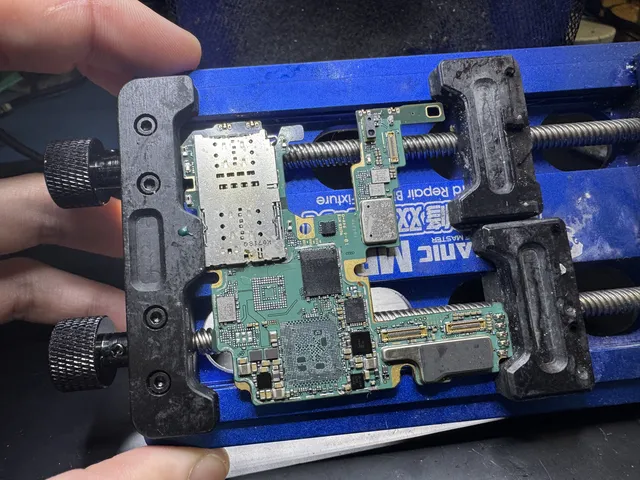
If a working display still gives no touch, or the phone has a power or board fault, accessories have reached their limit. Board-level phone recovery addresses the failed electronics so the original device can unlock and provide access to its files.
In this iPhone case, a phone run over by a truck powered on but had no working touch. Joe replaced two touch-control chips, restoring the ability to approve the computer connection and save the pictures.
MDrepairs diagnoses the fault before quoting recovery work. You approve that estimate before work starts, and the $100 diagnostic is credited toward a successful recovery. If the phone is completely unresponsive, the broken-phone recovery guide covers the no-power path.
Get help with data recovery
Bring your device to our Lincroft lab during opening hours, or mail it in.
How to mail your deviceThe $100 diagnostic is non-refundable once diagnostics start, and donor drives or replacement parts you approve are non-refundable once ordered, even if recovery fails.
More lab videos
Published by MDrepairs
MDrepairs is a data recovery and electronics repair lab in Lincroft, New Jersey. Our founder and lead technician Joseph Montanti films real cases for our YouTube channel, showing tools, repair steps and recovery outcomes.
Keep reading
- Phone Recovery Apps: What They Can and Can't Do
- Old Phone Won't Charge: Getting the Photos Off It

- Phone Ran Over or Crushed? Recovering Photos and Messages