Opening a Hard Drive at Home: What Really Happens
Our founder and lead technician, Joseph Montanti, handles cases personally.
We get it. The drive is dead anyway, YouTube makes head swaps look like Lego, and curiosity is free. Here's the physics, the failure stories, and the one situation where opening a drive yourself is completely fine.
On this page
What's actually inside, and why the tolerances are absurd
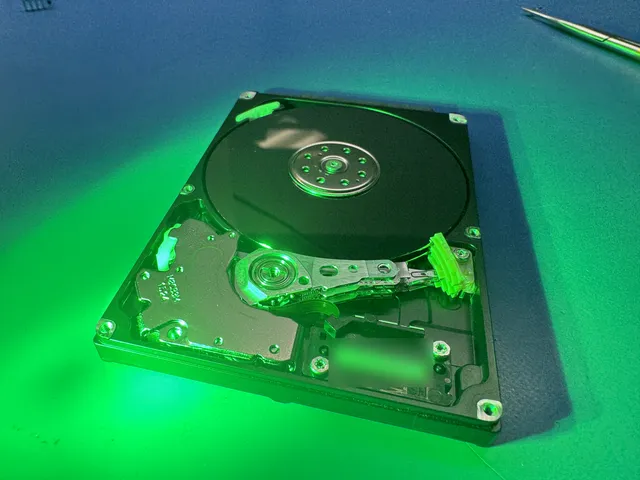
Take off a hard drive's lid and you'll see a stack of mirror-polished platters and an arm resting at the edge. It looks sturdy. It is not. The important numbers:
- The flying height between a read/write head and the platter surface is measured in nanometers, thousands of times thinner than a human hair. The head literally flies on a cushion of air generated by the platter's spin.
- The platters spin at 5,400-7,200 RPM in consumer drives. At those speeds, the outer edge of a 3.5-inch platter is moving highway-fast beneath the heads.
- A dust particle, a fingerprint ridge, or a shred of paper towel fiber is enormous at that scale. When the head hits one at speed, it can gouge the magnetic coating, and the gouged particles then cause more gouges. That chain reaction is a head crash.
The magnetic coating IS your data. Scratch it and those files aren't hidden or damaged, they're physically gone, ground into dust that's now circulating inside the drive doing more damage. That's why scratched platter recovery is the hardest category in this industry, and sometimes not possible at all.
What actually goes wrong when people open drives
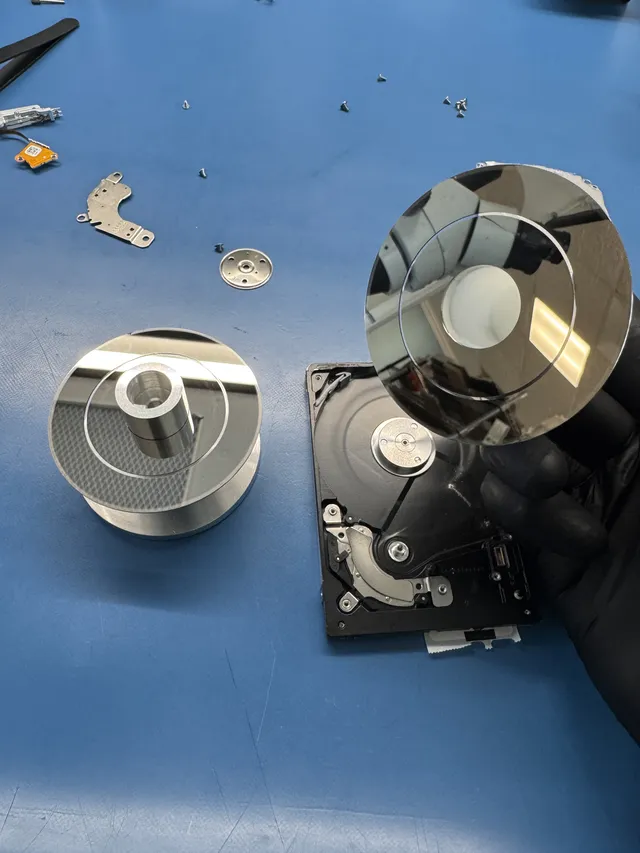
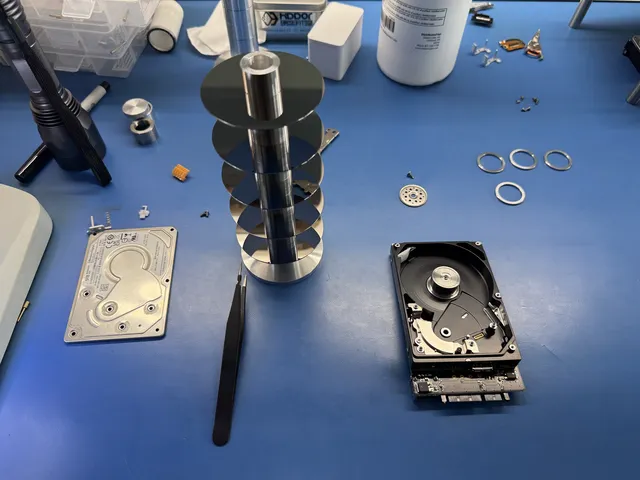
The viral platter-extraction video on our channel started exactly this way: a customer was copying three terabytes of family pictures when his cat knocked the running drive off the table. It stopped working instantly. Another company had already attempted recovery and failed. When we opened it in the lab, the heads were mangled and one head was missing entirely. We found it stuck to a platter surface. That job became a full platter extraction: removing the platter stack, recovering the stuck head fragment, cleaning the surfaces with lab equipment, and rebuilding the drive with donor heads. It worked, and the cat kept its ninth life. But every step of it required equipment and technique no kitchen table has.
Opening a drive at home can cause these problems:
- Contamination. The drive ran after being opened, dust got between head and platter, and now there are scratches that weren't there before. The original problem might have been a $300 fix; the scratches make it a maybe.
- Touched platters. One fingerprint is an oil slick at nanometer scale. People wipe platters with cloth, which is worse. The data under the smear is usually gone.
- Head damage from prodding. Heads park either off the platters on a ramp or in a landing zone. People lever the arm across the platter surface by hand, dragging dead heads across their data.
- Lost calibration. Removing platters from a multi-platter drive without maintaining their rotational alignment scrambles how the surfaces relate to each other. Realigning them is high-end lab work; some misalignments never fully recover.
"But the video made it look easy"
Head swap videos compress a specialized skill into three minutes, and they mostly skip four things: the cleanroom or laminar flow bench keeping air off the platters, the head combs and tools that keep heads from touching anything during the swap, the donor-matching problem (a compatible donor drive often must match model, revision, and manufacturing details), and the firmware work after the mechanical part succeeds. On our bench, a "simple" head swap involves selecting from a stock of donor drives, and the mechanical swap is often the quick part. Getting a drive to accept new heads and read stably is where the real time goes. We show the honest version of this work constantly, scratched platters, seized motors, hide-and-seek with detached heads, because we'd rather deter one DIY disassembly than get the drive afterward.
There's also a quieter failure mode nobody films: the drive that gets opened, looks fine inside, gets closed back up and returned to service. The contamination is already inside. The drive works for a week or a month while particles circulate, and then the crash arrives with interest, taking data that was perfectly healthy on opening day. Opened-and-resealed is not a neutral state for a drive; it's a countdown. If a drive has ever been opened outside controlled air, treat everything on it as living on borrowed time and copy it off now, while it still reads.
What to do instead with a dead drive
If a drive died and the data matters:
- Diagnose from the outside only. Is it detected? Does it spin? What does it sound like? A drive that's clicking has a head or media problem and should not keep running. A drive that's silent may have a board or motor issue. None of this requires opening anything.
- Resist the freezer, the twist, and the tap. The folklore fixes all involve stressing a drive that's already failing. The freezer trick in particular introduces condensation, which is water, inside a precision instrument.
- Count the drive's remaining reads as a budget. A failing drive has a limited number of operations left before it degrades further. Spend them on a lab imaging your data, not on repeated boot attempts.
Professional recovery for opened-at-home drives still succeeds regularly, especially when the drive didn't run long after opening. But the honest framing is this: every minute an opened drive spends running in ordinary air spends your recovery odds. Our scratched platter recovery service exists precisely for the worst of these cases, and standard hard drive recovery covers everything before that point.
Frequently Asked Questions
Can I open my hard drive to fix it myself?
Physically, yes, it's just Torx screws. Practically, no, not if you want the data. The head-to-platter gap is nanometers, household air is full of particles that are boulders at that scale, and running an opened drive grinds contamination into the magnetic surfaces that hold your files. Drives opened at home arrive at labs measurably worse than they left the failure that killed them.
Will opening a hard drive instantly destroy the data?
Opening alone, in a clean, careful setting, with the drive never powered on afterward, often doesn't. The destruction comes from running the drive after exposure, touching the platters, or disturbing the heads and platter alignment. That said, "often doesn't" is doing heavy lifting: labs open drives in controlled air precisely because ordinary rooms make contamination a matter of luck.
What happens if I touch the platter surface?
Skin oil deposits a layer enormously thicker than the head's flying height. When the drive runs, heads hit that layer at full speed, which damages heads and smears contamination across more of the surface. Data directly under a fingerprint is usually unrecoverable, and the secondary damage spreads beyond it. Platters are the one thing inside a drive that should never be touched by anything.
Can a lab still recover data after I opened my drive at home?
Frequently, yes, and you should be upfront that it was opened (we can tell anyway, and it changes how we proceed). Odds depend on what happened while it was open: a look-and-close case with no power-on afterward usually recovers well. A drive that ran opened for a while, or has touched platters, moves into scratched-platter territory where recovery gets partial and sometimes impossible.
Why does hard drive work need filtered air?
A clean, filtered work area limits contamination during head and platter work. It protects exposed drive surfaces. It's about the hours the drive spends open during head swaps, platter work, and imaging, where ambient dust would steadily destroy the surfaces being read.
Get help with data recovery
Bring your device to our Lincroft lab during opening hours, or mail it in.
How to mail your deviceThe $100 diagnostic is non-refundable once diagnostics start, and donor drives or replacement parts you approve are non-refundable once ordered, even if recovery fails.
Published by MDrepairs
MDrepairs is a data recovery and electronics repair lab in Lincroft, New Jersey. Our founder and lead technician Joseph Montanti films real cases for our YouTube channel, showing tools, repair steps and recovery outcomes.
Keep reading
- External Drive Says “The Parameter Is Incorrect”: Data-Safe Checks
- External Hard Drive Freezes File Explorer or the Computer: Safe Next Steps

- “The Semaphore Timeout Period Has Expired” During a Drive Copy