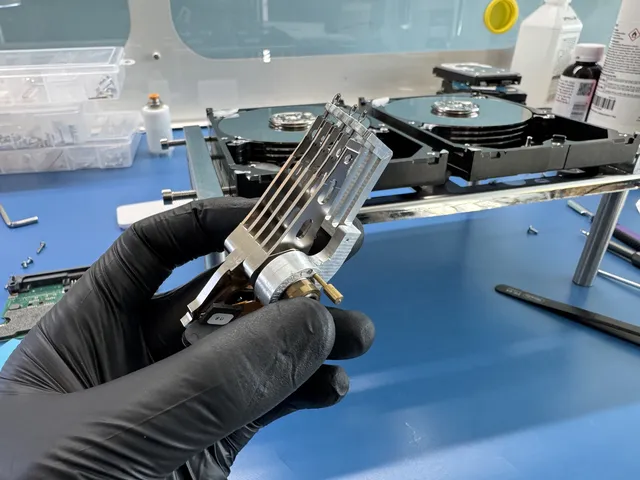
They are miracle workers! My phone was in a creek for a year and another lab failed to recover my data from it. I saw this company on TikTok do a micro soldering recovery … They recovered all 20 GB of data from my phone!
Samsung Galaxy Data Recovery in Vallejo, CA
345 Google Reviews · 2M+ Followers · Nationwide Service
- $100 Flat Diagnostic
- No Data, No Charge
- Free Shipping (contiguous US)
Vallejo residents trust MDRepairs for Samsung Galaxy data recovery. We recover photos, texts, contacts, WhatsApp messages, and app data from dead, water damaged, and broken Galaxy phones shipped from Vallejo, CA. Galaxy S24 Ultra, S23, S22, Note 20, Z Fold, Z Flip, A54 - we work on every Samsung model at our dedicated microsoldering lab in Lincroft, NJ. Knox encryption ties your data to the processor inside your specific phone, and our board-level repair process is built to handle it.
About this recovery service
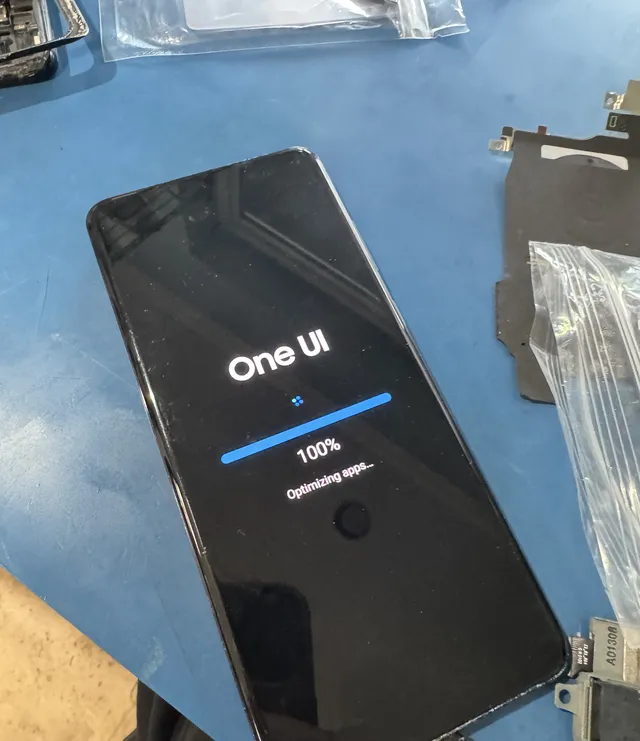
Vallejo customers ship their Samsung Galaxy phones directly to our lab through our secure mail-in program with free UPS shipping both ways (contiguous US). Packages from Vallejo typically arrive at our bench in 2-3 business days. We perform every recovery in-house at 644 Newman Springs Road, Suite A, Lincroft, NJ 07738. No middlemen, no subcontractors, no third parties touching your device. We open the Samsung, diagnose the board failure, repair it through microsoldering, boot into One UI, and pull a complete backup of every file on the phone. No data, no charge.
Local Proof
Trusted for Samsung Galaxy Recovery in Vallejo, CA
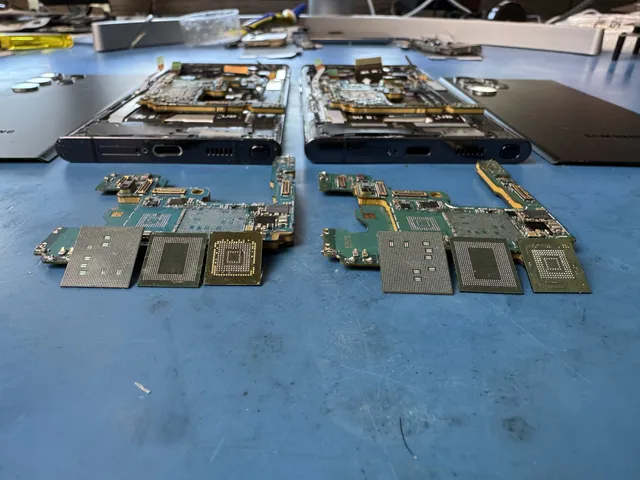
Vallejo residents regularly discover MDRepairs through our YouTube, TikTok, and Instagram videos showing real Samsung Galaxy recoveries. Our lead technician Joseph Montanti films every step of the process, from corroded Galaxy S boards to dead Z Flips brought back to life on the bench. With over 2 million followers across platforms, plenty of Vallejo viewers have already seen our work before they ever need us.
Real Phone Recoveries, Filmed Start to Finish
MDrepairs doesn't just talk about mobile data recovery - we show it. Our lead technician Joseph Montanti films real phone recoveries from the moment a device hits the bench through final data extraction. From corroded Samsung Galaxy boards to iPhones snapped in half, over 2 million followers watch us bring phones back from the dead on YouTube, TikTok, and Instagram.
- 4.6 Google rating
- 345+ Google reviews
- 2M+ Followers watching real recoveries
- $100 Flat diagnostic - no data, no charge
The people we help
Our customers include people from
-

-

-
 AT&T
-
 Marriott
-

-

-
 Tennessee Titans
-

-

-

-

-

-

-

Reviews
What Our Customers Say
4.6
Start Here
What's happening with your phone?
Pick the symptom - we see every one of these from Vallejo, CA weekly. You get the honest answer, not a sales pitch: what's actually wrong, what not to do next, and whether it's urgent.
Mechanical - power it OFF now
Dead phone, alive data - it lives on one chip.
Your photos and messages live in a storage chip that usually survives whatever killed the phone. Board-level repair brings the phone up long enough to pull everything. Skip the rice, skip the third repair attempt - each one risks the board.
Mechanical - power it OFF now
Corrosion is the clock. Keep it OFF.
Water does not destroy the data - the corrosion that spreads while the phone sits does. Do not charge it, do not "wait and try tomorrow." Off, bagged, shipped: that is how water-damaged phones come back with every photo.
Logical - act calmly, act soon
Screen is the cheap part. Access is what matters.
If the phone still vibrates or rings, the data is fine behind a dead display. We restore access, pull a verified copy of everything, and you decide if the phone itself is worth fixing afterward.
Serious - stop using it
Usually software or storage - both recoverable.
A phone stuck on the logo is often a storage fault or a failed update, not a dead board. Do not factory reset it - that is the one step that genuinely erases everything. Diagnostic first, reset never.
Pricing
How Much Does Samsung Galaxy Data Recovery Cost?
Samsung Galaxy data recovery pricing for Vallejo customers is the same as every city we serve nationwide. Chip-off, JTAG, and ISP recovery for older Galaxy models (S5, S6, S7, J series) runs $1,500-$2,000. Galaxy S series (S20 through S24 Ultra) costs $2,000. Galaxy Note, Z Flip, Z Fold, and A series models all fall in the $1,500-$2,000 range depending on the model. CPU transplant for boards with severe physical or liquid damage costs $3,500. Every job begins with a $100 diagnostic evaluation so you know exactly what went wrong and what it costs before committing.
Vallejo customers get free prepaid UPS shipping (contiguous US) both directions. No hidden fees, no surprise charges. For a full breakdown of all recovery pricing, visit our data recovery pricing page.
Get a Free QuoteHow Long Does Cell Phone Data Recovery Take?
With standard service, we usually start your diagnostic in 4–6 weeks. Recovery takes additional time depending on what we find. Rush surcharges move your device ahead of the standard diagnostic queue so assessment starts within the selected window. Confirm availability. Rush windows do not promise completed diagnosis or recovery.
-
4–6 weeks
Standard
Included
We usually start the diagnostic in 4–6 weeks. Recovery time after that depends on your case.
-
5 - 7 days
Priority Rush
+$250
Diagnostic assessment starts within 5–7 days, ahead of the standard queue; confirm availability. Completion timing varies.
-
1 - 2 days
Urgent Rush
+$500
Diagnostic assessment starts within 1–2 days, ahead of the standard queue; confirm availability. Completion timing varies.
-
Same Day
Emergency
+$1,000
Diagnostic assessment starts same-day, ahead of the standard queue; confirm availability. Completion timing varies.
Rush windows cover the start of diagnostic assessment; confirm availability. They do not promise completed diagnosis or recovery. We usually start the diagnostic in 4–6 weeks. Recovery time after that depends on your case. Mail-in ships with a free prepaid label (contiguous US) and typically reaches our lab in 2-3 business days.
Data Types
Types of Data We Recover From Samsung Galaxy Phones in Vallejo, CA
Photos & Videos
Every photo and video in your Samsung Gallery - camera shots, screenshots, slow-motion clips, screen recordings, and anything saved locally. We recover from the DCIM folder, Google Photos local cache, and Samsung Cloud offline storage. Vallejo families send us phones with years of memories that never made it to any cloud backup. All of it comes back organized and ready to view.
Text Messages
Full SMS and MMS message history, RCS conversations, group chats, and all shared media within those threads. We extract directly from the Samsung messaging database stored on the device. Complete conversation history with timestamps preserved as they appeared on your Galaxy. Includes both Samsung Messages and Google Messages data, going back as far as the phone stored them.
WhatsApp & App Data
WhatsApp chat history, voice messages, shared photos and videos, call logs, and group conversations. We also recover Signal, Telegram, Facebook Messenger, Instagram DMs, and other messaging app databases. Vallejo customers with international family connections rely heavily on WhatsApp, and losing those conversations when a Galaxy dies is devastating. We pull the full history.
Contacts
Your complete Samsung contact list with phone numbers, email addresses, physical addresses, notes, and linked social media profiles. Many Vallejo residents store contacts only on their phone without syncing to Google or Samsung Cloud. When the phone dies, those numbers are gone. We extract the full contact database exactly as it was stored on the device.
Documents & Notes
Samsung Notes, Google Keep notes, PDF files, Word documents, spreadsheets, and any other documents stored locally. S Pen users on Note and S Ultra devices often have hundreds of handwritten notes and sketches that exist nowhere else. We recover every file from internal storage and the Samsung Secure Folder if accessible.
Call Logs & Voicemail
Complete call history with timestamps, durations, and contact associations. Visual voicemail recordings stored locally on the device. Samsung call recording files if the feature was enabled. Vallejo business owners and professionals who need call records for client communication, billing, or legal purposes send us their dead Galaxy phones specifically for this data.
Board-Level
Why Samsung Galaxy Data Recovery in Vallejo, CA Requires Board-Level Work
Not a Phone Repair
Phone repair shops in Vallejo replace screens and batteries. Samsung data recovery requires microsoldering on the motherboard to restore power and decrypt Knox-protected storage. Completely different skill set, completely different equipment. No Vallejo repair shop does this work.
Knox Changes Everything
Samsung Knox encryption ties your data to the specific processor inside your phone. You cannot just pull the storage chip and read it like a USB drive. The processor must be working and paired with the storage chip for decryption to happen. Our motherboard repair makes that possible.
Direct Lab Access
Vallejo customers ship directly to our Lincroft, NJ lab. No local drop-off middlemen adding fees and delays. Your Samsung goes straight to the bench where the work happens. Free UPS shipping both ways (contiguous US), and you talk to the actual technicians working on your device.
No Data, No Charge
If we cannot recover your data, you only owe the $100 diagnostic fee. We send proof of recovery before requesting payment for the full job. Vallejo customers see exactly what we pulled from their Samsung before committing to the recovery cost. No pressure, no guessing.
How Cell Phone Data Recovery Works
From the moment you ship your phone to the day your files land in your hands - five clear steps, no surprises, and a $100 diagnostic credited toward your recovery.
-
Submit a Quote & Ship Your Phone
Fill out our quote form or give us a call. You generate a free prepaid UPS label on the mail-in form (contiguous US). Wrap your phone in padding, place it in a small box, and drop it at any UPS location. Your device typically arrives at our Lincroft, NJ lab in 2-3 business days.
-
Device Diagnostics
Our technicians disassemble your phone and run component-level diagnostics using thermal cameras, oscilloscopes, and microscopes. We test for short circuits, check for liquid damage, evaluate chip integrity, and figure out the best recovery approach. This is covered by the $100 diagnostic fee.
-
Recovery Quote & Approval
After diagnostics, we send you a detailed assessment and an exact recovery quote. You decide whether to proceed. If you do, the diagnostic fee is applied toward the total cost. No hidden fees, no surprises.
-
Board Repair & Data Extraction
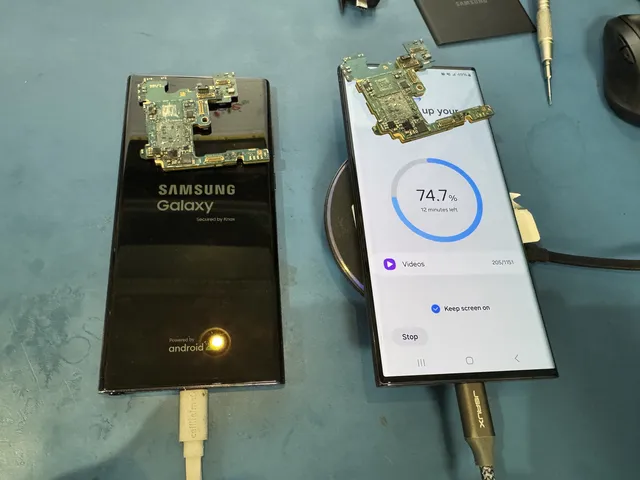
We perform motherboard repair through microsoldering to get your phone to power on and reach a usable state. For iPhones, we create a full iTunes backup once the device boots and unlocks. For Android phones, we extract data directly from internal storage using specialized tools. In severe cases, we transplant the CPU and storage chip to a working donor board.
-
Data Delivered
We send proof of recovery before requesting payment. Your recovered data is delivered through our secure data delivery portal or shipped on an external drive. We keep a copy of your files offline for two weeks, then delete it.
Call 732-933-7717 $100 diagnostic, credited toward recovery - no data, no charge.
Galaxy dead or boot-looping? Knox does not stop chip-level recovery in our lab - get a free quote.
Affirm financing, if eligible Causes
Common Causes of Samsung Galaxy Data Loss in Vallejo, CA
Water Damage
Liquid reaches the Samsung motherboard and corrodes the microscopic solder connections under the processor and storage chip. Pool drops, rain exposure, spills, and humidity all contribute. Vallejo phones face water risk from warm Mediterranean climate with dry summers and mild winters. Corrosion starts immediately and spreads fast.
Drop Damage
A hard drop can crack solder joints under the Snapdragon processor without any visible external damage. The phone might work fine for days or weeks before the cracked connection finally fails. Screen shattering also lets moisture and debris into the internals, compounding the damage over time.
Dead Phone / No Power
Your Samsung will not turn on, charge, or respond at all. This is usually a PMIC failure, blown charging IC, or thermal fatigue in the solder joints from temperature cycling. The storage chip with all your data is almost certainly fine. We fix the power delivery circuit and boot the phone to pull everything off.
Boot Loop
Samsung logo appears, fades, reappears in an endless cycle. Usually caused by a hardware fault, not software. Degrading UFS storage, PMIC instability, or fractured BGA connections prevent the phone from completing its boot sequence. Do not factory reset through recovery mode. Ship it to our lab.
Failed Repair Attempt
A Vallejo phone repair shop tried to fix your Samsung and made it worse. Torn flex cables, lifted CPU pads, missing components, and botched board work from unqualified shops arrive at our lab regularly. We clean up the damage, rebuild what was destroyed, and get the data off the phone.
Age & Wear
Samsung phones degrade over years of daily use. Battery swelling pushes against the motherboard. Repeated charging cycles wear down the USB-C port and charging IC. The accumulation of minor thermal stress events eventually breaks a critical connection. One day the phone just will not turn on. All the data is still there on the storage chip.
Water Damage
Samsung Galaxy Water Damage Data Recovery
Vallejo phones are exposed to water damage from rain, pool drops, spills, and humidity. Any liquid that reaches the Samsung motherboard starts corroding the microscopic BGA solder joints under the processor and storage chip immediately.
When liquid reaches the Samsung motherboard, corrosion begins immediately. It attacks the fine-pitch BGA solder balls under the Snapdragon or Exynos processor first because those connections are the smallest and most vulnerable. We use ultrasonic cleaning, thermal cameras, and high-powered microscopes to locate every corroded connection, then perform microsoldering to restore the damaged traces and bring the board back to functional condition.
Samsung's IP68 water resistance rating misleads people into thinking their Galaxy is waterproof. It is not. IP68 is tested under controlled lab conditions with clean, still water. Real-world exposure to pool chemicals, saltwater, soapy water, or any drop onto a hard surface that flexes the frame can compromise the seal instantly. The adhesive degrades over time too, especially in Vallejo's climate.
If your Samsung Galaxy got wet in Vallejo: Power it off immediately if it is still on. Do not charge it. Do not shake it or blow into the ports. Do not put it in rice. Package it in a ziplock bag and submit a quote on our website. You generate a free prepaid UPS label on the mail-in form (contiguous US) within hours. The faster the phone reaches our lab, the better the outcome.
Dead Phone
Dead Samsung Galaxy? Your Data Is Still There
A Samsung Galaxy that will not turn on at all - black screen, no vibration, completely unresponsive to the charger - almost always has an intact UFS storage chip with all your data still on it. The phone is dead because something in the power delivery chain failed. A blown PMIC, a corroded voltage regulator, a cracked solder joint under the processor. The storage chip itself is solid-state and extremely durable. It does not care that the rest of the phone stopped working.
Vallejo weather contributes to thermal stress on Samsung phones. Moving between climate-controlled spaces and outdoor temperatures puts repeated strain on the lead-free solder joints inside the phone. Over months and years, these joints develop microscopic cracks that eventually break the electrical connection.
We run component-level diagnostics to find the specific failure. Common culprits include the Qualcomm PMIC (a $2 chip that controls power distribution to the entire board), failed charging ICs, corroded baseband processors, and fractured BGA connections under the main CPU. Galaxy S series phones are especially prone to PMIC failures. Galaxy Note devices sometimes develop baseband issues that prevent boot. Z Flip and Z Fold phones can fail at the hinge flex cable where repeated folding finally breaks a trace.
Most dead Samsung phones from Vallejo are one repair away from booting. Once we identify and fix the failed component, we power the Galaxy on, enter your PIN or pattern, and extract a complete backup of everything on the device. The whole diagnostic and repair happens at our NJ lab. Vallejo customers ship with our free UPS labels (contiguous US) and typically have their phone on our bench within a few days.
By Model
Samsung Galaxy Data Recovery by Model in Vallejo, CA
Samsung is the most popular Android brand in Vallejo. We see every model in the Galaxy lineup shipped from the Vallejo area. Each phone has its own board layout, processor, and storage configuration that affects the recovery approach. Here is what we handle.
Flagship
Galaxy S Series (S20 - S24 Ultra)
The Galaxy S series is our most common Samsung recovery. S20 through S24 Ultra all use UFS 3.1 or UFS 4.0 storage with Knox 3.x encryption and Qualcomm Snapdragon processors. Recovery always requires motherboard repair to boot the device and create a One UI backup. The S21 and S22 have stacked board designs that are especially tight to work on. The S24 Ultra is currently the most popular Samsung shipped from Vallejo. Pricing is $2,000.
Productivity
Galaxy Note Series (Note 8 - Note 20 Ultra)
The Galaxy Note was a favorite among Vallejo business professionals before Samsung merged it into the S Ultra line. Note 8 through Note 20 Ultra use Knox encryption with Snapdragon processors. These devices often hold Samsung Notes filled with meeting notes, S Pen diagrams, and project sketches that were never exported anywhere. Older Notes (8, 9) sometimes allow ISP extraction. Pricing: $1,500 to $2,000.
Foldable
Galaxy Z Flip & Z Fold
Samsung's foldable phones are increasingly popular in Vallejo. The Z Flip and Z Fold have a flex cable through the hinge connecting two board halves. That cable is a common failure point after drops or extended use. The Z Fold is popular with professionals who use it as a combined phone and tablet for presentations and document review. Recovery requires Knox bypass through motherboard repair, plus careful handling of the delicate hinge mechanism. Pricing: $2,000.
Mid-Range
Galaxy A Series (A14, A54, A71, etc.)
The Galaxy A series is Samsung's best-selling line, and Vallejo is no different. The A14, A54, A71, and similar models use MediaTek or mid-range Snapdragon processors with Knox. Some A series models use eMMC storage, which opens up chip-off or ISP extraction as a faster recovery path. This is good news for budget-conscious Vallejo customers because these alternative methods can be less expensive. We figure out the best approach during the diagnostic. Pricing: $2,000.
Legacy
Older Galaxy Models (S5 - S10, Note 4-7)
We get a steady flow of older Samsung phones from the Vallejo area. Galaxy S5 through S10, Note 4 through Note 7, and older J and On series devices that people held onto for years. These phones contain data that was never backed up to any service. Many older models use eMMC storage without heavy Knox encryption, allowing chip-off extraction as a faster, less expensive alternative to board repair. Pricing starts at $1,500.
Tablets
Samsung Galaxy Tab
Galaxy Tabs follow the same Knox security and storage architecture as Samsung phones. Tab S series tablets use the same recovery process - motherboard repair, boot into One UI, data extraction. The larger board layout can make some repairs slightly easier than their phone counterparts. Galaxy Tab A series models may support chip-off if they use eMMC storage. Vallejo students, professionals, and warehouse workers all use Galaxy Tabs, and the recovery process is identical to phones.
Not sure which Samsung model you have? That is fine. Just describe the phone when you submit a quote - the color, approximate size, and how old it is. Our technicians identify the exact model from the internal model number on the logic board during diagnostics. Every modern Samsung Galaxy uses Knox encryption, and board-level repair is always the starting point for getting your data back.
Advanced
Chip-Off, JTAG & ISP Recovery for Samsung Galaxy
For certain Samsung Galaxy models shipped from Vallejo, we offer recovery methods that go beyond standard motherboard repair. Chip-off recovery physically removes the eMMC storage chip from the board and reads it in a specialized adapter. This works on older Galaxy phones like the S5, S6, S7, J series, and budget A series models that use eMMC storage without the aggressive Knox file-based encryption found on newer devices. It is a direct, effective extraction method.
JTAG recovery connects to test points on the Samsung motherboard to access storage through the phone's debug interface. No chip removal required. This works on many Galaxy devices where the board is partially functional but the phone will not boot into One UI normally. JTAG is less invasive than chip-off and preserves the original board condition.
ISP (In-System Programming) connects directly to the storage chip's data lines while the chip stays soldered to the board. This gives us raw read access without needing the Samsung to boot at all. ISP works particularly well on Galaxy A series and older S series models. Vallejo customers with budget Samsung phones frequently qualify for ISP recovery.
None of these methods work on newer Galaxy S20+ or Z series phones with UFS storage and Knox 3.x, because the encryption is too tightly bound to the processor. But for older Samsung devices and budget models, chip-off, JTAG, and ISP can be faster, cheaper, and more reliable than full board repair. We determine which approach makes sense during the $100 diagnostic.
Microsoldering
Samsung Galaxy CPU Repair & Chip Transplant
The Snapdragon or Exynos processor is the key to your Samsung data. Knox encryption keys live inside the processor's TrustZone, and without those keys, the UFS storage chip is just a block of encrypted noise. If the CPU cannot talk to the storage chip, nothing gets decrypted. Vallejo customers who have had their Samsung opened by a local repair shop sometimes arrive at our lab with CPU pad damage from careless rework.
CPU damage happens from severe drops, liquid that corrodes the BGA pads underneath the chip, or repair shops that attempted to remove or reseat the processor without proper equipment. The BGA pads on a Snapdragon 8 Gen 3 are microscopic. Tearing even one pad can break a critical Knox data path. MDRepairs restores damaged CPU pads by rebuilding traces with micro-jumper wires soldered under a high-powered microscope. It is tedious, precise work that takes hours.
When the original board is too far gone, we transplant the Snapdragon/Exynos processor and UFS storage chip together to a compatible donor Samsung motherboard. Both chips must move together because Knox encryption binds them as a cryptographic pair. This is the most advanced Samsung recovery we perform, priced at $3,500. Vallejo customers needing CPU transplant work ship their Galaxy to us the same way as any other recovery, with free UPS labels (contiguous US).
Boot Loop
Samsung Galaxy Stuck on Logo or Boot Loop
A Samsung Galaxy stuck in a boot loop - Samsung logo appears, screen goes black, Samsung logo again - is not a software problem you can fix with a factory reset or Odin flash. In the vast majority of cases, a hardware fault on the motherboard is causing the instability. Vallejo's warm Mediterranean climate contribute to the conditions that trigger boot loops on Samsung devices.
Temperature cycling that Vallejo phones endure every day creates stress fractures in solder joints. Your Galaxy goes from air-conditioned spaces to outdoor heat or cold, then back again. Repeat this hundreds of times and the microscopic connections under the processor or UFS chip develop cracks. At first the phone might randomly restart. Then the boot loops start. Eventually it stops booting entirely.
Other boot loop causes include a degrading UFS storage chip that can no longer reliably read firmware partitions, PMIC instability that causes voltage drops during the boot sequence, and Knox security trips from previous unauthorized firmware modifications. The S10 series had widespread eMMC degradation issues, and certain S21 units developed UFS controller problems that manifest as boot loops.
We diagnose the root cause with thermal imaging, power rail analysis, and Samsung board schematics. Once we find the faulty component, we replace it through microsoldering and get the phone fully booted. Do not factory reset through Samsung's recovery mode. That permanently erases your data. And do not flash firmware through Odin unless you are absolutely certain of what you are doing. Ship the phone to our lab and let us handle it properly.
Success Rates
Samsung Galaxy Data Recovery Success Rates
When the Snapdragon/Exynos processor and UFS storage chip are both intact, our Samsung Galaxy data recovery success rate is 100%. The vast majority of broken Galaxy phones we receive from Vallejo have working storage chips. What failed is the power circuitry, a charging component, or corroded traces between the processor and storage. These are exactly the types of failures our motherboard repair process is designed to fix.
Samsung recovery also benefits from having multiple extraction paths. Modern Galaxy flagships need the boot-and-backup approach through Knox, but older and budget models can sometimes be recovered through chip-off, JTAG, or ISP extraction. Having these alternatives means we can recover data even from boards that are too damaged for standard repair. Vallejo customers shipping via UPS typically have their Samsung on our bench within 2-3 business days, with return shipping taking the same.
Recovery is not possible when the processor or UFS chip is physically cracked, shattered, or corroded through the chip packaging itself. Phones destroyed in fires hot enough to damage the silicon die inside the chips are also beyond recovery. We always tell you exactly what we find during diagnostics. If recovery cannot be done, we explain why, return your Galaxy to Vallejo, and you only owe the $100 diagnostic fee. No guessing, no false promises.
Knox Security
Samsung Knox: Why You Cannot Recover Galaxy Data Without Credentials
Samsung Knox is a military-grade security platform baked into every Galaxy phone ever sold, including every Samsung purchased at Vallejo-area AT&T, T-Mobile, or Verizon locations. Knox creates a hardware-backed chain of trust between the processor and storage chip that protects every single file on the device. It is excellent security, but it also means recovering data from a dead Galaxy requires a very specific approach.
Under the hood, Knox uses ARM TrustZone to build a secure execution environment inside the Qualcomm Snapdragon or Samsung Exynos processor. During initial phone setup, encryption keys are generated and locked into TrustZone. These keys never leave the processor die. They are not stored in any recoverable location outside the chip. Desoldering the UFS storage chip and attempting to read it externally produces nothing usable. This is why simply pulling the chip is not a viable recovery method for modern Samsung phones.
Knox includes a tamper detection system known as the Knox Warranty Bit. If unauthorized firmware modifications are detected, Knox can permanently lock certain security features through a hardware fuse. Vallejo customers who previously rooted their Galaxy or flashed custom firmware through Odin may have a tripped Knox bit, which adds complexity to the recovery. We handle Knox-tripped devices regularly and can still recover data in most cases.
Our approach works with Knox rather than against it. We repair the motherboard to get the Galaxy booting normally, then authenticate with your PIN, pattern, or password while Knox confirms the hardware chain of trust is intact. If the original board is beyond repair, we move the processor and UFS chip together to a donor board, keeping the Knox pairing intact. This is the only legitimate way to recover data from an encrypted Samsung Galaxy, and it is what MDRepairs does every day at our NJ lab.
Lab & Tools
Samsung Galaxy Data Recovery Lab - Tools & Equipment
If you are searching for Samsung Galaxy data recovery in Vallejo, here is what you need to understand: there is no phone repair shop in Vallejo that can perform this work. Not at local phone repair shops in Vallejo, not at the mall, not at any local storefront. Samsung board-level data recovery requires advanced microsoldering equipment, detailed knowledge of Knox encryption architecture, and years of focused practice. It is a completely different skill set from screen replacement or battery swaps.
Vallejo has phone repair shops, but any that advertise Samsung data recovery are almost always middlemen. They accept your Galaxy, add $200-$500 to the price, and ship it to a lab somewhere else. Your phone gets handled by multiple parties, sits in queues at each stop, and takes weeks longer than necessary. Some of these middlemen have no idea what Knox even is. They just know there is money in saying yes to desperate customers.
Be cautious of any Vallejo business claiming they can recover deleted data from a working Samsung or unlock a phone without the PIN. Knox makes both of these things impossible. If someone says otherwise, they either do not understand how Samsung encryption works or they are willing to tell you anything to get your phone and your money.
MDRepairs performs every Samsung Galaxy recovery in-house at our Lincroft, NJ lab. We diagnose, repair, and extract the data ourselves. When you submit a quote, you are talking to the team that will actually work on your phone. Our mail-in program connects Vallejo customers directly to our bench with free UPS shipping (contiguous US). No middlemen, no unnecessary markup, no mystery about who is touching your device.
Over 2 million people follow our real Samsung recovery videos on YouTube, TikTok, and Instagram. You can watch exactly how we work on Galaxy boards before you ever ship your phone. That kind of transparency does not exist at any Vallejo phone repair shop.
DIY Fails
Why Samsung Galaxy Recovery Software Fails
Search for "Samsung Galaxy data recovery Vallejo" and you will find ads for software tools like Dr.Fone, iMyFone, Tenorshare, FonePaw, and DroidKit claiming to pull data from broken Samsung phones. Not one of them works on a dead Galaxy. Every single one requires the phone to be powered on, unlocked, and connected via USB with debugging enabled.
These tools communicate with the Samsung through ADB (Android Debug Bridge) while One UI is running. If your Galaxy is dead, water damaged, stuck in a boot loop, or showing a black screen, there is no operating system for the software to talk to. It is like trying to browse the internet on a computer that will not turn on. The tool has nothing to connect to.
The only scenario where these tools are marginally useful is recovering recently deleted files from a working, unlocked Samsung. Even then, Knox file-based encryption discards the encryption keys for deleted storage blocks almost immediately, making the data permanently unreadable. You would be paying $50-$80 for software that recovers little to nothing.
Samsung Smart Switch requires the phone to be running and responsive. Samsung Cloud only contains what was synced before the phone died, and the free tier caps at 5GB. Samsung Find My Mobile can show you a location on a map but cannot extract a single photo from a dead device. None of Samsung's built-in tools address the scenario where your phone will not turn on.
Getting data off a dead Samsung Galaxy requires physical motherboard repair to get the phone booting again. That means microsoldering under a microscope at a lab with Samsung board schematics and donor parts. Our $100 diagnostic gives Vallejo customers a real, honest assessment of what is wrong and what it will cost. If we cannot get your data, you pay only the diagnostic and we ship your phone back.
Backups
Samsung Cloud & Smart Switch: What They Do and Do Not Back Up
Samsung Cloud and Find My Mobile are tools designed for working phones. They cannot help when your Galaxy is dead, water damaged, or otherwise non-functional. Samsung Cloud only stores what you explicitly told it to sync, and the free tier is capped at 5GB. Most Vallejo Galaxy users have not configured full photo backup, which means the majority of their camera roll exists only on the phone's internal UFS storage chip.
Samsung Find My Mobile is a location and remote management tool. It can find, lock, or wipe a Galaxy that is powered on and connected to the internet. If your Samsung is sitting in a drawer dead, Find My Mobile cannot reach it. It certainly cannot pull photos, messages, or app data from a device that has no power.
Google Drive and Google Photos face the same fundamental problem. They only contain what was uploaded while the phone was alive and connected. Many Vallejo customers assumed Google Photos was backing up everything automatically, only to find out that backup paused months ago when their storage filled up or their Wi-Fi changed. The most recent photos, the latest messages, new contacts, app data from the last few weeks - this is typically the data that matters most, and it is the data that was never backed up.
When your Samsung dies with irreplaceable data that never made it to any cloud service, board-level recovery at MDRepairs is the only option. We repair the motherboard, boot the phone, and extract everything stored locally. Vallejo customers ship with free UPS labels (contiguous US). Call 732-933-7717 if you want to talk through your specific situation before shipping.
Business
Business & Enterprise Samsung Galaxy Data Recovery in Vallejo, CA
Vallejo, CA is home to a diverse economy spanning healthcare, education, professional services. The Vallejo area hosts the Vallejo downtown area, all contributing to a professional workforce that relies on Samsung Galaxy phones for daily business operations. When a Galaxy fails with critical work data on it, the impact goes beyond personal photos.
Business professionals carry Samsung devices loaded with client communications, project documentation, financial records, and proprietary information. When a Galaxy dies, the data on that phone may include the only copies of important contracts, meeting notes, or client correspondence. MDRepairs provides priority recovery services for Vallejo businesses that need critical data recovered quickly.
Healthcare workers, legal professionals, real estate agents, and field service technicians in Vallejo all generate Samsung recovery cases that require careful data handling. We provide chain-of-custody documentation for every device and maintain strict privacy protocols throughout the recovery process.
We offer Priority Rush and Emergency Same-Day tiers for time-sensitive business recoveries. For Vallejo businesses with recurring recovery needs or multiple Samsung devices, our partnership program provides priority access, dedicated points of contact, and volume pricing. Whether you are a solo consultant or a large organization with a fleet of damaged Samsung devices, MDRepairs handles it all in-house at our NJ lab.
First Steps
What to Do When Your Samsung Galaxy Dies
Do This
- Power off immediately if the phone is still on after water exposure or a bad drop
- Leave it alone - do not try to charge it, plug it in, or turn it on repeatedly
- Store it dry - put the Samsung in a ziplock bag or dry container
- Submit a quote at mdrepairs.com - we respond within hours
- Ship with our free UPS label (contiguous US) - insured, tracked, and fast from Vallejo
- Write down your PIN/pattern - we need it to authenticate through Knox after repair
Do NOT Do This
- Do not put it in rice - rice does nothing for corrosion and leaves starch residue inside the phone
- Do not use a hair dryer - heat pushes moisture deeper into the board and can damage components
- Do not factory reset - a factory reset through recovery mode permanently erases your data
- Do not take it to a phone repair shop - screen and battery shops cannot do board-level work and may cause more damage
- Do not attempt Odin flashing - flashing firmware on a hardware-damaged board risks tripping Knox and wiping data
- Do not open the phone yourself - Samsung phones have fragile flex cables and waterproof seals that are easy to destroy
After Recovery
After Recovery: How You Receive Your Galaxy Data
After we get your Samsung Galaxy booted and complete the data extraction, we send you proof of recovery by email. This is typically a screenshot or file listing showing photo counts, message thread counts, and categories of app data recovered. We do not request payment until you confirm that the recovery meets your expectations. That is our policy for every customer, Vallejo or otherwise.
Your recovered data is delivered through our secure data delivery portal for standard recoveries or shipped on a USB drive for larger file sets. USB drives shipped to Vallejo addresses typically arrive within 2-3 business days after we send them. We also ship your original Samsung Galaxy back at the same time.
The file dump includes photos, videos, messages, contacts, Samsung Notes, voice memos, documents, app data, and everything else stored locally on the device. Photos and videos are standard formats you can open anywhere. Messages and contacts export in formats compatible with Samsung Smart Switch and Google account import. Everything comes organized by category so you can find what you need quickly.
Once you confirm receipt and verify your files, all copies of your data are securely wiped from our systems. Nothing stays on our servers or drives after confirmation. Moving to a new Samsung or switching to iPhone? Our data transfer guide walks you through getting your recovered data onto your new device.
Comparisons
Samsung Galaxy Data Recovery vs. Other Services
Samsung vs. iPhone Recovery
Both Samsung Galaxy and iPhone data recovery require board-level microsoldering to get a dead phone booted. Apple uses the Secure Enclave; Samsung uses Knox TrustZone. Both bind encryption keys to the processor. The repair approach is similar - fix the motherboard, boot the phone, extract data through the OS - but the board layouts, chip configurations, and encryption implementations are completely different. MDRepairs handles both platforms at the same lab.
Samsung vs. Other Android Recovery
Samsung's Knox encryption is more aggressive than what most other Android manufacturers use. Google Pixel phones use Titan M security. OnePlus, Motorola, and LG devices have their own encryption implementations. Samsung's hardware-fused Knox bit and TrustZone key storage make Galaxy phones among the most secure Android devices, which also makes recovery more complex. The tradeoff is that once we get a Samsung booted, the data extraction is clean and complete through One UI's built-in backup system.
Board Repair vs. Chip-Off
Board repair gets the phone fully working again, allowing normal data extraction through the operating system. This is required for any Samsung with Knox 3.x (S20 and newer). Chip-off physically removes the storage chip and reads it externally, which only works on older Samsung phones without strong Knox encryption. Both methods have their place. We use whichever approach gives the best chance of complete recovery for your specific Samsung model.
Free shipping (contiguous US) from Vallejo, CA - $100 diagnostic - no data, no charge.
Affirm financing, if eligibleSources & References
The technical details, standards, and methods referenced on this page come from publicly available documentation. We cite our sources so you can verify independently.
-
NIST Special Publication 800-88 Rev. 1 - Guidelines for Media Sanitization
U.S. National Institute of Standards and Technology guidelines covering data sanitization methods for all media types including mobile device flash storage. Referenced for our discussion of factory reset effectiveness and when data can or cannot be recovered after a wipe.
-
Apple Platform Security Guide
Apple's official documentation on hardware encryption architecture, Secure Enclave, file data protection classes, and the encryption chain used in every iPhone and iPad. Referenced for our explanation of why iPhone chip-off recovery requires the original Secure Enclave and passcode.
-
Samsung Knox Security Platform
Samsung's defense-grade security platform documentation covering hardware-backed encryption, real-time kernel protection, and device integrity verification on Galaxy devices. Referenced for our discussion of Samsung-specific recovery challenges and Knox trip counters.
-
IEEE 1149.1 - JTAG / Boundary Scan Standard
The IEEE standard defining the Test Access Port and boundary scan architecture used in JTAG data extraction. Referenced for our explanation of how JTAG recovery works by accessing test points on a phone's logic board to read storage data directly.
-
Cellebrite UFED - Universal Forensic Extraction Device
Industry-standard mobile forensic extraction platform used by law enforcement and data recovery labs worldwide. Referenced as one of the primary forensic tools we use for software-level and advanced logical extractions from both iOS and Android devices.
-
iFixit Teardown Guides
Detailed component-level teardowns of smartphones showing internal layouts, chip placements, and board designs. Referenced as a general resource for understanding phone internals and identifying storage chip locations for JTAG, ISP, and chip-off procedures.
-
Android Open Source Project - Security Documentation
Google's official documentation on Android encryption implementation, file-based encryption (FBE), full-disk encryption (FDE), verified boot, and hardware-backed keystore. Referenced for our explanation of how Android encryption varies by version and manufacturer and why older Android devices are generally easier to recover than newer ones.
FAQ
Samsung Galaxy Data Recovery FAQ - Vallejo, CA
How much does Samsung Galaxy data recovery cost for Vallejo customers?
Pricing is the same for all customers nationwide. Older Galaxy models (S5-S10, J series) with eMMC storage: $1,500-$2,000 via chip-off, JTAG, or ISP. Galaxy S20 through S24 Ultra: $2,000. Galaxy Note, Z Flip, Z Fold: $1,500-$2,000. CPU transplant for severe damage: $3,500. Every recovery starts with a $100 diagnostic evaluation. Free UPS shipping both ways (contiguous US) for Vallejo customers.
How long does shipping from Vallejo to your NJ lab take?
UPS Ground from Vallejo, CA typically takes 2-3 business days. You generate a free prepaid UPS label on the mail-in form (contiguous US) as soon as you submit a quote. Once your Samsung arrives, diagnostics take 1-2 business days and most repairs complete within 3-5 business days after approval.
Are there any Samsung data recovery labs in Vallejo?
No. Samsung Galaxy data recovery requires board-level microsoldering and deep knowledge of Knox encryption architecture. Phone repair shops in Vallejo replace screens and batteries but cannot perform motherboard-level data recovery. Any Vallejo shop advertising Samsung data recovery is most likely a middleman shipping your phone to another lab while adding markup. MDRepairs performs all work in-house at our Lincroft, NJ facility.
Can you recover data from a completely dead Samsung Galaxy?
Yes. A dead Samsung almost always has an intact UFS storage chip. The phone died because a power component failed, not because the storage was damaged. We diagnose the specific failure, repair it through microsoldering, boot the phone into One UI, and extract a complete backup. Most dead Galaxy phones from Vallejo are one repair away from giving up all their data.
Can you recover WhatsApp messages from a dead Samsung?
Yes. WhatsApp stores its message database, voice messages, photos, and videos locally on the Samsung's internal storage. Once we repair the motherboard and boot the phone, we extract the complete WhatsApp history including all media attachments, group chats, and call logs. This is one of the most common requests from Vallejo customers.
How do I ship my Samsung from Vallejo?
Submit a free quote at mdrepairs.com. You generate a free prepaid UPS label on the mail-in form (contiguous US) within hours. Package your Samsung in a small box with padding, attach the label, and drop it at any UPS location or schedule a pickup. The phone ships to our Lincroft, NJ lab where we handle everything in-house. When we are done, we ship the phone and your recovered data back to Vallejo the same way.
What if recovery is not possible?
If we cannot recover your data, you only owe the $100 diagnostic fee. We send detailed findings explaining exactly what went wrong and why recovery was not possible. Your Samsung gets shipped back to Vallejo at no additional cost. Recovery is not possible only when the processor or UFS storage chip is physically destroyed, which is rare.
Do I need my Samsung PIN or pattern?
Yes. Knox encryption requires authentication after we repair the motherboard and boot the phone. If you have a PIN, pattern, password, or fingerprint enrolled, we need the PIN or pattern to unlock the device for data extraction. If you do not remember it, let us know when you submit your quote and we will discuss options.
Can the Samsung store or carrier stores in Vallejo recover my data?
No. Samsung stores and Vallejo-area AT&T, T-Mobile, or Verizon locations do not perform data recovery. They may offer to send it to Samsung's repair center, which will replace the motherboard (destroying your data in the process) and return a working phone with none of your files. Samsung's repair program is designed to fix phones, not recover data.
How long does Samsung Galaxy data recovery take?
Diagnostics take 1-2 business days after your phone arrives. Standard motherboard repair and data extraction takes 3-5 business days after you approve the quote. CPU transplant cases take 5-7 business days. Priority Rush and Emergency Same-Day options are available for time-sensitive cases. Total turnaround from Vallejo including shipping is typically 7-12 business days.
Can software tools recover data from my dead Samsung?
No. Every Samsung data recovery software tool (Dr.Fone, iMyFone, Tenorshare, etc.) requires the phone to be powered on, unlocked, and connected via USB. They cannot communicate with a dead phone. If your Samsung will not turn on, the only recovery method is physical motherboard repair at a qualified lab.
Do you handle Samsung recovery for Vallejo businesses?
Yes. We provide chain-of-custody documentation, HIPAA-compliant data handling for healthcare clients, and priority service tiers for time-sensitive business recoveries. Our partnership program offers volume pricing and dedicated support for Vallejo organizations with recurring needs. Contact us at 732-933-7717 for business inquiries.
What Samsung models do you recover data from?
Every Samsung Galaxy model ever made. Galaxy S series (S5 through S24 Ultra), Galaxy Note (Note 4 through Note 20 Ultra), Galaxy Z Flip and Z Fold (all generations), Galaxy A series (A14, A54, A71, etc.), Galaxy J series, Galaxy On series, and Galaxy Tab tablets. Older models may qualify for chip-off or ISP extraction. Newer models require motherboard repair through Knox.
Will my data be kept private?
Absolutely. Your data is handled by our in-house team only. No third parties, no subcontractors. We send proof of recovery for your approval before collecting payment. After you confirm receipt of your recovered files, all copies are securely wiped from our systems. We provide chain-of-custody documentation for business and legal cases.
Can I transfer recovered data to my new phone?
Yes. We deliver your recovered data in standard formats through our secure data delivery portal or on a USB drive. Photos and videos open in any gallery app. Messages and contacts can be imported through Samsung Smart Switch or Google account sync. Our data transfer guide walks you through getting everything onto your new Samsung or iPhone.
My Samsung screen is cracked but the phone still works. Do I need data recovery?
If the phone powers on and you can still access it (even with a cracked screen), you may not need data recovery. Try connecting a USB-C to HDMI adapter to view the screen on a TV, or use Samsung Smart Switch to back up to a computer. Data recovery is for phones that will not turn on, boot loop, or are otherwise non-functional.
Does Samsung Knox make data recovery harder?
Knox makes Samsung data recovery more complex than most Android phones, yes. Knox binds encryption keys to the specific processor inside your phone, which means the original CPU must be functional for decryption. This rules out simple chip-off extraction on newer models. Our motherboard repair process works with Knox by restoring the original board to working condition, preserving the encryption chain of trust.
What happens to my Samsung after recovery?
We ship your original Samsung Galaxy back to Vallejo along with your recovered data. The phone may or may not be fully functional after recovery, depending on the nature of the original damage. Our goal is data extraction, not permanent phone repair. Some customers get a working phone back as a bonus, but we do not guarantee it.
Can you recover data from a Samsung that was in a fire?
It depends on the extent of the damage. If the phone's exterior is burned but the processor and UFS storage chip inside survived, recovery is possible. Silicon chips can withstand significant heat. However, if the fire was hot enough to damage the chip packaging or the silicon die inside, recovery is not possible. We always attempt diagnostics and give you an honest assessment.
Is the $100 diagnostic fee refundable?
The $100 diagnostic fee covers the cost of opening, inspecting, and testing your Samsung Galaxy's motherboard. It is non-refundable because the work is performed regardless of outcome. If recovery is successful, the diagnostic fee is included in the total recovery cost, not charged on top. If recovery is not possible, the $100 is all you pay.
No question matches that - it's probably faster to just ask us: (732) 933-7717 or .
Coverage
Samsung Galaxy Data Recovery Near Vallejo
MDRepairs also serves these nearby cities through our secure mail-in program with free prepaid shipping (contiguous US).
VallejoSamsung Galaxy Data Recovery PomonaSamsung Galaxy Data Recovery FullertonSamsung Galaxy Data Recovery Orange
Looking for samsung galaxy data recovery elsewhere in California? View all samsung galaxy data recovery cities in California, or visit our main samsung galaxy data recovery page.
Related Services
More Data Recovery Services in California
MDrepairs offers professional data recovery for all device types. We serve California through our secure mail-in program with free shipping both ways (contiguous US).
Lost your data? We'll get it back.
Start with a $100 diagnostic and our no data, no charge guarantee. Free shipping both ways (contiguous US) for Vallejo, CA customers.