WD My Passport Blinks But Doesn't Connect: Recovery Walkthrough
Our founder and lead technician, Joseph Montanti, handles cases personally.
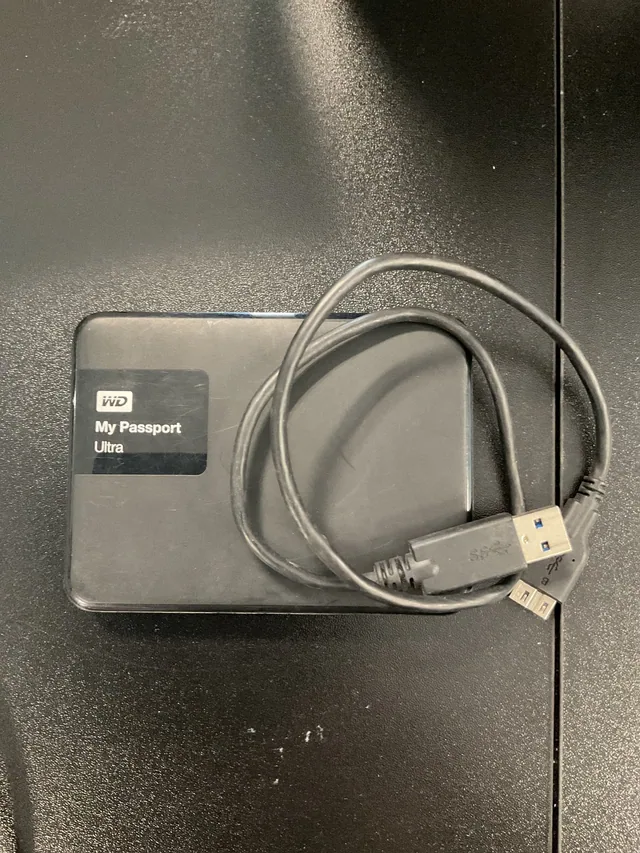
A WD My Passport with a blinking light is receiving power, but the computer may still be unable to open its storage. In WD's My Passport manual, fast flashing means activity and slow flashing means standby; a steady light means idle. When the hard disk is not detected in Windows or on a Mac, check the connection, password lock and disk listing before assuming the drive has failed.
On this page
- Applies to
- WD My Passport hard drives that blink but won’t open on a Windows PC or Mac
- What you need
- Your WD Security password if the blinking My Passport locked while your computer slept
When a blinking My Passport needs repair
Checks you can make
- On a quiet, undamaged Passport that stays connected, try a working data cable plugged straight into the computer.
- If the drive asks for its password, enter the one you set.
Work for the lab
- If the circuit board is damaged, keep it with the drive for repair. Some models use the original board to read encrypted files.
- Leave a clicking hard disk off. Checking the heads requires opening the disk in the lab.
What the My Passport light patterns mean
The light is an activity indicator. It reports what the drive is doing, while File Explorer or Finder shows volumes the computer can open. Those two things can disagree: the LED can flash while the operating system is still waiting for readable storage or an unlocked volume.
WD publishes the following states in its My Passport user manual. Use the manual for your exact model if its indicator differs; the My Passport name covers several products.
| LED appearance | Published meaning | What to check next |
|---|---|---|
| Steady | Idle | Whether the computer lists a usable volume. |
| Fast flashing, about three times per second | Activity | Whether a transfer is running or the computer is waiting for access. |
| Slow flashing, about every 2.5 seconds | System standby | Whether the computer slept and the password-protected drive locked. |
| Off | No illuminated power/activity indication | The connection and power path, if the drive is undamaged. |
A blinking white light is therefore not an error code for bad heads or a failed USB board. A drive can be active while it works normally, while software is trying to open it, or while access is failing. The next useful information is whether the computer sees its capacity and volume, and whether it makes abnormal sounds.
Check for damage before reconnecting. Leave the Passport off if it clicks, beeps, grinds, was dropped, got wet or repeatedly disconnects during reading. If it holds your only copy, do not initialize, format, erase or run a repair utility; preserve a copy or image before repair.
Check the connection and disk listing
For an undamaged drive running without unusual noises or repeated dropouts, a cable or computer check can solve the problem without opening the enclosure. These checks follow WD's external-drive troubleshooting. A cable has to carry both power and data. Enough power to light the LED does not necessarily give the computer a working data connection.
- Leaves your files alone. Use a known-good, compatible data cable and connect directly to the computer. Bypass a dock or hub for this check.
- Leaves your files alone. Try another USB port. If the drive remains quiet and stable, try it on one other computer.
- Leaves your files alone. If a password prompt appears, use the password you set with WD Security. An unlocked drive on one computer can still be locked on another.
- Risk to your files. If the Passport itself is failing, copying keeps it reading, so stop if the transfer stalls or the drive clicks or disconnects. If your folders open, copy the files you need to a different drive and open those copies. If they do not, inspect the disk listing below instead of accepting an erase or format prompt.
On Windows
- Leaves your files alone. Right-click Start and open Disk Management. Locate the Passport by its capacity and model, taking care not to select the computer's internal disk.
- Risk to your files. Once Windows assigns a letter, it opens the volume and can write to it. If it shows an existing normal data volume without a drive letter, right-click that volume and choose Change Drive Letter and Paths, then Add. Select an unused letter and confirm.
- Open that letter in File Explorer and copy your files elsewhere. If the disk instead says RAW, Unallocated or Not Initialized, leave that state unchanged.
Microsoft documents assigning a drive letter to an existing volume. This applies to an ordinary data volume with a missing letter, not a Windows or application volume. If the option is unavailable, initialization is not the next step for a drive containing files you need.
A USB entry in Device Manager and a disk in Disk Management describe different levels of access. Device Manager can recognize connection hardware while Disk Management still has no readable disk behind it. If the Passport reports its correct capacity but the volume is RAW, the computer has reached the device but cannot use its filesystem normally. A filesystem is the structure that locates files and folders on the disk.
On a Mac
- Open Disk Utility from Applications > Utilities.
- Choose View > Show All Devices. Look for the physical Passport and any volumes beneath it.
- If its volume is already mounted, open it in Finder and save the needed files to another device. If it is absent or the Mac offers to initialize it, cancel that prompt.
Apple's all-device view reveals the device, its containers and its volumes. That matters when a drive is missing from Finder: the physical disk may still be listed even though the file volume has not mounted. First Aid and Erase are different operations from looking at that list; keep repairs for after the data has been preserved.
Fixes to avoid on a blinking My Passport
- Erasing a locked Passport. The app’s Erase option permanently removes the stored data.
- Swapping circuit boards. The controller is matched to its hard drive. In one board repair, the drive needed its original processor to read the encrypted files.
- Plugging a clicking drive back in. Each new start can make physical damage worse.
Password locks and the original hardware
A Passport protected with WD Security can lock after the computer sleeps. Auto-unlock on your usual computer can hide the fact that a password is set, until you connect the drive elsewhere. A blinking light after sleep can therefore accompany a locked volume with no mechanical failure.
For that specific situation on a stable drive, WD's instructions are to safely eject it, disconnect, reconnect and unlock it. Use the known password. WD says there is no forgotten-password reset that preserves the encrypted data. Its Erase option makes the drive reusable by removing the stored data.
The password and the drive's original electronics also matter when someone proposes removing the enclosure. My Passport designs vary. Some external drives use a separate USB-to-SATA bridge, while others integrate the USB interface on the drive board. A bridge translates between the computer's USB connection and the drive's storage interface. A native USB board has no ordinary SATA connector waiting underneath the plastic shell.
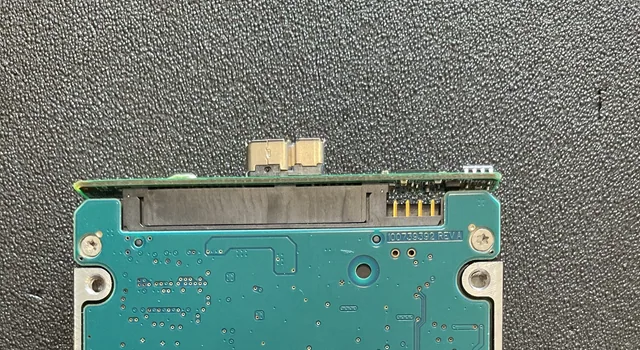
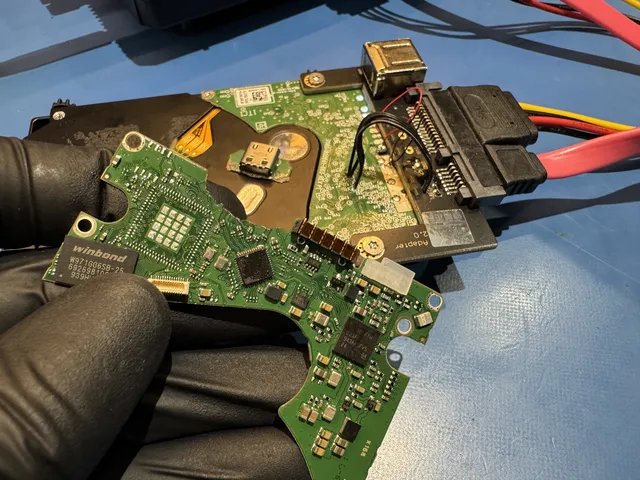
Encryption adds another dependency. The hardware that reads the recorded blocks may also be involved in turning those blocks back into readable files. A replacement enclosure or board can change that path. Keeping the original board, components and enclosure gives a technician the parts needed to investigate the original configuration.
There is no dependable “before this year is safe, after this year is encrypted” rule for the whole Passport family. The exact model and board matter. An older drive is not a reason to discard its original electronics, and a newer drive is not automatically a candidate for the same component transfer seen in someone else's repair.
What changes the recovery work
A normally spinning drive can still have a head problem. The motor provides rotation; the heads read the disk. If a head cannot read the drive's own startup information, the unit can spin quietly yet fail to provide usable storage. Conversely, a light with no spin-up can involve the power path as well as the mechanism. Selecting the repair requires checking the actual board and disk.
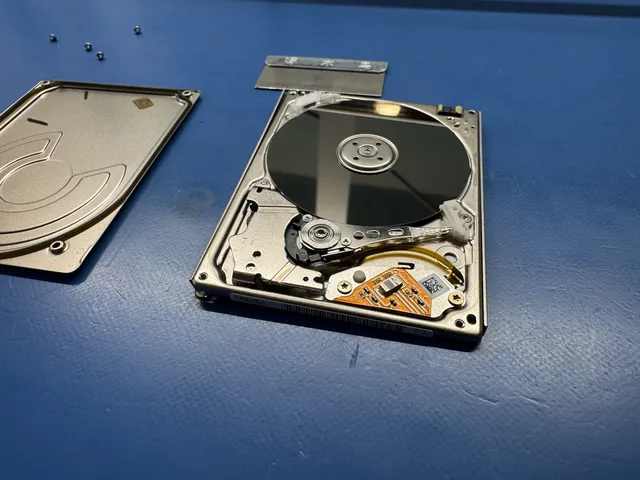
Recovery costs vary with that work:
| Failure type | MDrepairs price | Work involved |
|---|---|---|
| Failed bridge, drive healthy | By quote | Restoring the connection while preserving required original encryption information. |
| Drive PCB failure | By quote | Board work that retains the drive's original calibration information. |
| Mechanical failure, including damaged or stuck heads | $1,500 - $3,000+ | Head or other mechanical work followed by controlled reading. |
| Both bridge and drive damaged | By quote | Electronic and drive repair before extraction. |
| My Passport SSD | $1,000 - $2,000+ | Recovery through the SSD's supported controller and encryption path. |
| Hard drive formatted after removal from its enclosure | $1,000 - $1,500 | Recovering remaining readable data with the original hardware requirements preserved. |
The pricing page explains the lab's charges; its $100 diagnostic is credited toward successful recovery, and you approve the estimate before recovery work begins.
A My Passport SSD stores data in flash memory and has no spindle or moving heads. The head-replacement work described below applies to a hard disk. An SSD needs its own controller and encryption information to provide readable files, so removing its memory chips is not a general fallback for a dead controller. The SSD recovery page covers that separate device type.
A WD drive that spun but would not read
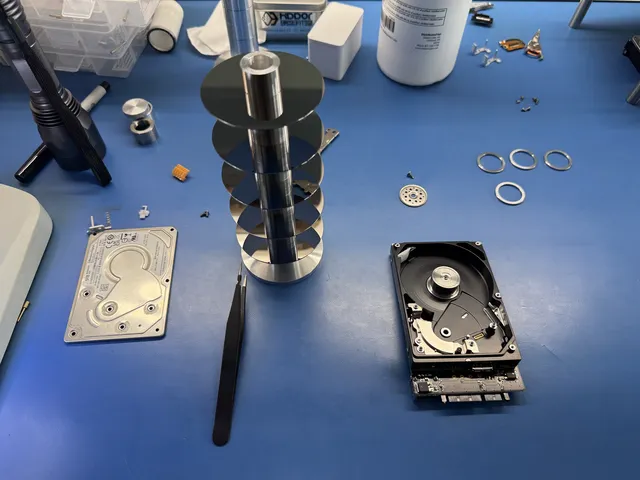
In this WD20SDRW recovery, the drive spun without unusual noise but would not initialize. Joe worked on its ROM and USB interface, replaced failing heads and preserved a copy of the drive's translator before further firmware work. Loading that saved translator into memory let him continue imaging, and the recovery was partial.
The translator is the drive's map between the addresses requested by the computer and the places where data is stored. Losing that map can make recorded files inaccessible even after the heads are reading. In the recorded job, sectors appeared empty after translator corruption; the saved copy supplied the map needed to read them again.
The top platter had small scratches on the surface the heads read. The repair involved both physical reading and the drive's internal operating information. A quiet spin had left both of those problems hidden from the outside.
If Windows or macOS asked you to format
A format prompt means the operating system does not have a usable volume to open. It can follow filesystem damage, a hardware problem or a change to the drive's encryption path. Formatting creates new filesystem structures; it does not retrieve the existing folders.
If you already formatted the drive, leave it unused. A quick format and a zero-writing full format do different things. Microsoft's format documentation explains that Windows full formats write zeros from Vista onward. Overwritten areas no longer contain the previous file data, while a quick-formatted hard disk may still have readable content outside the new structures.
An encrypted Passport still needs its original decryption path after a format.
Get help with data recovery
Bring your device to our Lincroft lab during opening hours, or mail it in.
How to mail your deviceThe $100 diagnostic is non-refundable once diagnostics start, and donor drives or replacement parts you approve are non-refundable once ordered, even if recovery fails.
Published by MDrepairs
MDrepairs is a data recovery and electronics repair lab in Lincroft, New Jersey. Our founder and lead technician Joseph Montanti films real cases for our YouTube channel, showing tools, repair steps and recovery outcomes.
Keep reading
- BitLocker Recovery Key Not Working? Check the Key ID Before Resetting
- exFAT Drive Corrupted? Cross-Platform Rescue Guide
- External Drive Painfully Slow? It May Be Dying