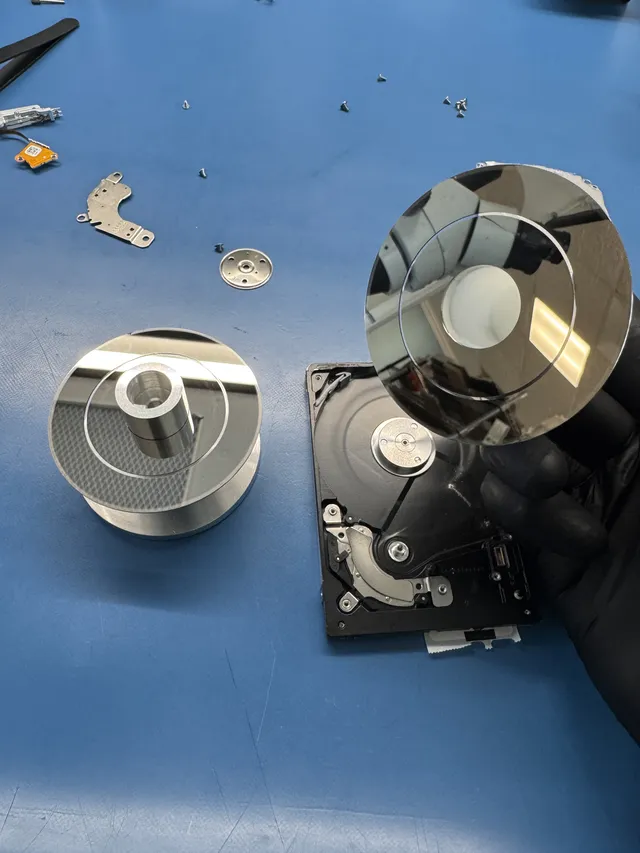
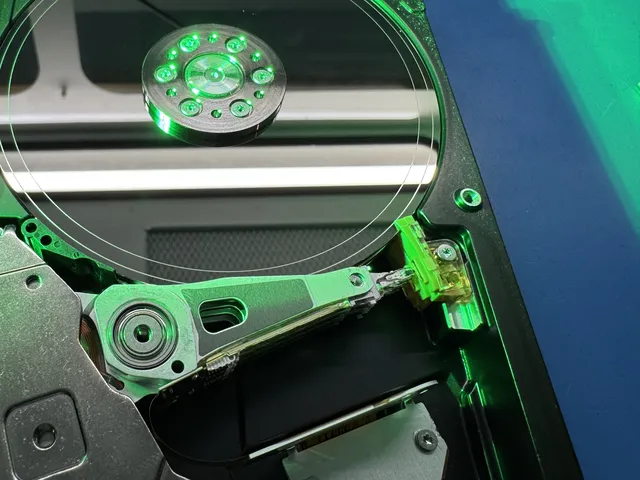
WD External Hard Drive Not Working? It's Probably the Encryption Chip
Our founder and lead technician, Joseph Montanti, handles cases personally.
Your WD external drive stopped working. You pulled the drive out of the enclosure and plugged it directly into your computer. And nothing. The drive spins, Windows sees it, but the data is scrambled. That's because WD encrypts everything by default. Even if you never set a password. The encryption key lives on the USB bridge board, and without that exact board, your data is unreadable.
This is the single most frustrating problem in external hard drive recovery. People buy a $20 SATA dock, pull their WD drive out, plug it in, and see either a RAW partition or completely garbled file names. They think the drive failed. It didn't. The data is just encrypted, and the key to unlock it was on the bridge board they left sitting in the old enclosure.
We're MDrepairs, a data recovery lab in New Jersey. This post explains exactly why WD drives behave this way, which models are affected, and what your real options are when the encryption board dies.
On this page
Why WD Drives Are Different from Every Other Brand
If you buy a Seagate external drive and the enclosure dies, you can pull the drive out, plug it into any SATA dock, and your files are right there. Same with Toshiba. Same with most other brands. The enclosure is just a dumb bridge between USB and SATA. The data on the platters is plain, unencrypted data.
WD does something different. Every My Passport, My Book, and Easystore manufactured in the last decade uses hardware-level AES-256 encryption on the USB bridge board. This happens automatically. Silently. You never opted in. You never set a password. WD's firmware encrypts every single byte that gets written to the platters, and it does this transparently so you never even notice.
When the enclosure is working, this is invisible. Data flows through the bridge board, gets encrypted on the way in, decrypted on the way out. You read and write files normally. Everything seems fine.
The problem shows up the moment you try to bypass that bridge board.
Take the drive out of the enclosure and connect it directly to a SATA port or dock? The data on those platters is AES-256 encrypted. Your computer sees a drive, but the partition table is gibberish. The file system is unreadable. Windows might offer to format it. macOS will say the disk is unreadable.
The data isn't corrupted. It's encrypted. And the decryption key is stored in the firmware of the USB bridge board sitting in the enclosure you just took apart.
The Encryption Chip Problem Explained
Let's get technical for a minute, because understanding how this works will save you from making expensive mistakes.
Every WD external drive has two main components: the hard drive itself (a standard 2.5" or 3.5" SATA drive) and the USB bridge board. The bridge board is a small green circuit board that sits between the drive's SATA connector and the USB port on the enclosure. On most brands, this board just translates SATA commands to USB commands. That's it.
On WD drives, the bridge board contains an encryption ASIC. This is a dedicated hardware chip (not software) that performs real-time AES-256 encryption and decryption. Here's how the data flow works:
How WD Hardware Encryption Works
1 You save a file to your WD external drive over USB.
2 The bridge board receives the data and passes it through the encryption ASIC.
3 The ASIC encrypts every block using AES-256 with a Data Encryption Key (DEK) stored in the board's firmware.
4 The encrypted data gets written to the hard drive's platters.
5 When you read a file, the process reverses. The ASIC decrypts the data on the fly before sending it over USB to your computer.
The critical detail: the Data Encryption Key (DEK) is unique to each bridge board. It gets generated during manufacturing. WD doesn't keep a copy. There's no master key. There's no "WD unlock tool" you can download. Each board has its own key, and that key exists nowhere else in the universe.
If you set a user password through WD Security software, that password doesn't replace the DEK. It wraps it. The DEK still does the actual encryption, and your password just protects access to the DEK. This is why even drives without a password are still encrypted. The DEK is always active.
The Key Is Stored in Firmware, Not on the Platters
This is the part that trips everyone up. People assume that since they never set a password, the drive can't really be encrypted. Or they think the key must be stored somewhere on the drive itself. Neither is true.
The DEK is stored in the bridge board's flash memory, which is separate from the hard drive. The hard drive platters contain only encrypted data. There is no unencrypted copy of the key anywhere on the platters. This means:
- Connecting the bare drive to a SATA dock gives you encrypted garbage
- Running data recovery software on the bare drive finds nothing useful
- Cloning the bare drive just creates a clone of encrypted garbage
- No amount of software tricks will decrypt the data without the original DEK
The only way to read the data is through the original bridge board. Or by extracting the DEK from that board and using it to decrypt the data manually.
What Happens When the Enclosure Board Dies
Here's where it gets really frustrating. USB ports get damaged from being yanked out. Power surges fry the board's voltage regulator. The USB connector wears out after years of plugging and unplugging. The board's firmware corrupts.
When the bridge board dies, you're stuck. The hard drive might be perfectly healthy. Spin it up on a SATA dock and you can hear it running smoothly. No clicking, no grinding, no bad sectors. But the data is encrypted, and the key to decrypt it just died with the bridge board.
Why Swapping Bridge Boards Doesn't Work
The first thing most people try (or the first thing a sketchy repair shop suggests) is swapping the bridge board. Buy the same model WD drive, take out its bridge board, put it on your drive. Problem solved, right?
Wrong. Every bridge board has a unique DEK. Even two boards from the exact same WD model, manufactured in the same factory, on the same day, will have different encryption keys. Putting a different board on your drive is like trying to unlock your front door with your neighbor's key. Same lock brand, same key shape, completely different cut pattern.
When you connect your drive through a mismatched bridge board, one of two things happens:
- The drive shows up as unformatted/RAW because the wrong key produces decrypted output that looks like random noise to your operating system
- The drive shows up with the correct capacity but zero accessible files and corrupted directory structures
Either way, your data isn't lost. It's still sitting on the platters, encrypted with the original key. But you've just confirmed that only the original board (or its extracted key) can unlock it.
The Voltage Regulator Problem
WD bridge boards contain voltage regulators. These are tiny surface-mount components on the board that regulate power to the encryption chip. A power surge, a bad USB port, or even plugging the drive into a cheap USB hub can blow these components.
The good news? A blown voltage regulator doesn't destroy the encryption key. The DEK is stored in non-volatile flash memory on the board. A skilled technician can replace the voltage regulator, power the board back up, and the encryption chip works again with the original key intact.
The hard drive is fine, the key is fine, the board just needs a small component replaced.
Which WD Models Have This Problem?
Not every WD external drive uses hardware encryption, but the vast majority sold in the last 10 years do. Here's a breakdown of the most common models and their encryption status.
| WD Model | Hardware Encryption |
|---|---|
| My Passport (all sizes) | Yes, AES-256 |
| My Passport Ultra | Yes, AES-256 |
| My Book (all sizes) | Yes, AES-256 |
| My Book Duo | Yes, AES-256 |
| Easystore (Best Buy exclusive) | Yes, AES-256 |
| Elements Portable (older models) | No (some models) |
| Elements Portable (newer models) | Yes, AES-256 |
| Elements Desktop | Varies by model |
| WD Black P10 | No |
| WD_BLACK D10 | No |
The general rule: if the drive came with WD Security software or WD Discovery software, it almost certainly has hardware encryption. The My Passport and My Book lines have used it consistently since around 2010. The Elements line is more hit-or-miss, especially the older portable models.
How do you know for sure? If you removed the drive from the enclosure, plugged it into a SATA dock, and the partition table shows up as gibberish or RAW, it's encrypted. Unencrypted drives just work when you connect them directly.
The My Book "Shucking" Problem
There's a whole community of people who buy WD Easystore and My Book drives specifically to "shuck" them, meaning they take the drive out of the enclosure to use internally in a desktop PC or NAS. These drives are often cheaper per terabyte than buying a bare internal drive.
If you shucked a WD drive and put it in your NAS or desktop without copying your data off first, you now have encrypted platters in a device with no way to decrypt them. The data written through the WD enclosure is encrypted. New data written through your NAS or SATA connection is not. You've got a mixed-state drive that's a mess to sort out.
Always copy your data off the drive through the original enclosure before shucking. Once the data passes through the bridge board on its way out, it gets decrypted. Save it to another drive, then put the shucked drive in your new setup and copy it back. Now it's stored unencrypted.
Common WD External Drive Failures
Not every WD external drive problem is an encryption issue. The drive itself can fail too. Here's how to tell the difference, because the recovery approach changes completely depending on what actually broke.
Clicking or Not Spinning (Drive Issue)
If you plug in the WD drive and hear clicking, ticking, or the drive doesn't spin at all, the problem is the hard drive itself, not the bridge board. Clicking usually means the read/write heads are damaged or stuck. No spin means a seized motor or a dead PCB on the drive itself.
The encryption is actually a secondary problem here. First, a technician needs to fix the drive (typically a head swap or motor repair in a cleanroom). Then the data needs to be read through the original bridge board to decrypt it. It's a two-step recovery.
Not Detected at All (Board Issue)
You plug in the drive and nothing happens. No sound, no detection, no new device in Device Manager or Disk Utility. The drive might be completely silent.
This is usually the bridge board. The board died and isn't even powering the drive. The hard drive is probably fine. A technician can repair the board (replace the blown component), or extract the encryption key from the board's flash memory and use it with a working board to decrypt the data.
Check the external hard drive not showing up guide for basic troubleshooting steps you can try first, like swapping cables and ports.
Detected but Shows 0 Bytes or RAW (Encryption Issue)
This is the classic encryption problem. The drive shows up in Disk Management with the correct size, but it says RAW or shows 0 bytes used. Or it shows up but Windows wants to format it.
If this happened after you removed the drive from its original WD enclosure and connected it to a SATA dock, that's the encryption. Put it back in the original enclosure if the enclosure still works. If the enclosure is dead, you need professional help to extract the DEK.
If this happened while the drive was still in the WD enclosure, it could be corruption on top of encryption, which is a more complex scenario. The bridge board decrypts the data, but the file system itself is damaged. Data recovery software might work in this case since the decryption happens transparently through the bridge board.
Slow, Freezing, or Disconnecting (Bad Sectors)
The drive works but it's painfully slow. File transfers freeze halfway through. The drive randomly disconnects and reconnects. You might hear occasional soft clicks.
This is usually bad sectors on the platters, not an encryption issue. The bridge board is working and decrypting data normally, but the drive is struggling to read certain areas of the disk. Running chkdsk or Disk Utility repair can make this worse by writing to already-damaged areas.
If you're experiencing this, stop using the drive immediately. Don't run disk repair utilities. Don't try to copy files one by one. The drive is degrading, and every minute of operation risks more data loss. A data recovery lab uses specialized imaging equipment that can read bad sectors at the hardware level, working around damage rather than through it.
How Professional WD Recovery Works
Recovering data from a WD encrypted drive isn't a one-size-fits-all process. The approach depends entirely on what failed: the bridge board, the drive, or both. Here's what actually happens in our lab.
Scenario 1: Bridge Board Repair
This is the best-case scenario. The hard drive is healthy, but the USB bridge board stopped working. Maybe the USB port broke off, a voltage regulator blew, or the board's firmware corrupted.
We examine the board under a microscope to find the failed component. If it's a blown fuse, capacitor, or voltage regulator, we replace it. The board powers back on with the original encryption key intact, and the drive works exactly like it did before. Data accessible, problem solved.
Scenario 2: Encryption Key Extraction
If the bridge board is too damaged to repair (severe physical damage, burned traces, destroyed ASIC), we can still recover data if the flash memory chip that stores the DEK survived.
The process works like this: we desolder the flash memory chip from the dead board, read its contents using specialized equipment, and extract the Data Encryption Key. Then we program that key onto a compatible donor bridge board. Now the donor board can decrypt your data because it has the right key.
This is delicate work. The flash chips on WD bridge boards are tiny surface-mount components. Removing them without damage requires proper rework equipment and experience. This isn't something you can do at home with a soldering iron from Amazon.
Scenario 3: Drive Failure + Encryption
The worst-case scenario. The hard drive itself has failed (clicking heads, seized motor, bad sectors) AND the data is encrypted. This requires a two-phase recovery:
Phase 1: Fix the drive. Head and platter work takes place in a laminar-flow work area. The goal is to get the platters readable again, even if just long enough to create a complete image of the encrypted data.
Phase 2: Decrypt the image. Using the encryption key from the original bridge board (either by repairing the board or extracting the key from its flash memory), we decrypt the full disk image. Then we reconstruct the file system and extract the recovered files.
This type of recovery takes longer and costs more because it involves two separate technical challenges. But it's doable as long as the platters aren't physically damaged (scratched) and the encryption key is recoverable.
What Makes WD Recovery Different from Other Brands
With a Seagate or Toshiba drive, once the physical recovery is done, you have your data. With WD, physical recovery is only half the job. You still need to decrypt everything. This extra step is why WD recoveries sometimes cost more and take longer than comparable recoveries on other brands.
It also means you need a lab that specifically understands WD encryption. Not every data recovery shop does. Some will fix the drive, image it, and hand you back an encrypted image without even realizing the data is still encrypted. Always ask if they have experience with WD hardware encryption before sending your drive.
How Much Does WD Encrypted Drive Recovery Cost?
The cost depends on what actually failed. Here's a realistic breakdown based on what we see at our lab.
| Failure Type | Typical Cost |
|---|---|
| Bridge board repair (component replacement) | $1,000 - $1,500 |
| Key extraction + donor board | $1,000 - $1,500 |
| Drive failure only (bridge board works) | $1,000 - $3,000+ |
| Drive failure + encryption (both broken) | $1,000 - $3,000+ |
| Severe platter damage + encryption | $2,250 - $3,500+ |
A few things that affect cost:
- Drive size doesn't matter much. Recovering a 1TB drive costs about the same as a 5TB drive. The labor is the same. The imaging just takes longer.
- Password-protected drives cost more. If you set a password using WD Security and forgot it, that adds complexity. The key extraction process is different because the DEK is wrapped with your password hash.
- Urgency matters. Rush jobs cost more. The standard recovery estimate is 4–6 weeks; timing may vary by case. Rush options advance the diagnostic start only; confirm availability with the lab.
The diagnostic costs $100 and is credited toward a successful recovery. It is non-refundable once diagnostics start. Donor drives or replacement parts you approve are non-refundable once ordered, even if recovery fails. You approve the estimate before recovery work starts.
Can I Prevent This?
You can't prevent the bridge board from eventually failing. All electronics fail given enough time. What you can do is make sure a bridge board failure doesn't mean losing your data.
The Only Real Answer: Backups
An external hard drive is not a backup. It's a single copy of your data on a single device with a single point of failure. When that device fails, you lose everything on it unless you have another copy somewhere else.
Here's the minimum backup strategy we recommend to every customer:
The 3-2-1 Backup Rule
3 Three copies of your important data
2 Two different types of storage (external drive + cloud, or NAS + external drive)
1 One copy offsite (cloud backup, drive stored at another location)
If your WD external drive is your only copy of important photos, documents, or work files, you're one bridge board failure away from a data recovery bill. Cloud storage is cheap. A second external drive is cheap. Data recovery is not.
Use the Drive Through the Enclosure
Don't shuck a WD drive that has data on it. If you want to use the bare drive internally, copy the data off through the enclosure first, then remove the drive. Data written through the enclosure is encrypted on the platters. Data you copy off is decrypted during the transfer.
Handle the Enclosure Carefully
Physical damage can cause bridge board failures. Yanking the USB cable out at an angle. Dropping the drive while it's connected. Using a cheap USB hub that delivers inconsistent power. Plugging it into a USB port during a thunderstorm.
Use the "Safely Remove Hardware" function before unplugging. Use a direct USB port, not a hub. Use a surge protector. These basics won't prevent every failure, but they reduce the odds significantly.
Don't Set a WD Password Unless You Really Need It
The drive is already encrypted by default. Setting a password through WD Security adds an extra layer of protection, but it also adds an extra layer of complexity if you ever need recovery. If you set a password and forget it, recovery becomes significantly harder and more expensive.
If you do set a password, write it down and store it somewhere safe. Not on the drive itself, obviously. A password manager or a physical note in a secure location.
Frequently Asked Questions
Is my WD external hard drive encrypted even if I never set a password?
Yes. Most WD external drives (My Passport, My Book, Easystore) use hardware-level AES-256 encryption that's always active. The encryption happens transparently on the USB bridge board. You never notice it during normal use, but it becomes a major issue if the enclosure fails and you try to access the bare drive directly.
Can I decrypt a WD drive with software?
No. The encryption is hardware-based, performed by a dedicated ASIC chip on the bridge board. There is no software tool, no WD utility, and no third-party program that can decrypt the data without the original Data Encryption Key from the specific bridge board that encrypted it. Software recovery tools only work if the drive is accessed through the original working bridge board.
I removed my WD drive from the enclosure and it shows as RAW. Is my data gone?
Your data is not gone. It's encrypted. The drive shows as RAW because your computer can't read the encrypted partition table. Do not format the drive. Put it back in the original enclosure if it still works. If the enclosure is dead, you need a data recovery lab that can work with WD encryption to extract the decryption key and recover your files.
Can I swap the bridge board from another identical WD drive?
No. Every bridge board has a unique Data Encryption Key generated during manufacturing. Even two boards from the exact same WD model will have different keys. Swapping boards will not decrypt your data. It will just produce different encrypted garbage. Keep your original board, even if it's damaged, because the key may still be extractable from its flash memory.
How long does WD encrypted drive recovery take?
Our standard recovery estimate is 4–6 weeks; timing may vary by case. The work can involve bridge board repairs, key extraction or donor board programming. If the hard drive itself also failed and needs head or platter work, that physical recovery adds time. For urgent cases, confirm rush diagnostic availability with the lab; it does not set a recovery completion date.
Does WD keep a copy of my encryption key?
No. WD does not store, record, or have any access to the encryption keys on individual drives. Each key is generated on the bridge board during manufacturing and exists only on that specific board. WD support cannot help you decrypt your drive. This is by design for security, but it means the bridge board is the only source of the key.
Should I send just the drive or the whole enclosure to a recovery lab?
Send the entire enclosure, including the bridge board, USB cable, and power adapter. The bridge board is critical because it contains (or contained) your encryption key. Even if the board appears completely dead, the flash memory chip with the key might still be intact. Never throw away a WD bridge board if you might need the data.
Can I prevent WD encryption on a new drive?
No. On models that use hardware encryption, it cannot be disabled. The encryption is built into the bridge board's firmware and operates at the hardware level. The only way to store data without WD encryption is to shuck the drive (remove it from the enclosure) and connect it directly to your computer via SATA from the start. Data written this way bypasses the bridge board entirely and is stored unencrypted.
Get help with data recovery
Bring your device to our Lincroft lab during opening hours, or mail it in.
How to mail your deviceThe $100 diagnostic is non-refundable once diagnostics start, and donor drives or replacement parts you approve are non-refundable once ordered, even if recovery fails.
Published by MDrepairs
MDrepairs is a data recovery and electronics repair lab in Lincroft, New Jersey. Our founder and lead technician Joseph Montanti films real cases for our YouTube channel, showing tools, repair steps and recovery outcomes.
Keep reading
- External Drive Says “The Parameter Is Incorrect”: Data-Safe Checks
- External Hard Drive Freezes File Explorer or the Computer: Safe Next Steps

- “The Semaphore Timeout Period Has Expired” During a Drive Copy