Camera Fell in Water: Saving the Photos on the Card
Our founder and lead technician, Joseph Montanti, handles cases personally.
An SD card can still hold your photos after it gets wet, even when water has ruined the camera. Some cards have a published water-resistance rating, but the protection depends on the exact card and the exposure. If your SD card got wet, separate it from the camera and keep it unpowered while arranging recovery of the photos.
On this page
Remove the camera's power and protect the card
Water inside an energized camera can damage its circuits. Sony's wet-camera instructions start with wiping the exterior, removing the battery and removing the recording media. For a camera with an accessible removable battery and card:
- Move the camera to a dry place and wipe water from the outside with a clean cloth. Dry your hands before opening the compartments so water on the exterior does not run inside.
- Remove the battery. If the camera uses a built-in battery, switch it off using the controls and follow the maker's instructions for disconnecting power.
- Remove the SD or microSD card if its compartment opens normally. Blot surface moisture gently and keep the card separate from the camera. Let the compartments air-dry at room temperature. Keep the camera and card away from rice, hair dryers, radiators and ovens.
Keep a water-exposed card out of powered readers. Do not switch the camera back on or charge it to look for the pictures. Arrange an examination of the card before its next power-up, especially after saltwater or visible contamination.
What happens when an SD card gets wet
Water resistance is a real feature on some cards. Samsung's 2024 microSD brochure, for example, specifies testing for up to 72 hours in one meter of seawater for the listed cards. It explicitly excludes the adapter and reader from that protection. Check the model's own specification before applying a claim from another card.
The flash memory stores the photographs, while contacts and internal circuitry provide access to it. Water can damage that access path without erasing all the stored images. The recovery then depends on getting readable data from the surviving memory, as the underwater-card case below shows.
Salt and other contamination can remain after surface water evaporates. Nikon's underwater-camera care instructions explain how salt residue can cause corrosion. Pool water, detergent from a washing machine and seawater also fall outside a generic “it only got wet” description; the cleaning needed depends on what reached the card.
A waterproof camera's rinse procedure applies to its sealed exterior under the conditions in its manual. A loose memory card needs its own handling advice. For a saltwater-soaked card, contact the recovery provider promptly for cleaning and transport instructions instead of adding a rinse-and-test cycle at home.
If you already tried the card
If the connected card is still wet, contaminated or visibly damaged, disconnect power and leave it out of readers. If it is already dry, clean, undamaged and reading normally, save the pictures and videos to your computer now. Stop if reading fails, the connection drops or the card heats up. Check that the saved files work on your computer, then retire the card from shooting.
Cancel any format prompt. If a folder is empty, check the other camera folders for files you can save. If a preview looks broken, open a saved copy of the full photo in a viewer that supports the camera's format. Once the hardware is fit to read, preserve an image and run recovery or file repair on copies; the corrupted SD card photo guide explains that route.
A photograph still being saved when power was interrupted may be incomplete. The SD Association's handling guidance warns against removing power or a card during writes. Recoverable earlier pictures and a damaged final picture can therefore coexist. Keep the original recovered files when trying JPEG or video repair, since repairing a copy preserves what was read from the card.
Reading an SD card found underwater
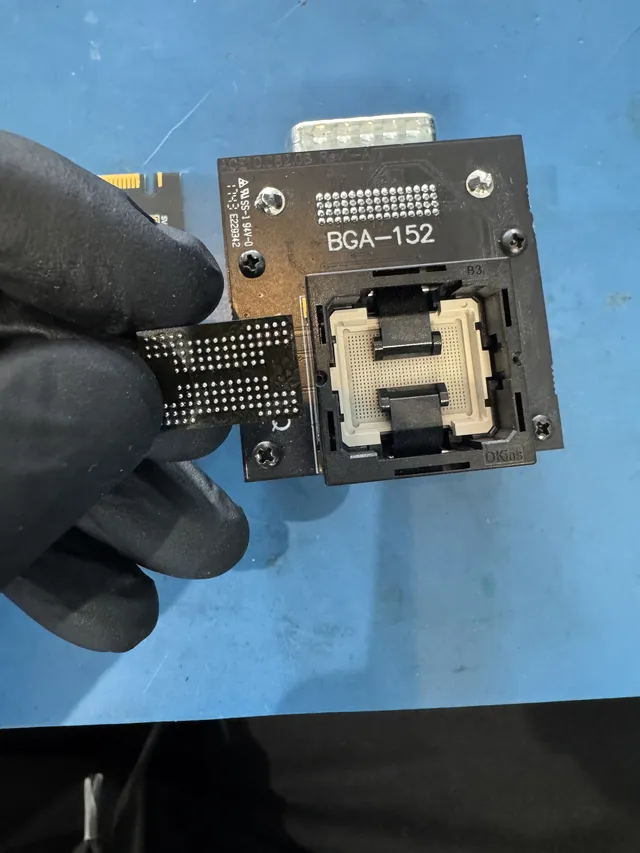
In this underwater SD card recovery, a card found by a scuba diver would not read through a USB adapter and recovery software. Joe removed its plastic casing under a microscope and soldered its power, ground and data connections to an adapter for PC-3000 Flash. He read the raw NAND memory, reconstructed the files and recovered all the pictures.
An undetected card needs its electronics and memory examined before a photo scan can help. SD card recovery addresses the card separately from the camera's repair.
Kids camera not turning on after swimming
Check whether the waterproof rating belongs to the camera or to its case. VTech's KidiZoom Action Cam HD uses a separate waterproof case. Its parent's guide says the camera itself is not waterproof and its battery is not replaceable. On that model, moving the Master Power Switch to Off disconnects the camera from the battery.
The same model has both internal memory and a microSD slot. If no card was installed, removing a card cannot retrieve the missing pictures; the camera holding them needs service. If a card was installed, keep it with the recovery request even if the camera is being replaced. Have the repair shop test the body with other media.
Get help with data recovery
Bring your device to our Lincroft lab during opening hours, or mail it in.
How to mail your deviceThe $100 diagnostic is non-refundable once diagnostics start, and donor drives or replacement parts you approve are non-refundable once ordered, even if recovery fails.
Published by MDrepairs
MDrepairs is a data recovery and electronics repair lab in Lincroft, New Jersey. Our founder and lead technician Joseph Montanti films real cases for our YouTube channel, showing tools, repair steps and recovery outcomes.
Keep reading
- USB “Device Descriptor Request Failed”: What It Means for a Flash Drive
- USB Says “Please Insert a Disk” or “No Media”: Can You Recover the Files?
- SD Card Write Protected? Fixes Beyond the Switch