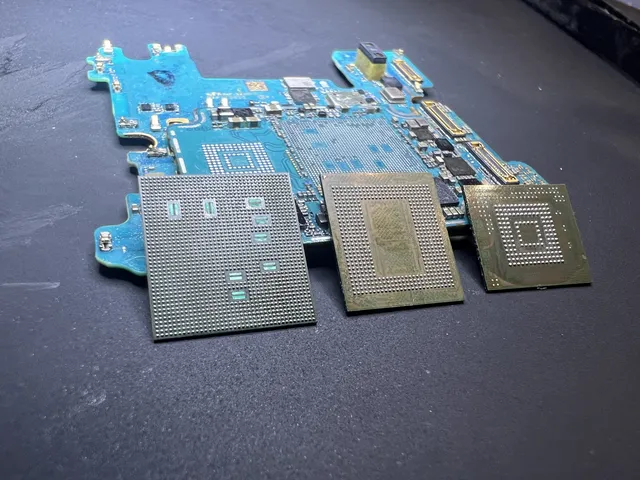
Computers that will not start
Read about getting files from laptops and desktop computers that will not start.
-
PC Turns On but No Display: Is Your Data Safe?
A PC that beeps with no display may have a memory fault. Check the model's startup code, test the screen, and see how to reach your saved files.
Updated

-
Laptop Screen Broken? How to Get Your Files
Back up a laptop with a broken screen using an external display, Mac file sharing, or a removable drive. Check the limits before screen repair.
Updated
-
How to Recover Data from a Laptop or Computer That Won't Turn On
Get files from a laptop that won't turn on: check power, choose a drive adapter, find encryption keys, and handle soldered storage before repair.
Updated

-
How to Move Data from a Dead Computer to a New One
Move files from a dead computer using the right drive adapter. Find your folders, handle BitLocker, and check the options for a broken Mac.
Updated
-
Spilled on Your Laptop? Save the Data, Then the Laptop
Coffee in the keyboard doesn't usually touch the SSD, unless you power it on. The first-hour protocol that saves both. Free phone consult.
Updated
-
Chromebook Dead? Where Your Files Actually Live
Chromebooks keep more local data than people think. What's on the eMMC, what's in Drive, and how recovery works on soldered storage.
Updated
-
Computer Won't Turn On? Get Your Data Out Before Any Repair Shop Touches It
Computer won't turn on? Don't take it to a repair shop yet. They wipe drives during diagnostics. Get your data out first. Honest pricing, no data no charge.
Updated

-
Dell Laptop Won't Turn On? Fix It by Symptom, Not by Guessing
Dell laptop won't turn on? Work the Dell sequence: power drain, blink codes, RTC reset, BIOS recovery, and when to stop for your files. Free phone consult.
Updated
-
Recovering Data from Old Computers: IDE, SCSI, and Zip Drives
Need files from an old IDE or SCSI drive? Learn how to connect vintage storage to modern computers and when a data recovery lab can help.
Updated
Get help with data recovery
Bring your device to our Lincroft lab during opening hours, or mail it in.
How to mail your deviceThe $100 diagnostic is non-refundable once diagnostics start, and donor drives or replacement parts you approve are non-refundable once ordered, even if recovery fails.