SQL Database Corruption: How to Recover Without Losing Records
Our founder and lead technician, Joseph Montanti, handles cases personally.
SQL database corruption means the internal structure of your database file has become inconsistent, damaged, or unreadable. Queries fail. Tables disappear. Entire applications crash with cryptic error messages about page checksums, torn pages, or transaction log mismatches. And the worst part? It can happen to any SQL platform. SQL Server, MySQL, PostgreSQL, SQLite. None of them are immune. The corruption might hit a single index, or it might take down your entire production database at 2 AM on a Saturday.
If the hardware itself failed, you may also need server data recovery before the database can be repaired. The good news: most SQL corruption is recoverable. The bad news: every wrong move you make before recovery shrinks your chances of getting those records back intact.
If you're dealing with a corrupted SQL database right now and your data matters, get a free quote from our team. We'll tell you straight whether we can recover it and what it'll take.
On this page
What SQL Database Corruption Actually Is
Every SQL database stores data in a structured format on disk. SQL Server uses .mdf and .ldf files. MySQL stores data in .ibd files (InnoDB) or .MYD/.MYI files (MyISAM). PostgreSQL keeps everything in its data directory as numbered files. SQLite uses a single .db or .sqlite file. All of these formats rely on precise internal organization to function correctly.
A database isn't just a pile of data dumped into a file. It's a carefully organized system of pages, extents, indexes, and metadata. Think of it like a warehouse with labeled aisles, numbered shelves, and a master inventory list that maps every item to its exact location. Corruption is what happens when that organizational structure breaks down.
Page-Level Corruption
SQL databases organize data into fixed-size pages (typically 8KB in SQL Server, 16KB in InnoDB). Each page has a header with checksums and metadata. When a page gets corrupted, the checksum won't match the actual content. The database engine detects this mismatch and refuses to read that page. Your data might still physically exist on the disk, but the engine can't trust it anymore.
Transaction Log Corruption
Transaction logs record every change made to the database. They're essential for crash recovery, point-in-time restores, and maintaining ACID compliance. When the transaction log gets corrupted, the database engine can't replay pending transactions or roll back incomplete ones. This often leaves the database in a "suspect" or "recovery pending" state where it simply won't come online.
System Catalog Corruption
This is the nastiest type. The system catalog (or data dictionary) holds the metadata about your database: table definitions, column types, relationships, stored procedures, user permissions. When this gets damaged, the engine doesn't just lose data. It loses the ability to understand the structure of your data. Tables might appear empty, queries might reference columns that "don't exist," and the entire schema can become inconsistent.
Index Corruption
Indexes are separate data structures that speed up queries. They're essentially sorted copies of specific columns with pointers back to the full rows. Since indexes can be rebuilt from the base table data, this corruption rarely causes permanent data loss. The performance hit while running without indexes is painful, though. Queries that took milliseconds suddenly take minutes.
Common Causes of SQL Database Corruption
Database corruption doesn't just happen randomly. There's always a root cause, even if it isn't immediately obvious.
Sudden Power Loss
Modern database engines use write-ahead logging to protect against crashes. The idea is simple: write the change to the log file first, then apply it to the data file. If the server crashes mid-write, the engine can replay the log on startup and finish the job.
But write-ahead logging only works if the writes actually make it to disk. Here's where things get ugly. Many storage controllers, RAID cards, and even the drives themselves have write caches. The operating system thinks the data hit the disk, but it's actually sitting in volatile cache memory. Pull the power, and that cached data vanishes. The log says the write completed. The data file says otherwise. Now you've got an inconsistency the engine can't resolve cleanly.
Failing Storage Hardware
Hard drives develop bad sectors. SSDs run out of spare NAND blocks. RAID controllers develop firmware bugs. Any of these can silently corrupt data on disk without triggering immediate errors.
This is especially dangerous with hard drives that are starting to fail. The drive might pass basic read tests but still corrupt data during heavy write operations. By the time the corruption becomes visible at the application level, it's been accumulating for a while.
Incomplete or Interrupted Writes
Database engines write data in pages. If a write operation gets interrupted partway through a page, you end up with a "torn page." Half the page contains new data, the other half contains old data. The checksum fails, and the engine marks that page as corrupt. This happens during power failures, but also during system crashes, blue screens, kernel panics, and forced shutdowns.
Memory Errors (Bad RAM)
This one catches people off guard. Bad RAM can corrupt data before it ever reaches the disk. The database engine reads data into memory, processes it, and writes the results back to disk. If a RAM module has failing cells, it can flip bits in the data sitting in memory. The database engine has no idea the data was corrupted. It calculates a checksum based on the already-corrupted data and writes it to disk with a matching checksum. The corruption looks "valid" to the engine but the actual data is wrong.
ECC memory exists to prevent this. If your database server isn't running ECC RAM, you're taking a real gamble with data integrity.
Software Bugs and Failed Updates
Database engine bugs can cause corruption. It happens. Microsoft has released several patches over the years to fix SQL Server bugs that caused page-level corruption under specific conditions. MySQL's MyISAM engine was notorious for corruption during concurrent writes. Even PostgreSQL, which has an excellent reliability track record, has had bugs that could corrupt certain types of indexes.
Failed version upgrades are another common trigger. Upgrading MySQL from 5.7 to 8.0 without following the migration path exactly can leave your tables in a state that neither version can fully read. Same with PostgreSQL major version upgrades that skip the proper pg_upgrade process.
Ransomware and Malware
Some ransomware specifically targets database files because attackers know that's where businesses keep their most valuable data. The encryption usually renders the database completely unrecoverable through normal means.
Signs Your SQL Database Is Corrupted
Corruption doesn't always announce itself with a dramatic crash. Sometimes it creeps in quietly and only shows up when you query the right (or wrong) table. Here's what to watch for.
Error Messages That Point to Corruption
| Platform | Error |
|---|---|
| SQL Server | Msg 824: "logical consistency-based I/O error" |
| SQL Server | Msg 823: "I/O error (torn page)" |
| SQL Server | Database marked as "suspect" in SSMS |
| MySQL | "Table is marked as crashed and should be repaired" |
| MySQL | "InnoDB: Database page corruption on disk or a failed file read" |
| PostgreSQL | "could not read block X in file" |
| PostgreSQL | "invalid page in block X of relation" |
| SQLite | "database disk image is malformed" |
Behavioral Symptoms
- Queries that used to work now fail. A SELECT statement that ran fine yesterday suddenly throws errors or returns incomplete results.
- Missing records. Your application shows fewer rows than expected, or entire tables appear empty even though you know data was there.
- Slow performance. The engine is constantly retrying reads or falling back to full table scans because indexes are damaged.
- Backup failures. Your backup jobs start failing with I/O errors. This is actually a best-case scenario because it catches corruption before it spreads to your backup chain.
- Application crashes. Your web app, ERP system, or POS software starts throwing unhandled exceptions that trace back to database queries.
- Inconsistent data. Related records don't match up. Foreign key relationships are broken. Totals don't add up. The data looks "off" but doesn't trigger obvious errors.
SQL Server Corruption Recovery (DBCC CHECKDB)
Microsoft SQL Server has the most mature built-in corruption detection and repair tools of any database platform. DBCC CHECKDB is the primary weapon, and knowing how to use it properly is critical.
Step 1: Assess the Damage
1 Run DBCC CHECKDB in Read-Only Mode
Before you try to fix anything, find out exactly what's broken. Run CHECKDB without any repair options first:
DBCC CHECKDB ('YourDatabaseName') WITH NO_INFOMSGS, ALL_ERRORMSGS;This scans every page, every allocation structure, and every index in the database. It reports everything it finds but doesn't change anything. Read the output carefully. It'll tell you which pages are corrupted, which tables are affected, and what type of corruption exists.
Step 2: Check Your Backup Chain
2 Evaluate Your Restore Options
The cleanest fix for corruption is always a restore from backup. Check your backup history:
SELECT TOP 10 database_name, backup_start_date, type,
  physical_device_name
FROM msdb.dbo.backupset bs
JOIN msdb.dbo.backupmediafamily bmf
  ON bs.media_set_id = bmf.media_set_id
WHERE database_name = 'YourDatabaseName'
ORDER BY backup_start_date DESC;
If you have a recent clean backup, restoring it is almost always the best path forward. But verify the backup isn't also corrupted by running RESTORE VERIFYONLY before you depend on it.
Step 3: Attempt Repair (If No Clean Backup)
3 Use the Appropriate Repair Level
SQL Server offers two repair levels:
- REPAIR_REBUILD - Fixes index issues and minor structural problems. No data loss. Always try this first:
ALTER DATABASE YourDatabaseName SET SINGLE_USER WITH ROLLBACK IMMEDIATE;
DBCC CHECKDB ('YourDatabaseName', REPAIR_REBUILD);
ALTER DATABASE YourDatabaseName SET MULTI_USER;
If REPAIR_REBUILD can't fix everything, you'll need the nuclear option:
- REPAIR_ALLOW_DATA_LOSS - This will delete corrupted pages to restore consistency. Records on those pages are gone. Use this only when there's no backup and no other option:
ALTER DATABASE YourDatabaseName SET SINGLE_USER WITH ROLLBACK IMMEDIATE;
DBCC CHECKDB ('YourDatabaseName', REPAIR_ALLOW_DATA_LOSS);
ALTER DATABASE YourDatabaseName SET MULTI_USER;
Step 4: Page-Level Restore (Enterprise Edition)
If you're running SQL Server Enterprise Edition, you have a powerful option that most people don't know about: page-level restore. Instead of restoring the entire database, you can restore just the corrupted pages from a backup while the rest of the database stays online. This is a game-changer for large databases where a full restore would take hours.
RESTORE DATABASE YourDatabaseName
  PAGE = '1:52, 1:53'
  FROM DISK = 'C:BackupsYourDB_Full.bak'
  WITH NORECOVERY;

-- Apply any log backups
RESTORE LOG YourDatabaseName
  FROM DISK = 'C:BackupsYourDB_Log.trn'
WITH RECOVERY;MySQL and MariaDB Corruption Recovery
MySQL corruption recovery depends heavily on which storage engine your tables use. InnoDB and MyISAM handle corruption completely differently, and using the wrong recovery method can make things worse.
InnoDB Corruption Recovery
InnoDB is MySQL's default storage engine since version 5.5, and it's what most modern applications use. It has built-in crash recovery that automatically runs on startup. When MySQL starts, InnoDB checks the redo logs and applies any pending changes. Most of the time, this automatic recovery handles corruption from power failures without any intervention.
When automatic recovery fails, you need to use InnoDB's forced recovery mode. This is a my.cnf setting that tells InnoDB to skip certain consistency checks on startup:
[mysqld]
innodb_force_recovery = 1
The recovery levels range from 1 to 6, with each higher level skipping more checks:
| Level | What It Does |
|---|---|
| 1 | Skips corrupt pages during tablespace scan |
| 2 | Prevents master thread and purge from running |
| 3 | Skips transaction rollback after crash recovery |
| 4 | Prevents insert buffer merge operations |
| 5 | Skips undo log processing on startup |
| 6 | Skips redo log roll-forward on startup |
Start at level 1. If MySQL won't start, bump it to 2, then 3, and so on. Once MySQL starts, immediately dump everything you can:
mysqldump --all-databases --single-transaction > emergency_backup.sqlDon't try to run your application against a database in forced recovery mode. Dump the data, remove the force recovery setting, drop and recreate the database, then import the dump. That's the clean recovery path.
MyISAM Corruption Recovery
MyISAM tables corrupt easily because the engine doesn't support transactions or crash recovery. If MySQL crashes during a MyISAM write operation, the table is almost certainly damaged. The built-in repair tools are straightforward:
-- Check for corruption
CHECK TABLE your_table;

-- Attempt repair
REPAIR TABLE your_table;

-- If that fails, try extended repair
REPAIR TABLE your_table EXTENDED;
You can also use the command-line tool myisamchk directly on the table files:
myisamchk --recover /var/lib/mysql/yourdb/your_table.MYIPostgreSQL Corruption Recovery
PostgreSQL has a well-earned reputation for data integrity. It uses multiversion concurrency control (MVCC) and write-ahead logging that's rock solid. But "rock solid" isn't "invincible." When PostgreSQL corruption does happen, it's usually caused by hardware failures, filesystem bugs, or operating system crashes rather than database engine bugs.
Detecting Corruption
PostgreSQL doesn't have a single "check everything" command like SQL Server's DBCC CHECKDB. Instead, you use the pg_amcheck utility (available since PostgreSQL 14) or the older amcheck extension:
-- Install the extension
CREATE EXTENSION amcheck;

-- Check a specific index for corruption
SELECT bt_index_check('your_index_name');

-- More thorough check (slower, locks the table)
SELECT bt_index_parent_check('your_index_name');
For a full table-level check, you'll need to scan the heap pages. The pg_amcheck command-line tool can check entire databases at once:
pg_amcheck --heapallindexed --parent-check yourdbnameRecovery Options
Reindex. If only indexes are corrupted (no heap corruption), rebuilding them is simple and risk-free:
REINDEX TABLE your_table;
-- Or rebuild everything
REINDEX DATABASE yourdbname;
pg_resetwal. When write-ahead logs are corrupted and PostgreSQL won't start, pg_resetwal (formerly pg_resetxlog) can force a fresh start by resetting the WAL. This is a last resort. It can cause data loss because any un-replayed transactions are discarded.
pg_resetwal -D /var/lib/postgresql/16/mainzero_damaged_pages. If you need to get PostgreSQL running to dump data from partially corrupted tables, this setting tells the engine to return zeroed-out pages instead of throwing errors:
SET zero_damaged_pages = on;
-- Now try to read and dump the table
COPY your_table TO '/tmp/table_export.csv' WITH CSV HEADER;
The zeroed pages mean missing or garbled rows, but you'll get everything that isn't on a corrupted page. Better than getting nothing.
SQLite Database Corruption Recovery
SQLite is everywhere. It's in your phone, your browser, your IoT devices, your desktop applications, and probably a dozen places you don't even realize. It's the most widely deployed database engine in the world. And because it stores everything in a single file, corruption recovery is both simpler and trickier than with client-server databases.
Common SQLite Corruption Scenarios
SQLite corruption usually comes from one of three sources: the application crashing during a write, the filesystem doing something unexpected, or the file being modified by something other than SQLite (like a backup tool that copies the file while it's being written to).
The built-in integrity check is your first step:
sqlite3 your_database.db "PRAGMA integrity_check;"If it returns "ok," you're fine. If it returns a list of errors, you've got corruption.
The .recover Command
SQLite 3.29.0 and later include a .recover command that's specifically designed for salvaging data from corrupted databases. It works by reading raw pages from the database file and reconstructing whatever it can:
sqlite3 corrupt.db ".recover" | sqlite3 recovered.dbThis bypasses the normal B-tree traversal logic and reads pages directly. It can often recover data that the standard dump command can't touch. If .recover doesn't work, try the older dump approach:
sqlite3 corrupt.db ".dump" | sqlite3 recovered.dbWAL Mode Complications
If your SQLite database uses Write-Ahead Logging (WAL mode), there will be companion files: your_database.db-wal and your_database.db-shm. These must stay together with the main database file. Copying just the .db file without the WAL file is a common cause of apparent "corruption." The WAL file contains committed transactions that haven't been checkpointed back to the main file yet.
When Hardware Failure Causes SQL Database Corruption
Everything we've covered so far assumes the storage hardware is functional enough to run software tools against. But what happens when the drive itself is the problem? That's where our work at MDrepairs starts.
Failed Hard Drives
A hard drive with bad sectors can corrupt database files in ways that are invisible until you try to read the affected data. The drive reports successful writes, but when you read those sectors back, the data is garbage. SMART monitoring can catch this early if you're watching for reallocated sector counts and pending sector counts. Most people don't check until it's too late.
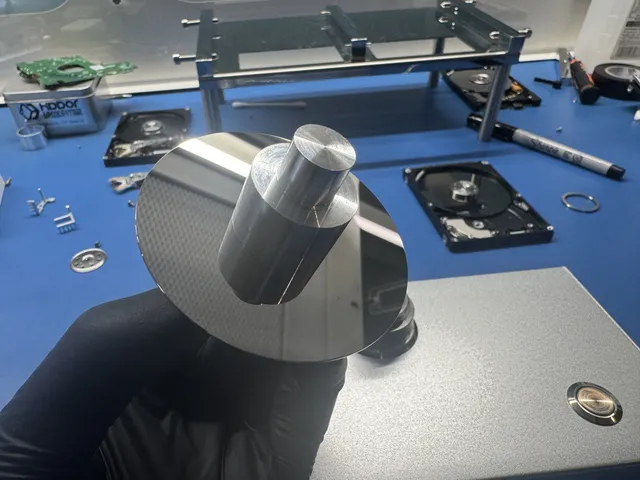
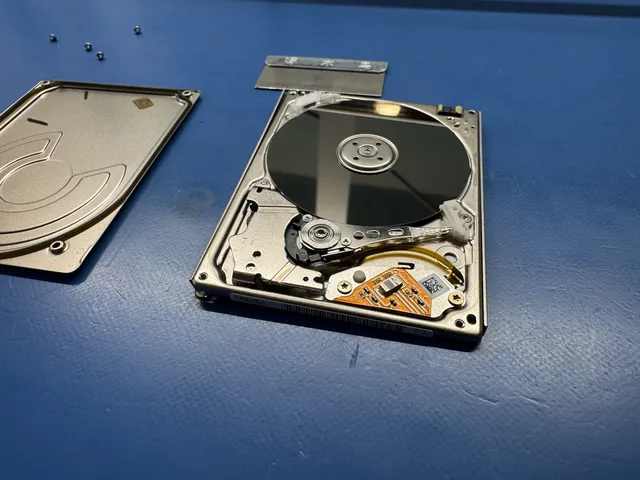
When a hard drive fails completely, the database files become inaccessible. Head failures, motor seizures, PCB damage. None of these care about your transaction logs or recovery plans. The entire database becomes one big brick of inaccessible sectors. Recovery requires physically repairing the drive in a clean, filtered work area, imaging it sector by sector, then extracting and reconstructing the database files from the raw image.
SSD Failures
SSDs fail differently than hard drives. They don't have moving parts to break, but they have NAND flash cells that wear out, controllers that lock up, and firmware that sometimes does bizarre things. An SSD failure can look like instant total loss. The drive was working fine, and then it just vanished from the system. No warning, no gradual degradation.
For SQL databases on SSDs, TRIM operations add another layer of complexity. When you delete records from a database, the freed pages might get TRIMmed by the operating system. Once TRIMmed, those blocks are zeroed out at the flash level. Unlike with hard drives, there's no magnetic residue to recover. The data is genuinely gone.
RAID Array Failures
Production SQL databases often run on RAID arrays, and RAID failures are some of the most complex recovery cases we handle. A single drive failure in a RAID 5 is designed to be survivable. But a second drive failure during the rebuild process isn't uncommon, especially when the drives are the same age and model. That puts you into a double-failure scenario that many RAID controllers can't handle.
Recovering a SQL database from a degraded or failed RAID array requires:
- Imaging each drive individually in a controlled environment
- Reconstructing the RAID stripe pattern from the raw images
- Assembling the virtual volume from the reconstructed stripes
- Extracting the database files from the reassembled volume
- Running database-specific repair tools on the extracted files
Each step has to go right. Missing one drive, miscalculating the stripe size, or getting the parity rotation wrong produces garbage output that looks nothing like a database file.
When You Need Professional SQL Database Recovery
Software tools have limits. If DBCC CHECKDB, mysqldump, or pg_resetwal can fix your problem, great. Run them and move on. But there are situations where DIY attempts aren't just unlikely to work. They're actively dangerous.
You Need Professional Help When:
- The storage hardware has failed. If the drive is clicking, not spinning, or not being detected by the system, no database repair tool is going to help. You need physical recovery first.
- REPAIR_ALLOW_DATA_LOSS is your only option and the data is critical. Before accepting the data loss, a professional recovery service might be able to extract more records by working directly with the raw data files.
- The corruption is caused by ransomware. Decrypting ransomware-encrypted database files requires specialized tools and techniques. Paying the ransom isn't guaranteed to get your data back, and it funds criminal operations.
- You've already made things worse. Running the wrong repair tool, writing data to the corrupted drive, or attempting to rebuild a RAID array without proper imaging first. All of these reduce recovery chances. A professional can still sometimes salvage data from a botched DIY attempt, but the window gets smaller.
- The database is your only copy. No backups. No replicas. No snapshots. When there's zero redundancy and the data is business-critical, the stakes are too high for trial and error.
What Professional SQL Database Recovery Looks Like
1 Diagnostic Evaluation
We examine the storage media and assess the damage. Is it a hardware failure, logical corruption, or both? This determines the recovery approach and gives you realistic expectations upfront.
2 Drive Imaging
If the hardware is damaged, we repair it enough to create a complete sector-by-sector image. All recovery work happens on the image, never on the original media. This preserves the original state in case we need to take a different approach.
3 Database Extraction and Reconstruction
We extract the database files from the disk image and use a combination of database-native tools and custom utilities to parse the raw data pages, reconstruct table structures, and recover individual records. Even when the database engine itself can't read the file, the raw data pages often contain recoverable records.
4 Verification and Delivery
We verify recovered data against known record counts, run integrity checks on the recovered database, and provide the data in whatever format works for you. SQL dump files, CSV exports, or a fully functional restored database.
The $100 diagnostic is credited toward a successful recovery and is non-refundable once diagnostics start. Approved donor or parts charges are non-refundable once ordered, even if recovery fails. You approve the estimate before recovery work starts. Get an evaluation.
Preventing SQL Database Corruption
Recovery is great, but not needing recovery is better. These practices help prevent SQL database corruption.
Use a UPS. Seriously.
An uninterruptible power supply is the single most cost-effective investment you can make for database integrity. A basic 1500VA UPS costs around $150 and gives you enough battery time for a clean shutdown. That's it. The UPS should be connected to your server's management interface so it triggers an automatic shutdown when battery gets low.
Enable Battery-Backed Write Cache or Disable Write Caching
If your RAID controller has a battery-backed write cache (BBU or BBWC), make sure the battery is actually healthy. A dead cache battery turns your write cache into a corruption time bomb. Check the battery status monthly.
If you don't have a battery-backed cache, disable write caching on your storage controller entirely. Yes, performance will drop. But you'll stop losing data to power events.
Run ECC Memory
For any server running production databases, ECC RAM is non-negotiable. It costs maybe 10-15% more than standard memory. Cheap insurance against the kind of silent corruption that's nearly impossible to diagnose after the fact.
Regular Integrity Checks
Schedule automated integrity checks:
| Platform | Command |
|---|---|
| SQL Server | DBCC CHECKDB weekly (off-peak hours) |
| MySQL | CHECK TABLE on critical tables weekly |
| PostgreSQL | pg_amcheck or amcheck extension weekly |
| SQLite | PRAGMA integrity_check periodically |
Don't just run these checks. Actually monitor the output. Pipe the results to your alerting system so someone gets notified when a check fails. A check that nobody reads is worse than no check at all because it creates false confidence.
Test Your Backups
Having backups isn't enough. You need to regularly restore those backups to a test environment and verify the data is intact. A backup you haven't tested is a wish, not a safety net.
Monitor SMART Data
Every modern hard drive and SSD reports health metrics through SMART (Self-Monitoring, Analysis, and Reporting Technology). Watch these key attributes:
- Reallocated Sector Count (Hard drives). Rising numbers mean the drive is hiding bad sectors by mapping them to spare areas. The trend matters more than the absolute number.
- Current Pending Sector Count (Hard drives). Sectors the drive can't read but hasn't reallocated yet. Any non-zero value is a red flag.
- Wear Leveling Count / Percentage Used (SSDs). How much of the SSD's write endurance has been consumed. Replace before it hits 90%.
- Uncorrectable Error Count (Both). Errors the drive couldn't fix internally. Even one is cause for concern.
Keep Your Database Engine Updated
Database vendors release patches that fix corruption-related bugs. Apply them. Don't run a production database on a version that's three years behind on patches. The upgrade might feel risky, but running known-buggy code is riskier.
Frequently Asked Questions
Can I recover a SQL database without a backup?
Yes, in most cases. Built-in repair tools like DBCC CHECKDB (SQL Server), InnoDB forced recovery (MySQL), and pg_resetwal (PostgreSQL) can fix many types of corruption without needing a backup. The success rate depends on the type and extent of corruption. Index corruption is almost always recoverable without backup. System catalog corruption is much harder. If software tools can't fix it, professional data recovery services like MDrepairs can often extract records directly from the raw database files, bypassing the database engine entirely.
Does DBCC CHECKDB with REPAIR_ALLOW_DATA_LOSS delete my data?
It can. REPAIR_ALLOW_DATA_LOSS fixes database consistency by removing corrupted pages and the data on them. If a data page is corrupted, the rows on that page get deleted. If an index page is corrupted, the index gets rebuilt (no data loss there). The name is accurate: it "allows" data loss, meaning it will sacrifice corrupted records to restore overall database consistency. Always run REPAIR_REBUILD first, which only fixes issues that don't require data deletion.
How long does SQL database corruption recovery take?
It depends on the database size and corruption severity. Running DBCC CHECKDB on a 50GB database takes roughly 30 to 90 minutes. A full InnoDB forced recovery and dump might take a few hours for a large database. Our standard recovery estimate is 4–6 weeks; timing may vary by case. The queue, parts, device condition, imaging and delivery affect the schedule. Emergency service offers a same-day diagnostic start, with availability confirmed by the lab; it does not set a recovery completion date.
Is MyISAM or InnoDB more prone to corruption?
MyISAM is significantly more prone to corruption. It doesn't support transactions, doesn't use write-ahead logging, and doesn't have automatic crash recovery. A single unexpected shutdown can corrupt a MyISAM table. InnoDB has built-in crash recovery, double-write buffering, and checksums on every page. It's not immune to corruption, but it handles unexpected shutdowns far more gracefully. If you're still using MyISAM for any table that matters, migrate to InnoDB.
Can ransomware-encrypted SQL databases be recovered?
Sometimes. It depends on the ransomware variant and how the encryption was implemented. Some ransomware only encrypts the first portion of large files, leaving the rest intact. Others encrypt everything thoroughly. In some cases, we can recover data from unallocated disk space, shadow copies, or backup fragments that the ransomware missed. We can also sometimes recover data from the raw drive by finding database pages that existed before the encryption overwrote them. There's no guarantee, but it's worth having a professional evaluate the situation before assuming the data is gone.
What's the difference between logical and physical database corruption?
Logical corruption means the data on the storage media is readable, but the database file's internal structure is inconsistent. Think of it like a book where some pages are out of order or the table of contents points to the wrong page numbers. The ink is fine, the organization is broken. Physical corruption means the storage media itself is damaged. Bad sectors, head crashes, dead SSDs, failed RAID arrays. The database file can't even be fully read from the disk. Physical corruption requires hardware repair before any database-level recovery can begin. A failing drive can cause physical errors that lead to logical inconsistencies in the database.
Should I defragment a hard drive that hosts SQL databases?
On traditional spinning hard drives, yes, moderate fragmentation can impact database performance. But don't defragment a drive that's showing signs of failure. Defragmentation is one of the most intensive operations you can put a hard drive through, reading and rewriting virtually every sector. If the drive has bad sectors or weak heads, defragmentation can push it over the edge into complete failure. On SSDs, defragmentation is completely unnecessary and actually harmful. SSDs don't suffer from fragmentation-related performance issues, and the extra write cycles reduce the drive's lifespan for no benefit.
Corrupt Database Recovery: What Actually Gets Rebuilt
Corrupt database recovery is not just opening a damaged file and pressing repair. A database is a structured system of pages, allocation maps, indexes, logs, metadata, and application-level relationships. When corruption appears, the important question is whether the storage layer, database engine layer, or application layer caused the damage. The answer changes the recovery path.
For SQL Server, MySQL, PostgreSQL, SQLite, and similar systems, we start by preserving the original files. That includes primary data files, secondary files, transaction logs, backups, snapshots, and any storage images available from the failed drive or server. Working directly on the only copy is a mistake. A repair command can discard damaged rows, rebuild allocation in a destructive way, or make later reconstruction harder.
The next step is triage. If the database came from a failing SSD, RAID, NAS, external drive, or virtual machine, storage recovery comes first. A database repair tool cannot reliably fix data that is still being read incorrectly from unstable media. Once the underlying files are safely imaged, we analyze the database structures: page headers, object metadata, allocation chains, table definitions, indexes, and log records when available.
In many cases, the cleanest result comes from extracting tables into a new database rather than trying to make the original file mount again. That can mean rebuilding schemas, exporting valid records, reconciling identity values, recovering blobs, and checking referential relationships. For business systems, we also look for point-in-time recovery options using backups and logs, because a slightly older clean restore can be better than a heavily repaired current file.
Do not run repeated repair attempts on production copies. Commands such as emergency repair modes, forced recovery settings, or third-party rebuild tools may be useful in controlled work, but they should be applied only to clones. MDRepairs provides database recovery services for corrupt SQL files, failed storage, and mail-in media nationwide from our New Jersey lab. We use a flat $100 diagnostic and explain the practical recovery options before recovery work proceeds.
What is corrupt database recovery?
Corrupt database recovery is the process of preserving the damaged database files, identifying which structures are broken, and extracting or rebuilding usable data into a working database. It can involve storage imaging, page-level analysis, log review, table extraction, schema reconstruction, and validation against backups or application requirements.
Should I run database repair commands before sending files to a lab?
Only run repair commands on a verified copy, never on the only production file. Some repair modes remove damaged records or rebuild structures in a way that reduces later recovery options. If the database is on a failing drive, RAID, NAS, or VM image, recover the storage first, then work on cloned database files.
Get help with data recovery
Bring your device to our Lincroft lab during opening hours, or mail it in.
How to mail your deviceThe $100 diagnostic is non-refundable once diagnostics start, and donor drives or replacement parts you approve are non-refundable once ordered, even if recovery fails.
Published by MDrepairs
MDrepairs is a data recovery and electronics repair lab in Lincroft, New Jersey. Our founder and lead technician Joseph Montanti films real cases for our YouTube channel, showing tools, repair steps and recovery outcomes.
Keep reading
- Windows Storage Spaces Failure: Preserve the Pool Before Resetting Disks
- Synology Volume Crashed: What to Do While Files Are Still Readable
- RAID 1 Recovery: Why a Mirror Does Not Save Every Deleted File