Nintendo Switch SD Card Won't Read? Recover Screenshots and Clips
Our founder and lead technician, Joseph Montanti, handles cases personally.
If your Switch displays “Failed to save report to the SD card” on an Atmosphère crash screen, the software could not save its error report to the card. If the console simply won't read a microSD card, the immediate job is to preserve its files before formatting or replacing anything. On an unmodified Nintendo Switch, game saves live in system memory; the card holds downloaded software and any screenshots or video clips saved there. A modified console using emuMMC can also keep an emulated system on the card, so that setup needs a full card image.
On this page
Failed to save report to the SD card
Atmosphère writes a crash report containing information about the failure. The project's report-writing code shows that this is a separate operation from running the game. A failed report write leaves you without that diagnostic file; the earlier error description on the screen is still relevant to the crash itself.
Power the Switch off and remove the card. Keep it out of the console, even for one more game, and skip phone or tablet readers. Set a damaged or wet card aside. When you connect an intact card to a computer, cancel any format or repair prompt. If Nintendo/Album opens, copy the captures to your computer first. Stop at a failed read, dropout or rising heat. If the card reads steadily, make a whole-card image on another drive before changing any firmware files. Atmosphère's emuMMC documentation describes both file-based and raw-partition storage. A copy of the visible Nintendo folder can miss the latter, including the emulated system's saved data.
Once that image exists, investigate the original crash through the software project's support information. A crash report failure does not identify a specific broken card component, and repeatedly changing the contents of the only copy makes recovery harder to untangle.
What is on a Switch card
For a standard Switch, Switch OLED or Switch Lite, Nintendo separates save data from installed software. The Nintendo data-management FAQ confirms that game saves stay in system memory for both physical and downloaded games.
| Data | Storage location | Route back |
|---|---|---|
| Game saves | Console system memory | Use the existing console save, a supported cloud backup or an official transfer. |
| Downloaded games, updates and DLC | System memory or microSD card | Redownload available content using the purchasing Nintendo Account. |
| Screenshots and captured videos | The selected Album storage location | Copy readable files or recover them from the card if no other copy exists. |
Check System Settings, Data Management, Manage Screenshots and Videos to see the selected location. Nintendo's Album-management instructions also explain filtering by save location. Some captures may be in system memory even if others are on the card.
Save Data Cloud backs up supported games' progress. It does not back up your Album.
Check the card without erasing it
Leave the original card unchanged. Run Windows repair or Mac First Aid only on a working copy after saving the image.
- Shut down the console fully. On the original Switch family, hold POWER for at least three seconds, choose Power Options, then Turn Off. Sleep mode is not sufficient for removing the card.
- Open the stand on a Switch or OLED model, or the card-slot cover on a Switch Lite. Push the card inward gently to release it, then slide it out.
- Look for damage or contamination on the card and in the slot. Nintendo directs visibly contaminated connectors or slots toward replacement/service; do not scrape the contacts with an eraser or probe the slot.
- Keep the suspect card out of consoles, phones and tablets. Use a compatible computer reader for a dry, intact card. Cancel any prompt to format or repair it.
- If the card heats up, drops out or gives a read error, stop. If it mounts and reads steadily, copy the captures from Nintendo/Album. If pictures or clips are missing, image the card before running recovery software.
- If the computer recognizes the card, eject it before removing it from the reader. If non-detection is the only problem and the first reader was untested, try a known-working compatible reader once. If that reader cannot detect the card, stop there.
The shutdown, removal and inspection steps come from Nintendo's card-not-recognized instructions. A card that works in a computer but fails in the console may have a compatibility or console-slot problem. After its contents are preserved, testing a different supported card helps separate those paths. Multiple cards failing in the same console point toward console service. Replace a failed card. Buy from a reputable seller to avoid counterfeit storage.
Error codes 2016-0247 and 2002-2060
| Error | Nintendo's description | Next step |
|---|---|---|
| 2016-0247 | An error downloading software to the card, including a card that previously worked. | Preserve the card, check compatibility and test another supported card after backup. |
| 2002-2060, 2002-2065, 2002-2066 | Within Nintendo's 2002-2000 to 2002-2499 troubleshooting range, which includes “Unable to access microSD card.” | Follow the card-present or no-card branch; protect card files before formatting or redownloading. |
Nintendo's pages for 2016-0247 and the 2002 error range include compatibility, system-update and replacement-card checks. The individual 2002 codes above do not justify assigning three different physical failures. If the fault continues when downloading directly to system memory with the card removed, Nintendo recommends console repair. Once the files are safe, check the original Switch card requirements. It supports microSD up to 2 GB, microSDHC from 4 to 32 GB and microSDXC from 64 GB to 2 TB. Connect the console to the internet and install its system update before first using microSDXC.
Recovering the Album from a corrupted card
Nintendo identifies Nintendo/Album as the folder containing the card's captures in its copying instructions. Open the copied pictures and play the clips before considering the Album saved.
For a card with damaged directory information, a sector image preserves the readable contents, including areas no longer listed as files. Disk Drill's imaging instructions describe one way to create that image on Windows or Mac. Save it to another drive and use it as the recovery source.
PhotoRec is a free program that searches for recognizable file structures. This can recover pictures or video when folder entries are lost, but fragmented or overwritten files can come back incomplete. Names, dates and directory structure may also be missing. Export the results to another drive. Check the exported files themselves; a scan listing or thumbnail is only part of the result.
Formatting the card first would replace filesystem information that might help recovery. If you already formatted it, keep the card out of the console and work from its image. The outcome depends on the formatting operation and subsequent writes, as described in the SD photo-recovery guide.
A card that cannot supply readable sectors
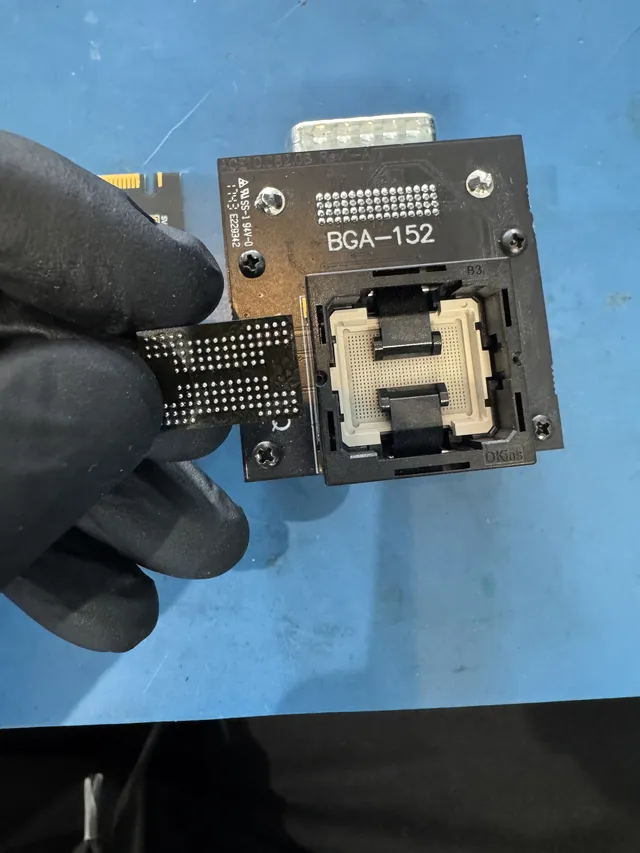
The lab's recorded recovery of an undetected SD card shows Joe exposing its connection points and wiring it to PC-3000 Flash. After reading the memory, he corrected errors and reconstructed its layout to extract the pictures.
That work depends on the card's construction and the condition of its memory. On a monolithic card, the connections may need to be exposed through the coating; there may be no separate memory package to remove. A fractured memory die is different from a damaged contact, and a card's external appearance cannot settle which parts still hold readable data.
| Failure | Price range | Work involved |
|---|---|---|
| File system corruption | From $299 | Recovering files from readable storage. |
| Controller or interface failure | Quoted after assessment | Restoring access or using supported direct-memory reconstruction. |
| Physical card damage | Quoted after assessment | Examining damaged connections, packaging and memory. |
| Water or heat damage | $299 to $2,000 | Evaluating damage and the remaining access to stored data. |
A $100 diagnostic is credited toward a successful recovery, and recovery work begins after you accept the estimate. Standard recovery is estimated at 4–6 weeks, with timing dependent on the case. You can mail the failed card to the lab.
Getting games and saves back on the console
Once the failed card is removed and its wanted contents preserved, use the purchasing account to restore available downloaded games. Nintendo's current redownload process uses Virtual Game Cards on the HOME Menu: select the purchasing user, choose the game, and load it or use Options, Download Data. Purchased DLC is included when the associated virtual game card is loaded. Keep the damaged card out while downloading to system memory or a replacement card.
If your Zelda progress or Pokémon save is missing, investigate the console's saved data separately. For supported games, check System Settings, Data Management, Save Data Cloud under the relevant user and inspect the backup status. Nintendo's Save Data Cloud guidance lists the exclusions, including Pokémon Sword/Shield and Scarlet/Violet. An active subscription is useful only if the particular game has a backup.
Animal Crossing: New Horizons uses a separate island-backup feature. If it was enabled before the console was lost or failed, Nintendo provides an island-restoration process. Without a backup, an unreadable microSD card is not where an unmodified console's island save will be found.
For captures still accessible in a working original Switch, open Album, select an item, then use the sharing/editing menu's Send to Smartphone or Send to Smart Device option. Nintendo describes the phone-transfer feature. For a larger Album, its USB transfer instructions use System Settings, Data Management, Manage Screenshots and Videos, Copy to a Computer via USB Connection.
Switch 2 needs microSD Express
Switch 2 accepts microSD Express cards up to 2 TB for expanded storage. Connect to the internet for the required first-use system update. A regular microSD card from the original Switch is not a slower substitute for installing games. Nintendo's compatibility table makes one exception: an old Switch card can be used to import its screenshots and videos.
If the old card is healthy and backed up, Switch 2 offers Import from a Nintendo Switch microSD Card to copy those captures into system memory. The Switch 2 Album instructions explain that operation.
Get help with data recovery
Bring your device to our Lincroft lab during opening hours, or mail it in.
How to mail your deviceThe $100 diagnostic is non-refundable once diagnostics start, and donor drives or replacement parts you approve are non-refundable once ordered, even if recovery fails.
Published by MDrepairs
MDrepairs is a data recovery and electronics repair lab in Lincroft, New Jersey. Our founder and lead technician Joseph Montanti films real cases for our YouTube channel, showing tools, repair steps and recovery outcomes.
Keep reading
- USB “Device Descriptor Request Failed”: What It Means for a Flash Drive
- USB Says “Please Insert a Disk” or “No Media”: Can You Recover the Files?
- SD Card Write Protected? Fixes Beyond the Switch