Geek Squad Data Recovery: Cost & Better Alternatives
In this article
If your drive failed and your nearest option is the Best Buy counter, this guide breaks down what Geek Squad data recovery actually costs, how the process works, and the one detail most people miss: physically damaged drives don't stay in the store. We'll keep it fair, use Best Buy's own published prices, and show you exactly where an in-house lab does the job differently.
How much does Geek Squad data recovery cost?
There are two costs to understand, and they are very different.
The diagnostic. Best Buy's Geek Squad charges $49.99 for an agent in the store to diagnose what went wrong. If your problem is a deleted folder or a reformat on a drive that still works, Level 1 is done right there in the store for $200 more.
The recovery itself. If the drive needs more than Level 1 (it clicks, it isn't detected, it was dropped or got wet), the job moves to Geek Squad City. Once they take a closer look there, they'll know which of the three published prices applies.
| Level | What it's for | Where | Price |
|---|---|---|---|
| Level 1 | Deleted files, a reformat or help getting into a working device | Best Buy store | $200 more |
| Level 2 | Broken file index, system restore or a full copy of the drive | Geek Squad City | $450 |
| Level 2 Advanced | Precise copy with special hardware, or changes to built-in software | Geek Squad City | $550 |
| Level 3 | Physical damage that requires opening the drive | Geek Squad City | $1,450 |
Level 1 is included with My Best Buy Total, and members get 20% off the labor on Levels 2 and 3. After a successful recovery, your files come back to the store on an external drive, which costs extra unless you bring your own.
How Geek Squad data recovery works
Geek Squad does the work in two places, the store and Geek Squad City, and knowing which of the four levels your drive falls into tells you a lot about the cost.
Level 1: in the store
You drop the drive at a Best Buy. Level 1 is done in the store for $200 on top of the $49.99 diagnostic. This is for logical data loss, meaning the hardware is healthy and the files were simply deleted or the drive was reformatted. It is the same category of problem you could often handle yourself with free tools. We cover that DIY route honestly in recovery software vs. a professional lab.
Levels 2 and 3: the drive ships to Geek Squad City
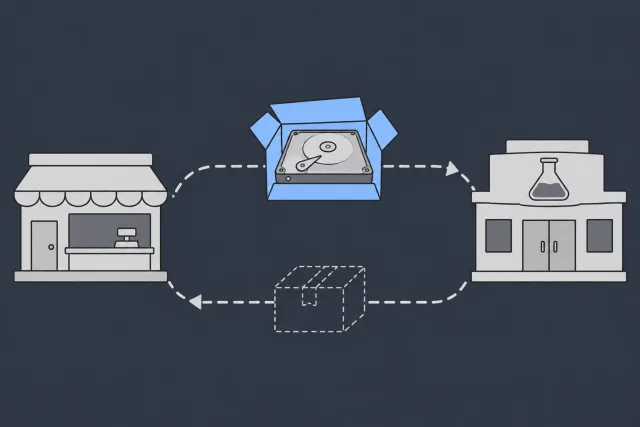
If the drive has a physical failure, the in-store agents can't open it. A retail counter is not a cleanroom, and nobody there is transplanting read/write heads. So the drive is packaged and sent to Geek Squad City, Best Buy's main service center about 15 miles south of Louisville, Kentucky. Level 2 (a corrupted file system or a full copy of the drive), Level 2 Advanced (changes to the drive's built-in software) and Level 3 (a drive that has to be opened) are all done there. The trip there and back is part of the wait.
The catch: your drive leaves the store
This is the part to weigh before you hand over a drive full of irreplaceable photos or business records.
- Chain of custody. For a Level 2 or 3 job, the store that took your drive isn't the place that works on it. Your media is boxed and shipped to a separate location, then shipped back.
- Turnaround. There's no set time. It depends on the device and what went wrong, plus shipping both ways if your drive goes to Kentucky.
- The middle layer. If your drive ships out, you ask the person at the counter, and your questions go through the store to the people working on it.
 Illustration
None of this makes Geek Squad a bad option for a simple logical recovery. It's a real service from a large company. But for a serious mechanical failure, your drive travels to Kentucky and back, and your only copy of the data is in transit. If they recover your files, they ship them back to your store on an external drive.
Geek Squad vs. a dedicated lab: side by side
Here is the honest comparison. The Geek Squad column comes from Best Buy's own pages, and the MDrepairs column is our actual policy.
| Geek Squad (Best Buy) | In-house lab (MDrepairs) | |
|---|---|---|
| Diagnostic fee | $49.99 | $100, credited toward a successful recovery |
| Who opens the drive | Geek Squad City, Kentucky (Levels 2 and 3) | Our lab in Lincroft, NJ, the one you talk to |
| Pricing model | Four set levels, by type of problem | See prices by device. You get an estimate after the diagnostic, before any recovery work. |
| Before you pay | Before you approve, ask if you can see your files before paying and what you'd owe if none come back. | Before you pay for recovery, you can look through your report to see which files we got back. If we can't get any files back, there's no recovery fee. |
| Getting your drive there | Drop off at a Best Buy store | We cover the UPS label and the trip home in the lower 48, except islands. |
| Phones | Mobile devices excluded | Yes, iPhone and Android |
The short version: with MDrepairs, you can call the lab that diagnoses your drive and opens it if it needs work inside. For the full picture of what professional recovery should cost, see our data recovery cost guide and the deeper blog breakdown of how much data recovery costs.
When DIY software is enough (and when it isn't)
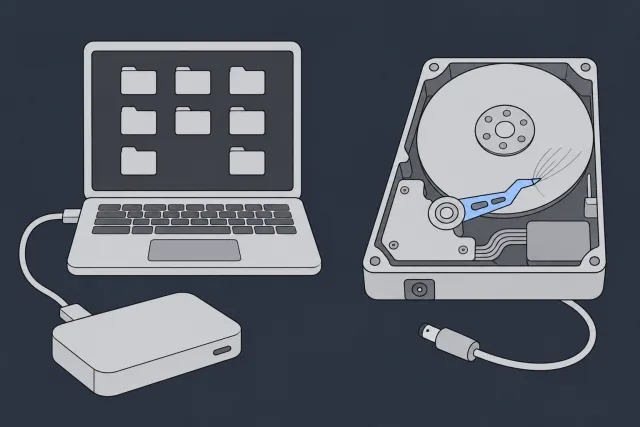
Before you pay anyone, it's worth knowing whether you even need a lab. Quick rule of thumb:
 Illustration
First, see if you already have a copy. If the drive is working normally, check the Recycle Bin or Trash. Look on a backup drive or check iCloud Photos or Google Photos on another device. If the files are there, you don't need anyone to get them back.
If you're not sure which bucket you're in, that's exactly what a diagnostic is for. A good lab will tell you honestly when free software would have done the job, before you spend a cent on recovery.
Where MDrepairs fits
MDrepairs is a data recovery lab for hard drives, SSDs, memory cards, laptops and phones. Here's what you get with us.
- $100 diagnostic, credited toward a successful recovery.
- Pro tooling. We open dropped or clicking drives in our own lab in Lincroft, on a workbench with filtered air (a clean bench). If the parts that read your files are broken, we replace them there. We use PC-3000 to repair the drive's built-in software.
- If we can't get any files back, there's no recovery fee. Before you pay for recovery, you can look through your report to see which files we got back.
- Mail-in from anywhere, so you aren't limited to a local counter. We cover the UPS label and the trip home in the lower 48, except islands. You can also drop off your device at our counter in Lincroft. Here's how mail-in data recovery works.
A dropped drive that clicks can still hold every picture. The customer in this recovery case mailed us a 5 TB WD My Passport that clicked after a drop. In the film, Joe, our founder, opens it, checks the reading heads under a microscope and swaps in a good set from another drive. He rewires the circuit board that handles encryption so our equipment can connect. He changes the drive's built-in software with PC-3000 to get past a block, then copies off more than 3 TB of pictures and videos.
For a failing or failed hard drive, start with our hard drive data recovery page. Comparing several shops first? Our roundup of the best data recovery services walks through what to look for, and our blog on how to choose the right recovery lab lists the exact questions to ask anyone, us included.
Frequently Asked Questions
Does Best Buy do data recovery?
Yes. Best Buy offers data recovery through its Geek Squad service. It starts with a $49.99 diagnostic in the store, and Level 1 is done there for $200 more. For Level 2 ($450), Level 2 Advanced ($550) or Level 3 ($1,450), the drive ships to Geek Squad City in Kentucky. Phones aren't on its recovery chart.
How much does Geek Squad charge for data recovery?
The in-store diagnostic is $49.99. Level 1 costs $200 more and is done in the store. At Geek Squad City, Level 2 costs $450, Level 2 Advanced costs $550, and Level 3 costs $1,450. Level 1 is included with My Best Buy Total, and members get 20% off the labor on Levels 2 and 3.
How much does Geek Squad charge for data transfer?
Geek Squad's in-store Data Backup or Transfer costs $99.99 and is included with My Best Buy Total. It copies files from a device that still works to a new one. A transfer won't get your files back if the drive clicks or doesn't show up.
Is Geek Squad data recovery worth it?
For a simple logical recovery (deleted or formatted files on a healthy drive), it can be a reasonable option, though free software often does the same job. For a physically damaged drive, the price is set by the level and the drive travels to Kentucky and back, with your only copy in transit. At MDrepairs, you talk to the lab doing the work and get an estimate before recovery work starts. Before you pay for recovery, you can look through your report to see which files we got back.
What is the alternative to Geek Squad data recovery?
A dedicated data recovery lab like MDrepairs is the direct alternative. We start with a $100 diagnostic, credited toward a successful recovery. If we can't get any files back, there's no recovery fee. Before you pay for recovery, you can look through your report to see which files we got back. We recover phones too. You can get a free quote or mail your drive in from anywhere. We cover the UPS label and the trip home in the lower 48, except islands.
How long does Geek Squad data recovery take?
There's no set time for Geek Squad data recovery. It depends on the device and what went wrong. Level 1 is done in the store, and for Levels 2 and 3 the drive goes to Kentucky and back. At MDrepairs, how long recovery takes after the diagnostic depends on what we find. The standard wait is 4 to 6 weeks before we reach your device in line and start the diagnostic. If you need us sooner, we start the diagnostic within 5 to 7 days with Priority, within 1 to 2 days with Urgent, or the same day with Emergency. The rush fees are +$250 for Priority, +$500 for Urgent, or +$1,000 for Emergency.
Sources
- Geek Squad Data Recovery (Best Buy)
- Geek Squad member benefits: My Best Buy Total (Best Buy)
- Computer & Tablet Services (Best Buy)
- Data Disappeared? Geek Squad Has Your Back (Best Buy Corporate News, November 30, 2015)
- Geek Squad City Celebrates a Decade of Top-Notch Tech Service (Best Buy Corporate News, August 30, 2016)