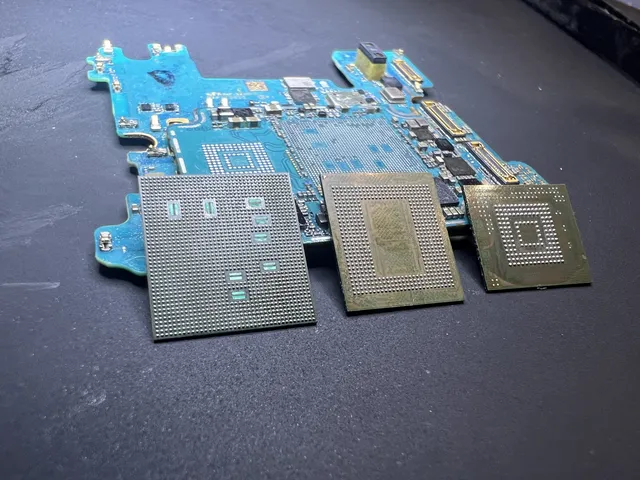
Guide to Data Recovery from a Broken iPhone
In this article
Your photos and messages live on a memory chip on the main board, separate from the screen and battery, so they can still be there if your iPhone breaks or goes dead. Do not plug in a water-damaged phone or attempt a DIY screen swap, since either can make the damage worse.
- Cracked screen / dead touch: your files can still be there behind a screen that won't respond. Back it up to iCloud now if you can unlock it.
- Water damage: a race against corrosion; don't charge it, don't use rice, get it evaluated fast
- Won't turn on or boot-looping: a lab can repair a damaged logic board or move its original chips to a working board. See iPhone data recovery
That heart-stopping moment when your iPhone goes dark - or shatters - is a feeling we know all too well. Your first instinct is likely to do something, anything, to get it back on. But the single most important thing you can do right now is to stop.
Do not plug it in. Do not repeatedly press the power button. And please, do not follow a YouTube video showing a "quick fix." These immediate reactions can be the difference between a successful data recovery and permanent data loss. At our professional data recovery lab, we've seen how these initial moments can determine the final outcome.
My iPhone Is Broken - What Should I Do Right Now?
When an iPhone fails, it’s rarely the device itself we’re worried about. It's the years of photos, important contacts, and text message threads that feel irreplaceable. The good news? Your pictures live on a memory chip inside your iPhone, separate from the screen, so they can still be there even after the screen shatters. What you do in the next few minutes can help keep them safe.
How you should react depends entirely on the type of failure. Your response to a shattered screen is completely different than what you should do for a phone that has been exposed to liquid. Making the wrong move, like trying to charge a water-damaged device, can short out and ruin the main board inside your iPhone.
Triage Your Device First
Before anything else, you need to assess the situation to understand what you’re dealing with. Different symptoms point to very different underlying problems - logical, electrical, or mechanical - and each requires a specific approach to keep your data safe.
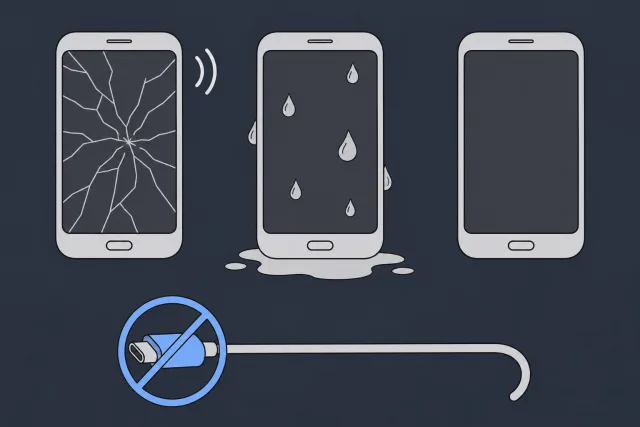
- Shattered Screen: If the screen is a spiderweb of cracks but you can still hear notifications or feel it vibrate, the phone’s "brain" - the logic board and memory chip - can still be working. The problem comes when you can't tap in your passcode. If the screen still works well enough to unlock your iPhone, back it up to iCloud now.
- Water Damage: This is a race against time. Turn your iPhone off if you can. Skip the charger and the rice. Liquid, especially salt water, can start corroding the tiny parts inside your iPhone.
- Won't Turn On (No Power): No screen activity, no sounds, no vibration. If your iPhone is dry and undamaged and isn't getting hot, charge it for one hour, then force it to restart. On an iPhone with Face ID, press and quickly release the volume up button, then do the same with the volume down button. Press and hold the side button until the Apple logo appears. On an iPhone 7 or 7 Plus, press and hold both the side button and the volume down button at the same time until you see the Apple logo. On an iPhone 6s or earlier, press and hold both the Home button and the side button or the top button until you see the Apple logo. If it still shows nothing, stop.
A charger can make things worse if your iPhone has taken a hard hit or gotten wet.
 Illustration
If your iPhone has serious physical damage or still won't power on after that one try, stop, and don't plug it in.
The table below breaks down the most common types of iPhone damage we see in our lab. Use it to quickly identify your situation and understand the correct first steps to protect your data before seeking a professional evaluation.
iPhone Damage Types and Your First Response
| Type of Damage | What It Looks Like | What to Do Immediately | Critical Mistake to Avoid |
|---|---|---|---|
| Shattered Screen | Cracked glass, but the phone still makes sounds, vibrates, or shows signs of life. | If you can still unlock it, go to Settings > tap your name > iCloud > iCloud Backup > Back Up Now. If you can't see or tap the screen, power it down if possible. | Trying to back it up via a computer. This can trigger a "Trust This Computer" prompt you can't see or tap. |
| Water/Liquid Damage | The phone was submerged or exposed to significant liquid and may or may not turn on. | Do not plug it in. If possible, power it down completely and leave it alone. | Putting it in rice. This is a myth; rice dust can get into ports and cause more harm. Do not apply heat. |
| No Power/Dead | The phone is completely unresponsive. No screen, no sounds, no vibration. It appears to be a "brick." | For a dry, undamaged iPhone that just died, charge it for one hour and try the restart above. Stop if it still shows nothing. | Plugging it in if it got wet, took a hard drop, is bent or swollen, or feels hot. |
| Boot Loop | The phone is stuck on the Apple logo, continuously restarting but never fully loading the OS. | Leave it alone. A boot loop can be a software problem or a hardware fault. | Clicking "Restore" erases your iPhone. "Update" is meant to keep your files. |
The goal is to prevent any further electrical or physical damage before an expert can perform a professional diagnostic.
What to Do and What to Avoid
Once you have assessed the situation, the next steps are simple but crucial. These are the same instructions we give every client who sends a device to our nationwide data recovery lab.
The biggest mistake we see is the DIY repair attempt. Trying to open a modern iPhone without proper tools and years of microsoldering experience is a recipe for disaster. One slip can sever a microscopic trace on the logic board, permanently destroying the path to your data.
If your iPhone has sustained physical damage, been exposed to liquid, or simply will not turn on, the safest course of action is to have it professionally evaluated. MDRepairs offers nationwide mail-in diagnostics that can pinpoint the exact failure, providing you with a clear path forward. Our lab is in Lincroft, New Jersey, and people mail us iPhones from all over the country, including California. If you were told at Apple that your files couldn't be recovered, here's what you can do next.
Is There Already a Copy of Your Photos?
- Sign in to iCloud.com/photos with your Apple Account. Your sign-in code can show up on another Apple device. On the code screen, choose "Didn't Get a Code?" or "Can't get to your devices?" to get the code by text or phone call at a trusted number you can still use. If you see your pictures, select and download them.
- On an iPad or iPhone, go to Settings > tap your name > iCloud > iCloud Backup to see which devices have iCloud Backup turned on. On a Windows PC, go to iCloud for Windows > Storage > Backups. On a Mac, go to System Settings > iCloud > Manage > Backups.
- Check for a computer backup in Finder on a Mac or Apple Devices on a Windows PC. In General, choose Manage Backups to see what's saved.
- If you used Google Photos, sign in at photos.google.com and look for your pictures.
If you find a backup, restore it during setup on your new iPhone and skip the option to set it up as new. If you can't find a copy, we can take a look at the iPhone itself.
What’s Actually Wrong When Your iPhone Breaks?
When an iPhone arrives at our lab, it's never just "broken." From a data recovery perspective, a shattered screen or a water-logged device is simply a barrier preventing access to your data. The first and most critical part of our job is to diagnose exactly what that barrier is.
Every iPhone failure we encounter falls into one of two categories: physical failures or logical failures. Understanding the difference is crucial, as each requires a completely separate recovery methodology.
Physical vs. Logical Failures
A physical failure means something in the hardware is broken. This is, by far, the most common reason phones end up on our lab benches. The hardware itself - a chip, a connector, the logic board - has been damaged and can no longer perform its function.
Conversely, a logical failure is a software-based problem. The hardware is in perfect working order, but the operating system or data structure has become corrupted. The phone gets confused and cannot boot, not because a component has failed, but because its software instructions are scrambled.
Our Pro Takeaway: A dead iPhone is almost always a physical failure. Software recovery tools cannot fix broken hardware, just as a software update for your car’s navigation system cannot fix a flat tire. The problem must be solved at the hardware level first.
Common Physical Failures We See
Your data resides on a NAND memory chip, which is soldered directly onto the iPhone's main circuit board (the logic board). To retrieve that data, the logic board needs power, and all its thousands of components must communicate correctly. A physical failure interrupts that communication.
Here are a few real-world examples we tackle in our lab:
- Shattered Screen with a Dead Digitizer: You drop your phone, and the screen is a mess. The real problem for data recovery is that the invisible layer underneath - the digitizer - is also broken. The phone may turn on, but you can’t tap in your passcode to approve a computer connection or access anything. Your data is trapped behind an unresponsive screen.
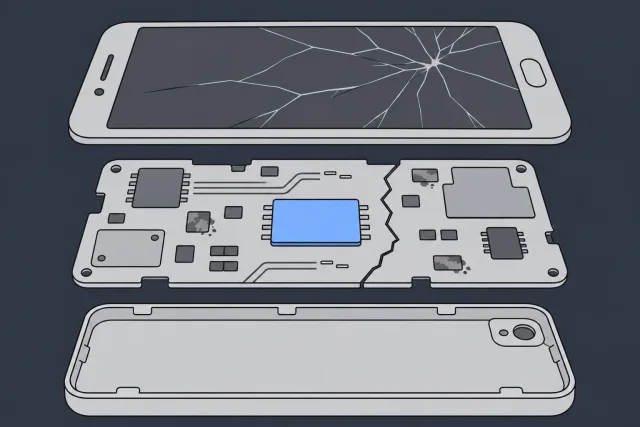
- Bent Frame and a Cracked Logic Board: You sat on your phone, and now it has a slight curve. That minimal flex can cause microscopic cracks in the logic board's internal layers, severing crucial pathways for power and data. The phone is now completely dead.
- Water Damage and Corrosion: A classic scenario. Once liquid gets inside, it can start corroding the tiny components and traces on the logic board. This corrosion creates short circuits, preventing power from reaching the device.
In all these cases, the NAND chip holding your photos and contacts can still be in one piece. The issue is that the surrounding hardware is too damaged to power it on and read the data. This is where professional data recovery from a broken iPhone becomes essential.
 Illustration
When Software-Only Tools Are a Dead End
You have likely seen advertisements for programs that claim to recover data from broken iPhones. Those tools are designed only for logical failures, such as:
- Accidental Deletion: You mistakenly deleted photos that were not in your iCloud backup.
- A Failed iOS Update: The update process fails, and now your phone is stuck on the Apple logo (a "boot loop").
- Corrupted File System: The phone may work, but the software that organizes your files gets scrambled, making them appear to be gone.
These tools work by communicating with the iPhone's operating system. But if your phone has a physical failure - like a cracked logic board or water damage - it cannot even turn on. There is no operating system for the software to talk to.
Attempting to run recovery software on a physically damaged phone is not just a waste of time; it can be dangerous. Plugging a water-damaged iPhone into a computer can send power through shorted circuits, causing further damage and turning a recoverable case into a permanent data loss.
If your iPhone won't turn on, respond to touch, or shows obvious physical trauma, the only safe path forward is a professional hardware evaluation. Our nationwide mail-in diagnostics are designed to pinpoint the exact failure without putting your data at further risk.
Can Data Recovery Software Help? A Realistic Look
When an iPhone breaks and data is on the line, the first impulse for many is to download a "miracle" data recovery program. As a professional lab that sees the aftermath of these attempts, we feel it’s our responsibility to provide an unvarnished look at when these tools might help, and when they can cause a catastrophe.
The reality is that this software has an incredibly narrow function. It’s built almost entirely for logical failures on an otherwise perfectly working iPhone. If you deleted photos on an iPhone that still works, look in Recently Deleted first. Deleted photos stay there for 30 days. If they aren't there, look in your backups.
But for a physically broken iPhone? Using recovery software is like trying to fix a blown engine by getting a car wash. It doesn't address the actual problem.
Why Software Fails on Physically Broken iPhones
For any software to work, it must communicate with the iPhone’s operating system (iOS). This is a non-negotiable requirement that needs the phone to be on, fully operational, and able to "trust" the computer it's connected to. If your screen is smashed and unresponsive, the phone is water-damaged, or it is simply dead, you cannot meet this basic requirement.
Worse, trying to run software on a physically damaged phone isn't just ineffective - it's actively dangerous for your data.
- Electrical Shorts: Plugging a water-logged or drop-damaged phone into a computer sends power into what could be a compromised circuit board. This can cause a short that fries the logic board or, even worse, the NAND memory chip holding all your data.
- Forced Overwrites: Many of these tools attempt to force the phone into a specific recovery mode or "repair" the OS. When the root cause is hardware, these software commands can corrupt the file system, effectively scrambling the very data you're trying to save.
- Wasting Critical Time: With water damage, corrosion is an active chemical process eating away at your phone's internals. Every hour spent trying to use software is an hour that corrosion gets worse.
A well-intentioned software attempt can turn a recoverable situation into a permanent loss. One misstep can make professional data recovery from a broken iPhone impossible.
Deceptive Claims and Hidden Risks
The marketing for these tools can be misleading. They might claim to work on "broken" iPhones, but their definition of "broken" is typically a software glitch, like being stuck on the Apple logo. Recovery software is for deleted files on an iPhone that still works.
Software can’t repair physical damage. If your iPhone is broken, water-damaged, or locked, avoid tools that try to bypass its security or reset it.
Our advice is direct: if your phone has any physical damage or will not power on properly, do not use data recovery software. Have the device professionally evaluated. It is the only truly safe path for your irreplaceable data.
Inside the Lab: How We Recover Data from Dead iPhones
When your iPhone is completely dead - physically shattered, a victim of water damage, or otherwise unresponsive - and software fixes are not an option, the recovery process moves from your desktop to our professional laboratory. This is where advanced, hardware-level techniques are employed, a world away from what consumer tools or even standard repair shops can offer. At MDRepairs, this is our specialty.
At this stage, we are no longer dealing with a software glitch. It's an electrical or mechanical problem. Our job is to bypass the damaged parts of your iPhone to get its “brain” - the logic board and memory chip - to communicate with our equipment again.
Microsoldering and Logic Board Repair
The NAND memory chip holding your data can still be fine, even in a "dead" iPhone. The real issue is typically the logic board - the central nervous system - that powers it. A hard drop, a slight bend, or liquid damage can create microscopic breaks in solder connections or destroy tiny components that manage power.
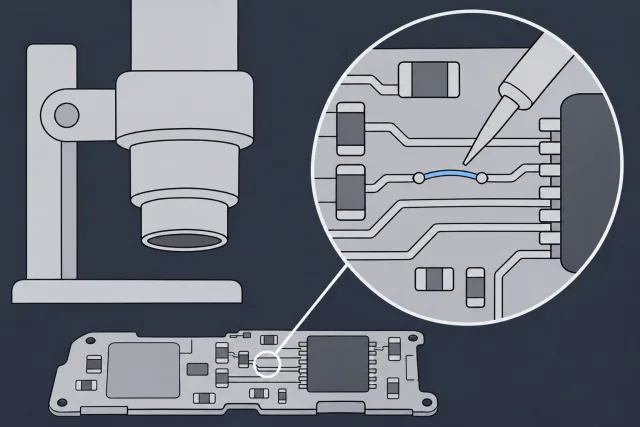
This is where microsoldering comes in. Working under a high-powered microscope, we perform surgery on your phone’s electronics.
- We find and repair broken traces. These are the tiny copper highways on the board that carry power and data. We can rebuild them.
- We replace failed components. We use schematics to pinpoint and swap out faulty capacitors, filters, or power management integrated circuits (PMICs) that are preventing the phone from booting.
- We bypass non-essential circuits. Sometimes, a single, non-critical component shorts out the entire board. By carefully removing it, we can restore power and gain access to the data.
 Illustration
This incredibly delicate work can bring a dead logic board back to life just long enough for us to copy your files off it.
A smashed screen doesn't mean your pictures are gone. An iPhone 15 Pro came in with a hole through its screen. The owner had lost access to his pictures a year earlier and still wanted them back. The board was slightly bent, with no cracks. On our bench, it drew too much power right away. A heat-sensing camera picked up a hot spot on the board. We separated the board's two layers and removed the shorted capacitor. The short cleared, the phone powered on, and we got his pictures back.
When All Else Fails: Moving the Chips to a Working Board
What happens if the logic board is completely destroyed? We see this with severe physical trauma - such as being run over by a vehicle - or extensive fire or corrosion damage. In these extreme cases, we move the phone's original processor and storage chip to a working donor board.
This process starts with a working board from another iPhone. We remove its processor and storage chip to make room for the ones from your phone.
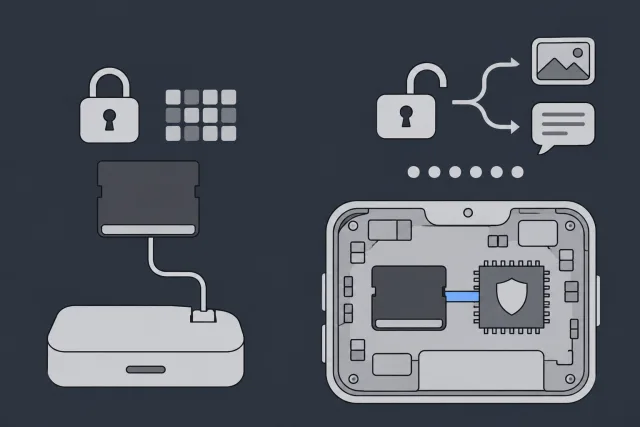
What is NAND Memory? Think of it as your phone's internal solid-state drive. It's the physical chip where every photo, contact, message, and piece of app data is stored. Read on its own, the chip gives us scrambled data. To open those files, we need your iPhone's own processor and your passcode.
 Illustration
The work is methodical. We carefully lift the processor and storage chip from your iPhone's broken board. If a contact on the processor is broken, we repair it first.
From there, we put fresh solder on the processor and fit both chips to the working board. Once the phone powers on and your passcode unlocks it, we can copy the photos, videos, and messages you thought were lost.
In the film, you can see how repairing one broken contact helped us get the files back from an iPhone with its board cracked in half and no backup.
This is our last resort for iPhones. If yours is this badly damaged, you can mail it to our New Jersey lab from Florida or anywhere else in the country.
Case in Point: An iPhone Dropped in the Ocean
Water damage is a major part of our work. Once corrosion affects the logic board and NAND flash, these advanced lab techniques are the only path forward.
An iPhone dropped in the ocean came into our lab with no signs of life, and its owner wanted their pictures back. A heat-sensing camera found a hot capacitor that had burned a hole through the board. We cleared the short by removing the burnt material that was making connections it shouldn't, then cleaned away the corrosion under the chip that handles the charging port and replaced that chip. The screen lit up but showed no picture, so we rebuilt the display circuits with parts from another iPhone board. After three hours of work, the iPhone powered on and we got the owner's pictures back. If salt water reaches your phone, turn it off at once. Skip the charger and the rice.
This level of hardware intervention is what truly separates a professional lab from a standard repair shop. It requires specialized equipment and years of hands-on engineering experience.
What to Expect: Cost and Timelines
When you consider sending your iPhone to a lab, three questions are always front and center: What are my chances, how much will this cost, and how long will it take? At MDRepairs, we believe in being transparent so you can make an informed decision without any sales pressure.
Let’s tackle the most important question first: "Is my data recoverable?" The honest answer is, it depends. We need to diagnose your phone before we can say what might come back. For data recovery from a broken iPhone, what matters is whether we can get your iPhone's own chips and board working again.
Factors That Determine Recoverability
The single biggest obstacle we encounter is a failed prior repair attempt. A local shop with good intentions but lacking the proper microsoldering equipment can accidentally cause irreversible damage to the logic board. This can quickly turn a straightforward recovery into a permanent data loss scenario.
Beyond that, a few other factors come into play:
- The Severity of Damage: There is a world of difference between a simple screen failure and an iPhone that has been run over by a truck. The more severe the physical trauma, the more complex the recovery.
- Water and Corrosion: For liquid-damaged phones, time is the enemy. Corrosion can destroy critical components while the phone sits in a drawer.
- Encryption and Key Chips: Modern iPhones use strong encryption, tying the data directly to the phone's unique CPU and Secure Enclave. If those chips are destroyed, your files can be locked for good. Keep your iPhone as it is, with its original board and chips, and don't let anyone swap the board. If the board is too damaged to fix, we can move your original processor and memory chip to a working board.
Our policy is straightforward: we perform a professional diagnostic before you commit to a recovery fee. This lets us give you a clear assessment of the situation and an estimate, so you know exactly where you stand.
What iPhone Data Recovery Costs
When your iPhone arrives, we charge $100 to find out what went wrong and put together an estimate. If we get your files back, that $100 goes toward the cost of recovery. You can look through your report to see which files we got back before you pay for recovery. If we can't get any files back, there's no recovery fee. The $100 is non-refundable once we start the diagnostic. If you approve donor parts or boards, we can't refund their cost once we order them, even if recovery fails. For board repair, recovery costs $1,000 - $1,500 for iPhone 3GS through 11 and $2,000 for iPhone 12 through 17. Moving the original processor and storage to another board costs $3,500.
When we reach your phone in line, we run a full diagnostic. We will then contact you with a complete report on what we found and what we can get back, along with an estimate for you to approve before any recovery work starts. Mailing from Texas? We give your iPhone the same care here in New Jersey as we do any other device.
Turnaround Times and Priority Service
The standard wait is 4 to 6 weeks before we reach your device in line and start the diagnostic. Recovery takes extra time after the diagnostic, depending on what's wrong with your phone.
We also understand that some situations are urgent. If you need us sooner, we start the diagnostic within 5 to 7 days with Priority, within 1 to 2 days with Urgent, or the same day with Emergency. Priority is +$250, Urgent is +$500, and Emergency is +$1,000.
When you start a case with us, we will walk you through all the options.
Your Top Questions About Broken iPhone Data Recovery
Even after understanding the recovery process, you are bound to have questions. Let's address the most common ones we hear in the lab.
Can You Get Data Off an iPhone That Won't Turn On at All?
Yes. Even if your iPhone is completely dead, the memory chip holding your files can still be fine on the main board.
The real culprit can be a failure on the logic board. The electrical pathways that deliver power and allow the phone to boot can be damaged. We need to get your iPhone's own board working again or move the original chips to one that works. Then your passcode can unlock your files. We do this in two primary ways:
- Microsoldering: We perform microscopic surgery to repair broken electrical circuits on the logic board, creating a temporary window to power it on and copy your data.
- Moving the Chips: For phones with catastrophic board damage, we can move the original processor and storage chip to a working board, like we did for this iPhone with a cracked board.
On newer iPhones with Stolen Device Protection turned on, we back up your phone to your own iCloud once we get it powered on again. Your pictures and videos come back just by signing in to iCloud on your new iPhone. You only need to erase the new iPhone and restore it from that backup if you want it set up exactly like the old one.
If Stolen Device Protection is off, you can open your recovered pictures without signing in to iCloud. Your recovered files come home on a new external drive or USB flash drive, and we cover return shipping in the lower 48 whatever the outcome.
Is It a Good Idea to Get My Screen Replaced Just to Recover Data?
This often seems like a logical first step, but it is a significant gamble. If the only issue is a shattered screen, then a replacement might grant you access. However, that's a big "if."
Often, the impact that broke the screen also caused hairline fractures or damage to the logic board. A new screen will not fix that underlying issue.
Here's the real risk: You take it to a general repair shop, and a technician inexperienced with data recovery methodology accidentally shorts the board or tears a delicate connector during the screen swap. We have seen this turn recoverable cases into permanent data loss. A professional diagnostic is always the safer bet.
My iPhone Is Stuck on the Apple Logo. What Now?
The dreaded "boot loop" is a classic problem that can be caused by either a software problem or a fault in one of your iPhone's parts, like its memory chip. You will find plenty of software online that claims to fix this, but those tools are only designed for software issues.
Running one of those programs on a phone with a hardware problem can make things much worse, sometimes even erasing the data completely. We cover this in detail in our article on recovering data from any broken phone. If the computer gives you "Update" or "Restore" when your iPhone is stuck on the Apple logo, don't click Restore. It erases your iPhone. Update reinstalls iOS and is meant to keep your files. We start by finding out what's causing the loop. If it is software-related, we use firmware tools to try to resolve the loop without wiping your device. If it is a hardware issue, we can pinpoint and repair it at the board level.
What do I pay if nothing can be recovered?
If we can't get any files back, there's no recovery fee. The $100 diagnostic is non-refundable once diagnostics start, and replacement parts you approve are non-refundable once ordered, even if recovery fails.
You approve the estimate before recovery work starts. Before you pay for recovery, you can look through your report to see which files we got back.
When your data is on the line, the smartest move is to get a professional evaluation. At MDRepairs, our nationwide mail-in diagnostics can determine exactly what’s wrong without putting your files at further risk. We'll provide a clear, honest path forward. When you're ready to get your data back, you can start your case with us today.
Before you try anything else
With a broken iPhone, the safest next step depends on whether the phone is only physically damaged or whether it has logic board, power, storage, or liquid damage. A cracked screen with a working phone can be straightforward. A phone that boot loops, will not charge, gets hot, is water damaged, or asks for restore in Finder is different. Update is meant to keep your files. Avoid clicking Restore, erasing the phone, or guessing your passcode if the data is the priority. Those actions can turn a repairable access problem into permanent data loss.
MDRepairs provides iPhone data recovery for dead, broken, liquid damaged, and boot looping devices from our NJ lab. The diagnostic is $100, and we credit it toward a successful recovery. Our mail in data recovery process includes a free phone consult before you send the device. We cover the UPS label and the trip home in the lower 48, except islands.
When a Phone Needs the Lab, Not Another App
Modern phones encrypt everything on internal storage, so real recovery usually means repairing the original board until the device can boot and decrypt itself. That is micro-soldering work, not a download. Our professional data recovery services cover phones, tablets, and the drives and cards that back them up. The diagnostic is $100, and we credit it toward a successful recovery.
Sources
- Download iCloud photos and videos
- Two-factor authentication for Apple Account
- Get a verification code and sign in with two-factor authentication
- View and manage iCloud device backups
- Locate and manage backups of your iPhone, iPad, and iPod touch
- Restore your iPhone, iPad, or iPod touch from a backup
- How to back up your iPhone or iPad with iCloud
- About the 'Trust This Computer' alert message on your iPhone, iPad, or iPod touch
- If you see a liquid-detection alert on your iPhone
- Restart an unresponsive iPhone
- If the Restore screen appears on your iPhone, iPad, or iPod touch
- Use a computer to reset your iPhone and your passcode
- How to recover deleted photos on your iPhone, iPad, Mac, or Apple Vision Pro
- About Stolen Device Protection for iPhone
- The Secure Enclave
- Data Protection in Apple devices
How MDrepairs can help
- Cell Phone Data Recovery Board-level recovery from dead, water-damaged and locked phones. Learn more
- iPhone Repair Screen, battery and board iPhone repair, Middletown NJ. Learn more
- Hard Drive Data Recovery Mechanical, firmware and logical HDD recovery on every brand. Learn more
- RAID Data Recovery Array reconstruction for RAID 0/1/5/6/10, NAS and servers. Learn more