
Inside the lab follow MDrepairs on YouTube, TikTok & Instagram - visit our YouTube channel ↗

MacBook Data Recovery

MacBook Data Recovery Salt Lake City UT

Salt Lake City, Utah residents depend on MacBooks for everything - from tech professionals in Silicon Slopes and university researchers to students at the University of Utah working on research and coursework.

  • 4.6 Rating
  • 2M+ Followers
  • Nationwide
About this recovery service

When a MacBook's soldered storage fails, no Apple Store, Genius Bar, or local repair shop can recover your data. MDRepairs is a professional data recovery lab in Lincroft, NJ, specializing in MacBook Pro, MacBook Air, iMac, Mac Mini, and Mac Studio recovery for customers across Utah and all 50 states. We work directly with Apple's T2 security chip, Apple Silicon processors (M1, M2, M3, M4), and the proprietary NAND flash packages that replace standard SSDs in every modern Mac. Salt Lake City customers ship their MacBook to our lab with free shipping (contiguous US) - your device is protected from door to door.

Our MacBook recovery process starts with a $100 board-level diagnostic at our Lincroft, NJ lab, where we pinpoint the exact failure - logic board, T2/Apple Silicon processor, NAND flash, or liquid damage. We provide a detailed recovery plan and firm quote before any work begins. Salt Lake City residents use our free mail-in service to get their MacBook to our lab safely and quickly. We recover data from the soldered NVMe storage that no Apple Store or Genius Bar will touch. No data, no charge. Call 732-933-7717.

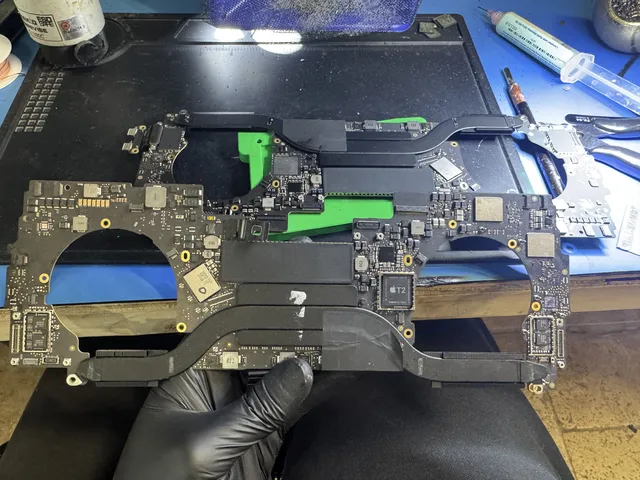
Gloved hand holding a whole MacBook logic board above the bench
Heat pipes run across the logic board held above the bench in our Lincroft lab.
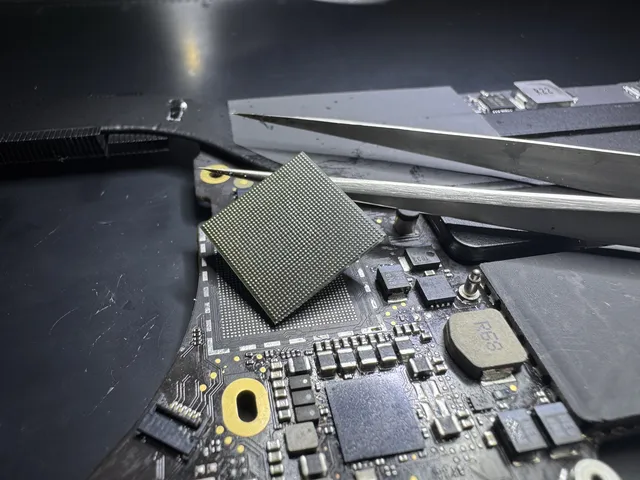
Tweezers resting over a laptop logic board with a lifted chip
On the laptop board at our Lincroft bench, a lifted chip leaves its pads exposed beneath the tweezers.
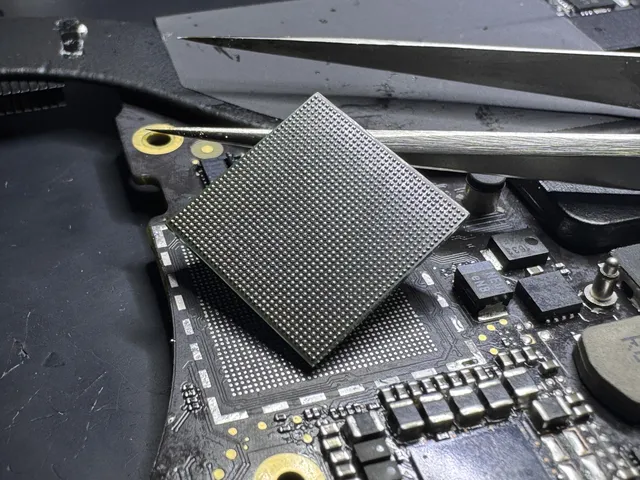
Large chip lifted off its pads on a laptop logic board
The exposed pads show where the chip sat on this laptop board at our Lincroft bench.
Stereo microscope at the bench with a keyboard to the right
Behind the microscope in our Lincroft lab are a power supply, soldering station and parts drawers.
  • 2M+ Social Media Followers
  • 4.6 ★ Average Rating
  • $100 Flat Diagnostic Fee
  • Free Shipping Both Ways
  • $100 diagnostic credited toward a successful recovery
  • All 50 States Served
Failure Types

Common MacBook Data Loss Scenarios in Salt Lake City, UT

Liquid Damage / Spill

Coffee, water, and beverage spills are the number one killer of MacBooks - and the leading cause of data loss we see in our lab. Liquid seeps under BGA components, corrodes solder joints, and shorts critical power rails on the logic board. The damage is often progressive: a MacBook that works fine after a spill can die days later as corrosion spreads. Our technicians perform ultrasonic cleaning, remove corrosion under a stereo microscope, and micro-solder replacement components to restore board function and data access. When board-level repair alone can bring the Mac back to life, that's the fastest and most cost-effective path to your files.

T2 Security Chip Failure

The Apple T2 chip in 2018-2020 Intel MacBooks acts as the SSD controller and hardware encryption engine - every byte of data on the NAND is encrypted through it. When the T2 fails due to firmware corruption, power surge, or liquid damage, the Mac sees no storage device at all. There is no software workaround. Our lab uses specialized hardware diagnostic tools to interface with the T2 at the board level and restore communication between the chip and NAND. If the T2 itself is beyond repair but the CPU, NAND, and EEPROMs survived, we perform a CPU/NAND/EEPROM swap to a known-good donor board - transplanting the critical components that hold your encryption keys and data to a working motherboard.

Apple Silicon Crash / Failure

On M1, M2, M3, and M4 Macs, Apple moved the SSD controller and Secure Enclave directly into the processor itself. That means when an Apple Silicon chip fails, your storage is completely inaccessible - there is no secondary path to the NAND. Chip-off extraction does not work here because the data is hardware-encrypted and the decryption keys live in the CPU's Secure Enclave. Our recovery method for catastrophic Apple Silicon failure is a CPU/NAND/EEPROM swap: we transplant the original CPU (which holds the encryption keys), NAND packages, and EEPROMs to a donor working motherboard. As long as the CPU silicon survived, your data is recoverable.

FileVault Locked / Recovery Key Lost

FileVault full-disk encryption on macOS is tied to the T2 chip or Apple Silicon Secure Enclave - not just your password. If you've lost your FileVault recovery key and can't log in, or if a firmware update corrupted the encryption state, most shops will tell you the data is gone. Our lab works at the hardware level to restore the authentication pathway between the security processor and the encrypted NAND. In many cases, we can repair the board-level failure preventing FileVault from unlocking and recover your data without the recovery key, as long as the security hardware that holds the encryption keys is intact.

Kernel Panic / No Boot Loop

Repeating kernel panics, the flashing question mark folder, the spinning globe that never loads, or an infinite reboot loop - these symptoms mean your MacBook can't find or load its operating system. Your data is almost certainly still on the NAND, but you can't get to it because storage is soldered to the logic board and can't be removed and plugged into another machine. Our technicians bypass the boot process entirely, diagnose whether the failure is a corrupted file system, failing NAND block, or a board-level hardware fault, and extract your data directly at the hardware level without relying on macOS to boot.

SSD Controller Failure

The storage controller - built into the T2 chip on Intel Macs or the Apple Silicon SoC on M-series Macs - manages every read and write to the soldered NAND flash. When this controller fails, the Mac reports no internal storage in Disk Utility, Recovery Mode, and even DFU mode. The NAND chips still hold your data, but nothing on the board can talk to them. Our first approach is always board-level repair to restore controller function. If the controller is permanently dead, we perform a CPU/NAND/EEPROM swap - moving the storage chips, CPU, and supporting components to a working donor board that can communicate with the NAND and decrypt your data.

Logic Board Failure

A dead logic board doesn't necessarily mean dead data. Power delivery failures, blown capacitors, shorted ICs, and failed voltage regulators can all kill a MacBook while leaving the NAND and CPU completely intact. Our technicians diagnose the exact point of failure using board schematics, thermal imaging, and micro-probing under a stereo microscope. When the fault is repairable - a blown MOSFET, corroded connector, or failed power IC - we micro-solder the fix and restore full data access. For catastrophic board damage where repair isn't viable, we perform a CPU/NAND/EEPROM swap to a donor motherboard, preserving the encryption relationship between your CPU's Secure Enclave and NAND storage.

Accidental Deletion / Failed Time Machine

Emptied the Trash, erased the wrong APFS volume, ran a clean macOS install over your data, or lost your only Time Machine backup? On MacBook SSDs with TRIM enabled, deleted data has a ticking clock - once TRIM processes the deleted blocks, the NAND physically erases them and the data is gone for good. The critical step is to stop using the Mac immediately. If you act fast and the TRIM garbage collection hasn't completed, we can recover deleted files by reading the NAND at the hardware level before the blocks are wiped. Time is the single biggest factor in these cases - contact us before powering the Mac on again.

Physical Drop / Impact Damage

A dropped or crushed MacBook can suffer internal component displacement, cracked solder joints on the logic board, and fractured NAND packages - even when the external case looks fine. Impact forces flex the logic board and can break the microscopic solder connections between BGA chips and the PCB, killing power delivery or storage communication. Our technicians diagnose impact damage using X-ray imaging and stereo microscope inspection to identify cracked joints, displaced chips, and hairline PCB fractures invisible to the naked eye. We then micro-solder the damaged connections, reball BGA components, or perform a CPU/NAND/EEPROM swap if the board damage is too extensive to repair in place.
How It Works

How Your MacBook Recovery Works

  1. 01

    Free Consultation

    Call 732-933-7717 or submit our secure online form. Tell us what happened - liquid spill, no power, kernel panic, FileVault lock - and a recovery engineer will walk you through your options, expected timeline, and pricing range. You generate a free prepaid UPS label on the mail-in form (contiguous US) so your MacBook or bare logic board arrives safely at our lab.
  2. 02

    $100 Board-Level Diagnostic

    At our Lincroft, NJ lab, we put your MacBook under the microscope - literally. Using BGA rework stations and PC-3000 diagnostic platforms, we trace the failure to the exact component: T2 or Apple Silicon processor, NAND flash, power management IC, or liquid corrosion path. You receive a detailed diagnostic report and a firm, no-surprise quote before we touch a single solder joint.
  3. 03

    Precision Recovery

    Our engineers execute the recovery using Apple-specific board-level techniques refined across hundreds of MacBook cases. Depending on the failure, that means repairing the logic board to restore native data access, bypassing T2/Apple Silicon encryption at the hardware level, or performing a CPU/NAND/EEPROM transplant to a known-good donor board when the original board is beyond repair. Every step is performed under magnification with medical-grade precision.
  4. 04

    Verification & Return

    Every recovered file is verified for integrity - documents open, photos render, videos play without artifacts. Your data is transferred to a new external drive and shipped back. We cover the UPS label and the trip home in the lower 48, except islands. We diagnose your device for $100 to find out what it would take to reach your files. That diagnostic fee goes toward the price of a successful recovery. If we can't get any files back, there's no recovery fee.

Free UPS shipping in the lower 48, except islands · $100 diagnostic, credited toward a successful recovery.

Affirm financing, if eligible
Pricing

MacBook Data Recovery Pricing for Salt Lake City, UT

MacBook data recovery pricing for Salt Lake City, Utah customers depends on the failure type, Mac model, and complexity of the storage architecture. Every case starts with a $100 board-level diagnostic that identifies the exact failure and determines the recovery approach. We provide a firm, no-surprise quote before any repair or extraction work begins. Salt Lake City customers use our free shipping (contiguous US) to send their MacBook to our Lincroft, NJ lab. No data, no charge - if we cannot recover your target files, you pay only the diagnostic fee.

Standard

$1,500

Logical and software-level recovery for MacBooks with functional hardware. Covers accidental deletion, file system corruption, failed macOS updates, and APFS volume repair on boards that still power on and pass diagnostics.
  • APFS file system repair
  • Deleted file recovery
  • macOS corruption repair
  • Time Machine data extraction
  • Free return shipping

Advanced

$1,500

Board-level hardware recovery for MacBooks with component failures, repairable liquid damage, or encrypted storage requiring T2/Apple Silicon bypass. We repair the logic board at the component level to restore native data access.
  • T2 / Apple Silicon bypass
  • Board-level component repair
  • FileVault encrypted recovery
  • Liquid damage board restoration
  • Free return shipping

Critical

$3,500+

CPU, NAND, and EEPROM transplant for MacBooks with catastrophic logic board failure or irreparable liquid damage. The CPU holds the Secure Enclave decryption keys - if the CPU survived, we transplant it along with the NAND and EEPROM to a known-good donor motherboard to unlock and recover your data.
  • CPU / NAND / EEPROM transplant
  • Donor motherboard sourcing
  • Secure Enclave key preservation
  • Full encrypted data reconstruction
  • Free return shipping
See full pricing
Models

Apple Mac Models We Recover for Salt Lake City, UT Customers

MDRepairs recovers data from every Mac with soldered or integrated storage - MacBook Pro, MacBook Air, iMac, Mac Mini, Mac Studio, and Mac Pro. Whether you purchased your Mac at an Apple Store, Best Buy, or online from Salt Lake City, Utah, every model listed below uses soldered NAND flash that requires board-level expertise to recover. Our Lincroft, NJ lab handles all of them - from 2013 MacBook Airs with removable PCIe SSDs to the latest M4-powered MacBook Pros with fully integrated storage. Salt Lake City residents ship their device with free shipping (contiguous US) and receive the same professional recovery service we provide to customers nationwide.

Era 01

Removable PCIe SSD

3 models
  • MacBook Pro 13" (2015) - Intel, Removable PCIe SSD
  • MacBook Pro 15" (2015) - Intel, Removable PCIe SSD
  • MacBook Air 13" (2013-2017) - Intel, Removable PCIe SSD
Era 02

Soldered SSD

7 models
  • MacBook Pro 13" (2016) - Intel, Touch Bar, Soldered SSD
  • MacBook Pro 13" (2017) - Intel, Touch Bar, Soldered SSD
  • MacBook Pro 15" (2016) - Intel, Touch Bar, Soldered SSD
  • MacBook Pro 15" (2017) - Intel, Touch Bar, Soldered SSD
  • MacBook 12" (2015) - Intel Core M, Soldered SSD
  • MacBook 12" (2016) - Intel Core m3/m5/m7, Soldered SSD
  • MacBook 12" (2017) - Intel Core m3/i5/i7, Soldered SSD
Era 03

T2 Security Chip

12 models
  • MacBook Pro 13" (2018) - Intel, T2 Chip, Soldered SSD
  • MacBook Pro 13" (2019) - Intel, T2 Chip, Soldered SSD
  • MacBook Pro 13" (2020) - Intel, T2 Chip, Soldered SSD
  • MacBook Pro 15" (2018) - Intel, T2 Chip, Soldered SSD
  • MacBook Pro 15" (2019) - Intel, T2 Chip, Soldered SSD
  • MacBook Pro 16" (2019) - Intel, T2 Chip, Soldered SSD
  • MacBook Air 13" (2018) - Intel Retina, T2 Chip, Soldered SSD
  • MacBook Air 13" (2019) - Intel Retina, T2 Chip, Soldered SSD
  • MacBook Air 13" (2020) - Intel, T2 Chip, Soldered SSD
  • iMac 27" (2019) - Intel, T2 Chip, SSD / Fusion Drive
  • iMac 27" (2020) - Intel, T2 Chip, SSD / Fusion Drive
  • Mac Mini (2018) - Intel, T2 Chip, Soldered SSD
Era 04

Apple Silicon (M1-M4)

27 models
  • MacBook Pro 13" (2020) - Apple M1, Soldered SSD
  • MacBook Pro 13" (2022) - Apple M2, Soldered SSD
  • MacBook Pro 14" (2021) - Apple M1 Pro / M1 Max, Soldered SSD
  • MacBook Pro 14" (2023) - Apple M2 Pro / M2 Max, Soldered SSD
  • MacBook Pro 14" (2023) - Apple M3, Soldered SSD
  • MacBook Pro 14" (2023) - Apple M3 Pro / M3 Max, Soldered SSD
  • MacBook Pro 14" (2024) - Apple M4, Soldered SSD
  • MacBook Pro 14" (2024) - Apple M4 Pro / M4 Max, Soldered SSD
  • MacBook Pro 16" (2021) - Apple M1 Pro / M1 Max, Soldered SSD
  • MacBook Pro 16" (2023) - Apple M2 Pro / M2 Max, Soldered SSD
  • MacBook Pro 16" (2023) - Apple M3 Pro / M3 Max, Soldered SSD
  • MacBook Pro 16" (2024) - Apple M4 Pro / M4 Max, Soldered SSD
  • MacBook Air 13" (2020) - Apple M1, Soldered SSD
  • MacBook Air 13" (2022) - Apple M2, Soldered SSD
  • MacBook Air 13" (2024) - Apple M3, Soldered SSD
  • MacBook Air 15" (2023) - Apple M2, Soldered SSD
  • MacBook Air 15" (2024) - Apple M3, Soldered SSD
  • iMac 24" (2021) - Apple M1, Soldered SSD
  • iMac 24" (2023) - Apple M3, Soldered SSD
  • iMac 24" (2024) - Apple M4, Soldered SSD
  • Mac Mini (2020) - Apple M1, Soldered SSD
  • Mac Mini (2023) - Apple M2 / M2 Pro, Soldered SSD
  • Mac Mini (2024) - Apple M4 / M4 Pro, Soldered SSD
  • Mac Studio (2022) - Apple M1 Max / M1 Ultra, Soldered SSD
  • Mac Studio (2023) - Apple M2 Max / M2 Ultra, Soldered SSD
  • Mac Studio (2024) - Apple M4 Max, Soldered SSD
  • Mac Pro (2023) - Apple M2 Ultra, Soldered SSD
Era 05

Fusion Drive / Modular SSD

4 models
  • iMac 21.5" (2017) - Intel, SSD / Fusion Drive
  • iMac 21.5" (2019) - Intel, SSD / Fusion Drive
  • iMac 27" (2017) - Intel, SSD / Fusion Drive
  • Mac Pro (2019) - Intel Xeon W, Modular SSD
Storage Architecture 3 sections

MacBook Storage Architecture: From Removable SSDs to Soldered NAND in Salt Lake City

Soldered NAND flash storage chips on a MacBook logic board - MacBook data recovery requires chip-level access

Understanding why MacBook data recovery is so challenging - and why Salt Lake City, UT residents need a specialized lab like MDRepairs - starts with Apple's storage architecture evolution. Before 2016, MacBook Pro and MacBook Air models used removable PCIe SSDs. If your logic board failed, a technician could unscrew the SSD module, plug it into a compatible Mac or adapter, and copy your files. Those days are over.

Starting with the 2016 MacBook Pro, Apple soldered the NAND flash storage chips directly onto the logic board. There is no removable drive. There is no SSD module. The storage is physically bonded to the same circuit board as the processor, memory, and every other critical component. When your MacBook fails, your data is trapped on tiny BGA (Ball Grid Array) packages soldered with hundreds of microscopic solder balls to the PCB.

Continue reading 3 more paragraphs

For Salt Lake City Mac users - whether you are tech professionals in Silicon Slopes and university researchers or working near downtown Salt Lake and the University of Utah campus - this architectural change means traditional data recovery methods are completely useless for your modern MacBook. No Apple Store, no Genius Bar, and no general electronics repair shop in Salt Lake City has the equipment to interface with soldered NAND at the chip level.

At MDRepairs in Lincroft, NJ, we maintain specialized BGA rework stations, Apple-specific NAND reading tools, and board-level diagnostic equipment specifically designed for this architecture. We can desolder NAND packages from the logic board without damaging them, read the raw flash data, and reconstruct your file system from the proprietary Apple page layout. For Salt Lake City customers, we provide free shipping both ways (contiguous US) so your MacBook arrives safely at our lab.

The key takeaway for Salt Lake City residents: if your MacBook was made after 2016, there is no removable storage. The only path to your data runs through board-level repair or NAND chip-off extraction - both of which require the specialized tooling and expertise our Lincroft lab provides.

T2 Security Chip and Data Recovery Challenges in Salt Lake City, UT

Apple T2 security chip on a MacBook logic board - T2 chip data recovery challenges

The Apple T2 security chip, found in 2018-2020 Intel MacBooks, changed everything about Mac data recovery for customers in Salt Lake City and nationwide. The T2 acts as the SSD controller and the hardware encryption engine - every single byte written to the NAND flash is encrypted through the T2 in real time. This means the NAND chips on a T2-equipped MacBook contain nothing but encrypted data that is meaningless without the T2 chip that encrypted it.

When the T2 fails - due to liquid damage, firmware corruption, power surge, or component-level failure on the logic board - the Mac cannot see its own storage. Disk Utility shows no drive. Recovery Mode shows no volume. DFU restore through Apple Configurator fails. The Apple Store and every repair shop in Salt Lake City, UT will tell you the data is gone because they have no way to interface with a failed T2 at the board level.

Continue reading 3 more paragraphs

At MDRepairs, our technicians use specialized hardware diagnostic tools to interface with the T2 chip at the board level and diagnose the exact failure. In many cases, the T2 itself is not dead - a supporting component on the logic board has failed, cutting power or communication to the T2. By repairing the board-level fault, we restore T2 function and regain native access to the encrypted NAND.

When the T2 chip is irreparably damaged but the CPU, NAND packages, and EEPROMs survived, we perform a CPU/NAND/EEPROM swap to a known-good donor board. The encryption keys that unlock your data are stored in a relationship between the CPU, T2, NAND, and EEPROMs - by transplanting all critical components together, we maintain that relationship on the donor board and decrypt the storage.

For Salt Lake City customers, this is the level of expertise required to recover data from a T2 MacBook. No software tool, no retail repair shop, and no Apple Store can replicate this process. Our Lincroft, NJ lab handles T2 cases from across Utah and all 50 states.

Apple Silicon (M1/M2/M3/M4) Data Recovery for Salt Lake City Customers

Apple M-series silicon chip package - Apple Silicon M1 M2 M3 M4 data recovery

Apple Silicon - the M1, M2, M3, and M4 processors - represents the biggest challenge in Mac data recovery history, and Salt Lake City, UT customers need to understand why. On these chips, Apple moved the SSD controller, encryption engine, and Secure Enclave directly into the processor die itself. The storage controller is no longer a separate chip like the T2 - it is part of the CPU.

When an Apple Silicon processor fails, there is no secondary path to the NAND flash. The storage controller is gone. The encryption engine is gone. The Secure Enclave that holds the decryption keys is part of the dead silicon. Traditional chip-off extraction - desoldering the NAND and reading it on external equipment - produces nothing but encrypted gibberish because the decryption keys died with the processor.

Continue reading 3 more paragraphs

Our recovery method for catastrophic Apple Silicon failure is a CPU/NAND/EEPROM swap. We carefully desolder the original M-series processor (which contains the Secure Enclave and encryption keys), the NAND flash packages, and the board EEPROMs from the failed logic board. All three component groups are transplanted onto a known-good donor MacBook logic board. As long as the CPU silicon survived - and it often does, even when the board around it is destroyed - the donor board boots with full access to the encrypted storage.

This is the most advanced data recovery procedure in the industry, and it requires precision BGA rework equipment, Apple-specific thermal profiles, and deep knowledge of Apple Silicon board design. For Salt Lake City residents, our Lincroft, NJ lab is one of the few facilities in the country equipped to perform this procedure. Free shipping (contiguous US) makes the distance irrelevant.

If your M1, M2, M3, or M4 MacBook is completely dead, do not let anyone attempt a repair without understanding the encryption architecture. A botched repair attempt that damages the CPU or NAND packages can make the data permanently unrecoverable. Contact MDRepairs at 732-933-7717 before taking your MacBook to any local shop in Salt Lake City.

Every Mac We Recover 3 sections

MacBook Pro Data Recovery in Salt Lake City: 13-Inch, 14-Inch, and 16-Inch Models

MacBook Pro being repaired in a professional data recovery lab

The MacBook Pro is the most common model we recover at our lab, and Salt Lake City residents own a significant number of them - from the 13-inch models popular with students at the University of Utah to the 16-inch workstations used by video editors and software developers throughout the Wasatch Front. Each MacBook Pro generation presents unique recovery challenges based on its storage architecture and security features.

The 2015 and earlier MacBook Pro 13-inch and 15-inch models use removable PCIe SSDs - a simple module that can be extracted and read on compatible hardware. If you have one of these older models, recovery is relatively straightforward. Starting in 2016, Apple soldered the NAND directly to the logic board and, in 2018, added the T2 security chip that encrypts all storage in hardware. The 2020 M1 MacBook Pro 13-inch was the first to integrate everything into Apple Silicon, and the 2021 MacBook Pro 14-inch and 16-inch models continued this architecture through the M1 Pro, M1 Max, M2, M3, and M4 generations.

Continue reading 2 more paragraphs

For Salt Lake City MacBook Pro owners, the recovery approach depends entirely on the model year. Pre-2016 models with removable SSDs are standard recoveries. 2016-2017 models with soldered NAND but no T2 require board-level repair or chip-off extraction. 2018-2020 Intel models with T2 require bypassing hardware encryption through board repair or CPU/NAND/EEPROM swap. And M1-M4 models require the full transplant procedure because the encryption keys live in the CPU.

Regardless of which MacBook Pro model you own in Salt Lake City, our Lincroft, NJ lab has recovered data from every generation listed above. We maintain donor boards for all common MacBook Pro configurations to ensure we can perform component swaps when board-level repair alone is insufficient.

MacBook Air Data Recovery for Salt Lake City, UT Residents

MacBook Air disassembled showing thin internal components and logic board

MacBook Air models are extremely popular among Salt Lake City, UT residents - their portability makes them the go-to laptop for tech professionals in Silicon Slopes and university researchers and students who need a lightweight machine for classes, meetings, and travel. Unfortunately, that same portability makes them vulnerable to drops, liquid spills, and other physical damage that leads to data loss.

Pre-2018 MacBook Air models (2013-2017) use removable PCIe SSDs, making data recovery relatively straightforward when the logic board fails. The 2018-2020 Intel Retina MacBook Air models introduced the T2 chip with hardware encryption and soldered NAND - the same architecture challenges as the MacBook Pro. The 2020 M1 MacBook Air and later M2 and M3 models integrate everything into Apple Silicon.

Continue reading 2 more paragraphs

The MacBook Air's thin design creates an additional challenge: the logic board is compressed into a very small space with minimal thermal margin. Liquid damage spreads faster on MacBook Air boards because the components are packed so tightly together. For Salt Lake City residents who spill a beverage on their MacBook Air, time is critical - corrosion spreads quickly in the tight enclosure and can destroy board traces within days.

Our Lincroft, NJ lab handles MacBook Air recovery for customers across Utah. We stock donor boards for the most common MacBook Air models and can perform board-level repair, T2 bypass, and CPU/NAND/EEPROM swap on any generation. Salt Lake City customers benefit from our free shipping (contiguous US) - just call 732-933-7717 for prepaid labels and ship your MacBook Air to our lab.

iMac, Mac Mini, and Mac Studio Recovery in Salt Lake City

Mac Mini opened showing internal components for data recovery

Desktop Macs - iMac, Mac Mini, and Mac Studio - are just as susceptible to data loss as laptops, and Salt Lake City residents use all three models extensively. The iMac is common in home offices and creative studios throughout the Wasatch Front, while the Mac Mini is popular as a compact workstation and server. The Mac Studio serves professional video editors, 3D artists, and developers who need maximum Apple Silicon performance.

Modern iMacs (2021 M1, 2023 M3, 2024 M4) have fully soldered storage integrated into the Apple Silicon SoC - the same architecture as M-series laptops. Earlier Intel iMacs used a combination of traditional SATA drives, Fusion Drives (HDD + SSD combo), and soldered SSDs depending on the configuration. Each storage type requires a different recovery approach.

Continue reading 2 more paragraphs

The Mac Mini from 2018 onward uses T2 (Intel) or Apple Silicon with soldered NAND. The Mac Studio, introduced in 2022, uses M1 Max/Ultra through M4 Max processors with the same fully integrated storage architecture. Both models present the same encryption and soldered-storage challenges as MacBook laptops.

For Salt Lake City customers with a desktop Mac, our free shipping (contiguous US) covers the entire device. Mac Minis and Mac Studios are small enough to ship easily. For iMacs, we recommend removing the stand if possible and using the original packaging. Our Lincroft, NJ lab recovers data from all desktop Mac models - call 732-933-7717 for specific shipping instructions for your device.

Inside the Lab 4 sections

FileVault Encryption and MacBook Data Recovery in Salt Lake City, UT

FileVault encryption concept - encrypted MacBook storage requiring specialized data recovery

FileVault full-disk encryption is enabled by default on modern Macs, and many Salt Lake City, UT residents may not even realize their storage is encrypted. On T2-equipped Intel Macs, the encryption is handled in hardware by the T2 chip regardless of whether FileVault is explicitly enabled - the data on the NAND is always encrypted. FileVault adds an additional authentication layer that requires a password or recovery key at boot time.

On Apple Silicon Macs, the Secure Enclave inside the M-series processor handles all encryption. The NAND data is hardware-encrypted through the SoC, and FileVault adds the user authentication layer on top. This means even without FileVault enabled, the data on an Apple Silicon Mac is encrypted at the hardware level and cannot be read without the Secure Enclave that encrypted it.

Continue reading 3 more paragraphs

For Salt Lake City residents who have lost their FileVault recovery key, or whose Mac has a firmware corruption that prevents FileVault from unlocking, the situation seems hopeless. The Apple Store will tell you the data is gone. Other repair shops in the Wasatch Front will say the same thing. But if the security hardware (T2 or Apple Silicon CPU) is physically intact, we can often restore the authentication pathway and recover data without the recovery key by repairing the board-level failure that broke the encryption chain.

Our Lincroft, NJ lab has successfully recovered data from hundreds of FileVault-encrypted Macs where the encryption state was corrupted by liquid damage, power surges, or failed macOS updates. For Salt Lake City customers facing a FileVault lockout, call 732-933-7717 for a consultation - there may be more options than you think.

Important note for Salt Lake City Mac users: if your Mac is prompting for a FileVault recovery key you do not have, do not attempt to reinstall macOS or use Disk Utility to erase the volume. These actions can destroy the encryption metadata we need to recover your data. Contact us first.

Liquid Damage MacBook Recovery in Salt Lake City

Liquid damaged MacBook logic board under microscope showing corrosion

Liquid damage is the number one cause of MacBook data loss we see from customers in Salt Lake City and across Utah. Coffee, water, tea, soda - any beverage spilled on a MacBook can destroy the logic board and trap your data on encrypted, soldered NAND. The damage is often progressive: a MacBook that seems fine after a spill can die days or weeks later as corrosion spreads under BGA components.

When liquid enters a MacBook, it seeps under components through capillary action, reaching areas invisible from the outside. The liquid reacts with solder, copper traces, and component leads to form corrosion - a chemical process that continues even after the liquid dries. This corrosion eats through microscopic traces, creates short circuits between adjacent pads, and corrodes the solder connections under BGA chips like the T2, Apple Silicon CPU, and NAND packages.

Continue reading 3 more paragraphs

The common advice to put a wet MacBook in rice does nothing. Rice does not absorb moisture from inside a sealed aluminum enclosure, and it does not stop the corrosion that is actively destroying your logic board. If you are in Salt Lake City and have spilled liquid on your MacBook, the correct action is to power it off immediately, do not attempt to charge it, and contact MDRepairs at 732-933-7717 as quickly as possible.

At our Lincroft, NJ lab, liquid damage recovery begins with ultrasonic cleaning of the entire logic board to remove corrosion and contaminants. Our technicians then examine the board under a stereo microscope at up to 50x magnification to identify corroded traces, damaged components, and compromised solder connections. We micro-solder replacement components, repair damaged traces with copper wire jumpers, and restore board function to access your encrypted data.

For Salt Lake City residents dealing with a liquid-damaged MacBook, speed matters. The sooner you stop using the machine and ship it to our lab, the better the chances of a successful recovery. You generate a free prepaid UPS label on the mail-in form (contiguous US) so you can get your MacBook to us quickly without worrying about transit damage.

Logic Board Failure and Data Access for Salt Lake City Mac Users

MacBook logic board diagnostic with multimeter probes in data recovery lab

A dead MacBook logic board does not mean dead data - and this is a critical point for Salt Lake City, UT residents to understand before giving up on their files. The logic board is the central circuit board that houses the CPU, GPU, RAM, storage controller, and power management circuitry. When it fails, the MacBook shows no signs of life, or powers on but cannot access storage. But the NAND flash chips that hold your data are often perfectly intact.

Logic board failures in MacBooks come from multiple sources: power surges, overheating, manufacturing defects, physical impact, and component aging. Common failure points include blown power MOSFETs, failed voltage regulators, cracked solder joints under BGA components, and dead power management ICs. Each of these can kill the board while leaving the CPU, NAND, and EEPROMs untouched.

Continue reading 2 more paragraphs

Our Lincroft, NJ lab diagnoses logic board failures using board schematics, thermal imaging, and micro-probing. We trace the power delivery chain from the USB-C port through every regulator and MOSFET to identify the exact failure point. When the fault is repairable - a blown component, a corroded trace, a cold solder joint - we fix it with micro-soldering and restore full data access.

For catastrophic board damage where repair is not viable, we perform a CPU/NAND/EEPROM swap to a donor motherboard. This preserves the encryption relationship between your CPU's Secure Enclave and NAND storage, giving us full access to your data on the working donor board. Salt Lake City customers can ship their dead MacBook to our lab with free shipping (contiguous US) - call 732-933-7717 to start the process.

NAND Chip-Off Recovery for Apple Devices in Salt Lake City, UT

BGA rework station for CPU NAND EEPROM swap MacBook data recovery

NAND chip-off recovery is a last-resort technique used when board-level repair and component swap are not viable - and Salt Lake City customers should understand when it applies and when it does not. Chip-off involves physically desoldering the NAND flash packages from the MacBook logic board and reading them on specialized external equipment.

For pre-T2 MacBooks (2016-2017 models without encryption chips), chip-off can be effective. The NAND data is stored in Apple's proprietary format with custom ECC and page geometry, but it is not hardware-encrypted. Our lab has the tools and algorithms to read these NAND packages, reconstruct the logical storage layout, and recover the APFS file system and your data.

Continue reading 2 more paragraphs

For T2 and Apple Silicon MacBooks, chip-off alone does not work for data recovery because the NAND contents are hardware-encrypted. Reading the raw NAND produces only encrypted data that is useless without the T2 or Apple Silicon Secure Enclave keys. This is why the CPU/NAND/EEPROM swap procedure exists - it keeps the encryption keys (in the CPU) paired with the encrypted data (on the NAND) by moving both to a working board.

Our Lincroft, NJ lab performs NAND chip-off when appropriate - typically for pre-T2 Macs or as a diagnostic step to assess NAND health before a transplant procedure. Salt Lake City, UT customers should never let a repair shop attempt chip-off on a T2 or Apple Silicon Mac as a recovery method - it will not work and the desoldering process risks damaging the NAND packages. Contact MDRepairs at 732-933-7717 for the correct approach based on your Mac model.

Good to Know 3 sections

Mac vs. PC Data Recovery - Key Differences for Salt Lake City Customers

Salt Lake City residents often ask how MacBook data recovery compares to PC laptop or desktop hard drive data recovery. The differences are significant and directly affect cost, complexity, and timeline. Understanding these differences helps Salt Lake City Mac users set realistic expectations for their recovery case.

PC laptops and desktops typically use standard M.2 NVMe SSDs or 2.5-inch SATA drives that can be physically removed and connected to another computer for data recovery. If the drive itself is functional but the laptop's motherboard failed, the recovery is often as simple as plugging the drive into a USB adapter and copying files. MacBooks have not offered this option since 2016.

Continue reading 2 more paragraphs

Modern MacBooks use soldered, hardware-encrypted NAND flash that is permanently bonded to the logic board. There is no way to remove the storage and read it on another machine. The encryption keys live in the T2 chip or Apple Silicon CPU, making the storage inseparable from the processor that encrypted it. This fundamental architectural difference is why MacBook data recovery costs more and requires specialized equipment that general PC repair shops in Salt Lake City do not have.

For Salt Lake City customers who use both Mac and PC systems, MDRepairs handles both. We recover data from standard SSDs, NVMe drives, and hard drives from PCs alongside our specialized Mac recovery services. Call 732-933-7717 regardless of your device type.

Preventing MacBook Data Loss in Salt Lake City: Time Machine, iCloud, and Backup Strategies

The best MacBook data recovery is the one you never need. For Salt Lake City, UT Mac users, implementing a proper backup strategy is particularly important given how difficult and expensive MacBook recovery can be when things go wrong. Here are the backup methods every Mac user in Salt Lake City should consider.

Time Machine: Apple's built-in backup solution works with any external USB or Thunderbolt drive. Set it up once and it runs automatically in the background, creating hourly, daily, and weekly backups. For Salt Lake City residents, a $60-100 external drive is the cheapest insurance against data loss. Keep Time Machine running on your desk at home or office and back up whenever your MacBook is connected.

Continue reading 3 more paragraphs

iCloud Drive: Apple's cloud backup syncs Documents, Desktop, Photos, and other key folders across devices. The free 5GB tier is insufficient for most users - upgrade to the 200GB ($2.99/month) or 2TB ($9.99/month) plan to ensure your critical files are in the cloud. iCloud backup has saved countless Salt Lake City customers from total data loss when their MacBook failed unexpectedly.

The 3-2-1 Rule: Keep 3 copies of your data on 2 different media types with 1 copy off-site. For Salt Lake City Mac users, that means Time Machine on a local external drive, iCloud or another cloud service for off-site backup, and the original data on your MacBook. This strategy protects against hardware failure, theft, fire, and all other disaster scenarios.

Even with perfect backups, data loss still happens - backups fail silently, users forget to reconnect Time Machine drives, and iCloud sync can have gaps. If you are a Salt Lake City resident facing MacBook data loss despite your best efforts at backup, MDRepairs is here to help. Call 732-933-7717.

Apple APFS File System and Recovery Considerations in Salt Lake City

Every modern Mac in Salt Lake City runs Apple's APFS (Apple File System), and understanding how APFS works is essential for understanding both why MacBook data recovery is complex and what makes it possible. APFS replaced HFS+ starting with macOS High Sierra in 2017 and is optimized for flash storage - the exact type of soldered NAND used in every modern MacBook.

APFS introduces several features that affect data recovery. Space sharing allows multiple volumes to share the same physical partition, meaning a single NAND storage pool can contain your macOS system volume, user data volume, recovery volume, and VM volume simultaneously. Snapshots provide point-in-time copies of the file system that macOS creates automatically before updates. Clones allow files to be duplicated without using additional storage space until one copy is modified.

Continue reading 3 more paragraphs

For Salt Lake City customers, APFS snapshots can be a lifesaver in data recovery scenarios. If your MacBook crashed during a macOS update, the pre-update snapshot may still exist on the NAND and contain a complete copy of your data from before the crash. Our lab checks for APFS snapshots during every recovery and uses them when available to provide the most complete data set possible.

APFS encryption works in tandem with the T2 or Apple Silicon hardware encryption. The file system metadata itself is encrypted, which means even the directory structure - file names, folder hierarchy, timestamps - is unreadable without the correct encryption keys. This is why raw NAND reads on encrypted Macs produce no useful information, and why preserving the CPU/Secure Enclave relationship is critical in hardware recovery.

For Salt Lake City, UT residents experiencing APFS corruption - the Mac boots to a question mark, Disk Utility cannot repair the volume, or First Aid reports unrepairable errors - do not attempt to reformat or reinstall macOS. The APFS metadata damage may be recoverable at the block level in our lab. Contact MDRepairs at 732-933-7717 before making any changes to the volume.

Turnaround

Turnaround Time

Standard turnaround is 4-5 weeks for MacBook data recovery. Salt Lake City, UT customers ship their MacBook to our Lincroft, NJ lab using our free shipping labels (contiguous US) - transit typically adds 2-3 business days each way. Once your device arrives, it goes into our diagnostic queue immediately. Rush options are available for time-sensitive cases. Call 732-933-7717 to discuss your timeline.

Free UPS shipping in the lower 48, except islands · $100 diagnostic, credited toward a successful recovery.

Affirm financing, if eligible
Real Cases

MacBook Data Recovery for Salt Lake City, UT - Our Lab & Expertise

See how our Lincroft, NJ data recovery lab handles real MacBook cases - the same equipment, techniques, and expertise we use for every recovery from Salt Lake City, UT customers.

Inside the MDRepairs Data Recovery Lab

Lab Tour - Professional Recovery Equipment

Failure

This video provides a complete tour of our Lincroft, NJ data recovery lab, showing the specialized equipment we use for recovery. You'll see the same professional tools, precision microscopes, and board-level diagnostic stations that our technicians use daily.

Recovery

Our lab is equipped with PC-3000 diagnostic platforms, BGA rework stations, stereo microscopes, and a laminar flow cabinet for working on open hard drives. Every device that arrives at MDRepairs - regardless of type - is processed through this same professional environment with the same level of care and precision you see in the video.

Data Recovery Process - From Diagnosis to Data Delivery

Real Recovery Case - Professional Workflow Demonstration

Failure

Watch a real data recovery case from start to finish in our lab. This video demonstrates the step-by-step diagnostic and recovery process our technicians follow for every case - careful device inspection, board-level diagnostics, component-level repair, and verified data extraction.

Recovery

The precision techniques, specialized tooling, and methodical approach shown in this video are the same procedures we apply to every recovery case in our lab. From initial assessment through final data verification and secure delivery, each step follows our established recovery protocol to maximize the chances of a successful outcome.

T2 Chip MacBook Pro Recovery - Liquid Damage Board-Level Repair

MacBook Pro 2020 13-inch (Intel, T2 Chip)

Failure

The owner spilled an entire glass of water across the keyboard of their 2020 MacBook Pro 13-inch while working late at night. The machine immediately shut down and would not power on afterward. They made the common mistake of placing the MacBook in rice for 48 hours before attempting to power it on, which did nothing to address the internal corrosion already spreading across the logic board. By the time the MacBook arrived at our lab, visible corrosion was present on multiple board components near the keyboard connector, including traces running to the T2 security chip. Apple Store inspection declared the machine a total loss - logic board replacement at $799 with all data lost. The owner had 4 years of graduate research data, a completed thesis draft, thousands of research photos from fieldwork, and personal documents spanning a decade.

Recovery

Our board-level inspection under 50x magnification revealed corrosion on three critical trace paths between the T2 chip and the NAND flash packages, plus a corroded resistor in the T2 power delivery circuit. We ultrasonically cleaned the entire board, then performed micro-soldering repairs on the damaged traces using 0.1mm copper wire jumpers under the microscope. The corroded resistor was replaced with a matching component from a donor board. After repair, the T2 chip initialized successfully and we gained read access to the encrypted NAND storage. We imaged the complete 512GB volume, decrypted it with the client's FileVault password, and verified all files. Complete recovery - thesis, research data, fieldwork photos, and 10 years of personal documents. Total repair and extraction time was 12 days.

MacBook Air M1 CPU/NAND Swap - Catastrophic Board Failure Recovery

MacBook Air 2020 (Apple M1, 256GB)

Failure

A 2020 MacBook Air M1 was plugged into a faulty third-party USB-C charger that delivered an overvoltage spike, destroying the M1 processor's power management circuitry and rendering the entire logic board non-functional. The machine showed zero signs of life - no LED indicator, no fan activity, no response to any key combination or SMC reset attempt. The M1 processor was confirmed dead through board-level probing. With the M1 dead, there was no conventional path to access the NAND flash storage because Apple Silicon integrates the storage controller, encryption engine, and Secure Enclave into the processor die. The owner - a freelance graphic designer - had her entire portfolio, active client projects in Adobe Illustrator and Photoshop, and 3 years of design assets totaling approximately 200GB stored locally with no external backup.

Recovery

With the M1 processor confirmed dead but the NAND flash packages, M1 CPU die, and EEPROMs physically intact, we proceeded with a CPU/NAND/EEPROM transplant - the correct recovery method for Apple Silicon Macs with destroyed logic boards. We carefully desoldered the M1 processor (which contains the Secure Enclave and its encryption keys), both NAND flash BGA packages, and the board EEPROMs from the dead logic board using our precision BGA rework station with Apple-specific thermal profiles. All three component groups were then transplanted onto a known-good donor MacBook Air M1 logic board. Because the original M1 CPU retained its Secure Enclave keys, and the original NAND packages contained the encrypted data written by that specific CPU, the donor board booted successfully with full access to the encrypted storage - the CPU, NAND, and EEPROMs functioned together exactly as they had on the original board. We imaged the complete volume and verified every file. Complete recovery of 193GB - full design portfolio, all active Illustrator and Photoshop project files, and the entire 3-year design asset library. Recovery time was 14 days.

The people we help

Our customers include people from

Reviews

What Our Customers Say

My 8Tb MacBook Pro crashed, w no backup. The Apple store wanted to replace the logicboard, which would destroy all my data; unacceptable. … MDRepairs did what the others told me was impossible. They saved every bit of data! This was a minor miracle.
John Baeke
Lost my SSD after a hard reset and i thought the world ended. … I paid the rush fee and within 24 hours and a few extra minutes my business came back to life like tragedy never struck in the first place. They saved everything i thought i lost.
miron trache
You recovered data from my corrupted external hard drive that was crucial to a major project. In fact, three other companies … said it was impossible, that the drive was too far gone. But not for MDrepairs!
Anisa Mehdi
I had an external hard drive crash. I took it to a local shop in Edmond, OK but they were unable to get hard drive up and running … Joe contacted me stating they recovered a little over 81,000 RAW Nikon NEF photo's
Ronald Eugene Estes (Ron)
I send it out to a couple shops out here in vegas, and they weren't able to fix. So later I gave up on it … So I saw the video on Facebook from MB repairs, and I decided to send it out to them. And they were able to recover every single music file.
Daniel Plascencia
Contacted MDRepairs for data extraction for an iPhone 5C and for an old hard drive. … The hard drive had a hard crash where it was clear something mechanical within the HDD had failed. … Regardless, both techs did an amazing job. The data was quickly recovered in just a few days.
Chris Hillerich
Trusted

Professional Data Recovery Lab Serving Salt Lake City, UT - 2M+ Followers Nationwide

MDRepairs has built one of the largest followings in the data recovery industry - over 2 million across YouTube, TikTok, and Instagram - by documenting real recoveries on camera with full transparency. Our founder Joseph Montanti shows MacBook recovery cases from initial teardown through final data extraction, so Salt Lake City residents can see exactly how we handle liquid-damaged MacBook Pros, dead T2 chip boards, and Apple Silicon Macs with failed NAND before mailing in their own device. From tech professionals in Silicon Slopes and university researchers to students at the University of Utah, Salt Lake City customers trust us because they can watch our work before committing. Every MacBook gets a thorough board-level diagnostic at our Lincroft, NJ lab, and we walk you through our findings before any recovery work begins.

FAQ

MacBook Data Recovery FAQ

  • Can you recover data from a MacBook with soldered storage in Salt Lake City, UT?

    Yes. Every MacBook since 2016 has soldered NAND flash storage. Our Lincroft, NJ lab recovers data through board-level repair (restoring T2/Apple Silicon function to access the NAND natively) or CPU/NAND/EEPROM transplant to a donor board. Salt Lake City customers ship their MacBook to us with free shipping (contiguous US).

  • How much does MacBook data recovery cost for Salt Lake City residents?

    MacBook data recovery ranges from $1,500 for software-level recovery, $1,500 for board-level T2/Apple Silicon hardware recovery, and $3,500+ for CPU/NAND/EEPROM transplant cases. Every case starts with a $100 board-level diagnostic. No data, no charge beyond the diagnostic fee.

  • How do I send my MacBook from Salt Lake City to your lab?

    Call 732-933-7717 or submit our online form. You generate a free prepaid UPS label on the mail-in form (contiguous US) to your Salt Lake City, UT address. Pack your MacBook securely, attach the label, and drop it off at any shipping location.

  • Can you recover data from a liquid-damaged MacBook in Salt Lake City?

    Yes. Liquid damage is the most common MacBook failure we see. Our lab performs ultrasonic cleaning, micro-soldering of corroded components, and board-level repair to restore data access. If the board is beyond repair, we perform a CPU/NAND/EEPROM swap. Stop using your MacBook immediately after a spill and contact us.

  • Do you recover data from MacBooks with the T2 chip?

    Yes. The T2 chip in 2018-2020 Intel MacBooks encrypts all storage in hardware. Our lab works at the board level to repair T2 communication failures or transplants the CPU, NAND, and EEPROMs to a donor board when the T2 is irreparably damaged. We handle T2 cases from Salt Lake City and all 50 states.

  • Can you recover data from an M1, M2, M3, or M4 MacBook?

    Yes. Apple Silicon integrates the storage controller and Secure Enclave into the processor. When an M-series chip fails, we perform a CPU/NAND/EEPROM transplant - moving the original CPU (with encryption keys), NAND, and EEPROMs to a working donor board. As long as the CPU silicon survived, your data is recoverable.

  • What if my MacBook has FileVault encryption enabled?

    FileVault adds an authentication layer on top of the hardware encryption already present on T2 and Apple Silicon Macs. If you have lost your FileVault recovery key, we can often restore the authentication pathway by repairing the board-level failure, as long as the security hardware is physically intact. Do not attempt to erase or reinstall macOS.

  • How long does MacBook data recovery take for Salt Lake City customers?

    Standard turnaround is 4-5 weeks, which includes shipping transit time to and from our Lincroft, NJ lab. Complex cases involving CPU/NAND/EEPROM transplant or extensive liquid damage repair may take longer. Rush options are available for time-sensitive cases - call 732-933-7717 to discuss your timeline.

  • Can the Apple Store recover data from a dead MacBook?

    No. Apple Stores and Genius Bars do not offer data recovery services for MacBooks with hardware failures. They will offer a logic board replacement that erases your data, or declare the device a total loss. Our Lincroft, NJ lab specializes in recovering data that Apple says is gone.

  • What MacBook models do you recover data from?

    We recover data from every Mac model: MacBook Pro (13, 14, 15, 16 inch, 2015-2024), MacBook Air (13, 15 inch, 2013-2024), iMac (21.5, 24, 27 inch), Mac Mini, Mac Studio, Mac Pro, and MacBook 12-inch. Every generation from removable PCIe SSD through Apple Silicon M4 is covered.

  • My MacBook shows a flashing question mark folder. Can you recover the data?

    Yes. The flashing question mark means the Mac cannot find a bootable operating system, but your data is almost certainly still on the NAND. This symptom can indicate file system corruption, NAND block failure, or a logic board fault. Our lab diagnoses the root cause and extracts your data at the hardware level.

  • Is my data secure during the recovery process?

    Yes. Your MacBook is handled only by our technicians at our Lincroft, NJ lab. We do not outsource any work. Your data is stored on encrypted drives during the recovery process and securely wiped after you confirm receipt of your recovered files. We can sign NDAs for sensitive business data.

  • What is a CPU/NAND/EEPROM swap and why does my MacBook need one?

    A CPU/NAND/EEPROM swap transplants the original CPU (containing the Secure Enclave and encryption keys), NAND flash packages (containing your data), and board EEPROMs to a known-good donor logic board. This is necessary when the original board is too damaged to repair but the critical silicon components survived. It maintains the encryption relationship needed to access your data.

  • Do you offer free shipping (contiguous US) for MacBook data recovery from Salt Lake City?

    Yes. You generate a free prepaid UPS label on the mail-in form (contiguous US) for Salt Lake City, UT customers. We also provide free return shipping with your recovered data on a new external drive.

  • What should I do if my MacBook dies and I need the data?

    Stop using the MacBook immediately - do not try to power it on repeatedly, do not attempt DIY repairs, and do not take it to a general electronics repair shop that may cause further damage. Call MDRepairs at 732-933-7717 for a consultation. We will walk you through shipping your MacBook to our Lincroft, NJ lab for professional diagnosis and recovery.

Devices recovered at our lab

These rows come from BenchKey, the ticket system we built for our own shop. Customer names, contact details and descriptions are left out.

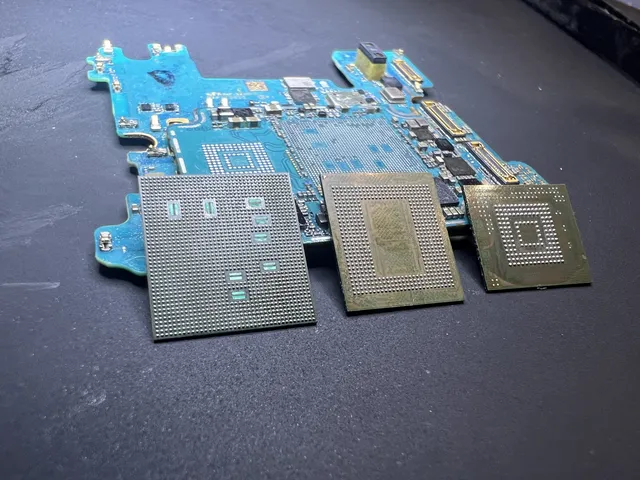
Phone logic board with three removed chips at our Lincroft lab
A phone logic board sits behind three removed chips, solder pads up, at our Lincroft lab.
4.6 · 345 Google reviews$100 diagnostic, credited toward a successful recovery
Start your mail-in recovery