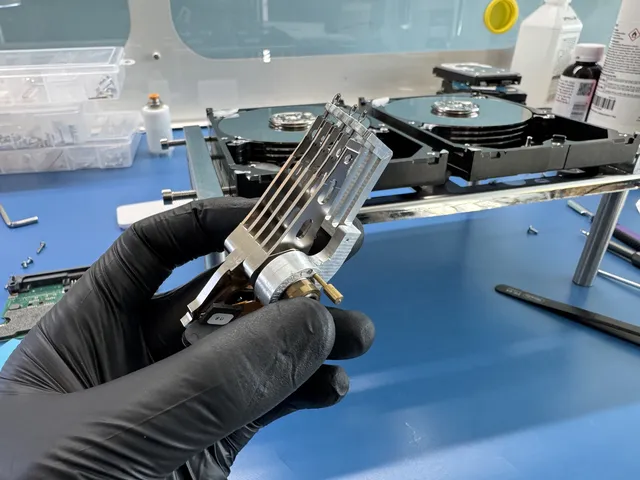
Joe removed three detached sliders and recovered the hard drive's audio
- Device
- Hard drive
- What happened
- Audio tracks were stuck on a hard drive
- What was wrong
- Three of four reading-head sliders had detached and stuck to platters
- Result
- Recovered. Files became visible, and the customer's data was saved after the drive was imaged.
A customer needed audio tracks from a hard drive that looked as though someone had opened it before. Joe opened the drive and removed its reading heads. Three of the four sliders, the small parts of the heads that read data from the platter surfaces, were missing.
He removed a platter and found the first missing slider stuck to it. The second was on the opposite side. Joe detached them and cleaned the platter on a spinner, a tool that rotated it for cleaning. He put the platter back in the drive and found the third slider. After reinstalling the last platter and giving it a final cleaning, he fitted good reading heads from a donor drive.
Joe then connected the drive and entered boot-code mode. He patched the ROM, the memory holding the drive's start-up instructions, and adjusted its firmware, the code that controlled its operation. The customer's files became visible. Joe imaged the drive to copy its contents, and the customer's data was saved.
If yours is similar
If your audio files are stuck on a hard drive, stop retrying reads. A diagnostic can inspect its heads and platters for damage before assessing whether the tracks can be copied.
Hard Drive Data RecoveryThe people we help
Our customers include people from
-

-

-
 AT&T
-
 Marriott
-

-

-
 Tennessee Titans
-

-

-

-

-

-

-