WD My Passport Not Recognized: Causes and Fixes
Our founder and lead technician, Joseph Montanti, handles cases personally.
A WD My Passport that is not showing up usually needs one of three things: a working USB connection, access to its locked or unmounted volume, or repair of an internal fault. If the disk is detected but its files will not open, check its volume and password state. Otherwise, start with a compatible cable and a direct USB port, then look in Windows Disk Management or Mac Disk Utility.
Disconnect a Passport that clicks repeatedly, beeps, grinds, stalls or keeps dropping out, and leave a dropped or wet drive off. If those symptoms begin during a copy, end the attempt; further power cycles or scans can worsen physical damage.
A format or initialization prompt needs a different response: cancel it. Your computer has found a device but cannot use its existing volume. The next job is to retrieve the files, before changing the structures that describe where they are.
On this page
Check the USB connection first
For an undamaged drive that sounds normal and stays connected, these checks can restore access without changing its contents. Western Digital includes the cable, port and computer in its external-drive connection checks.
- Try a known-good compatible data cable. Match the connector on your Passport. A damaged wire can interrupt communication even when the plug still supplies power; a light on the case therefore does not establish a working data connection.
- Connect directly to the computer. Remove the hub or dock from the connection. My Passport portable hard drives take their power through USB, so the connection has to carry both data and enough power to start the drive. On a desktop, another direct port, including a rear port, is worth trying.
- Try another computer. If files open there, save them to separate storage before working on the first computer. That result points you toward a problem with the original host, its software or its ports.
- Look below File Explorer or Finder. In Windows, right-click Start and open Disk Management. On a Mac, open Disk Utility and choose View > Show All Devices. Look for the physical drive and its reported capacity as well as any volume beneath it.
Listen during the initial connection; there is no reason to power the drive again just to hear it. A normal spinning sound means the motor has started. Repeated clicking or an unsuccessful spin-up puts the problem in the hardware section below.
The indicator light also has an ordinary job: the My Passport manual describes a steady light as idle, fast flashing as activity and slow flashing as standby. Blinking while files are being read is expected. If the light flashes but no files appear, check the volume and password state instead of treating the flash as a failure code.
My Passport is detected but not showing up on a PC
File Explorer displays usable volumes with drive letters. Disk Management also shows devices and partitions that Windows cannot open. That is why a WD Passport can be missing from “This PC” while still appearing in the lower pane of Disk Management.
| What Windows shows | What it means | What to do |
|---|---|---|
| Healthy volume, no drive letter | The volume exists but has no letter for File Explorer to use. | On a stable drive with a Windows-readable filesystem, assign an unused letter, then copy your files. |
| RAW or “You need to format the disk” | Windows cannot read the filesystem. Damage and an unsupported format are both possible. | Cancel Format. Try the system that last used it successfully, or recover from an image if the drive reads reliably. |
| Not Initialized or Unallocated | Windows cannot use the expected partition information. | Leave initialization alone while recovering existing data. |
| “The disk structure is corrupted” | Windows has encountered unreadable or inconsistent filesystem information. | Copy readable files or image the drive before filesystem repair. |
| Zero, missing or clearly wrong capacity | The drive has not presented its usable storage correctly. | Check the password-lock state; if that is not the cause, arrange drive diagnosis. |
For the missing-letter case, right-click the volume, select Change Drive Letter and Paths, then Add or Change as appropriate. Choose a letter that is not already in use. Microsoft's drive-letter instructions describe this operation. If the volume is RAW or the command is unavailable, creating a new volume is a different operation and would write to the disk.
Windows can also detect a Mac-formatted drive without offering its files in Explorer. Try the Mac that used the drive before treating its format as corruption. Microsoft's Disk Management troubleshooting distinguishes an inaccessible volume from a disk that is not detected at all.
Device Manager, drivers and problems after sleep
Press Windows + X and open Device Manager. Check Disk drives and Universal Serial Bus controllers for the Passport, then open its Properties to read the device status. An error here concerns the connection or device operation; work on the host is most useful when the Passport reads normally on another computer.
After saving the files on that other computer, you can refresh the affected PC's device configuration. With transfers finished, uninstall only the identified WD device in Device Manager, leave any driver-removal option unchecked, shut down, and disconnect the Passport. Restart the PC and reconnect it so Windows can detect it again. Follow Microsoft's device-driver instructions; use Windows Update or the computer maker for host USB drivers.
If the problem starts after sleep, a password-protected Passport may have locked again. WD documents this in the connection guidance above. Check for an unlock prompt before changing power settings. Microsoft recommends keeping USB selective suspend enabled; a host-only wake problem is a reason to check supported software and restart the PC after safely disconnecting the drive.
My Passport is missing on a Mac
Finder can hide an otherwise accessible external disk. Open Finder > Settings > General and enable External disks for the desktop, then check External disks in Sidebar. Apple explains these Finder visibility settings.
In Disk Utility, select View > Show All Devices. A gray volume is unmounted. For a normally reading drive, select the volume and click Mount, following Apple's mount instructions. An accessible volume gives you the opportunity to copy the files. A volume that will not mount, on a drive that still reads reliably at its proper capacity, can instead be imaged for recovery.
An NTFS Passport may be readable but not writable on macOS. That is expected behavior: Apple describes NTFS as a format Macs can read but cannot normally write. You can still copy its files to another destination. Adding an NTFS write driver or reformatting is unnecessary just to retrieve readable files.
If only this Mac has trouble, disconnect the Passport safely and restart the Mac. An SMC reset is an Intel Mac procedure, rather than a routine step for every Mac. Use the fuller WD drive troubleshooting for Mac if the connection remains missing.
Recover the files before repairing the filesystem
Software recovery is suitable when the drive reports its correct capacity, remains connected and reads without errors or stalls. It can retrieve deleted files whose contents remain, find files after partition damage, or work through a RAW volume. The software needs readable storage underneath those filesystem problems.
If ordinary copying is unavailable, make a byte-to-byte image on another drive. This copies the source sectors into a file so recovery programs can examine the copy repeatedly. In Disk Drill, use Byte-to-byte Backup, choose the Passport as the source, and save the image to a different disk with space for both the image and the files you recover from it. Attach the completed image in Disk Drill for scanning. CleverFiles provides the image creation and recovery instructions.
TestDisk can search the image for partitions, list files and copy them out. Its Write option changes partition information; finding and copying files does not require that operation. Keep any partition-writing experiment to a disposable working copy, or wait until the files have been recovered and checked elsewhere.
PhotoRec searches for recognizable file contents when directory information is missing. That can recover a photograph without its original filename or folder. Fragmentation and missing sectors can leave incomplete files. Recuva is another option for ordinary deleted files on a readable Windows drive; its developer explains how deleted-file recovery works. Install recovery tools on the computer and save recovered files to a different drive from the source, so new writes do not replace data you are trying to retrieve.
Once your copies are checked, filesystem repair becomes an option. chkdsk X: /f repairs filesystem errors; chkdsk X: /r also checks for bad sectors and includes repairs. Replace X with the correct volume letter. Microsoft documents both switches. On a Mac, Disk Utility First Aid serves the filesystem-repair role. These tools change the source, which is why they come after recovery.
Why removing the Passport's case does not provide a SATA connection
On the My Passport design in Western Digital's hardware-encryption table, USB is built into the drive controller board. There is no separate SATA-to-USB adapter to pull off. The original board also carries information the drive needs to operate, so keep it with the drive if someone has already opened the case.
Hardware encryption and a password lock are separate. On an encrypted model, the drive transforms stored data as it passes through its electronics; a working, unlocked drive returns readable files to the computer. Adding or removing a password does not switch that built-in encryption on or off.
| Drive family | Documented distinction |
|---|---|
| My Passport portable HDD | WD lists hardware encryption and a USB-only controller board. |
| My Passport Ultra | WD advertises built-in encryption and password protection, including current USB-C models. |
| My Passport for Mac | The Mac filesystem format and the drive's security features are separate; use its exact model documentation. |
| WD Elements Portable | WD lists USB-only boards here too; the absence of encryption does not imply an ordinary SATA connector. |
For a My Passport Ultra not detected over USB-C, the cable, host and volume checks still apply. WD's Ultra specifications describe its security features. A generic replacement enclosure cannot supply a connection absent from the drive board, and swapping boards may lose the original firmware or security information needed to read it.
Clicking, beeping and a Passport that stays dead
Repeated clicking during a failed startup usually means the heads are repeatedly trying to establish a readable position. Damaged heads, unreadable platter areas or firmware trouble can keep that cycle going. The exact internal fault needs inspection. Heads damaged by a drop can contact the recording surface, which is why continued retries put the stored data at risk.
A beeping or buzzing drive may be struggling to turn its platters. Too little USB power can cause this, as Seagate explains for USB-powered hard drives. Mechanical resistance can also prevent startup: heads stuck to a platter create friction, while a seized spindle prevents the platter assembly from turning. Tapping the case can turn a stuck-head problem into damaged heads or media.
A completely silent drive directs attention to the cable, power path and board as well as the motor. A drive that spins but never presents storage may have a communication, firmware or reading problem. These failures require a working read path before software can retrieve files.
Professional help is appropriate after the basic connection checks fail, after a drop, liquid exposure or power surge, or when RAW storage contains files you cannot safely copy or image. Removed or replaced electronics also need model-specific attention. With physical damage, the work can involve the original circuit board, firmware and internal head assembly; a file-recovery app has no way to replace those parts.
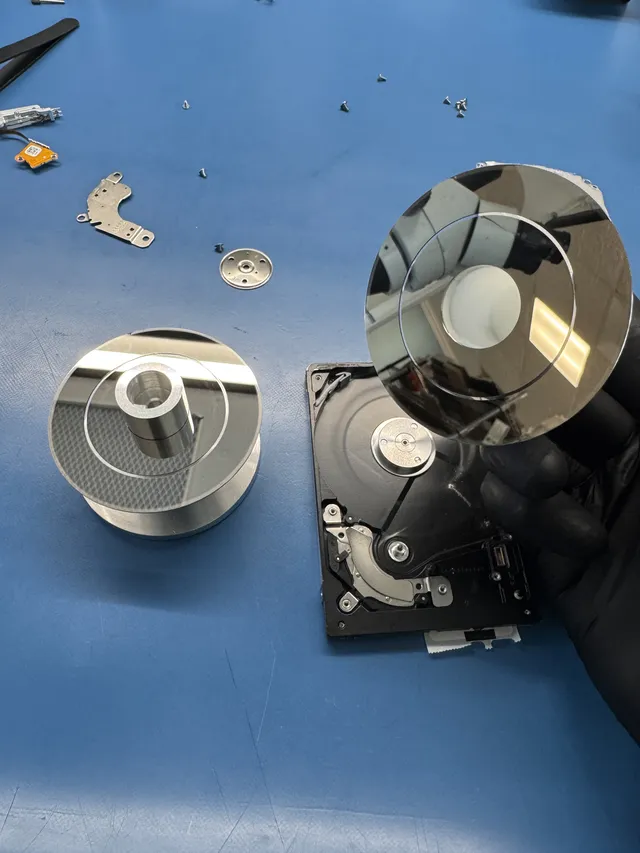
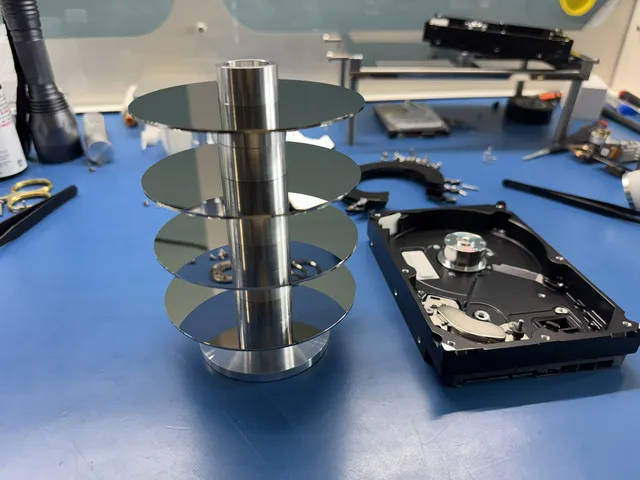
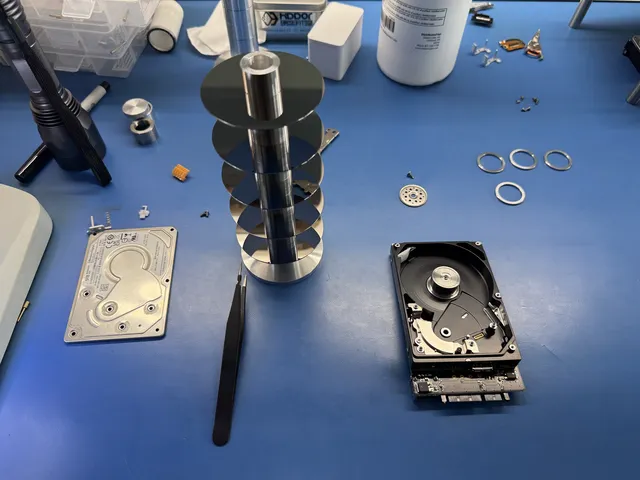
In this WD My Passport recovery, Joseph replaced heads on a dropped, clicking drive in the filtered work area, then made soldered data and power connections. He used PC-3000 to unlock the ROM firmware and backed up the service area before imaging in Data Extractor. The files were recovered.
For My Passport recovery at MDrepairs, the diagnostic is $100, credited toward successful recovery, and you approve the estimate before recovery work begins.
WD Security password problems
A Passport can be spinning and visible as a device while its files remain locked. Open WD Security or the supported WD unlock utility and enter the saved password. Check your password manager or existing records first. If you previously enabled auto-unlock on another computer, that computer may still provide access; copy the files elsewhere if it does. The My Passport manual describes manual and automatic unlocking.
WD provides no forgotten-password reset that preserves the files. Its password guidance says Erase Drive destroys the contents and cannot be undone. If no valid unlock method remains, check your backups before considering reuse of the drive. A known-correct password that suddenly fails alongside other access errors is different: WD also identifies drive, media and filesystem faults as possible causes of failed access.
When Windows cannot safely remove the Passport
A busy-drive message usually means an app still has files open or writes are pending. Finish or cancel transfers through the app that started them, close Explorer or Finder windows, and quit applications using the Passport. Then try Safely Remove Hardware or Eject again.
If a normally working drive still will not release, shut the computer down fully before unplugging it. This lets the system finish its work instead of interrupting writes mid-transfer. Formatting, initializing or converting the drive is unrelated to releasing an open file and would change the storage you are trying to preserve.
Get help with data recovery
Bring your device to our Lincroft lab during opening hours, or mail it in.
How to mail your deviceThe $100 diagnostic is non-refundable once diagnostics start, and donor drives or replacement parts you approve are non-refundable once ordered, even if recovery fails.
Published by MDrepairs
MDrepairs is a data recovery and electronics repair lab in Lincroft, New Jersey. Our founder and lead technician Joseph Montanti films real cases for our YouTube channel, showing tools, repair steps and recovery outcomes.
Keep reading
- External Drive Says “The Parameter Is Incorrect”: Data-Safe Checks
- External Hard Drive Freezes File Explorer or the Computer: Safe Next Steps

- “The Semaphore Timeout Period Has Expired” During a Drive Copy