MicroSD Snapped or Cracked: Is the Data Gone?
Our founder and lead technician, Joseph Montanti, handles cases personally.
A broken microSD card can still contain readable files if the crack has cut connections without breaking the memory inside. A specialist may be able to reach that memory directly. If the silicon holding the files has fractured, repairing the outer card will not restore the destroyed cells. The break's path through the card determines which problem you have.
If a visibly cracked or bent card is disconnected, leave it out of the reader. Keep all the pieces in a small rigid container without pressing them together. Glue, tape, sanding and attempts to straighten it can cover contacts or damage the remaining connections; a card that looks whole again still has broken circuitry inside.
On this page
What broke inside the microSD?
A microSD combines NAND flash memory, a controller and their connections in a solid package called a monolith. NAND is the silicon that stores your photos and videos. The controller makes that memory behave like the familiar drive full of folders. The contacts on the outside connect the card to the camera, phone or reader.
That construction matters when a micro SD card breaks in half. There is no removable memory chip sitting behind a lid. Keep the fragments dry and avoid touching the broken faces or trying to solder them together. A technician needs access to the connections embedded in the package. Rusolut's explanation of microSD recovery describes removing the coating and connecting to internal pads when the controller or circuit has failed.
A broken connection can leave the stored data untouched while making the entire card disappear from a computer. Damage to the memory itself is more serious: it can destroy storage cells and the paths needed to read them. The visible size of a missing corner does not establish how much memory survived. Inspection has to follow the fracture into the card's internal layout.
Corner damage, a bent card or a break across the middle
If a cracked card is already inserted and its folders read steadily, copy the photos and other files you need onto a computer or separate drive before further handling. Leave it still: do not flex it or remove and reinsert it to improve contact. Stop the transfer and disconnect the reader if the card heats up, gives read errors or drops out; do not reconnect it for another attempt. Even if the copy succeeds, do not write to the cracked card, reformat it or put it back in the device to test it.
A cracked SD card needs a different repair from a card with an intact body and a damaged file system. With physical damage, the first job is finding a usable electrical route to the memory. These are the differences between the common break types:
| Damage | What has happened | Possible recovery work |
|---|---|---|
| Corner snapped off | A section of the package and any circuitry passing through it is missing. | Reach surviving memory through accessible connections if the break has spared it. |
| Crack along an edge | The crack can interrupt internal traces as well as the outer material. | Locate the interrupted circuit and establish whether the memory can still be read. |
| Bent card that no longer reads | Bending can damage connections inside an apparently continuous package. | Inspect the internal access points before attempting an electrical read. |
| MicroSD snapped across the middle | The fracture crosses the package containing the controller and memory. | Recovery depends on surviving memory and its access paths; joining the halves cannot repair fractured silicon. |
| Crushed into several pieces | There are multiple fracture paths through the package. | Examine the fragments for surviving readable memory before considering reconstruction. |
How the files come out of a damaged card
Monolith recovery starts under magnification. The specialist identifies the card's construction and the damage, then exposes usable connection points where that is possible. ACE Lab's monolith training describes the coating removal, contact mapping and adapter work involved. The connections differ between card designs, so a wiring diagram for a similar-looking card can be wrong.
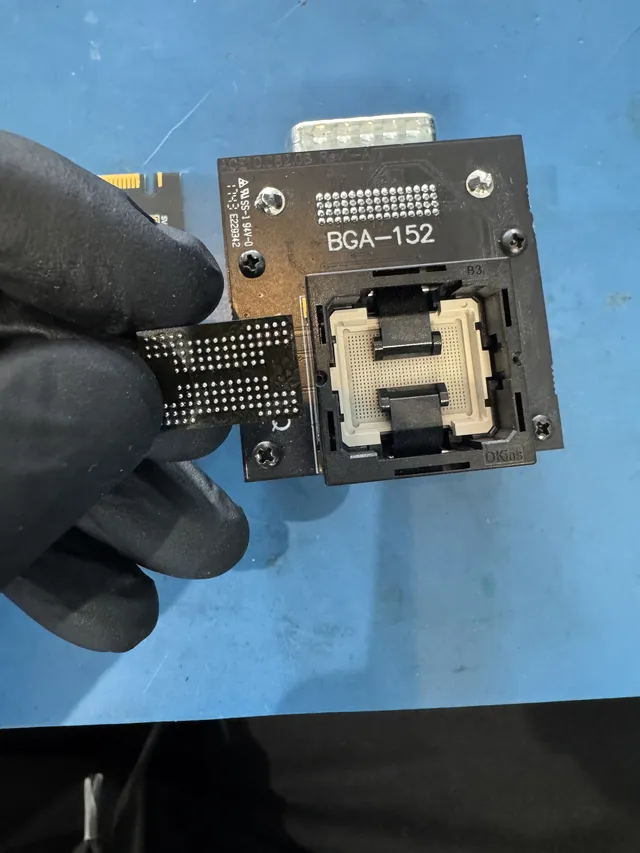
Fine wires or a suitable adapter connect those points to a flash reader. This gives access to the NAND without relying on the card's normal interface. Broken or missing pads complicate that connection; Rusolut's chip-reading instructions require inspection before connecting a damaged chip to the reader.
The first result is a raw memory image, not a folder of photographs. Flash controllers distribute data across pages, add error-correction information and may scramble what they store. Recovery software has to correct readable errors and reconstruct the arrangement the controller used. Only then can it rebuild a file system or extract files from the image. Check recovered photos at full size: a recognizable filename can survive even when image data is missing. PC-3000 Flash's documentation explains these reconstruction stages.
Broken-card recovery can cost several hundred dollars to over a thousand for complex cases. Exposing tiny connections, reading unstable memory and reconstructing its layout account for the work; replacing the plastic housing does not solve it.
Is the broken part the card or its adapter?
A full-size SD adapter has a slot for a separate microSD card. The files live on the small card. SanDisk describes these as passive adapters: they let microSD contacts connect to a larger SD slot.
If only the empty adapter's shell is cracked and the microSD comes out undamaged, replacing the adapter may be all that is needed. Hold the intact card by its edges and stop if it resists insertion. Once the intact card's folders open in the replacement reader, save the needed files elsewhere before using it again; end the attempt if reads fail or the card keeps disconnecting. A full-size SD card with no removable microSD inside is a storage device in its own right; a cracked shell needs inspection for damage underneath.
A dead micro SD card with no visible break may instead have a failed controller or corrupted file system. Recovery software needs a device that supplies readable data to the computer. It cannot repair a severed circuit or turn fragments into a working card. For a physically broken micro SD card, SD card recovery aims to retrieve the surviving files; the damaged card should not return to service.
Get help with data recovery
Bring your device to our Lincroft lab during opening hours, or mail it in.
How to mail your deviceThe $100 diagnostic is non-refundable once diagnostics start, and donor drives or replacement parts you approve are non-refundable once ordered, even if recovery fails.
Published by MDrepairs
MDrepairs is a data recovery and electronics repair lab in Lincroft, New Jersey. Our founder and lead technician Joseph Montanti films real cases for our YouTube channel, showing tools, repair steps and recovery outcomes.
Keep reading
- USB “Device Descriptor Request Failed”: What It Means for a Flash Drive
- USB Says “Please Insert a Disk” or “No Media”: Can You Recover the Files?
- SD Card Write Protected? Fixes Beyond the Switch