External Drive Disconnects Randomly During Transfer: Diagnosis + Recovery
Our founder and lead technician, Joseph Montanti, handles cases personally.
An external hard drive that disconnects randomly during a transfer may be losing its USB connection or power, or struggling to read damaged areas of the disk. A worn cable, an overloaded hub, and a failing drive can all produce the same disappearing-drive symptom. A limited cable and port check can separate a connection problem from a drive that needs recovery, provided the drive has no signs of physical damage.
On this page
Check which drive disconnected
A copy needs both a readable source and a working destination. If you are copying photos from one external drive to another, either drive can interrupt the operation. In File Explorer or Finder, check which device disappeared before changing anything. If Windows offers to format or initialize the disk, click Cancel.
If the source still opens normally and the destination has dropped out, use a different healthy destination with enough space. If the source is the device that keeps disappearing, restarting the whole copy repeatedly sends it back through areas it has already struggled to read.
Keep the files already copied until you have checked them. An interrupted move can leave some files at the destination and others at the source, so inspect both locations before deleting an incomplete folder or accepting a replace-files prompt.
Error 0x800701B1: A device which does not exist was specified
This message means Windows could no longer access a device required by the operation. During a file transfer, a drive or its connection has become unavailable. Microsoft uses this exact wording for error 0x800701B1.
The semaphore timeout period has expired: error 121 / 0x80070079
Windows waited for an operation to finish and did not receive a response in time. Microsoft lists error 121, hexadecimal 0x79, as ERROR_SEM_TIMEOUT; a copy dialog may show the longer 0x80070079 value.
During an external-drive copy, the delay can come from the source, destination, or their connection. A disk repeatedly retrying an unreadable sector is one possible cause. If the destination is a mapped network drive, the network and server are also part of the transfer; changing a local USB cable will not address every fault along that route.
A cable, port, and power check
Do not reconnect a physically damaged drive for this test. A hard drive that clicks repeatedly, beeps, grinds, was dropped, or got wet needs to remain disconnected. A loose or damaged socket also needs repair rather than being held at an angle through another transfer.
For a responsive drive without those signs, cancel the stalled copy and close applications using it. Eject it when the computer allows, then simplify the connection. Seagate's portable-drive manual specifically covers cable length, hubs, power, and random disconnections.
- Try one change, either a known-good cable or a direct connection to a compatible port. A desktop model needs its matching power adapter. Keep a running hard drive still.
- If folders now open, copy the needed files onto separate healthy storage. At another timeout, dropout, stalled read or read error, stop and disconnect the drive.
Open the copies on the destination to check them.
Why the drive disconnects under load
A cable carries data and, for a portable drive, power. Damage near a plug can interrupt the connection even when its outer jacket looks intact. A long or unsuitable cable can also cause trouble that becomes apparent during sustained use. SanDisk's disconnection guidance includes power and connectivity during data transfers among the causes.
A desktop external drive also has a separate power supply that can fail.
A bridge board provides another possible break in the path. On models that use one, it translates between the external USB connection and the drive's internal interface. Some portable drives instead integrate USB on their own circuit board. The enclosure name alone is not enough to choose a direct-SATA workaround. Keep the sealed disk shut and keep its original enclosure, bridge and circuit board together.
When the media is failing, a requested read can take much longer because the drive keeps attempting to recover the same sector. The copy appears stuck, the operating system waits, and access may time out or reset. A failure recurring at the same file or part of a transfer is a useful clue to a difficult read area. Files in other areas may remain accessible.
| Pattern | Likely area to investigate | What to do |
|---|---|---|
| Connection changes when the cable moves | Cable, plug, or socket damage | Replace the cable; a loose device socket needs repair. |
| Stable directly connected, unstable through a hub | The hub, its power supply, or its connection | Use the stable direct connection to preserve files. |
| Stalls at the same file despite a known-working connection | Unreadable storage areas or a damaged file | End repeated attempts and arrange imaging/recovery. |
| Disconnects only after sleep or idle time | Sleep/wake handling in the computer, dock, or drive | Use maker-supported power troubleshooting after preserving the files. |
| Source stays present but destination disappears | The destination device or its connection | Keep the originals and choose a healthy destination. |
SMART readings and recovery software
If the drive is stable enough to read its health information, an existing SMART report can add context. Reallocated sectors are locations replaced by spares; pending sectors are unstable locations awaiting resolution. A rising count together with read errors supports a storage problem. The meaning of a raw read-error value varies by manufacturer.
CrystalDiskInfo's health-status documentation explains the attributes it uses for its caution status. Some USB connections do not expose SMART, so an unavailable report is different from a healthy one. DriveDx documents its USB support requirements on Mac. There is no need to run a long surface test to reproduce a failure you have already seen during copying.
File recovery software needs access to the device to read its contents. A scan through the same connection that keeps dropping can repeatedly revisit difficult areas. First obtain a controlled image or clone; then file recovery and any filesystem repair can use that copy. CHKDSK, First Aid, formatting, and defragmentation all change storage and belong after the needed data has been preserved.
The GNU ddrescue manual describes copying readable regions first and keeping a map of completed work so it need not be read again. That approach preserves useful data while separating difficult regions for later work. An ordinary file copy that starts over at the first folder has no equivalent knowledge of which physical regions have already been saved.
For scripted copies, check the retry behavior too. Robocopy defaults to one million retries with a 30-second wait. An unattended job can keep returning to a failing operation long after it has stopped making useful progress. Mirroring and moving options can also delete files, so a copied command intended to synchronize backups may be unsuitable for preserving the only surviving files.
When the drive needs repair before imaging
Repeated disconnection after a sound connection has been established is a reason to use external drive recovery. A physical fault may need repair before enough data can be read. After access is stable, imaging captures readable sectors for file extraction and reconstruction of damaged folders.
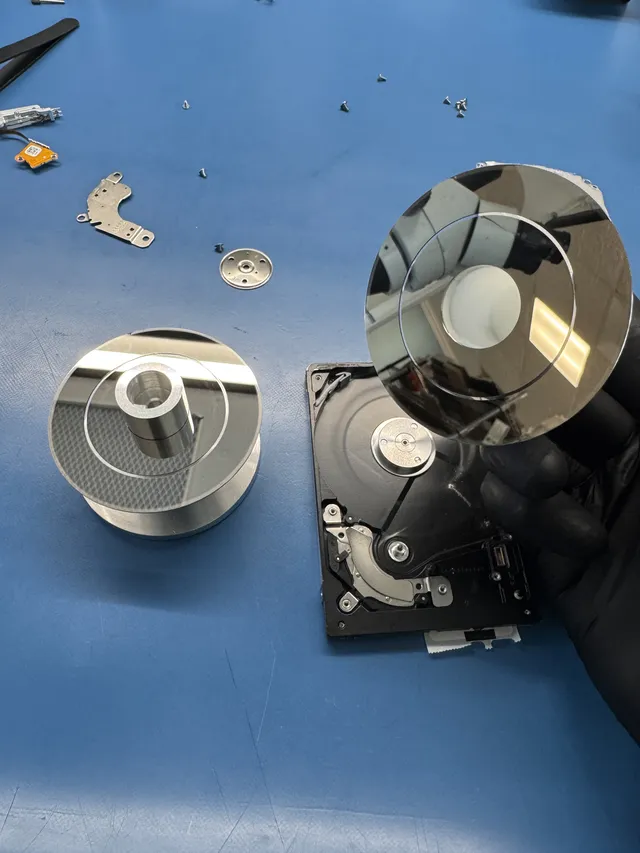
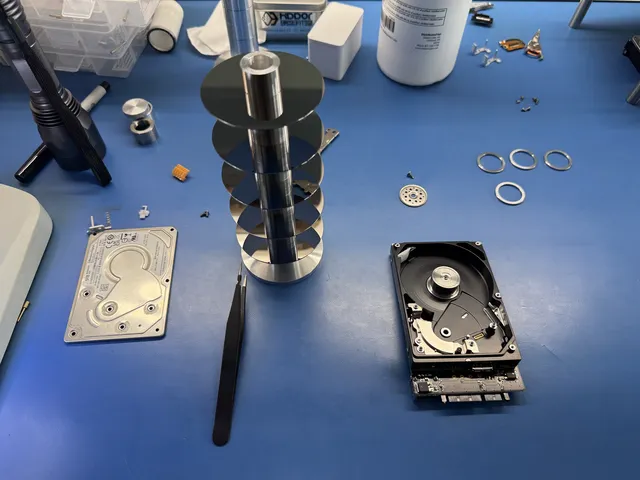
Our helium hard-drive recovery video begins with a drive that disconnected while wedding photos were being transferred. Its motor spun but the heads failed to initialize; Joe replaced the head assembly and supplied helium while imaging the drive with Data Extractor. The recorded result was the recovery of the customer's photos and videos.
Encryption can also make an electronics repair specific to the original drive. In a WD40NDZM repair, Joe moved the original processor and ROM from a snapped board to a donor board to preserve the encryption path. This is why a generic board replacement is different from recovering a device with its original security information intact.
| Cause | Recovery range | Work involved |
|---|---|---|
| Cable or port problem with a readable drive | No lab recovery needed | Use a working connection and preserve the files. |
| USB-to-SATA bridge repair | $1,000 to $1,500 | Restoring access through the drive's interface. |
| WD Passport bridge repair with encryption preservation | $1,000 to $1,500 | Electronics work that retains the required original security information. |
| Surface defects with intact heads | $1,000 to $1,500 | Imaging readable areas and reconstructing files. |
| Failing drive with head damage | $1,500 to $3,000+ | Head replacement in the laminar-flow work area before imaging. |
| Drive that completely failed during DIY attempts | $2,250 to $3,500+ | Addressing the additional physical damage present. |
Standard recovery is estimated at 4–6 weeks, with parts, drive condition and imaging affecting the schedule. You can check recovery costs before mailing the drive.
Disconnects after sleep are a separate clue
Sleep-related behavior can involve the dock, USB controller, driver, or device firmware. Once the files are preserved, use the computer and drive makers' supported updates and power guidance for that combination.
Windows USB selective suspend saves power by suspending an idle device. Microsoft recommends leaving it enabled. Disabling it across every USB hub as a routine response to a failing disk hides the distinction between an idle-device problem and failed reads during a transfer.
On a Mac laptop, supported sleep options are in System Settings > Battery > Options; desktop Macs use Energy settings. Apple describes “Put hard disks to sleep when possible” as an idle setting, with availability varying by model. If the problem consistently follows sleep, a temporary comparison with disk sleep disabled can help isolate that behavior after the files are safe. Restore the setting if it makes no difference.
Get help with data recovery
Bring your device to our Lincroft lab during opening hours, or mail it in.
How to mail your deviceThe $100 diagnostic is non-refundable once diagnostics start, and donor drives or replacement parts you approve are non-refundable once ordered, even if recovery fails.
Published by MDrepairs
MDrepairs is a data recovery and electronics repair lab in Lincroft, New Jersey. Our founder and lead technician Joseph Montanti films real cases for our YouTube channel, showing tools, repair steps and recovery outcomes.
Keep reading
- External Drive Says “The Parameter Is Incorrect”: Data-Safe Checks
- External Hard Drive Freezes File Explorer or the Computer: Safe Next Steps

- “The Semaphore Timeout Period Has Expired” During a Drive Copy